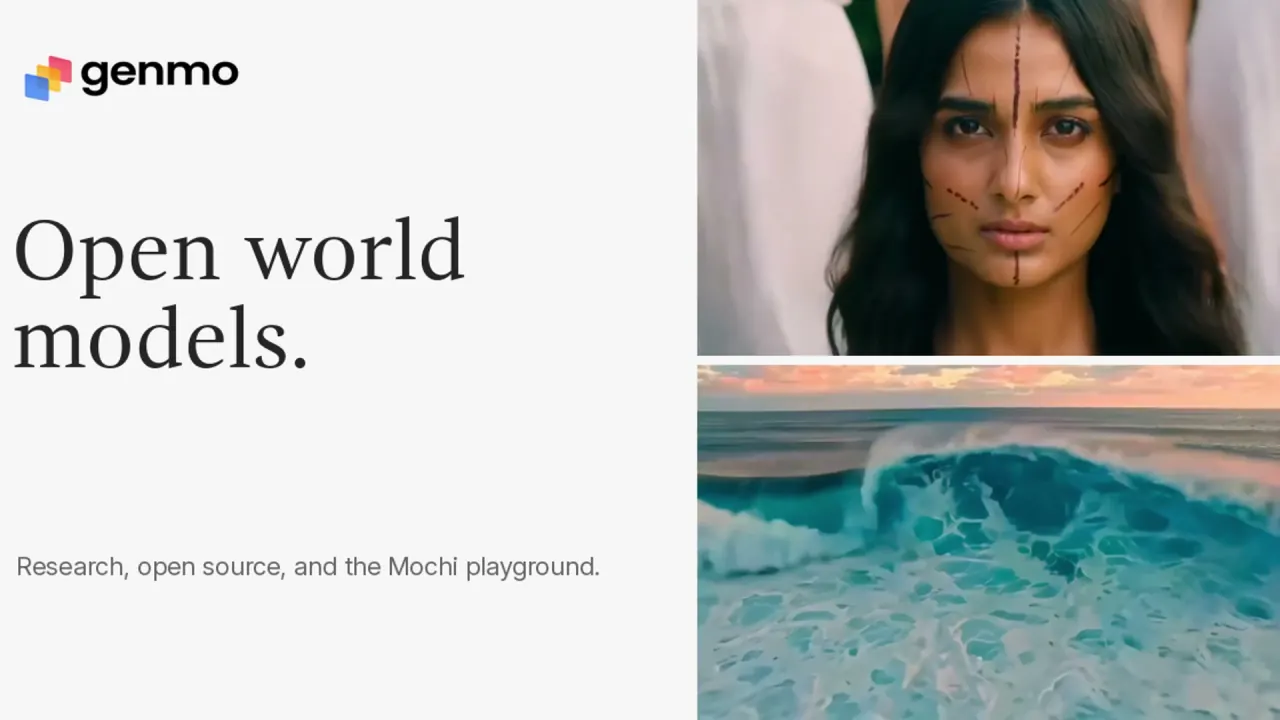

Genmo builds open video world models: create short clips from text in the hosted Mochi Playground, or download the Apache 2.0 weights and run the 10-billion-parameter Mochi 1 model yourself.
Used this tool? Rate it
Used this tool? Rate it


Multi-model image studio, free to start


DeepSeek AI models for chat and API


Community-Trained Models for Art, Video and Characters


Prompt-Based Images, Edits and Video


One gateway for text and media models


Multi-model AI video and image generation in one browser workspace

Turn images, clips and sound into video


Design original characters and animate them
Genmo is a research lab building generalist world models, and its first public open-source release, the Mochi 1 text-to-video model, can be used through a hosted playground or self-hosted under the Apache 2.0 license. The current product surface is centered on Mochi: a 10-billion-parameter text-to-video model whose 480p base checkpoint and source code were released openly in October 2024.
There are two distinct ways to use it. The hosted Mochi Playground generates videos from written prompts directly in a browser after sign-in, with no installation. The open-source release takes the same model outside the hosted service: weights and code are downloadable and runnable on your own hardware. For everyday users it behaves as a Genmo AI video generator in the browser; for developers it is a downloadable model.
The team behind it has roots in foundational generative AI research. The team lists papers including Denoising Diffusion Probabilistic Models and DreamFusion: Text-to-3D using 2D Diffusion, and reports more than 55,000 citations across its research. Independent technology-media coverage of the launch reported that the company raised a $28.4 million Series A led by NEA, announced alongside the model in October 2024.
The hosted Mochi Playground lets you create videos from written prompts in a browser, and the open-source Mochi 1 model is separately available to download and run locally. Generation requires signing in, choosing Mochi in the model menu, entering a description, and clicking Generate; finished results appear in a personal My Creations area. No coding skills are needed for this hosted path — the workflow is entirely prompt-based.
Each video generation consumes credits through the fuel system, based on the length and quality settings chosen. Output is delivered as MP4 with H.264 encoding, and the base model produces 480p videos. The Playground is the hosted form of Mochi text-to-video generation, so prompt quality drives the result.
The Playground is text-to-video only. There is currently no image input: the service creates videos from text prompts, so image-to-video workflows are not part of the hosted product.
Mochi 1 was released as a 10-billion-parameter open-source text-to-video model, with the 480p base checkpoint and source code published under Apache 2.0 for personal and commercial use. You can run and customize the model using the open-source repository or ComfyUI. The repository page shows an Apache-2.0 license designation for this open source AI video model, with roughly 3.8k stars and 499 forks as captured on November 28, 2026.
Running the model on a single GPU requires approximately 60GB of VRAM, though ComfyUI can optimize Mochi to run on less than 20GB. The repository also documents a ComfyUI wrapper integration and a separate ComfyUI editing extension that adds nodes for video editing tasks such as object insertion and restyling.
The lab's own launch evaluations are the main performance evidence available: in the company's evaluations, the 480p research preview led the open and closed models it was tested against on both prompt adherence and motion quality. These are vendor-reported results rather than independent benchmarks.
Creating a first video in the hosted Playground takes four steps:
Prompt wording directly shapes the result. The service's own guidance is to describe the subject, action, and setting, then add details about lighting, camera movement, and visual style, starting with a clear scene and adjusting the prompt to refine the result.
Generation typically takes 2 to 5 minutes depending on prompt complexity and server load. If a video stays stuck in the queue for more than 10 minutes, the guidance is to refresh the page and, if the issue persists, contact support with the generation ID. Generation can fail due to content policy violations, server overload, or prompt issues.
Downloads and retention are asymmetric: you can download any generated video with one click, but videos are available for 7 days after creation and may be deleted after that, so anything you want to keep needs to be downloaded within that window.
For the self-hosted path, the repository's quickstart is three commands: clone the genmoai/mochi repository, install the Python dependencies with pip, and generate a first video through the demos CLI script. ComfyUI integrations are available if you prefer a node-based workflow over the command line.
The clearest hosted use case is fast text-to-video drafting: describe a scene in plain language and get a 480p clip in minutes without any technical setup, which suits idea testing and short social-ready moments where resolution demands are modest. Because the Playground is prompt-only, it works best for scenes you can articulate in words rather than workflows that start from a reference image.
The Apache 2.0 license opens a second set of uses outside the hosted service. Teams can download the weights, inspect the architecture, and fine-tune Mochi 1 for particular visual styles, and the launch post explicitly names fine-tuning as an intended use of the open release. Because the open weights are licensed for commercial use, a product team can also deploy Mochi 1 inside its own pipeline — with the caveat that the project README states that organizations should implement additional safety protocols before deploying the weights in commercial services or products.
Third-party review coverage adds a budget angle, framing the appeal for cost-conscious creators as a cheap hosted option for quick commercial clips alongside a free self-hosted path.
The hosted Playground is deliberately beginner-friendly: you don't need coding skills to create videos there, since the workflow is writing a prompt and clicking Generate. That makes the hosted path viable for marketers, social creators, and anyone testing AI video for the first time, provided they can work within 480p and short clip lengths.
Running or fine-tuning the open weights assumes comfort with Python environments, GPU hardware, and either the command line or ComfyUI. Independent review coverage positions the tool for developers, researchers, and budget-conscious creators who want an open-weight video model they can self-host or fine-tune.
The same review coverage draws a clear negative boundary: professional filmmakers or agencies needing precise camera control, lipsync, or an integrated editing suite should look elsewhere, because the toolset is comparatively bare-bones. This is a tool for people who value open weights and low cost over production-grade finishing features.
Access runs through three channels:
Hardware is the main platform constraint on the self-hosted side: single-GPU operation requires approximately 60GB of VRAM, while ComfyUI optimizations can bring the requirement under 20GB VRAM. There is no mobile app or desktop client.
On integrations, the acceptable use policy prohibits developing any interface to access the Services, such as an application programming interface, without prior written consent. Programmatic access is therefore a permissioned arrangement rather than a documented public endpoint. Output files are standard MP4 with H.264 encoding.
Genmo pricing works through a credit system on the hosted side: fuel is the official name for the credits, and each video generation consumes fuel based on the length and quality settings chosen. The self-hosted model itself is free — Apache 2.0 places no license fee on personal or commercial use of the weights. The official pages checked for this review, including the home page, help FAQ, and terms, do not publish dollar prices for subscription tiers, so the plan amounts below come from third-party review pages as captured on November 28, 2026:
| Plan | Listed price | Listed credits and terms |
|---|---|---|
| Free | $0/mo | 50 credits/mo with a roughly 2 videos/day cap, watermarked output, non-commercial use only |
| Lite | $10/mo (annual billing, listed as 20% off vs monthly) | 1,200 credits/mo, no watermark, commercial use permitted, higher queue priority |
| Standard | $30/mo (annual billing, listed as 20% off vs monthly) | 5,000 credits/mo, no watermark, commercial use, highest queue priority, early access to new models |
The same third-party coverage estimates that a Mochi video costs about 100 credits, which would make the listed Lite allowance cover roughly 12 clips per month. The third-party pages disagree on the free allowance: one lists 50 credits per month, while another lists 250 one-time credits.
Two official pages state the cancellation rule differently, and both are reproduced here as written. The help FAQ says you can cancel your subscription at any time from your account settings and will keep access to paid features until the end of the current billing period. The terms of service state that to avoid future subscription charges you must cancel at least 3 days before the subscription period renewal date. The FAQ describes access after cancellation; the terms describe the deadline for avoiding the next charge, and the pages do not reconcile the two. Subscription payments themselves are non-refundable and there are no credits for partially-used periods, and access to paid services terminates immediately with no refund if the account is suspended or terminated for actual or suspected violations. Accounts inactive for 90 consecutive days without an active paid subscription may be permanently deleted together with their inputs, outputs, and unused credits.
Third-party comparison pages group Genmo with the wider AI video generator field: the most frequently named alternatives are Runway, Luma Dream Machine, Kling AI, Pika, and Kaiber, with Stable Video Diffusion and Sora also appearing in directory listings.
What distinguishes Genmo in those comparisons is the open-source angle. A 2026 comparison of self-hostable options lists Mochi 1 alongside LTX-2, Wan 2.2, and HunyuanVideo as open-weight video models, and notes that competitors' hosted plans generally output 1080p or higher while Mochi tops out at 480p and 5.4 seconds per clip. A directory page built around switching away from Genmo ranks Runway, Pika, Luma Dream Machine, Kling AI, and Kaiber as the leading options, each with closed weights. Its listings describe Runway as a creative suite for generative video, image, and editing, Pika as text-to-video generation with playful motion, and Kaiber as music-driven generation with stylized motion.
The practical read from these third-party sources: choose Genmo when self-hosting, commercial open weights, or a low-cost entry point matter more than resolution and length; choose the closed competitors when 1080p output, longer clips, or built-in camera and editing controls decide.
The output ceiling is the first limitation: videos can be up to 5.4 seconds long at 30fps, and the base model produces 480p. The lab's own launch notes list research-preview weaknesses — extreme motion can cause warping, and the model handles photorealistic scenes better than animation. Third-party review coverage adds that 480p is too low for client work, ads, or YouTube, and that 5.4-second clips limit storytelling without heavy stitching.
Content and conduct restrictions come from the acceptable use policy, which prohibits submitting or generating material that is obscene, indecent, lewd, or pornographic, or that depicts child exploitation, abuse, or harm. The policy also prohibits removing or obscuring copyright or other rights notices or watermarks from the services or outputs, reverse engineering or decompiling the services or underlying technologies, and using the services or outputs to develop competing products or to extract or replicate the models behind them. Watermark removal matters directly here: the third-party-listed free tier is watermarked, and removing that watermark is a policy violation.
Account-level restrictions compound the output limits. Generated videos are available for 7 days and may be deleted afterward; subscription payments are non-refundable; terminated accounts lose paid access immediately without refunds; and accounts inactive for 90 days without a paid subscription may be deleted along with their unused credits.
You retain any copyright and other proprietary rights you hold in your inputs and outputs, but the terms grant the company a worldwide, royalty-free, perpetual license to use those materials for any purpose, including to build, train, operate, enhance, and improve its services and technologies. The privacy notice states a matching data practice: information you provide as well as generated images may be used to improve the quality of the models, so training use is disclosed rather than excluded.
Retention on the platform side is short: the privacy notice says the company may delete accounts that are inactive for 90 days and generated videos after 7 days. On age, the notice states that the company does not knowingly solicit data from or market to children under 18, and that using the services represents you are at least 18 or a parent or guardian consenting.
Mochi is Genmo's text-to-video model. The hosted Mochi Playground creates videos from written prompts in your browser, and the open-source Mochi 1 model can also be downloaded and run locally under Apache 2.0.
Typically 2 to 5 minutes, depending on prompt complexity and server load. Progress can be monitored in real time.
Currently up to 5.4 seconds at 30fps, in 480p from the base model, delivered as MP4 with H.264 encoding.
No. The Mochi Playground currently creates videos from text prompts only.
Yes. Videos can be downloaded with one click, but they are available for 7 days after creation and may be deleted after that, so download the ones you want to keep.
The help FAQ says you can cancel at any time from account settings and keep paid access until the end of the billing period, while the terms of service say cancellations must be made at least 3 days before the renewal date to avoid future charges. Subscription payments are non-refundable.