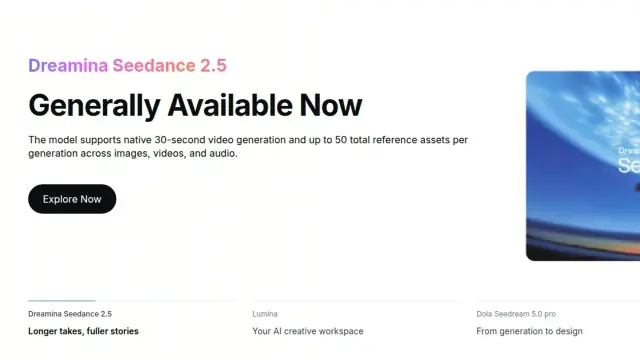
ByteDance Seed
Seedance 2.5
ByteDance Seed’s audio-video model can generate a take up to 30 seconds long. Choose a Seedance 2.5 video tool, plan a continuous product shot, and compare audio, references and export limits.
Model released

Where to use this model
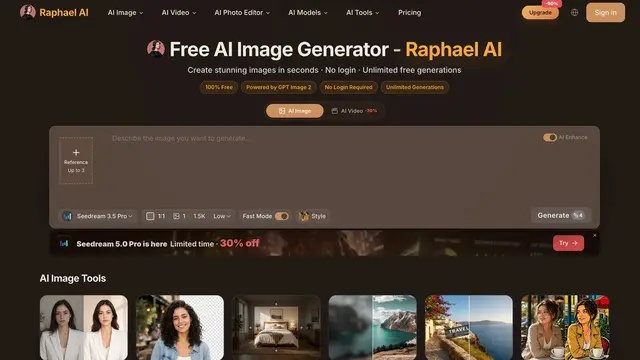
Raphael AI is a browser generator and editor. For Seedance 2.5 product shots, use its dedicated video form. It lists up to 1080p and requires a plan or credit pack.
Evidence source
- Capabilities
- 4–30 s · 480p / 720p / 1080p · MP4 / MOV · Text, keyframes and multimodal references
- Limitations
- 1080p maximum on this entry · Plan or credit pack
- Evidence source
- raphael.app

Model guide
Make a continuous product shot
- Prepare one reference. Photograph a plain ceramic travel mug in even light. Use a view that clearly shows its lid, color and silhouette. Choose a landscape frame for a storefront or a vertical frame for a short social video.
- Set the pace. Select Seedance 2.5, choose a six- to eight-second take and start at 720p if available. Use image-to-video for the opening composition or a reference mode if you need separate control over motion. Turn on sound only when it serves the shot.
- Describe the change, then the hold. Try this prompt: “One continuous studio shot of the reference ceramic travel mug. Start at table height. Move slowly from left to right as the mug turns a quarter turn. Finish with a two-second hold on the lid. Keep the glaze color, lid and silhouette consistent. No scene cuts. Add a soft ceramic tap on contact if audio is enabled.”
- Check the downloaded file. Inspect the opening and closing frames, lid shape, surface color, any product markings, and sound timing. Keep the prompt and reference fixed while changing a single weak instruction. Confirm the export plays in your editing app before raising the resolution.
Compare Seedance 2.5 tools
| Platform | When to choose it | Check before generating |
|---|---|---|
| Raphael AI | Use a browser form for text, keyframes or multimodal references. The documented entry offers 4–30 seconds at up to 1080p and MP4 or MOV. | Raphael lists this version under a plan or credit pack. Check the current selection and quote. |
| Runway Dev | Use seedance2_5 in an API workflow. Eligible text, image and video-reference modes can produce 4K. | Edit, extend and draft enhancement have different rules. Check billing for output and input video. |
| BytePlus ModelArk | Select dreamina-seedance-2-5-260628 for the standard model. ModelArk documents 4–30 seconds and up to 4K. | Verify API access and metered charges, then check reference counts and durations for the chosen mode. |
These settings come from the providers' public documentation. Open the Toolso tool cards for the site entries and the exact-version evidence.
Use the official showcase to study how the camera, action, and soundtrack work together across a scene. Watch the official video
What Seedance 2.5 does well
One continuous take
Give the product a starting position, a camera path, and a final hold to make the reveal easy to assess.
References with distinct jobs
Use a photo for product shape, a short video for camera movement, and an audio reference for rhythm when the mode supports them.
Sound tied to an action
Specify the sound of the main action and check its timing against the downloaded footage.
Targeted editing
In a mode that accepts source footage, describe the change and identify the moment it should happen.
Seedance 2.5 vs. 2.5 Flash vs. 2.0
The comparison uses the BytePlus ModelArk series guide. Reference budgets below apply to mixed reference input.
Seedance 2.5 FAQ
Does it generate audio?
Yes. Supported modes can generate sound with the picture. Turn it off for a silent product clip or check the timing of each sound against the action if you keep it.
Can I use 50 reference files in every request?
Only applicable reference workflows expose that ceiling. The standard ModelArk model documents up to 30 images, 10 videos and 10 audio clips in reference mode. File duration and size limits still apply.
Does every platform export 4K?
No. Raphael's dedicated page lists up to 1080p. Runway Dev lists 4K for eligible generation modes with a pixel ratio, while ModelArk exposes resolution as an API setting.
What can I check before committing to a long clip?
Make a short pass at the target aspect ratio, check the lid and silhouette in the closing frame, and watch the same clip with sound. Raise the duration or resolution once the shot holds together.