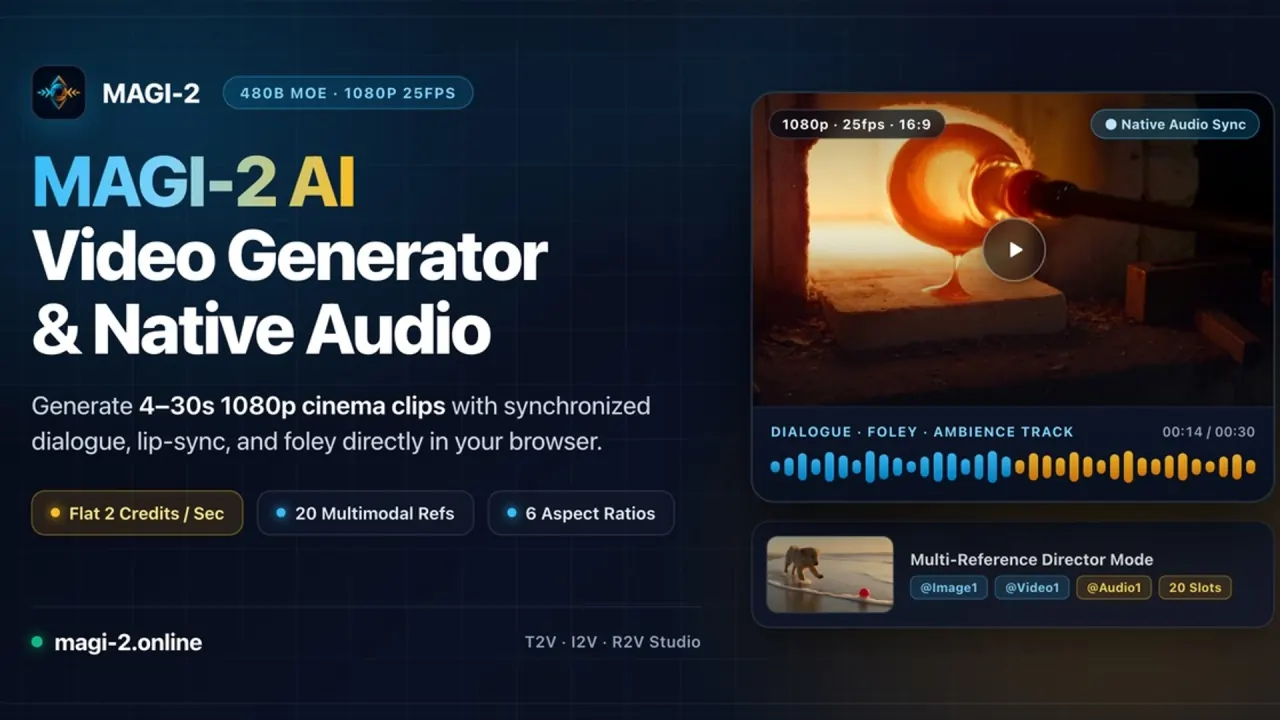

A browser studio that runs the MAGI-2 model for 4–30 second 1080p clips with generated dialogue, foley and music. Renders are metered at 2 credits per output second, with 8 free credits on a new account.
Used this tool? Rate it
Used this tool? Rate it


Multi-model image studio, free to start


Anime art, powered by a million community models


Community-Trained Models for Art, Video and Characters


One gateway for text and media models


Prompt-Based Images, Edits and Video


Multi-model AI video and image generation in one browser workspace


Chat Your Way to a Finished Video


Edit, caption, and generate video in one place
MAGI-2 Free AI Video Generator is the browser studio at magi-2.online that turns a written prompt, a keyframe pair or a set of reference assets into a 1080p MP4 clip of 4 to 30 seconds, with dialogue, lip-sync, foley and music generated in the same pass. Every render is metered at 2 credits per output second, and a new account opens with 8 free credits, enough for one 4-second clip.
The name needs one clarification, because several products now trade on it. The studio describes itself as an independent third-party platform for MAGI-2 video generation and states that it is not affiliated with, endorsed by, sponsored by, or officially connected to Sand.ai. MAGI-2 itself is a 480B video model that the startup Sand.ai had just released, according to Chinese-language launch coverage. What it supplies, in its own words, is a web interface, queue orchestration, billing and storage layer for the model, not the model itself.
That split matters when you weigh a purchase. Model behaviour — how well a shot follows a script, how speech and foley land — belongs to the model and applies wherever the same weights run. Everything else on this page is local to this operator: the queue, the credit rates, the storage windows, the refund rules and the acceptable-use list. Those are the numbers a buyer can actually be held to.
The pages describe a hosted product, not a research release: Google sign-in, a Stripe checkout, a credit ledger, a render queue and a media bucket. There is no self-hosted download, no GPU setup step and no API key described in the pages reviewed for this profile.
What is on sale is therefore a managed workspace rather than a model. The studio says it gives browser access to the full MAGI-2 Mixture-of-Experts audio-video model at 480B total parameters with 28B active per pass, served through managed cloud inference rather than a local GPU. That definition sets the boundary for everything that follows: whether a clip inherits the model's strengths is a question about the model, while whether the job finishes on time, what it costs and how long the file survives are questions about this workspace.
The three modes share one composer and one meter. A five-second 1080p clip costs 10 credits whichever mode produces it; what changes is the input you supply, not the per-second rate.
Every finished file is a native 1080p 25fps MP4 between 4 and 30 seconds long, in one of six aspect ratios: 16:9, 9:16, 1:1, 4:3, 3:4 and 21:9. Sound is generated with the picture rather than added later: dialogue with lip-sync, foley, ambient sound and background music arrive in the same file. The terms list 1080p as the only output size and 30 seconds as the ceiling, so there is no resolution ladder to trade down to and no longer cut to buy.
Uploads are cited in the prompt with tags such as @Image1, @Video1 and @Audio1, so a shot can point at a specific face, clip or track. Across all three modes, the studio says the engine keeps character identity, lighting, physics and lip-synced audio locked together at 2 credits per second. Every plan also lists a built-in AI prompt enhancer for rewriting a rough brief before it is submitted.
Long prompts are the intended workflow here. The bundled examples pair a paragraph of staging and camera detail with sound events named outright: "Native audio: crisp bottle cap click, soft room ambience, and authentic energetic voice."
Finished renders download as clean, watermark-free MP4 files that the site describes as ready for commercial projects. Files stay in the workspace library for long enough to fetch them later, but they are not permanent storage; the retention window is covered under Limitations.
The studio runs in the browser with no GPU setup and keeps a 180-day job history of watermark-free MP4s. Because rendering is asynchronous, a session is closer to sending a brief than to editing on a timeline: you write, submit, and come back. That shape favours batch work — several clips queued around other tasks — over the quick A/B loop of a five-second test followed by an immediate rewrite.
The workflow cards on the studio's home page map each pattern to a reference type: video for motion, images for identity, audio for rhythm.
Two limits follow from the format rather than the marketing. A 4-second floor and a 30-second ceiling mean the unit of work is a scene or a short sequence, not an episode. And because sound is generated with the picture, a clip that needs a licensed track or a specific voice actor's performance is a different kind of job.
The studio frames its audience as creators, marketers and production teams, from solo storytellers to performance ad teams.
The fit is weaker for work that needs a resolution above 1080p, a clip longer than 30 seconds, or a final cut delivered within minutes. Those are specification and queue constraints, not opinions about quality.
Generation runs in the browser with no GPU setup, but it does require a Google account, because signing in through Google OAuth is a precondition for starting a job. There is no separate desktop client in the workflow the terms describe and nothing to configure locally; the heavy inference happens on the operator's cloud infrastructure.
Billing runs through Stripe for both credit packs and recurring plans. Output is an MP4 download, so the finished file moves into whatever editor, scheduler or ad platform you already use. No plugin, extension or local runtime is part of the workflow the terms describe: the browser session, the credit balance and the media library are the whole surface.
Every render is billed at 2 credits per output second, so a 4-second clip costs 8 credits, a 5-second clip 10, a 10-second clip 20 and the full 30-second clip 60. Annual billing is advertised at up to 25% off, with clip cost from $0.62 per 5s 1080p clip.
| Plan | Annual, per month | Monthly | Credits per month | Approx. 5s clips | Cost per 5s clip |
|---|---|---|---|---|---|
| Starter Pass | US$15.99 | US$19.99 | 160 | 16 | US$1.00 |
| Pro Creator | US$29.99 | US$39.99 | 400 | 40 | US$0.75 |
| Studio Scale | US$59.99 | US$79.99 | 960 | 96 | US$0.62 |
Starter Pass is US$15.99 a month on annual billing (US$191.88 a year, a stated saving of US$48) or US$19.99 month to month. Pro Creator is US$29.99 a month on annual billing (US$359.88 a year, saving US$120) or US$39.99 month to month. Studio Scale is US$59.99 a month on annual billing (US$719.88 a year, saving US$240) or US$79.99 month to month. The annual figures are billed up front for the year; the monthly column is the rate if you pay cycle by cycle. The three plans differ in volume rather than in features: 160, 400 and 960 credits a month buy roughly 16, 40 and 96 five-second clips, and the effective rate per clip falls as the allowance rises, from US$1.00 to US$0.75 to US$0.62.
New Google-authenticated accounts receive 8 free trial credits, which the refund policy equates to one 4-second 1080p clip with native audio. The smallest one-time purchase is an 80-credit pack at US$9.90, or US$1.24 per 5-second video. Credit packs never expire, and a full monetary refund can be requested within 7 calendar days of purchase as long as none of the pack's credits have been used.
A subscription can be canceled at any time; cancellation stops the next renewal immediately and access continues to the end of the current billing cycle. Charges for the current or past subscription periods are non-refundable once credits have been used, apart from verified duplicate billing or where law requires otherwise. A job that fails in the queue, times out or returns no valid 1080p MP4 has 100% of its deducted credits refunded to the account balance automatically.
Because the model comes from Sand.ai rather than from this operator, the same weights are reachable through other routes, and the price of the model itself is not the price of this studio.
Chinese-language launch coverage reports that Sand.ai's own list price for 1080p output is a fraction of Seedance 2.5's at the same specification, and well below this studio's per-clip rate. The same model is reachable elsewhere: a published hands-on test ran MAGI-2 inside LibTV rather than on this site. Against that, this studio's rate works out at US$1.00 per 5-second clip on the entry plan and US$0.62 on the largest.
The practical comparison is therefore two-sided. A developer with its own integration can reach the model provider directly at the model rate. A marketer who wants a login, a Stripe receipt and a download button is paying for the layer around the model, and should judge that layer on queue time, retention and support rather than on model quality.
Renders queue asynchronously and typically take 13–20 minutes, a wait the site itself says can stretch under cloud inference load. Nothing in the interface promises a faster tier, so a deadline measured in minutes is the wrong fit.
Prompts and uploaded T2V, I2V and R2V media are transmitted over encrypted connections to cloud inference partners solely to generate the requested clip. The policy states that personal data, prompts and uploaded reference media are not sold to advertisers or data brokers. The policy frames the use of collected information as delivering and maintaining the studio, and lists cloud inference, Cloudflare R2 storage and Stripe payment processing.
The inference partners are not named. On the question that matters most to studios with client material, the policy pages reviewed for this profile do not say whether prompts or uploads are used to train models; collection, sharing and retention are described, training is not addressed.
No. Sand.ai develops the MAGI-2 model; this site is an independent studio that runs it through cloud inference. The studio states that it is not affiliated with, endorsed by, sponsored by, or officially connected to Sand.ai, and the model provider's own pricing and terms are separate from this operator's.
At 2 credits per output second, a 4-second clip is 8 credits, a 5-second clip 10, a 10-second clip 20 and a 30-second clip 60. What a credit is worth depends on the plan: US$1.00 per 5-second clip on Starter Pass, US$0.75 on Pro Creator and US$0.62 on Studio Scale, with credit packs priced separately.
New accounts receive 8 free trial credits, which is one 4-second 1080p clip with native audio. The credits have no cash value, and opening extra accounts to claim them again is prohibited.
Typically 13–20 minutes per job, in an asynchronous queue. The site notes that the wait can vary with cloud inference load, and no priority option is described in the pages reviewed.
Yes. Generated MP4s may be used for personal or commercial projects, subject to the terms and applicable law, and finished renders are watermark-free. The same terms warn that uniqueness and copyright eligibility cannot be guaranteed across jurisdictions.
Uploaded reference media is stored on Cloudflare R2 and expires after 7 days. Completed renders stay available for up to 180 days before automatic removal, so anything you want to keep needs to be downloaded.