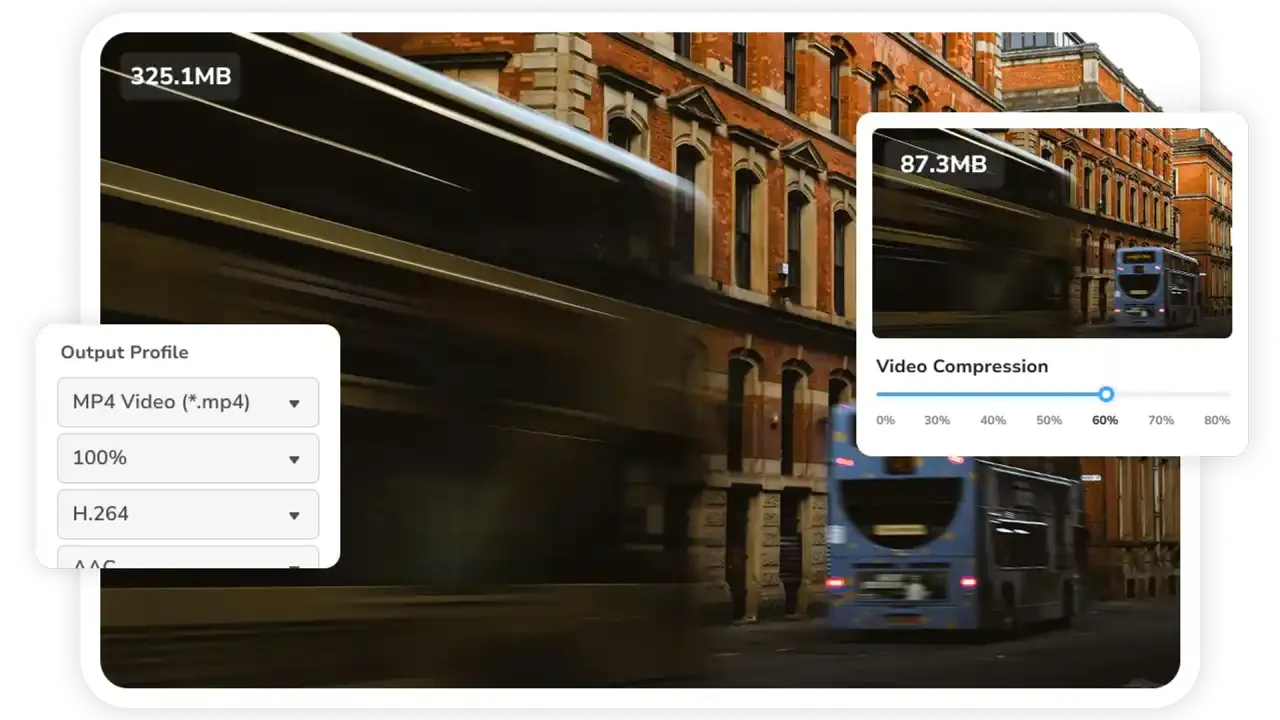

Any Video Converter is a Windows and macOS desktop toolkit that converts more than 1,000 formats, downloads online video, compresses files, edits clips, and adds AI generation, enhancement and transcription in one app.
Used this tool? Rate it
Used this tool? Rate it


Multi-model image studio, free to start


Natural AI photo editing for portraits and projects


Community-Trained Models for Art, Video and Characters


One gateway for text and media models


Prompt-Based Images, Edits and Video


Multi-model AI video and image generation in one browser workspace


Design original characters and animate them


Chat Your Way to a Finished Video
Any Video Converter is a desktop video converter for Windows and macOS that combines format conversion, compression, online-video downloading, disc tools and a set of AI features in one program. It has been published since 2003 and is sold in three editions: Free, Pro and Ultimate.
The centre of the product is a converter that handles 1,000+ video and audio formats, according to the vendor. Batch jobs can run at what the company describes as 130X speed, and encoding can use NVIDIA CUDA, AMD AMF or Intel QSV hardware acceleration. Around the converter sit a downloader for online video, an MP4 compressor, a trim-and-merge editor, a screen recorder and AI tools for generation, enhancement and transcription.
The AI layer separates the current release from earlier versions. The company describes the app as an AI creative hub whose generative tools are powered by Seedance AI. Ultimate adds an AI video generator, an AI image generator, speech to text and vocal or instrumental splitting. The vendor reports 630+ million users. That is a company figure, not an audited count, and it describes the brand rather than the performance of any single conversion.
The current release is 9.2.5, which added advanced options for the Format Convert tool, automatic downloads and automatic file renaming for the Video Download tool.
The practical appeal is consolidation: conversion, download, compression, transcription and subtitle cleanup stay in one window instead of four utilities. The trade-off is that the free edition is for personal use and the AI features require Ultimate.
Presets store format, quality, audio, subtitle and advanced settings, so a recurring job does not need to be configured again. This is most useful for a weekly export, a fixed device target or a batch of files from the same camera. Ultimate adds parallel processing on top of the preset system, which changes how a large folder behaves: conversions and downloads can overlap instead of waiting in a single line.
Paste a supported URL into the download tool, choose the resolution and output settings, and let the queue handle the file. Paid editions add custom download settings, parallel downloads and automatic collection of new items from a channel or playlist. The downloader is a separate workflow from conversion, so a saved file can be edited or compressed immediately afterwards.
Run Speech to Text on a video or audio file, edit the transcript, then use the track editor to correct or remove subtitle tracks before export. Meetings, interviews and tutorials are the input types the vendor names. Because transcription does not consume credits in Ultimate, the cost of this step is time rather than metered usage.
Cameras, phones and older software produce MOV, MKV, WEBM, WMV, TRP, M2TS and VOB files that some editors and players handle poorly. Converting them to MP4 with H.264 or H.265 makes the footage easier to import, and a folder-level queue keeps a whole shoot moving.
Compression reduces the size of large MP4 files for messaging, cloud storage or archive discs. The output controls allow a trade-off between size and quality instead of a single fixed preset, which matters when a client has a hard upload limit or a phone has little free space.
The downloader handles links from video-sharing platforms and saves files locally at up to 4K or 8K. Teachers, researchers and commuters use this to keep lectures, interviews and music videos available without a connection. The terms make the user responsible for having the right to download the material.
Speech to Text turns spoken content into an editable transcript, the track editor fixes subtitle tracks, and AI Audio Splitter produces a vocal or instrumental version. Interview transcription, social clips and karaoke-style audio work are the obvious jobs.
Any Video Converter fits individuals and small teams that work on Windows or macOS and want conversion, downloading and light editing in one installed program. The free edition is positioned for personal use, the paid editions are the route for commercial work, and Ultimate is the edition that adds AI generation, enhancement and transcription. Pro is positioned around DVD burning, screen recording and other advanced tools.
It is a reasonable fit for:
It is a poor fit for:
| Plan | Price shown on the purchase page |
|---|---|
| Free | $0 |
| Pro | from $19.95 |
| Ultimate | from $29.95 |
The Free edition is the converter with downloads, compression and basic editing, with no cost and no file-size cap, according to the vendor. Pro adds advanced tools such as DVD burning and screen recording. Ultimate adds parallel downloads, AI generation, AI enhancement, speech to text and audio splitting, plus access to current and future AI tools.
Ultimate has been offered with monthly, yearly and perpetual licences since version 9.1.0. The comparison table shows strike-through prices, including a $35 discount on Ultimate. It also shows a $40 discount on Pro. Prices are listed in US dollars and converted to the local currency at checkout.
Two billing rules matter. Automatic renewal is on by default for subscriptions, and a renewal after a discounted purchase is charged at the original list price. Refunds are available for 5 days on monthly and annual plans and 30 days on the permanent plan, while AI credit packs are excluded, including unused credits. Free updates are included. Approved refunds are processed in 3 to 10 business days, after which the licence is deactivated.
An independent review of the free edition points readers to aTube Catcher as a related tool. The vendor's own guide for large or multiple files names HandBrake and Freemake as desktop converters that use hardware acceleration.
The choice is mostly about scope: HandBrake is positioned as conversion software for large batches, while Any Video Converter adds downloading, disc tools and, in Ultimate, AI features in the same window, at the cost of licence fees and upgrade prompts.
The Free edition is free to download and use, with no file-size limit, according to the vendor. Pro and Ultimate are paid licences that unlock advanced and AI features.
Yes. The vendor lists Windows 11 and 10 (64-bit), macOS 12 and later, and a separate build for macOS 10.15–11.
No. The terms limit the free version to personal use and require a Pro or Ultimate licence for commercial use.
Only generative features use credits. Enhancement, speech to text, audio splitting and Smart Trim are included without credits in Ultimate.
Core conversion is described as local, and the free edition processes media offline. Some AI features may rely on online services, and the privacy policy says local files are not accessed or uploaded unless shared for support.
Five days for monthly and annual subscriptions and 30 days for the permanent plan. Credit packs are not refundable.