
Toolso.AI
Toolso.AI
All ToolsCategoriesTrendingLatest Tools
AI Models

Image models

  • Nano Banana 2.1
  • GPT Image 2.6 Sunburst
  • Seedream 5.5
View all

Video models

  • MiniMax H3
  • Kling 4.0
  • Seedance 2.5
View all
All AI models
Blog
Toolso.AI
Toolso.AI
Toolso.AI
Toolso.AI

Discover the best AI tools to boost your productivity

GitHubGitHubTwitterX (Twitter)YouTubeYouTubeTikTokEmail

Popular Categories

  • AI Writing
  • AI Image
  • AI Video
  • AI Coding
  • More Categories

Explore

  • Latest Tools
  • Popular Tools
  • More Tools
  • Submit Tool
  • Pricing

About

  • About Us
  • Contact
  • Blog
  • Changelog

Legal

  • Cookie Policy
  • Privacy Policy
  • Terms of Service
  • Refund Policy
© 2026 Toolso.AI All Rights Reserved
Limited timeLimited-time offerFeatured Listing24h priority review · No backlink · 30 days featured$29.90then $59.90Price rises to $59.90 after Dec 31Ends in--:--:--Submit now
  1. Home
  2. All Tools
  3. Productivity
  4. Vocol AI
Vocol AI interface preview
Vocol AI logo

Vocol AI

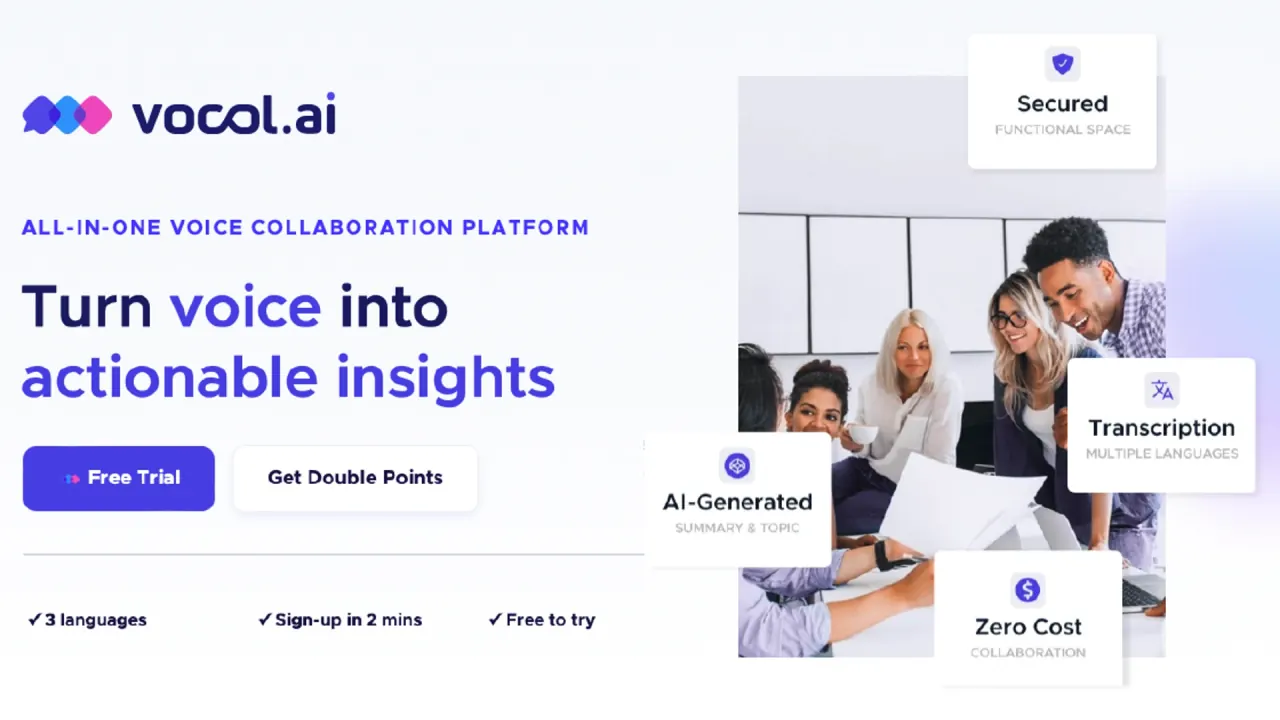
Vocol AI is a voice collaboration platform that transcribes meetings in English, Chinese and Japanese, then generates AI summaries, topics and action items that teams can search, translate and share online.

ProductivityVoice & Speech ToolsCollaboration Tools#Speech To Text#Meetings#Summaries
Start Free Trial
Saves
Visits
Views
Pricing
Free Trial
Published
Nov 28, 2026
Domain
vocol.ai
Community rating

Used this tool? Rate it

Rate this tool
Start Free Trial

Vocol AI Product Information

Start Free Trial
Tool Information
Saves
Visits
Views
Pricing
Free Trial
Published
Nov 28, 2026
Domain
vocol.ai
Community rating

Used this tool? Rate it

Rate this tool

Featured Tools

Gamma interface preview
Gamma logo

Gamma

Paid

From a prompt to a deck, site or doc

i10X interface preview
i10X logo

i10X

Paid

One workspace for every AI model

Notion interface preview
Notion logo

Notion

Paid

One workspace where your team and its AI agents think together

Codex Reset interface preview
Codex Reset logo

Codex Reset

Freemium

Public Codex reset tracker

Claude interface preview
Claude logo

Claude

Freemium

AI assistant for structured work

Runable interface preview
Runable logo

Runable

Freemium

Plan, build, and refine work with an AI agent

Deepl interface preview
Deepl logo

Deepl

Paid

AI translation for multilingual workflows

Metaso - Mita AI Search interface preview
Metaso - Mita AI Search logo

Metaso - Mita AI Search

Freemium

Ad-free Chinese AI search with cited answers

AI Limit Reset Tracker interface preview
AI Limit Reset Tracker logo

AI Limit Reset Tracker

Freemium

Track public AI usage-limit reset signals

AI Image To Image interface preview
AI Image To Image logo

AI Image To Image

Free

AI image editing from a reference photo

Raphael AI interface preview
Raphael AI logo

Raphael AI

Free

Multi-model image studio, free to start

Airbrush interface preview
Airbrush logo

Airbrush

Free Trial

Natural AI photo editing for portraits and projects

ChatGPT interface preview
ChatGPT logo

ChatGPT

Freemium

AI assistant for writing, analysis and tasks

Perchance interface preview
Perchance logo

Perchance

Freemium

Build random generators, share them free

PixAI interface preview
PixAI logo

PixAI

Freemium

Anime art, powered by a million community models

DeepSeek interface preview
DeepSeek logo

DeepSeek

Freemium

DeepSeek AI models for chat and API

Grok interface preview
Grok logo

Grok

Freemium

Real-time answers, images, and code in one chat

SeaArt AI interface preview
SeaArt AI logo

SeaArt AI

Freemium

Community-Trained Models for Art, Video and Characters

Related Tools

Fireflies.ai
Fireflies.ai interface preview
Fireflies.ai logo

Fireflies.ai

Paid

AI Notetaker That Remembers Every Meeting

Try Now
Krisp
Krisp interface preview
Krisp logo

Krisp

Freemium

Clearer calls and bot-free meeting notes

Try Now
Transkriptor
Transkriptor interface preview
Transkriptor logo

Transkriptor

Free Trial

AI transcription for files and meetings

Try Now
Goodnotes
Goodnotes interface preview
Goodnotes logo

Goodnotes

Freemium

Handwriting-first notes with an AI layer

Try Now
Fathom AI Notetaker
Fathom AI Notetaker interface preview
Fathom AI Notetaker logo

Fathom AI Notetaker

Freemium

Meetings that write themselves

Try Now
Otter Meeting Agent
Otter Meeting Agent interface preview
Otter Meeting Agent logo

Otter Meeting Agent

Freemium

Meeting transcription that becomes searchable knowledge

Try Now
Tactiq.io
Tactiq.io interface preview
Tactiq.io logo

Tactiq.io

Paid

Bot-free AI meeting notes from live captions

Try Now
Read.ai
Read.ai interface preview
Read.ai logo

Read.ai

Free

Meeting notes that turn into answers

Try Now
HomeTop toolsSimilar

What is Vocol AI?

Vocol AI is an all-in-one voice collaboration platform that turns speech into text and adds AI-generated summaries, key topics and action items. The product comes from Aiello, a Taipei-based voice AI company — the name combines "Voice" and "Collaboration" — and official pages also write the brand as Vocol.AI or Vocol.ai. The company describes it as a platform for individuals and enterprises to collaborate efficiently by turning voice into text and sharing the actionable insights drawn from calls, meetings and recordings.

Several facts frame what the product is today. The company's own site lists US$10.6 million raised, a 2019 founding year, a team of more than 60 people and a 100% in-house build. Taiwanese tech media reported in October 2024 that Aiello completed a further US$5 million funding round, with new investors joining to support expansion in Japan and Southeast Asia; the two figures are presented here as each source states them. The company's blog credits the same parent: "Aiello has unveiled Vocol, an AI voice-centric collaboration platform designed to boost work efficiency by turning voice and data into actionable insights."

Vocol works as a web platform with iOS and Android mobile apps, and the company says the platform runs on Microsoft Azure and Google Cloud. Registration is free and includes V-points, the platform's transcription currency; the pricing page promises pay-per-minute transcript and file storage pricing with no hidden fees. Transcription specializes in Asian languages, with enhanced capabilities in Chinese, Japanese and English.

Core features

  • Multilingual transcription: Vocol transcribes audio and video files in Chinese, English and Japanese and automatically detects languages. The company says accuracy holds up even when speakers mix multiple languages in the same meeting.
  • AI summaries, topics and action items: Every file gets an AI-generated summary, automatically identified key topics and automatically created action items.
  • Transcript translation: The Translate function converts a generated transcript into another language. The Files page states support for over 20 popular languages, while the company's July 2023 press release describes GPT-powered translation supporting more than 25 popular languages; the two pages state different figures and no reconciliation is offered here.
  • Speaker identification: Transcripts distinguish speakers and their segments, which matters for interviews and multi-person meetings.
  • Keyword search and filters: Users search keywords directly inside conversations and filter files by team, owner, number of comments, subject, topic or time period.
  • Export: Transcripts and translations can be exported, and downloaded transcripts can be edited before sharing.
  • File library and permissions: A cloud-based library consolidates calls, meetings, online courses, interviews, podcasts and web conferences in one place. Uploaded audio and video files can be downloaded by the file owner, and team sharing is governed by authority management — access to files is controlled with permissions based on members' roles.
  • Analytics dashboard: An AI-driven dashboard shows a topic word cloud across voice files, team interaction insights that rank files with the most comments and highlights, data usage tracking for transcription volume, and collaboration reactions such as likes and dislikes.

Beyond transcription, Vocol is built around team collaboration. Members who did not attend a meeting can catch up in real time on shared files, comment online, and share entire files with invited users, with email notifications for activity. The interface itself is available in English, Chinese and Japanese, and a built-in media player supports forward, backward, pause, stop and speed controls for audio and video files. The vendor lists TLS encryption for file security, email support and a knowledge base across every plan, and markets the pricing as transparent with no extra charges beyond the published V-points rates.

Guide

A typical Vocol workflow runs from capture to shared insight in six steps:

  1. Create an account. Registration is free and every account receives 200 V-points; 1 V-point transcribes a 1-minute recording, so a 10-minute file costs 10 V-points.
  2. Get voice into Vocol. Upload pre-recorded audio or video files manually, or connect a conference system or meeting platform such as Teams to record meetings automatically. Once a file is uploaded, Vocol sends a notification for the next step.
  3. Review the AI output. Vocol generates the transcript, summary, topics and speaker segments automatically; play the file back with the media player while checking the text.
  4. Search and filter. Keyword search works directly inside conversations, and files can be filtered by team, owner, number of comments, subject, topic or time period to revisit specific moments.
  5. Collaborate and share. Leave comments, share the entire file with teammates, invite new users, and move key moments into the Highlight Hub. There, highlights can be organized into folders, chapters and categories, assembled by dragging and dropping existing files, restored if deleted accidentally, and searched by keyword and date; the layout can be switched between list and block views with folder colors to emphasize priorities.
  6. Track usage. The analytics dashboard tracks transcription usage so teams can see consumption and upgrade the plan on time.

Use cases and examples

The product's own positioning names the material it is built to process: "Vocol can transcribe, summarize, identify key topics of the calls, interviews, meetings, podcasts and online courses for you effortlessly." That covers several recurring situations:

  • Meetings that produce work. AI-generated action items turn conversations into specific, measurable steps, and the meeting notes — transcript, summary and topics — let team members who missed the meeting catch up instead of re-listening.
  • Interviews and podcasts. Speaker identification separates voices, and downloaded transcripts can be edited and reused for articles or show notes.
  • Online courses and learning. Recordings become searchable transcripts and summaries that classmates or colleagues can share and discuss, which the company's testimonial section highlights for remote classes and digital learning.
  • Cross-language teams. Transcript translation plus Chinese, Japanese and English transcription serves meetings where participants switch languages.

Who is it for

  • Professionals and enterprises drowning in meetings. The company frames the problem it solves in meeting-heavy workplaces: it states that a working professional can waste up to 18 hours a week in pointless meetings and that a company without optimized meetings loses on average US$25,000 per employee per year.
  • Teams working across Chinese, Japanese and English. Transcription is tailored for users across Asia, so mixed Chinese–English meetings or Japanese client calls are a primary fit rather than an afterthought.
  • Individuals with heavy voice material. The free tier and pay-as-you-go V-points packs target individuals and small teams with occasional or regular usage, from students processing lectures to podcast producers.
  • Less central: teams that need broad integration ecosystems first. Competitors below lead with larger third-party integration ecosystems; Vocol's stated strength is the Asian-language mix, not integration breadth.

Platforms

  • Web platform. The full workflow — library, transcription, collaboration, analytics — runs in the browser.
  • Mobile apps for iOS and Android. The phone becomes a recording device: record, upload and view files on mobile, then manage, edit and collaborate on the computer, with instant synchronization between the mobile app and web versions.
  • Meeting platform connections. Vocol can connect to meeting platforms such as Teams or to a conference system to record meetings automatically, and the company's Chinese-language product page describes inviting a recording bot into Teams or Google meetings; the company notes that more platforms are coming.
  • Cloud infrastructure. The company says the platform is built on Microsoft Azure and Google Cloud Platform, both described as covered by ISO 27001 information security management standards, with its OpenAI API connection subject to security review.

Pricing

Vocol's plans are priced in V-points, where 1 V-point covers 1 minute of transcription. The table below reflects the pricing page as captured on November 28, 2026:

Plan typePriceV-points / capacityStorage
Free (Basic)$0200 V-points on registration3,000 mins, free forever
Pay As You Go$16450 V-points3,000 mins
Pay As You Go$361,200 V-points3,000 mins
Pay As You Go$662,400 V-points3,000 mins
Subscription, monthly$11/mo720 V-points/monthSee details
Subscription, monthly$25/mo1,920 V-points/monthSee details
Subscription, monthly$46/mo3,840 V-points/monthSee details
Subscription, annual$8/mo720 V-points/monthSee details
Subscription, annual$18/mo1,920 V-points/monthSee details
Subscription, annual$33/mo8,400 V-points/monthSee details
Storage add-on300 V-points/month—10,000 mins
Storage add-on800 V-points/month—20,000 mins
Storage add-on1,600 V-points/month—40,000 mins

Two presentation details on the same page deserve caution. The page carries a banner reading "Annual Payment Option Coming Soon – Stay Tuned" while also listing annual subscription prices, so both states appear at once. The page also shows three cards (Basic $99/month, Pro $199/month, Enterprise $399/month) whose descriptions are lorem-ipsum placeholder text and whose limits are worded in "tracked visits" rather than transcription; they read as leftover template content, not usable plan terms. Payment runs on debit or credit cards, and wire transfer is accepted for business-license customers. An "Enterprise" tier with custom pricing and customized storage is offered through a contact-sales route.

Vocol AI alternatives

Vocol competes in the AI meeting-transcription category, where most rivals price per seat rather than per transcription minute:

  • Otter.ai. Its free Basic plan includes 300 monthly transcription minutes with a 30-minute cap per conversation, and Pro — listed at $16.99 per user per month on monthly billing or $8.33 per user per month on annual billing — raises the per-meeting cap to 90 minutes and adds 1,200 in-app recording minutes (as captured on November 28, 2026).
  • Fireflies.ai. Its free plan offers unlimited transcription with limited AI summaries and 400 minutes of team storage, transcription in 100+ languages, and Pro at $10 per seat per month billed annually with 8,000 minutes of storage per seat (as captured on November 28, 2026).
  • Other listed peers. An AI-tools directory entry for Vocol.AI lists Feishu Minutes and RecCloud among similar tools, reflecting the same voice-to-text space.

The practical difference is positioning. Vocol prices by V-points and concentrates on Chinese, Japanese and English transcription for Asian-language teams, while Otter.ai and Fireflies.ai lead with seat-based plans and larger third-party integration ecosystems. Teams whose meetings mix Chinese, Japanese and English are the ones most likely to weigh Vocol's language focus against those broader ecosystems.

Limitations

  • Recording length caps. Uploaded files are limited to 180 minutes per file, and recordings initiated by meeting bots are limited to 60 minutes per meeting.
  • Refund window is short and conditional. Refund applications must reach customer service within seven days of purchase (including the purchase day), the purchased package must be entirely unused — for example, all V-points in a purchased package must remain unspent — the company reviews eligibility within five working days, and approved refunds go back to the original credit card within 14 working days after approval, with no choice of refund method. Repeated refund requests or terms violations can disqualify an application.
  • Accounts can be closed at the company's discretion. The terms state that if a user violates the terms within the scope of relevant laws, the company has the right to terminate services or close the account at its sole discretion.
  • Aggregated data use is broad. The privacy policy states the company may use aggregated and de-identified data for any purpose, including research and marketing, and may share it with third parties such as advertisers and promotional partners.
  • User rights exist on request. The policy commits to letting users understand, access, correct, transfer, restrict processing of, and delete their information, with amendment or deletion requests handled through support contact.
  • AI training use: one vendor commitment, no policy detail. On a Chinese-language product page the company states that customer data will not be used to improve AI models ("你的資料不會用於改進 AI 模型") and that other customers cannot access a customer's data, with a separate enterprise deployment option; the English privacy policy pages checked for this review do not repeat or elaborate this commitment, so the guarantee rests on that single vendor statement.

FAQ

Q1. What are V-points and how many do I get?

Every account gets 200 V-points after registration, and 1 V-point transcribes a 1-minute recording; a 10-minute file uses 10 V-points. Additional V-points come from pay-as-you-go packs or monthly and annual subscriptions.

Q2. Which languages can Vocol transcribe?

Transcription supports English, Chinese and Japanese. The Translate function can convert transcripts into other languages — the Files page says over 20 popular languages and the company's 2023 press release says more than 25, so the exact count differs between the vendor's own pages.

Q3. How long can a recording be?

Uploaded audio or video files are capped at 180 minutes per file, and recordings initiated by meeting bots are capped at 60 minutes per meeting.

Q4. Can I get a refund?

Yes, with conditions: apply through customer service within seven days of purchase including the purchase day, with the purchased package completely unused. The company reviews eligibility within five working days and returns approved refunds to the original credit card within 14 working days.

Q5. Does Vocol have mobile apps?

Yes — iOS and Android apps let users record, upload and view files on the phone, synchronized with the web platform where management, editing and collaboration happen.

Q6. What does Vocol cost after the free V-points?

Pay-as-you-go packs run $16 for 450 V-points, $36 for 1,200 and $66 for 2,400; subscriptions run $11, $25 and $46 per month for 720, 1,920 and 3,840 V-points on monthly billing, with lower monthly prices on annual billing as displayed on the pricing page.

Know a Similar Tool?
If you know other great AI tools, feel free to submit them to us