
Toolso.AI
Toolso.AI
All ToolsCategoriesTrendingLatest ToolsPricingBlog
Toolso.AI
Toolso.AI
Toolso.AI
Toolso.AI

Discover the best AI tools to boost your productivity

GitHubGitHubTwitterX (Twitter)YouTubeYouTubeTikTokEmail

Popular Categories

  • AI Writing
  • AI Image
  • AI Video
  • AI Coding
  • More Categories

Explore

  • Latest Tools
  • Popular Tools
  • More Tools
  • Submit Tool
  • Pricing

About

  • About Us
  • Contact
  • Blog
  • Changelog

Legal

  • Cookie Policy
  • Privacy Policy
  • Terms of Service
  • Refund Policy
© 2026 Toolso.AI All Rights Reserved
Limited timeLimited-time offerFeatured Listing24h priority review · No backlink · 30 days featured$29.90then $59.90Price rises to $59.90 after Oct 31Ends in--:--:--Submit now
  1. Home
  2. All Tools
  3. Developer Tools
  4. Codex Reset
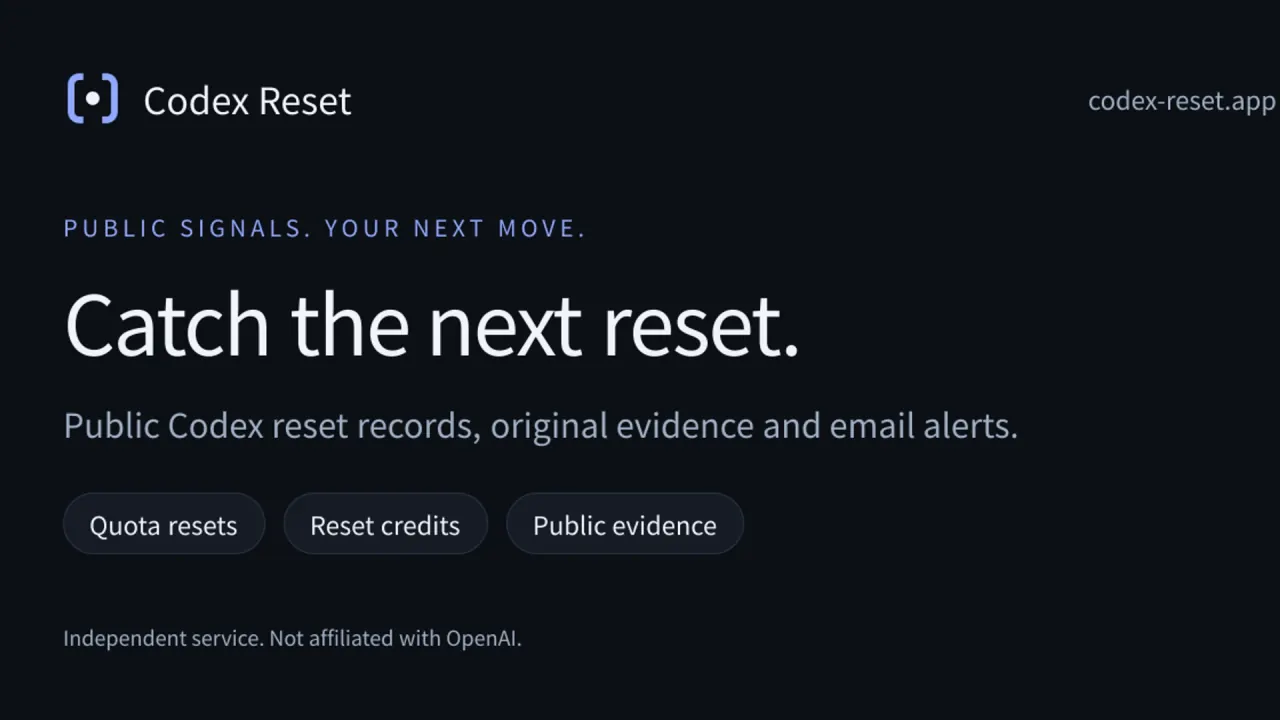
Codex Reset interface preview
Codex Reset logo

Codex Reset

Partner Listing

Codex Reset records public Codex quota-reset and reset-credit announcements with their sources, adds rule-based 24/48-hour likelihood levels, and sends opt-in email alerts. It never reads your OpenAI account or quota.

Developer ToolsProductivity#Forecasting#Email#OpenAI
Try for Free
Featured ToolTrending Tool
Saves
Visits
Views
Pricing
Freemium
Published
Oct 5, 2026
Domain
codex-reset.app
Community rating

Used this tool? Rate it

Rate this tool
Featured Tool
Trending Tool

Codex Reset Product Information

Try for Free
Featured ToolTrending Tool
Tool Information
Saves
Visits
Views
Pricing
Freemium
Published
Oct 5, 2026
Domain
codex-reset.app
Community rating

Used this tool? Rate it

Rate this tool
Featured Tool
Trending Tool

Featured Tools

Related Tools

Try for Free

What is Codex Reset?

Codex Reset is a web service at codex-reset.app that organizes public events about OpenAI Codex usage resets and sends opt-in alerts. It collects public posts, turns qualifying ones into dated event records with a source trail, and emails subscribers who have chosen which event types they want.

The service presents itself as independent. Its terms state: "We are not affiliated with, an authorized agent of, or endorsed by OpenAI." The same terms explain that names such as Codex identify the subject being monitored, with rights remaining with their owners.

Several unrelated sites track the same topic under the same or nearly the same name, including a plural-named product called Codex Resets and other services also called Codex Reset. This page covers only the Codex Reset tracker hosted at codex-reset.app.

The most important boundary is stated in the footer of every page: public signals do not confirm your personal quota. Codex Reset can tell you that a reset was announced or reported, but it cannot tell you whether your own account received it.

Core features

Public event record

  • Two event types: Reset-credit grants and quota resets are separate event types, and an announced grant does not mean it has arrived. The event list can be filtered to either type.
  • Announcement versus completion: Records carry status labels such as "Reset announced", "Source reports completion" or "Credit grant announced". The terms make the distinction explicit: an announcement is not completion, and source-reported completion is not proof of your personal balance.
  • Related source posts: Reset-related posts that do not yet qualify as Codex events sit in a separate list; they neither confirm quota recovery nor trigger reset alerts.
  • Rule-based publishing: Public evidence that meets the rules becomes an event and triggers emails automatically, without an approval step; manual checking is only an optional later calibration.

Because publication is automatic and calibration comes later, each record shows its own publication method and calibration state, so a reader can tell whether a person has reviewed it.

Record detail pages

Every event has a detail page that lists the event type, eligible plans, event time, how the record was published, its calibration state, its origin, and a numbered source trail linking to the original post.

  • Revision history: Earlier versions of a record are kept under a revision history and labelled as context, while the current conclusion stays at the top.
  • Three timestamps: Codex Reset separates source publication (when the original post appeared), first observation (when the site collected it) and version publication (when the site published the record), and notes that none of these automatically establishes when the underlying reset happened.
  • Preserved precision: A date-only source stays a date, an unspecified time remains unknown, and an explicit range stays a range instead of being converted to its midpoint.
  • Share cards: Each detail page has a "Download share card" link that produces an image of the record.

Likelihood estimates

The homepage shows a reset likelihood panel for the next 24 hours and 48 hours. According to the help pages, the 24/48-hour levels are rule estimates rather than confirmations of an event; missing or outdated evidence produces no current rating, and a high rating cannot create a completed-reset record. The panel links to the source coverage page and shows when the assessment was last updated.

Email alerts

Codex reset alerts are split by purpose. Quota-reset and reset-credit notifications are separate choices, and likelihood alerts are managed apart from reset notifications. Advance notices are off by default, and likelihood changes need separate consent, so a new subscriber does not receive forecast emails unless they opt in. Users can also set a plan filter, a language, a time zone and quiet hours.

Help guides

The help section holds six short guides with sources and verification dates. They cover personal recovery times versus public resets, reset-credit grants, where to check your own usage, what to do after reaching a limit, time zones and timestamps, and how the alerts work. Each guide links to the OpenAI pages it relies on, and all six carried a verification date of 2026-10-02 when captured on October 5, 2026.

Guide

Setting up email alerts

  1. Open the subscribe page and enter an email address to receive a sign-in code.
  2. Sign in with an email code. Signing in is not consent: choose event types, plan, language, time zone and quiet hours in My alerts, then explicitly enable and save.
  3. Pick the plan that matches your subscription. The plan you select filters public events; it does not connect your OpenAI account or verify your paid plan.
  4. Send a test. Tests go only to your verified address, at most once a minute and five times in 24 hours, bypassing quiet hours, and a successful test is not a real reset.
  5. Change preferences or leave at any time. The unsubscribe page requires confirmation; merely opening it changes nothing, and supported email clients can use one-click unsubscribe.

Reading an event record

  1. Check whether it is an announcement or source-reported completion, then read the scope, exclusions and original source.
  2. Look at the eligible plans and the event time; when the source gives no exact time, the record says so.
  3. If evidence has changed or a record is retracted, use the latest revision rather than an old screenshot or share card.

Codex Reset use cases

After hitting Codex usage limits

When a Codex session stops on a limit, the event list shows whether a public reset has been announced recently. The site's own guide is careful about what that can prove: account usage limits, workspace controls, network failures and service incidents are different problems, and its public event list cannot diagnose your account. The same guide describes the official account as the place where, depending on plan and current conditions, waiting, an available reset, additional credits or an upgrade may be offered.

Watching for banked-reset offers

Some reset announcements are not resets at all but credits. The site explains that some promotions offer banked resets that require a separate action to use, which is why credit grants are tracked as their own event type and can be followed with their own alert setting.

Reviewing the reset history

The events page doubles as an archive of past announcements, each with a link back to its source. As captured on October 5, 2026, the earliest record listed described the source reporting that Codex limits were reset for all paid plans so users could continue building with GPT-5.5, labelled as an April 2026 record that is not a current reset notification.

Who is it for

Good fit

  • Paid Codex users following goodwill resets: Records state which plans an announcement covers. The September 26, 2026 record, for example, lists "All plans stated by the source · Excludes Free".
  • People who want a short message instead of a feed: Important changes are delivered to the inbox, with event types, quiet hours and test messages under the user's control.
  • Readers who care about provenance: Each record keeps its source trail and revision history, and the service retains corrections and retractions.
  • Bilingual teams: The interface and help guides are available in English and Chinese.

Not a good fit

  • Anyone who needs their own remaining quota: The site does not access your OpenAI account or know your remaining quota, and a valid public announcement may still exclude your account or plan.
  • Anyone looking to buy or claim credits: Codex Reset does not provide OpenAI quota, account custody or reset-credit redemption. It also does not redeem, sell or hold reset credits, and never asks for your OpenAI password or access token.
  • Users who want resets for several AI products in one place: Codex is the only monitored subject named on the reviewed pages.

Platforms

  • Web app: Codex Reset runs in the browser at codex-reset.app; no native mobile app or browser extension was found on the pages reviewed.
  • Languages: A language switch labelled "EN / 中文" toggles between English and Chinese, and every public page has a /zh counterpart.
  • Email delivery: Cloudflare provides website hosting and the application database, and Resend processes sign-in and notification emails.
  • Time handling: Public history and details use labelled UTC times, while email times and quiet hours follow the selected IANA time zone, including daylight-saving changes.

Pricing

No price, plan table or free-tier limit was displayed on the homepage, subscribe page, help guides or terms reviewed on October 5, 2026, and the site has no pricing page. Signing up needs only an email address: no password is set, and users choose which notifications to receive after verification.

The terms of use, updated 2026-10-02, still anticipate paid access:

  • Trials and paid access: Any trial or paid access follows the dates displayed in your account and the terms explained before purchase.
  • What a fee covers: A service fee buys this information-alert service, not OpenAI quota or a ChatGPT plan.
  • Renewal: Phase one has no automatic renewal, and the terms refer to manually processed payments.

Codex Reset alternatives

OptionCoverageAlert channelsNotable details
Codex ResetPublic Codex quota resets and reset-credit grantsEmailSource trail, revision history, rule-based 24/48-hour levels
Official usage dashboard and /statusYour own accountNot applicableNamed in Codex Reset's help as the place for personal limits and reset times
Codex ResetsCodex reset announcementsBrowser, Telegram, emailFree public MCP server and API; community-built iOS app
LimitResetCodex, Claude, Gemini, Copilot and othersBrowser push, emailPersonal reset timeline stored in the browser

Codex Reset itself points to the official option for personal questions: use the official usage dashboard for current limits and reset times, and in a Codex CLI session, use /status to inspect your status. Neither public tracker can replace that view.

Codex Resets watches @thsottiaux for Codex reset announcements. It also offers its data through a free public MCP server and API, which suits developers who want to wire reset data into their own tools. Its site also links an iOS app built by a community member and labelled unofficial.

LimitReset covers more than Codex: its board notes that Codex resets are announced, not scheduled, while Claude runs 5-hour and weekly windows, Gemini resets at midnight PT and Copilot on the 1st. Browser push works with no account. Email alerts use double opt-in, with one email per reset and one-click unsubscribe. A "My resets" timeline keeps personal reset times in the browser.

Compared with both, Codex Reset trades channel variety for record detail: the reviewed pages offer email as its only alert channel, but every event carries its source trail, eligibility, timestamps and revision history.

Limitations

Coverage and timing

  • Selected sources only: Codex Reset follows selected public accounts, and its coverage page states that this does not cover every OpenAI announcement or inspect your personal account. As captured on October 5, 2026, the sources page listed one X account, @thsottiaux, with a configured collection interval of 3600 seconds.
  • Hourly collection: Collection runs hourly and events are published by rules, so a post can appear on the source before it appears on the site.
  • Short backfill: The initial backfill queried the preceding 14 days, not the monitored account's complete history.
  • Possible delays: Rate limits, access changes and budget pauses can delay coverage. Source, sender or receiving-server delays can also affect email delivery, with no promise that subscribers hear first.
  • No guarantees: The terms do not guarantee complete coverage, a fixed arrival time or that a reset will occur.

Estimates and record quality

  • Estimates, not confirmations: Likelihood levels are rule-based estimates from available evidence, not guarantees, official announcements or personal recovery times.
  • Unreviewed records: When captured on October 5, 2026, records in the event list were labelled "Manual entry" and "Awaiting calibration". The September 26, 2026 record, for instance, was entered manually from an official link, with the original time supplied by the operator, and was excluded from automatic discovery metrics. Its detail page read: "Not manually checked; publication does not require review".
  • No recall: Messages already in transit cannot be recalled.

Privacy and data

  • No OpenAI account access: The privacy notice says the service does not connect to your OpenAI account or obtain its password, API key, conversations or personal quota.
  • What is stored: Your email is used for sign-in codes and messages you request. The service stores verification and session information, language, time zone, plan filters, event choices, quiet hours and consent records, and sign-in security may record IP and browser information.
  • Analytics after consent: Third-party analytics and session replay start only after you allow them. Microsoft Clarity provides public-page session replay, heatmaps and usage analysis after consent. Declining does not affect sign-in or alerts.
  • Email lists: The operator states that it does not sell subscription email lists.
  • Retention and deletion: Turning off alerts stops future event and likelihood notifications but does not automatically delete your account, delivery or audit records. Access, correction or deletion requests go to the operator; there is no self-service deletion tool yet. Unmatched delivery receipts are removed after 30 days.

FAQ

Q1. Is Codex Reset an official OpenAI tool?

No. Its terms state that it is not affiliated with, an authorized agent of, or endorsed by OpenAI; Codex is the name of the product it monitors.

Q2. Can Codex Reset tell me when my own Codex limit resets?

No. It tracks public announcements only and cannot read your account. For personal limits and reset times, its help pages point to the official usage dashboard or, in the Codex CLI, to /status.

Q3. Does a high likelihood level mean a reset is coming?

No. The 24/48-hour levels are rule estimates, not confirmations, and a high level cannot create a completed-reset record. When evidence is missing or outdated, no current level is shown.

Q4. Is Codex Reset free?

No price was shown on the pages reviewed on October 5, 2026, and signing up needs only a verified email address. The terms mention possible trial or paid access, with no automatic renewal in phase one.

Q5. How do I stop the emails?

Turn off alerts in My alerts or use the unsubscribe page, which asks for confirmation; supported email clients also offer one-click unsubscribe.

Know a Similar Tool?
If you know other great AI tools, feel free to submit them to us