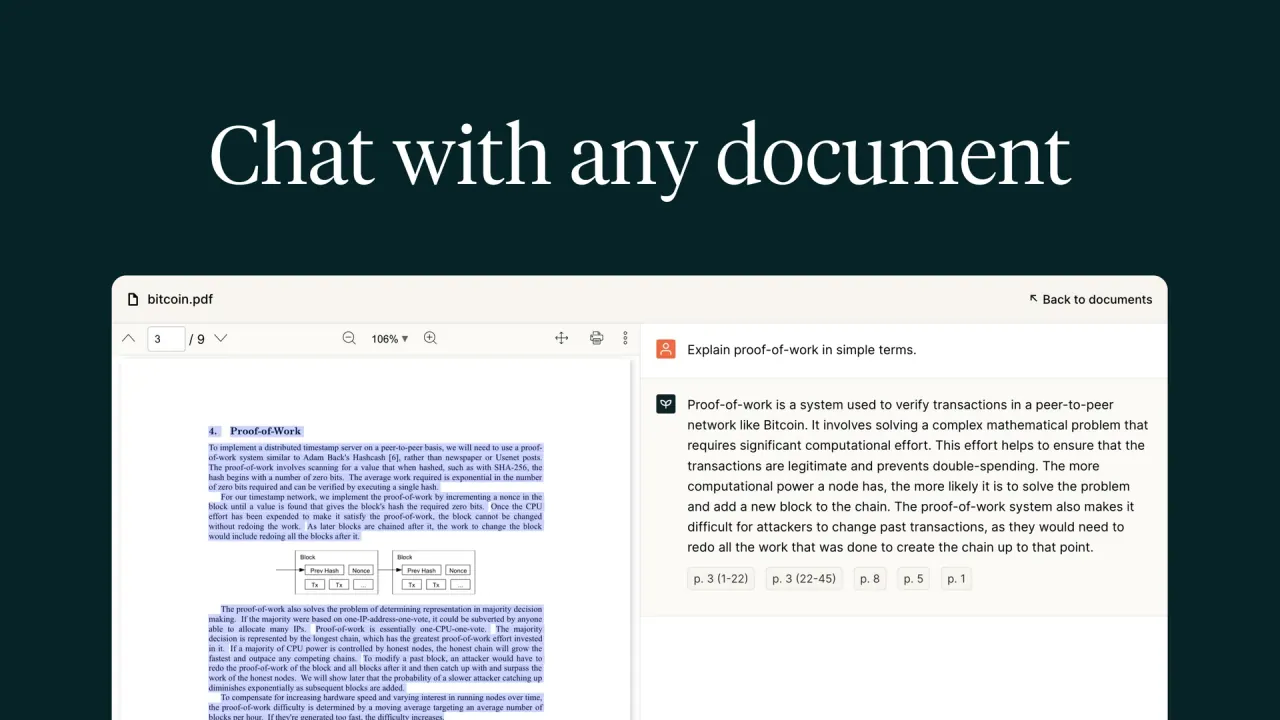

Ask questions across PDFs, get summaries, or turn documents into structured data. A separate developer API provides parsing, schema-based extraction, section detection, and document questions.
Used this tool? Rate it
Used this tool? Rate it
PDF.ai is a PDF chat service and developer platform for asking questions, summarizing documents, and extracting information from PDF files. Its web experience centers on conversations with documents; its PDF API provides parsing, structured extraction, section identification, and questions over processed files. The two access routes have separate pricing and usage measures.
The developer offering is positioned around turning PDFs into structured data, extracting custom fields, and identifying sections intelligently. That makes the product relevant both to someone reading a document and to a developer moving document content into another application.
The v2 Parse endpoint converts a PDF into Markdown or JSON and supports OCR, table formatting, and image extraction.
Two parsing quality modes are described. Standard is the default and supports language selection for OCR; its language-list parameter defaults to English. Advanced uses Vision Language Models and is described as potentially offering better accuracy on complex documents without requiring language selection. The word “potentially” matters: the documentation describes a processing option, not a measured accuracy guarantee for every layout or scan.
Document extraction uses a supplied JSON schema to define the fields to return. The v2 Extract endpoint returns structured data together with citations linking individual fields to source segments in the document.
The v2 Split endpoint identifies sections from supplied descriptions and returns the pages containing each section, along with confidence levels. Its section-description input is a JSON array; each object requires a name and can also include a description.
The v2 Ask endpoint accepts questions about one or more already-parsed documents. The company describes it as including the full document context, and a request supplies an array of document IDs. Parsing is a prerequisite for this route: the IDs in the array must refer to documents that have already been processed.
Cross-language conversation is also part of the web product. A PDF can be in one language while the question is in another, and the vendor says the answer follows the language used for the question. That is a conversational feature; it does not define a complete OCR-language list or establish identical recognition quality across languages.
API requests are authenticated with a key generated from the Developer page. The key is shown only once when generated; a lost key can be regenerated from the same page. Requests without a key return an error.
A documented reuse pattern centers on the document ID and parsing settings:
Parse results are cached for subsequent calls using a document ID with the same settings, and cached responses use zero parsing credits. The documentation also says this reuse can save parsing credits on Extract and Split.
The Parse endpoint is positioned for content extraction, knowledge-base creation, and retrieval-augmented generation workflows. Markdown or structured document content can serve as the parsing output in that workflow.
A saved-prompt library supports recurring questions by storing favorite prompts for later retrieval. The vendor also documents editing saved prompts with a pencil control and removing unused prompts.
The web chat-all feature searches uploaded PDFs for relevant answers and displays the PDF it judges most relevant to the question's keywords. It provides a way to ask across an existing document collection while retaining a connection to the selected source document. The stated behavior is relevance-based retrieval from uploaded files, rather than a claim that every document contributes equally to each answer.
PDF.ai serves different needs depending on whether the desired result is a downloadable searchable file, a document conversation, or a response consumed by code. Its browser OCR and API routes make that distinction explicit:
PDF.ai's hosted document interface is accessed through the website, and developer integrations use HTTP API requests. The Parse documentation supplies cURL, Python, Node.js, and PHP examples.
The available routes have different entry points:
The web prices captured on October 29, 2026 showed annual billing for the paid tiers. Pro was displayed at $10 per month billed yearly, Ultimate at $20 per user per month billed yearly, and Enterprise at $30 per user per month billed yearly. Hobby was displayed as free forever. These are the captured yearly-billing rates; they do not establish the amount for a monthly-billing selection.
| Web plan | Captured price | Monthly PDF uploads | Monthly questions | OCR per file | Maximum file size |
|---|---|---|---|---|---|
| Hobby | $0, free forever | 1 | 100 | 2 pages | 10MB |
| Pro | $10/month, billed yearly | 100 | 1,000 | 10 pages | 50MB |
| Ultimate | $20/user/month, billed yearly | Unlimited | Unlimited | 50 pages | 50MB |
| Enterprise | $30/user/month, billed yearly | Unlimited | Unlimited | 100 pages | 100MB |
The monthly upload and question allowances are separate counters.
OCR has a per-file page allowance, while maximum file size is expressed in MB. The vendor explicitly distinguishes these product OCR caps from the API credit table. The OCR page limit therefore cannot be read as an API credit allowance, and a file fitting the size cap is not by itself evidence that all of its scanned pages fit the plan's OCR allowance.
The v2 credit documentation lists a free API plan with 200 credits per month and no credit card required. Its paid monthly tiers use the following credit allowances; these are separate from the web plans above.
| API monthly price | Credits per month |
|---|---|
| $0 | 200 |
| $49 | 3,000 |
| $99 | 10,000 |
| $249 | 30,000 |
| $599 | 100,000 |
Parse costs 1 credit per page in standard mode and 2 credits per page in advanced mode. When optional LLM image processing is enabled, the documented additional cost is 1 credit per five images, rounded up. Cached parsing results with the same settings use zero parsing credits, so repeated processing and a first parse have different cost components.
The Extract endpoint calculates extraction charges by schema size: up to five fields costs 2 credits per page, while more than five fields costs 4 credits per page. Applicable parsing charges are added when no cached parsed result is available. The endpoint's examples distinguish the extraction charge from the initial parse rather than treating extraction as one flat request fee.
The short credit overview instead labels Extract's two rates “Standard” and “Advanced,” at 2 and 4 credits per page. The endpoint reference uses field count for that distinction. These published descriptions are not identical; the two formulations remain separate here rather than being combined into a single invented rule.
Split charges 2 credits per page in addition to applicable parsing. Its documentation says passing a document ID avoids parsing credits, while supplying a file or URL incurs parsing during the call. Reusing parsed content changes that parsing component; the Split charge remains part of the operation.
Ask charges 3 credits multiplied by the total page count of all documents queried. The documented example combines a 10-page document and a 5-page document for 45 credits. The charge is tied to the full page total in the request, not described as three credits for any question regardless of how many documents it covers.
The published cancellation policy says no partial or full refunds are offered. It allows subscription cancellation at any time through the Stripe Portal and says there will be no further fees once canceled. Cancellation and refund eligibility are therefore different matters: the ability to stop a subscription is not a promise to repay an existing charge.
Two alternatives address nearby document-chat needs, with different emphasis. The distinctions below come from each competitor's own product descriptions and do not constitute independent validation of either service's accuracy.
Legacy v1 dedicated API documentation lists a maximum of 100MB for PDF uploads by URL and 4.5MB for direct file uploads, alongside 500 requests per minute. It states no page-count limit but describes a 60-second upload timeout for PDFs with very large page counts. The same reference labels the old Ultimate API plan as no longer supported. These are Legacy v1 statements, not universal limits assigned to the web app or current v2 endpoints.
Named models also have a version boundary. The Legacy v1 chat reference lists gpt-4o and gpt-4-turbo, with respective charges of 2 and 4 credits per message, and a response-language parameter. That per-message description belongs to v1; it does not replace the v2 Ask page-based formula or identify the model behind a web tier labeled Basic or Advanced.
The privacy policy describes voluntarily provided contact information, cookies and device information, and reasonable measures to protect personal information. It says personal information is not sold or shared with third parties except as required by law or as necessary to fulfill requests. The exceptions remain part of that statement; it is not an unconditional promise that no third party ever receives information.
The reviewed privacy policy does not state a retention period for uploaded documents or whether uploaded material is used to train AI models. This disclosure boundary is relevant to sensitive files: the policy's general personal-data language does not itself document how long a PDF, its extracted text, or its conversational content remains available.
A vendor guide separately describes a private-document option. It says the private PDF file will not be uploaded to the company's systems, while document viewing becomes unavailable and chat remains possible. The option must be set before the upload process starts. That is a statement about the private-file mode; the description does not establish a complete local-only architecture or a no-training commitment for all information involved in a conversation.
The developer marketing section says files are deleted after processing. The v2 deletion reference separately describes a stored PDF file, a document record, and cached parse results that can be permanently removed. These descriptions leave the automatic retention timeline unresolved; the marketing sentence is not a substitute for the endpoint's specific storage and deletion behavior.
The v2 Delete endpoint applies only to documents created through v2 Parse, Extract, or Split. It permanently removes the associated document record, uploaded file in storage, and cached parse results; deletion cannot be undone and carries no API-credit charge. Its scope does not establish the same deletion mechanism for every other product route or legacy endpoint.
Web document removal has a separate documented flow: open Documents on the dashboard, select the trash icon next to a file, and respond to the popup asking whether to permanently remove it from the account. That account-level instruction describes a user control. It does not supply a fixed retention duration or resolve the separate question of AI training use.
No. Hobby lists one monthly PDF upload and 100 monthly questions. The free API plan instead lists 200 credits per month, with usage depending on the endpoint and page count.
Yes. The vendor documents uploading a PDF in one language and asking in another, with answers following the question's language. OCR language selection is a separate parsing setting.
The published policy allows cancellation through the Stripe Portal but says partial and full refunds are unavailable. Stopping future fees and refunding an existing charge are different policies.
