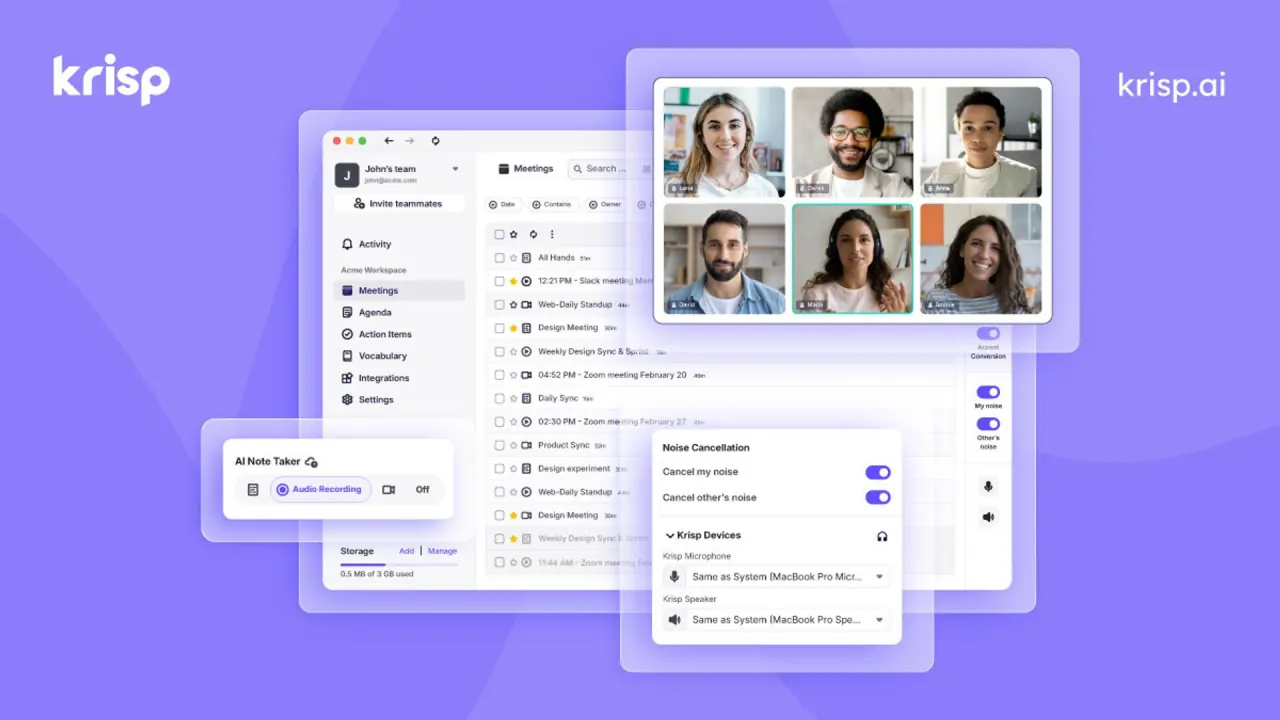

Krisp is a desktop voice AI app that removes background noise on both sides of a call, records and transcribes meetings without a bot, and converts English accents in real time for individuals, teams and call centers.
Used this tool? Rate it
Used this tool? Rate it
Krisp is a voice AI product family that sits between your microphone, your speakers and the calling app you already use. Krisp builds three product lines: an AI Meeting Assistant for individuals and teams, Call Center AI for BPOs and contact centers, and Krisp for Developers, which offers the same voice models as SDKs and APIs.
The meeting product bundles four jobs that are often bought as separate tools: AI noise cancellation, meeting transcription and recording, AI-generated notes with action items, and real-time accent conversion. Because the desktop app behaves like a virtual microphone and speaker, it can clean audio and capture a transcript without sending a bot into the call.
Krisp is operated by Krisp Technologies, Inc., a Delaware corporation with its listed address in Berkeley, California. The current self-serve path is a seven-day free trial followed by paid Core or Advanced seats; the current pricing page lists no permanent free meeting plan.
Recording mode decides what you can fix later. For multilingual meetings, Krisp advises the Audio Recording mode, because a transcript with inaccuracies can then be regenerated from the recording; a transcript-only capture has no audio to fall back on.
The speaker-side feature changes how you sound to everyone else; the listener-side feature changes how other people sound to you only.
Call Center AI bundles Noise Cancellation, Accent Conversion, Voice Translation, Agent Assist, Speech Analytics and Voice Security for agent teams. Voice Security includes deepfake detection that flags AI-generated and synthetic voices during live calls.
For builders, Krisp sells two SDK families plus a self-serve Translation API: VIVA models for voice AI agents and RTC models for human-to-human calls. The Voice Translation API offers real-time speech-to-speech translation across 61 languages in any-to-any pairs.
Krisp notes that some platforms may block these chat messages or audio prompts.
Krisp fits less well if you work on Linux or ChromeOS, need noise cancellation on a phone, or want a free meeting note taker for ongoing use, since the current meeting plans move to paid seats after the trial.
| Surface | What it does | Requirement or note |
|---|---|---|
| Mac desktop app | Noise cancellation, accent conversion, note taker | macOS 14.0 Sonoma or higher |
| Windows desktop app | Same feature set | 64-bit Windows 10 (preferably 1903 or higher) or Windows 11 |
| iOS and Android apps | In-person recording, uploads, summaries, meeting bot | No noise cancellation |
| Chrome extension | Bot-free Google Meet capture; YouTube accent conversion | Requires a Krisp account for meeting notes |
| SDKs | Voice models inside your own apps | Windows, Mac, Linux, Web (JS/WASM), iOS, Android |
The desktop app works as a virtual audio device, so a calling app must be compatible with virtual devices and offer its own audio settings or system-level enforcement. The Krisp app is not supported on Linux or ChromeOS.
The mobile apps can also send the Krisp bot to Zoom, Google Meet or Microsoft Teams calls, but the mobile app does not support Noise Cancellation yet. As captured on October 6, 2026, the iOS app was a free download requiring iOS 16.2 or later and averaged above 4.7 out of 5 across 266 ratings. The Android listing showed 3.9 stars from 383 reviews and 100K+ downloads.
The Google Meet Chrome extension showed 60,000 users and 4.0 out of 5 from 35 ratings as captured on October 6, 2026.
| Plan | Billed monthly | Billed annually | Accent conversion | Storage per seat |
|---|---|---|---|---|
| Free Trial | $0 for 7 days, no credit card | n/a | Premium features during trial | Not stated |
| Core | $16 per user per month | $8 per user per month | 1 hour per day | 10 GB |
| Advanced | $30 per user per month | $15 per user per month | Speaker side 4 hours per day; listener side unlimited | 60 GB |
| Enterprise | Custom pricing | Custom pricing | Custom | Unlimited |
The annual toggle is labelled "Save 50%". Core includes unlimited transcription, noise cancellation, recording and AI notes, plus an MCP integration. Advanced adds Salesforce and ConnectWise integrations, manager view and admin controls such as note-taking mode enforcement. Enterprise adds SSO/SCIM, SOC 2 report access, data center location choice and private on-device transcription and recordings, and BAA signing is available only for teams with 100+ seats.
Extra storage is sold as a per-user add-on: Core and Advanced add-ons top out at 2 TB, and storage add-on payments are non-refundable.
Subscriptions renew automatically, and fees charged because you did not cancel before the renewal date are non-refundable. Cancelling downgrades the account at the end of the current cycle, and Krisp's help center states that payments are not refundable unless otherwise stated in the Terms of Use. The terms do provide a refund of prepaid fees for the rest of the term when a customer terminates for cause, which requires 30 days' written notice of an uncured material breach. A yearly plan cannot be switched to monthly from the account; the workaround is to cancel and resubscribe after the cycle ends.
A third-party review platform's "people also looked at" list for Krisp includes AI meeting note takers such as the two below. Neither one's pricing page listed noise cancellation or accent conversion among the plan features reviewed.
| Tool | Free option on its pricing page | How it differs from Krisp |
|---|---|---|
| Otter.ai | Basic plan is free with 300 monthly transcription minutes | Transcription-first note taker with live transcription and iOS and Android apps |
| Fireflies.ai | Free forever plan with unlimited transcription (asterisked) and 400 mins of storage per team | Transcription in 100+ languages versus Krisp's 16 |
Krisp makes more sense when audio quality in the call matters as much as the notes; a transcription-first note taker makes more sense when an ongoing free tier matters more than call audio.
Not for ongoing meeting use: the meeting product offers a seven-day trial, then paid seats. Free exceptions are accent conversion on YouTube through the Chrome extension and 60 free minutes on the Voice Translation API.
Not by default. The desktop app and the Google Meet Chrome extension capture meetings without a bot. The mobile apps can send a Krisp bot to Zoom, Google Meet or Microsoft Teams if you choose that option.
Krisp describes it as keeping your own voice, tone and inflections while adjusting the accent, and the pages reviewed do not describe it as voice cloning. An independent test of the 2025 beta found the output did not always sound natural.
Yes, the Meeting Assistant can be disabled, but after the trial you still need a paid seat.
