
Toolso.AI
Toolso.AI
All ToolsCategoriesTrendingLatest ToolsPricingBlog
Toolso.AI
Toolso.AI
Toolso.AI
Toolso.AI

Discover the best AI tools to boost your productivity

GitHubGitHubTwitterX (Twitter)YouTubeYouTubeTikTokEmail

Popular Categories

  • AI Writing
  • AI Image
  • AI Video
  • AI Coding
  • More Categories

Explore

  • Latest Tools
  • Popular Tools
  • More Tools
  • Submit Tool
  • Pricing

About

  • About Us
  • Contact
  • Blog
  • Changelog

Legal

  • Cookie Policy
  • Privacy Policy
  • Terms of Service
  • Refund Policy
© 2026 Toolso.AI All Rights Reserved
Limited timeLimited-time offerFeatured Listing24h priority review · No backlink · 30 days featured$29.90then $59.90Price rises to $59.90 after Oct 31Ends in--:--:--Submit now
  1. Home
  2. All Tools
  3. Sales
  4. tldv
tldv interface preview
tldv logo

tldv

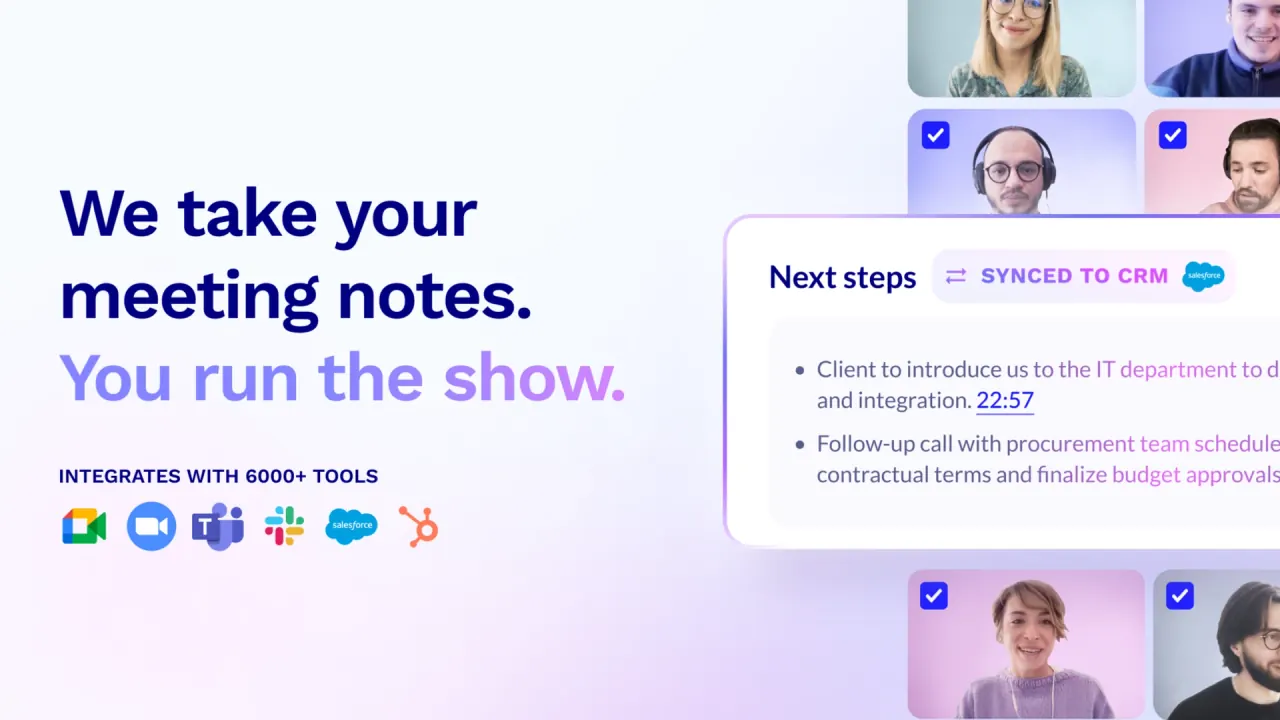
tldv records Google Meet, Zoom and Microsoft Teams calls with a meeting bot or a bot-free desktop app, then turns them into transcripts, AI notes and CRM updates for sales, customer success and internal teams.

SalesProductivityCollaboration Tools#Transcription#Conversation Intelligence#Meetings
Try for Free
Saves
Visits
Views
Pricing
Free
Published
Sep 28, 2026
Domain
tldv.io
Community rating

Used this tool? Rate it

Rate this tool

tldv Product Information

Try for Free
Tool Information
Saves
Visits
Views
Pricing
Free
Published
Sep 28, 2026
Domain
tldv.io
Community rating

Used this tool? Rate it

Rate this tool

Featured Tools

Related Tools

Try for Free

What is tldv?

tldv (written tl;dv on its official pages, short for "Too Long, Didn't View") is an AI meeting notetaker that records online calls, transcribes them and turns them into summaries and searchable insights. It captures Google Meet, Zoom and Microsoft Teams meetings through a recording bot, through a desktop app that records system audio without a bot, or through a mobile app for in-person conversations.

The operating company is tldx Solutions GmbH, registered in Aachen, Germany (HRB 23730). The company says tldv was founded in Germany in 2020 by three co-founders. A 2022 technology-press report covered a €4.3 million seed round led by Madrid-based K Fund.

Three facts shape most buying decisions. The free plan keeps recording and transcription unlimited in number but caps AI notes and keeps free recordings for only three months. Paid plans are priced per seat, with annual prices shown publicly and monthly prices not shown in the captured page. And in August 2026 an independent researcher disclosed a flaw that exposed meeting metadata; the company says both attack paths are now closed (details under Limitations).

Core features

Three ways to record

  • Meeting bot: With auto-recording enabled, the tldv bot joins each scheduled meeting as a virtual attendee and records the session.
  • Bot-free desktop app: The desktop app records directly from system audio, with no meeting bot joining the call.
  • Mobile app: A phone app records in-person meetings and uploads them for the same processing (see Platforms).

The bot and the desktop app are not interchangeable. Bot-free recording captures audio only, meaning your microphone and any system audio, and does not record video, screen sharing or chat messages. Any other sound playing on the computer, such as music or notifications, is recorded too. The company says the bot-free option is especially useful for Google Meet, where it states Google now flags third-party notetaker bots as "potential risk" and defaults to denying them entry.

AI meeting notes and follow-ups

  • Custom note formats: Notes can follow custom formats; the homepage names MEDDIC in Japanese, Smart AI Topics in Spanish, or a user-defined summary format as examples.
  • Follow-up drafts: The AI drafts follow-up emails and next-step tasks from the conversation for the user to review before sending.
  • Ask AI: Questions can be asked about one meeting or across many; the free plan limits both (see Pricing).

Meeting transcription and languages

  • 30+ languages: Transcripts and meeting summaries can be translated across 30+ supported languages.
  • Premium Whisper model: The Whisper transcription model is available on the Business and Enterprise plans. It can auto-detect the spoken language, handle several languages in one meeting and use a custom dictionary.
  • Conflicting language counts: The About page lists "100+ languages transcribed", while the homepage, pricing page and language page use 30+.

The standard model is described by the company as 96% accurate, a vendor figure rather than an independent measurement. Industry terms and brand names are where the help center suggests the custom dictionary matters most.

Multi-meeting insights and coaching

  • AI reports: AI-generated reports aggregate trends across many meetings and can be delivered straight to an inbox.
  • Sales coaching: Sales managers can use AI call analysis to track playbook adherence and objection handling across reps.

Integrations and automation

  • CRM logging: After each call, tldv can log call notes and CRM outcomes automatically.
  • Ticket creation: The Jira integration can create tickets automatically from bugs or to-dos raised in meetings.
  • Zapier, API and MCP: Broader automation runs through Zapier (5,000+ apps) and, from Pro upward, an MCP server, API and webhooks.

Guide

Record a meeting without a bot

  1. Open the tldv desktop app before or during the meeting.
  2. Tell participants that the meeting will be recorded.
  3. Find the scheduled meeting in the app, if there is one, and click Start Recording.
  4. Click Stop Recording when the meeting ends; the transcript and AI notes are generated automatically and the recording appears in your library within a few minutes.

On macOS, the app needs Screen Recording and Microphone permissions under Privacy & Security. On Windows, bot-free recording works automatically after installing the desktop app, with no additional setup.

Collect recording consent before meetings

  1. Enable Consent Collection in your settings.
  2. Grant tldv calendar write permissions when prompted.
  3. Turn on automatic recording for your calendar meetings.
  4. Schedule the meeting on the connected calendar.

Once enabled, tldv replaces the calendar meeting link with a consent link. Participants who decline can still join, but tldv will not join or record. A decline made by mistake cannot be reversed for that meeting; recording again requires a new meeting.

Cancel a paid subscription

  1. Go to Account & Billing.
  2. Click "Manage subscription", which redirects to Stripe.
  3. Click "Cancel plan".

Use cases and examples

  • Objection tracking for sales teams: The homepage suggests prompts such as "What are the common objections from prospects on this week's calls?" to run across a week of calls.
  • Product feedback from customer calls: A product owner can ask the AI to compile feedback on a product line from a month of customer success calls.
  • Calls outside the big three platforms: Slack huddles, Discord calls or other tools can be recorded from system audio through the desktop app, with no bot needed.
  • In-person meetings: The mobile app is pitched for meetings in a conference room, café or client office, with recording that starts with a tap and works offline.

These examples depend on plan level. Multi-meeting questions are capped on Free and Pro, so recurring cross-call analysis such as weekly objection reviews fits Business, where multi-meeting Ask AI is unlimited.

Who is it for

  • Frequent recorders: The help center recommends Pro for professionals who regularly record and manage important meetings, naming sales representatives, customer success managers, product managers and user researchers.
  • Recording viewers: Colleagues who mainly watch other people's recordings can stay on the free plan.
  • Revenue and success teams: The company describes tldv as designed for sales, customer success and internal meetings, with CRM, ticketing and knowledge-base integrations.

Less suited:

  • One account recording for a whole team: The terms tie each account to one person's calendar, and accounts that consistently approach or exceed limits by recording meetings on behalf of multiple people may be contacted and, if unresolved, suspended.
  • Teams that need video from bot-free calls: The desktop route records audio only, so screen content from those calls is not kept.

Platforms

  • Video meetings: tldv works with Google Meet, Zoom and Microsoft Teams, providing transcription, automatic recording and meeting summaries.
  • Chrome extension: The Google Meet recorder extension also works in Brave, Vivaldi, Opera and other browsers that support Chrome extensions. It may be needed to admit the notetaker when Google Meet flags the bot in the waiting room.
  • Desktop app: Downloads are offered for Apple silicon Macs, Intel Macs and Windows.
  • Mobile app: The mobile app is available for iOS and Android and is designed to record in-person meetings. Recordings stay on the phone while offline and upload once a connection returns.
  • Interface languages: The web app is offered in English, Spanish, French, Portuguese, Japanese, Korean and German.

Official pages disagree on mobile. The homepage FAQ says tldv does not have a native mobile app yet, the mobile landing page labels the app "Early Beta Access", and the help center and pricing table list iOS and Android apps.

The Chrome extension showed 4.6 out of 5 from 596 ratings and 400,000 users on its store listing as captured on September 28, 2026.

Pricing

PlanListed priceAI meeting notesWeekly web recordingsData retention
Free$0, no credit cardUp to 10 meetings40Up to 3 months
Pro$18 per seat/month, billed annuallyUnlimited80Custom
Business$29 per seat/month, billed annuallyUnlimited120Custom
EnterpriseCustom, via salesUnlimited500Custom

The Free plan is $0 with no credit card required and includes unlimited video recordings, unlimited transcription in 30+ languages and 10 meetings with AI notes. Pro is listed at $18 per seat per month, billed annually. Business is listed at $29 per seat per month, billed annually, with no usage-based AI fees. Enterprise pricing is available on request. The pricing table sets weekly web recording capacity at 40, 80, 120 and 500 recordings for the four plans.

Pro and Business are sold with monthly or annual payment options. The captured pricing page showed only annual prices, and its page description advertises 40% off on every annual plan. The monthly rate was not displayed in the version reviewed.

Free-plan AI limits apply for the lifetime of the account and do not renew monthly. The first 10 meetings get full automatic AI notes; after that, only the first 10 minutes of each meeting are summarized automatically. Single-meeting and multi-meeting Ask AI are each capped at 5 queries on Free, and multi-meeting Ask AI stays at 5 queries on Pro.

  • Pro adds: premium transcription quality, unlimited AI notes, custom AI notes templates, an email follow-up drafter, 5,000+ integrations, unlimited uploads and storage, plus an MCP server, API and webhooks.
  • Business adds: advanced transcription, custom vocabulary, unlimited multi-meeting AI insights, scheduled AI reports and playbook monitoring.
  • Enterprise adds: SCIM provisioning, custom SSO, privately hosted AI, organization activity logs and a dedicated success manager.

Seats are only needed for members who use paid features. A workspace can have a single Pro account alongside 100 free users. Unless otherwise agreed, all fees are non-refundable under the terms. Non-profits and NGOs can request a discount through the support chat by stating the seat count and cause.

tldv alternatives

  • Fireflies: Its own pricing page, as captured, lists a free plan with unlimited transcription, limited AI summaries and 400 minutes of storage per team.
  • Otter: The free Basic plan lists 300 monthly transcription minutes, and Pro lists $16.99 per user per month.
  • Gong: tldv positions its free plan against Gong, which it says requires a $5,000+ upfront investment; that figure is tldv's claim, not a Gong price.

tldv's own pricing-page comparison still describes the Fireflies free plan as "3 transcriptions", "No video" and "5 hours storage/m", which does not match the Fireflies page captured the same day. The main contrast in this group is the free-tier model: tldv counts meetings with AI notes and weekly recordings, Otter counts transcription minutes, and Fireflies caps storage.

Limitations

Storage and recording caps

  • Free retention: Recordings on the free plan are kept for 3 months, while paying users keep them until account deletion.
  • Archived playback: After 3 days, free-plan recordings move to archived storage; transcripts and notes stay accessible, but unarchiving the video can take up to an hour and a half.
  • Length cap: Every plan has a maximum of 3 hours per recorded or uploaded meeting.
  • Weekly and concurrent limits: The terms cap weekly recordings at 120 on Business, 80 on Pro and 40 on Free, with 3 simultaneous recordings on Business, 2 on Pro and none on Free.
  • Free clips and uploads: The free plan allows 4 clips, which cannot be downloaded even after upgrading, and 5 manual uploads.
  • Peak-load priority: When servers are under heavy load, Pro customers are prioritized and a free-plan meeting may not be recorded.
  • Permanent deletion: Deleted recordings cannot be recovered because no backups or fallbacks are kept.

"Unlimited" in the plan list refers to the total number of recordings; it sits alongside the weekly caps above.

Security incident in 2026

An independent researcher reported a flaw that allowed access to metadata for 181,874 meeting records across all users. The researcher wrote that the issue was reported on January 28, 2026 and was still open in July 2026. In a statement dated August 5, 2026, tldv's CTO said the original flaw had been fixed and validated months earlier, that a second, previously unknown path was closed within 24 hours, and that Firebase is being removed from the stack. The company says exposed data was limited to metadata, including conference IDs and participant emails, and did not include recordings, transcripts, AI notes or passwords.

Privacy and consent

  • AI training: The privacy policy states that customer content, including recordings, transcripts and notes, is not used to train or improve foundation models or other generative AI models.
  • Hosting region: Data is hosted in the European Economic Area, except that limited transcript portions for AI features may be processed in the EU or the United States depending on the AI hosting location chosen in account preferences.
  • Named processors: The policy lists Anthropic and Google Vertex as AI providers. AssemblyAI and ElevenLabs are listed as transcription providers.
  • Security claims: The company says it holds a SOC 2 Type II report. It states that all its data centers are in Europe and that stored data is encrypted with AES-256.
  • Consent duty: Under the terms, the user who records is responsible for collecting consent from all participants before recording.
  • Bot-free notices: With bot-free recording, platform recording notifications may not appear automatically, and informing participants is the user's responsibility.
  • Consent Collection scope: The feature only covers automatically recorded meetings scheduled on a calendar after setup. Recurring meetings may not behave consistently.

FAQ

Q1. Is tldv free?

Yes. The Free plan costs $0, includes unlimited recordings and transcription, and gives full AI notes for the first 10 meetings. Free recordings are deleted after 3 months, with a notice 4 weeks before deletion.

Q2. Does tldv need a bot to join my meeting?

No. The bot is the default for scheduled Google Meet, Zoom and Teams calls, but the desktop app can record system audio without a bot. That route saves audio only.

Q3. Does tldv use my meetings to train AI?

The privacy policy says customer content is not used to train or improve foundation models or generative AI models, by tldv or by its AI providers.

Q4. Where is tldv data stored?

Data is hosted in the European Economic Area. Parts of transcripts sent to AI features can be processed in the EU or the US, depending on the AI hosting location selected in preferences.

Know a Similar Tool?
If you know other great AI tools, feel free to submit them to us