
SlidesAI builds presentations from topics, notes, documents and prompts directly in Google Slides, PowerPoint, ChatGPT and a browser web app. A credit-based free plan makes the first decks cost nothing.
Used this tool? Rate it
Used this tool? Rate it


From a prompt to a deck, site or doc


One workspace for every AI model


One workspace where your team and its AI agents think together


Public Codex reset tracker


AI assistant for structured work


Plan, build, and refine work with an AI agent


Astrology readings from real astrologers


AI translation for multilingual workflows
SlidesAI is an AI presentation maker from slidesai.io that turns topics, notes, prompts, and documents into editable decks inside Google Slides, PowerPoint, and ChatGPT, or in a browser-based web app. The product creates and edits presentations in Google Slides, PowerPoint, and ChatGPT, or through a web app that runs on any laptop, desktop, or mobile device.
The homepage displays 14M+ installs and 2,000+ reviews, vendor-reported figures. The same page states 3.7M+ presentations created with SlidesAI, and counting. Those are vendor claims; the same page also says users "spend 85% less time building slides", a marketing claim rather than an independent measurement. SlidesAI launched in January 2023, founded by Anurag Bhagsain, and started as an AI-powered add-on for Google Slides. The about page lists the operating company as Zesterv LLC (SlidesAI), based in the Sharjah Publishing City Free Zone in the United Arab Emirates. The terms of use spell the contracting party in the EULA slightly differently, as SlidesAI (Zesterv FZE LLC); this article keeps both spellings as stated.
You can start free without entering a card. The free tier is credit-based rather than trial-limited; the credit math is covered under Pricing.
SlidesAI is an AI slide generator whose text to presentation flow starts from four kinds of input: a topic, pasted notes, a script, or imported source material.
The feature set is scoped to slide generation and editing rather than a full presentation suite: the pages reviewed this round show no video export or built-in analytics among the listed features.
The web app flow, as shown on the product's own walkthrough, runs like this:
AI-suggested edits do not apply silently — the Accept step means a proposed rewrite can be rejected without touching the slide, and the outline stage is the cheapest place to restructure, since slides can be reordered and rewritten as plain lines before any design work is generated.
The vendor's own worked examples include turning meeting notes into a client pitch deck, a report into a board-ready summary, and a proposal document into a sales deck. Other examples on the same page follow the same pattern: call notes into a follow-up pitch, lecture notes into a lesson deck, research notes into a thesis defence, and a campaign report into a stakeholder deck.
The vendor frames the scope as "Business Meeting? Lecture Slides? Thesis Defence? SlidesAI Handles All of it." What unites them is the direction of work: SlidesAI is positioned for cases where the content already exists in notes, documents, or plans, and the missing piece is slide structure and formatting — a different fit from tools that generate new narrative content from a one-line idea.
The vendor positions SlidesAI for teachers building lecture slides, students turning research notes into a thesis presentation, and professionals who need polished decks quickly. The Pro plan card is labeled for students, while Premium is labeled for educators and professionals — the labels match the feature split, since document upload and the Advanced model start at Pro.
The free tier is the practical entry point. The pricing FAQ describes the Free plan as 200 AI credits a month refreshed monthly, the Lite and Balanced models, presentations of up to 10 slides from a topic or your notes, and 1 Brand Kit. Basic is free and includes 200 AI credits per month, the Lite and Balanced models, 2,500 characters of input per presentation, creation from a topic or notes, 1 Brand Kit, 7-day restoration of deleted presentations, and up to 2 members and 2 guests. On the vendor's own credit math, one Balanced 10-slide deck costs 105 credits, so a free month covers roughly one deck plus small edits.
For teams, the deciding factor is whether deck work should stay inside Google Slides or PowerPoint. Organizations wanting a standalone design environment are outside the vendor's own positioning.
SlidesAI runs in four surfaces: a web app in the browser, a Google Slides add-on, a Microsoft PowerPoint add-in, and a ChatGPT integration. As captured on November 28, 2026, the Google Workspace Marketplace listing showed an average rating of 4.3 stars from 2,386 ratings and 14M+ installs. The listing is published by the developer SlidesAI.io and marked as a non-trader listing.
Language coverage is two-layered. SlidesAI says it supports over 100 languages for presentation content, while the app interface itself is translated into a smaller list of languages — a deck can therefore be generated in a language whose interface translation does not exist.
| Plan | Listed price | AI credits | Slides per deck | Input per presentation | AI models | Brand Kits | Deleted-deck restore |
|---|---|---|---|---|---|---|---|
| Basic (free) | $0/month | 200/month | 10 (topic or notes) | 2,500 characters | Lite, Balanced | 1 | 7 days |
| Pro | $10.00/user/month billed $120/user/year | 30,000/year (~140 presentations) | 20 | 50,000 characters | Lite, Balanced, Advanced | 3 | 30 days |
| Premium | $20.83/user/month billed $250/user/year | 84,000/year (~400 presentations) | 50+ | 100,000 characters | All, incl. Ultra | 6 | 90 days |
Pro is listed at $10.00 per user per month billed at $120 per user per year, with 30,000 AI credits per year (about 140 presentations), up to 20 slides per deck, the Lite, Balanced and Advanced models, and 50,000 characters of input per presentation. Premium is listed at $20.83 per user per month billed at $250 per user per year, with 84,000 AI credits per year (about 400 presentations), 50+ slides per deck, every AI model including Ultra, and 100,000 characters of input per presentation. The yearly figures above are the pricing page's default state; the vendor's comparison table puts the entry paid plan at $12/mo on month-to-month billing (US pricing in USD), and the page advertises yearly billing as "2 months free"
Listed prices exclude applicable taxes, which are added at checkout based on billing location, and Individual and Team plans are sold by Dodo Payments acting as the official Merchant of Record (MoR) for those plans. The vendor notes Dodo Payments is not a subsidiary, a related entity, nor a distinct person for SlidesAI — seller of record and product company are separate parties.
Credits pay for the AI work SlidesAI does — you use them only when the AI writes, changes, or creates something. On the default Balanced model with Standard-quality AI images, a 10-slide presentation costs 105 credits plus 2 credits per AI image; changing one slide costs 5 credits, adding a slide costs 15 credits, and quick web research costs 5 credits. Unused plan credits do not roll over — they are gone when a new billing period starts, and Free credits expire at the end of each month. Extra credits can be bought at any time on Pro and Premium, but the Free plan offers no top-ups.
Because higher quality levels multiply credit costs, the same budget produces fewer decks on Advanced or Ultra. Yearly plans add the whole year's credits at once, front-loading the allowance rather than releasing it monthly.
Teams Pro and Teams Premium add roles and access controls, multiple teams, unlimited members with up to 25 guests, and one central bill for every seat. Each seat gets its own credits — for example, Teams Pro gives each seat 2,500 credits a month. Commenters and Viewers do not use a paid seat, while Owners, Admins, Content managers, and Members each do. The Free plan covers up to 2 members and 2 guests, Pro and Premium up to 5 members and 5 guests, and Teams plans unlimited members and up to 25 guests.
Subscriptions bought before the credits system — identifiable by Paddle receipts — keep their original presentation-allowance model with a smaller credit allowance for other AI work.
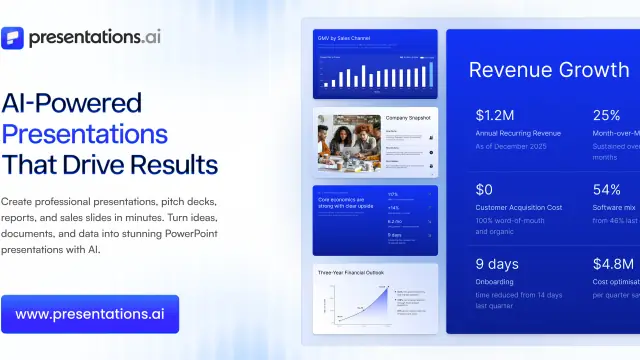
The vendor publishes a capability comparison between SlidesAI and Gamma, Canva, Plus AI and Presentations.ai. That comparison is stated to have been verified against each competitor's own public documentation on 23 July 2026, using entry-level individual plan prices on month-to-month billing in USD, with annual billing cheaper for every vendor. The entry prices in that table: SlidesAI $12/mo, Gamma $12/mo, Canva $15/mo, Plus AI $15/user/mo, and Presentations.ai at $240/yr ($20/mo equivalent, annual-only plan). In that table, SlidesAI is the only one of the five marked as fully supporting work across Google Slides, PowerPoint, ChatGPT and the web; the four competitors are marked limited on that row. Being vendor-authored, its cells read as the vendor's own snapshot, not a neutral benchmark — and the vendor notes prices vary by country.
Independent review-aggregator coverage lists Slidesgo, Canva, Pitch and Presentations.AI as alternatives to SlidesAI. That framing splits the field by job: ready-made template libraries (Slidesgo), design-first suites (Canva), and collaboration-native builders (Pitch). Presentations.AI is described by that source as a rival text-to-slides tool with a similar workflow — the closest structural substitute.
The differentiator the vendor claims for itself is surface coverage: one product that works inside Google Slides, PowerPoint, ChatGPT, and the web, leaving a native file the user keeps editing in the host tool.
The refund window is narrow. The terms of use promise a refund only when the user emails within 48 hours of purchase and has used fewer than 500 credits, and state that no more than one month can be refunded. The pricing FAQ restates the same two conditions: ask within 48 hours of purchase and have used fewer than 500 credits. Both pages warn the user to stop before spending further credits, since usage past the threshold forfeits the refund.
The subscription terms are restrictive in the standard SaaS direction: the EULA with SlidesAI (Zesterv FZE LLC) grants a limited, revocable license and provides the product "as is" without warranty, governed by the laws of the United Arab Emirates. The terms reserve the right to terminate access for suspected violations, and may be updated at any time with continued use constituting acceptance.
On output quality, the only independent hands-on evidence captured this round comes from a single reviewer — one anecdote, not a pattern. In one independent hands-on review, a single tester hit a Mermaid diagram that failed to render and left a blank space, which the tester could fix by asking the AI to repair it. The same tester described the pre-generation question flow as unusually thorough.
Third-party review channels could not be verified this round: the Trustpilot profile for this product and relevant community threads were not retrievable through available capture channels, so no independent rating is quoted here.
Three individual plans — Basic (free), Pro, and Premium — plus Teams Pro and Teams Premium. The free plan carries 200 AI credits a month with the Lite and Balanced models and decks of up to 10 slides; Pro adds document and script inputs, the Advanced model, and 20-slide decks; Premium carries the most credits and the Ultra model. The credit math in the Pricing section shows what each allowance buys at the default Balanced level.
Yes, on Pro and Premium. Supported uploads are PDF, Word (.docx), text (.txt), and Markdown (.md), up to 5 files per chat, and SlidesAI summarizes them into slides. A pasted script is treated differently: it keeps your exact wording instead of being rewritten.
Both the terms of use and the pricing FAQ state the same conditions: request within 48 hours of purchase with fewer than 500 credits used, and no more than one month can be refunded. Requests that miss either condition fall outside the stated refund promise.
To generate slides, user-entered text is sent to OpenAI's servers for processing, and the policy says no other data — including personal information — is shared with OpenAI or other third parties. The policy states user-generated data and personal information are not sold for commercial purposes. For the assistant integrations, usage analytics and technical logs are retained no more than 30 days, account records and backups are deleted within 30 days after account deletion, and emailed access, deletion and revocation requests are completed within 7-15 working days. For its analytics integration, the company states the collected information is not used for advertising or behavioral profiling, is not sold, and is not used to train AI models. On this round's reviewed pages, the policy does not make a corresponding training-use statement for the main slide-generation pipeline itself.