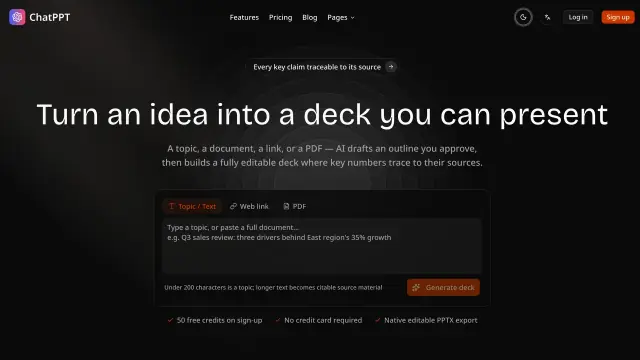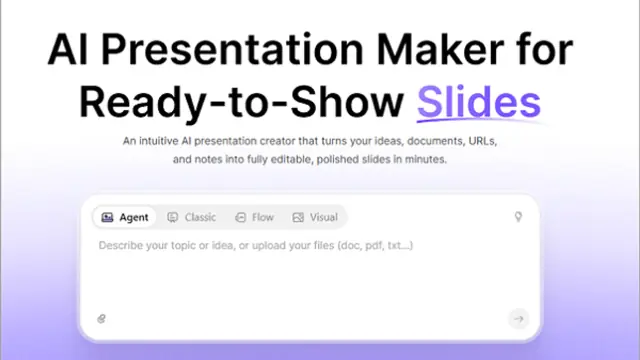

PPT AI builds editable slide decks from text, files, links, and videos, with scene, audience, tone, and length presets, an online editor, and PPT, PPTX, or PDF export.
Used this tool? Rate it
Used this tool? Rate it


From a prompt to a deck, site or doc


One workspace for every AI model


One workspace where your team and its AI agents think together


Public Codex reset tracker


AI assistant for structured work


Plan, build, and refine work with an AI agent


AI translation for multilingual workflows


Ad-free Chinese AI search with cited answers
PPT AI (written PPT.AI on some of its own pages) is a browser-based AI presentation maker that turns a topic, a document, a link, a video, or an image into a slide deck. The homepage headline reads "PPT AI: The World's Best AI PPT Maker", and the hero copy promises to "Transform your ideas into professional presentations in minutes, saving 95% of creation time." The service is operated by DeepOpen LLC, the company named in its refund policy and terms.
The product is built around one job rather than a full design suite: it is a presentation generator, not an editor-first canvas, so material goes in and structured slides come out. The plan decides credits and the slide ceiling. Paid tiers list 300, 1,200 or 3,500 monthly credits, a 35-slide maximum, the full 800+ template library, PDF and PPT export, and no watermark; the free tier is a watermarked preview limited to 3 presentations a month on 50+ templates. The homepage displays "Trusted by 1,800,000+ Users" beside a 4.8 figure, both vendor-displayed as captured on November 22, 2026.
The creation screen accepts a typed prompt (the site's text to PPT route), an uploaded file, a page URL, a YouTube link, or an image. Its drop zone states: "Supports DOC, DOCX, PDF, PPT, PPTX, TXT, MD, XLS, XLSX, CSV, HTML, EPUB, MOBI, XMIND, and MM files under 10MB". Each conversion path also has a page of its own: one will "Turn PDFs into clear, editable slides easily", another will "Extract key insights from videos and create dynamic slides".
Before generation the form pairs the content with presets — a scene, an audience, a tone, and a deck length — defaulting to General Scene, Public, Professional, and Medium. Tone options include Technical, Persuasive, Academic, Inspirational, Educational, Humorous, and Concise, and length switches between Short, Medium, and Long rather than a typed slide count.
Generation is not tied to a single model. The homepage states the platform is "Powered by DeepSeek, GPT-4o, Claude 3.5, and Gemini 2.0 for intelligent content analysis and slide creation", and the form exposes a model selector whose default reads Basic Model, so the choice is visible in the interface rather than internal.
Templates are the main visual variable. Paid cards list a "Full template library (800+ templates)", while the free tier is described as including 50+ templates, paired with "smart design recommendations". Post-generation design work is automated by default: the product promises layout and visual refinement that "ensure perfectly structured and professionally styled slides", listed as "Smart Design Optimization" separately from template choice.
Every deck lands in an online editor where text, colour, and images can be changed and layouts adjusted per slide; the company says presentations "can be edited directly in our online platform". Export is where plans diverge: paid cards list "PPT exports in PDF and PPT formats" with no watermark, and free downloads carry a watermark. The homepage claims "Complete PowerPoint Compatibility" with export at "100% preservation of all design elements", a vendor claim about fidelity rather than a measured result.
The documented workflow has three steps, and the first carries most of the quality risk.
Supply the content: type a topic, or upload or link a source, after which the system analyzes the input and structures an outline.
Generate and choose a visual direction. The system designs the slides and applies a template, with the option to pick from the library rather than accept the default.
Refine and take the deck out: adjust layouts, styles, and text in the editor, then download the file or present from the platform.
Two details change how that loop feels. Credits are spent per generation, so a discarded draft still costs, and paid allowances are quoted as monthly credits rather than deck counts: Plus lists "About 10 professional PPTs per month" and "About 30 standard PPTs per month" from 300 credits. The 35-slide ceiling also compresses a long source into that limit instead of expanding into a longer deck.
For agent-driven work there is a second route. PPT AI publishes an MCP server that lets an AI client create, edit, and export decks, presented as "23 tools. From first idea to final file." Setup is per client: ChatGPT needs a custom MCP connection with OAuth arranged by a workspace administrator, because "a public one-click connection is not available yet", while Claude Code and Cursor use a remote MCP entry with an API secret.
The scene presets map onto recurring workplace and classroom jobs. Teaching Materials, Research Report, Work Summary, Work Plan, Meeting Materials, Project Report, Solution, Product Introduction, Company Introduction, Business Plan, Science Popularization, and Public Speaking cover most formats the product expects, and the audience selector adds Students, Teachers, Superiors, Subordinates, Interviewer, and Colleagues so one source can be pitched differently.
Document conversion is the second pattern. A PDF report, a Word brief, a spreadsheet, or a recorded talk can become slides without retyping, the case the "Instant Conversion" panel describes as "Transform documents, spreadsheets, audio, or video into 20+ professional slides in seconds". Image and URL input extend that to screenshots and live pages.
The intended output is a short, presentable deck rather than a long document: the marketing copy promises "Create complete 20+ slide presentations in under 60 seconds". A deck built this way still needs a human pass for facts, tone, and places where a generated layout crops text, which independent reviews of the tool report as a recurring defect.
Three presentations a month, 15 slides each, 50+ templates, and a watermark define the free tier. That envelope covers a student's class deck, a teacher's lesson material, or one trial run before paying.
Paid tiers split by volume rather than features: all three carry the same template library, the same 35-slide ceiling, the same export formats, and the same "Advanced editing and brand customization", and differ in credits and support priority. Plus is "For everyday personal use" at about 10 professional decks a month, Pro "For high-frequency professionals" at about 40, and Max "For heavy and bulk users" at about 116.
Two audiences fit less well. Teams wanting shared workspaces, roles, or per-seat administration will not find a team plan in this capture: the pricing page lists Free, Plus, Pro, and Max only. Agencies delivering client decks under a fixed brand system have to weigh brand customisation, listed as a paid feature but not itemised per plan, against the free-tier watermark and export rules.
The web app is the primary surface: generation, editing, and export all happen in the browser. Around it sit native clients — the download page says the app is "Available for iOS, Android and Windows" and links App Store, Google Play, and Microsoft Store listings, plus a direct Android APK labelled "Android APK · Version 1.0.2 · 63.7 MB" with its own sideload guide.
Output is file-based rather than link-only on paid plans, with PPT, PPTX, and PDF as the listed formats. No PowerPoint or Google Slides plugin appears in this capture; the integration surface is the MCP server, which connects AI clients rather than presentation software. That route has its own account model: access is described "For paid developer API accounts", and the page states that "Website and App subscriptions are separate", so a Plus, Pro, or Max subscription does not by itself open the developer API or the MCP tools. Clients listed are ChatGPT, Claude Code, Cursor, and Gemini CLI.
Pricing sits behind a Monthly / Annually (Save up to 33 %) toggle with a currency switcher defaulting to USD. In the captured state each card shows two per-month figures and the page does not label which belongs to which cadence, so both are recorded rather than resolved: Plus at $9.9/mo and $14.9/mo, Pro at $27.9/mo and $39.9/mo, Max at $69.9/mo and $99.9/mo, captured on November 22, 2026.
| Dimension | Free | Plus | Pro | Max |
|---|---|---|---|---|
| Positioning | Preview before upgrading | For everyday personal use | For high-frequency professionals | For heavy and bulk users |
| Monthly credits | 3 presentations per month | 300 | 1,200 | 3,500 |
| Stated deck volume | 3 presentations | ~10 professional or ~30 standard PPTs | ~40 professional or ~120 standard PPTs | ~116 professional or ~350 standard PPTs |
| Template library | 50+ templates | 800+ templates | 800+ templates | 800+ templates |
| Maximum slides | 15 | 35 | 35 | 35 |
| Export and watermark | Watermarked download | PDF and PPT, no watermark | PDF and PPT, no watermark | PDF and PPT, no watermark |
| Priority support | Not listed | Included | Included | Included |
The page contradicts itself on price. Its FAQ describes the free tier as 3 presentations a month on 50+ templates with watermarked downloads, then gives older paid figures in the same paragraph — Plus at "$9.9/month or $7.9/month annually (save 20%), up to 50 presentations/month" and Pro at "$19.9/month or $13.9/month annually (save 30%), up to 200 presentations/month" — which match neither the cards above nor the credit allowances, and omit the Max tier. Both sets are reported as found.
Billing terms come from a separate refund policy. New purchases carry a "3-day money-back guarantee" that applies only "provided no usage credits have been consumed"; requests go by email and are "typically processed within 3-5 business days"; cancellation stops future billing while access "continues until the end of the current billing period". Outside that window there are "No partial refunds for unused portion of subscription period", and after a refund the account "will revert to free tier status".
Independent comparisons of AI presentation makers put Gamma, Beautiful.ai, Canva, Plus AI, and Microsoft Copilot in the same buying set. A 2026 six-tool comparison, built from "30+ presentations across all six tools", scores Gamma highest overall at 9.0/10 while noting "No native PowerPoint export", ranks Beautiful.ai second for design, and lists Plus AI for "Native Google Slides integration" and Microsoft Copilot for "Native PowerPoint integration".
The differences that matter in those comparisons are structural. Beautiful.ai's "Smart Slides adapt layouts automatically" and its brand theme enforcement is rated the best of the six; Plus AI "Works on existing decks"; Copilot's free tier is marked "Office 365 req." and its slides as needing "heavy formatting". PPT AI's own positioning in review write-ups is speed: a hands-on reviewer measured a full deck in "roughly one or two minutes".
A third-party hands-on review reports details the pricing page does not state. It says the free plan gave "30 credits a month" and one generation "ate 10 credits", and that PPTX and PDF export, including an animated PPTX option, all "sat behind the paid plan", so on free "my only real option was sharing a link". That conflicts with the official FAQ statement that free users can download with a watermark, and both are recorded here.
Generated material is not assigned to the user. The terms state that content generated by the service, "including but not limited to PPT slides, templates, and other materials, is owned by DeepOpen LLC or its licensors", and that users "may use the content generated for personal or business purposes but may not sell, redistribute, or otherwise exploit it without prior written consent". Uploaded material is treated differently: users "retain ownership of your User Content" but grant DeepOpen LLC "a non-exclusive, worldwide, royalty-free license to use, modify, and display such content as necessary for the operation of the Service".
A deck can be presented and used commercially, but reselling it, publishing it as a template pack, or redistributing it as a product needs written permission. The service comes "as is" and "as available" without warranties, DeepOpen LLC may "terminate or suspend your access to the Service at its discretion, with or without notice", and disputes go to Wyoming law and binding arbitration under American Arbitration Association rules.
Free accounts stop at 3 presentations and 15 slides, every paid plan stops at 35 slides, and credits are spent per generation rather than per finished deck, so a discarded draft still costs. Watermark removal and file export are paid features.
The privacy policy contains two statements about model training that point in different directions. The usage list includes "Train and improve our AI systems", while the AI section says "We may use anonymized content to improve our AI systems" and "Personal information is never used for AI training without explicit consent". Google-sourced data is carved out more strictly: no Google Workspace user data or personal data obtained via Google APIs "will be used, transferred, or sold to train, retrain, or improve any Artificial Intelligence (AI) or Machine Learning (ML) models". Generated presentations are stated not to be shared with other users, personal information is not sold, user content is retained "for 30 days after account termination", and the service is "not intended for children under 13 years of age". The homepage separately claims "bank-level encryption" and GDPR compliance; neither is a contractual commitment in the documents reviewed.
Yes. Free users "can generate 3 presentations per month, access 50+ templates, create up to 15 slides, use essential editing features, and download presentations with a watermark". No separate trial is listed on the pricing page.
The official FAQ says free downloads carry a watermark, and paid cards list "No watermark". A third-party hands-on review reports that free-tier export was unavailable and only a share link worked, a different account of the same limit.
The captured cards show Plus at $9.9/mo and $14.9/mo, Pro at $27.9/mo and $39.9/mo, and Max at $69.9/mo and $99.9/mo without labelling cadence. The page's own FAQ still lists Plus at $9.9/month or $7.9/month annually and Pro at $19.9/month or $13.9/month annually, figures that do not match the cards.
On paid plans, yes: the cards list "PPT exports in PDF and PPT formats", and the homepage claims export to PowerPoint format with "100% preservation of all design elements". The formats named in the FAQ are PPT, PPTX, and PDF.
Through the MCP server, which exposes 23 tools for creating, editing, and exporting decks. It requires a paid developer API account, and the page states that "Website and App subscriptions are separate", so a normal plan does not include it.
New purchases carry a 3-day money-back guarantee, but only if no usage credits have been consumed. Requests go by email, are typically processed within 3-5 business days, and a refund cancels the subscription and returns the account to the free tier.