
Toolso.AI
Toolso.AI
All ToolsCategoriesTrendingLatest ToolsPricingBlog
Toolso.AI
Toolso.AI
Toolso.AI
Toolso.AI

Discover the best AI tools to boost your productivity

GitHubGitHubTwitterX (Twitter)YouTubeYouTubeTikTokEmail

Popular Categories

  • AI Writing
  • AI Image
  • AI Video
  • AI Coding
  • More Categories

Explore

  • Latest Tools
  • Popular Tools
  • More Tools
  • Submit Tool
  • Pricing

About

  • About Us
  • Contact
  • Blog
  • Changelog

Legal

  • Cookie Policy
  • Privacy Policy
  • Terms of Service
  • Refund Policy
© 2026 Toolso.AI All Rights Reserved
Limited timeLimited-time offerFeatured Listing24h priority review · No backlink · 30 days featured$29.90then $59.90Price rises to $59.90 after Oct 31Ends in--:--:--Submit now
  1. Home
  2. All Tools
  3. Business Tools
  4. Beautiful.ai
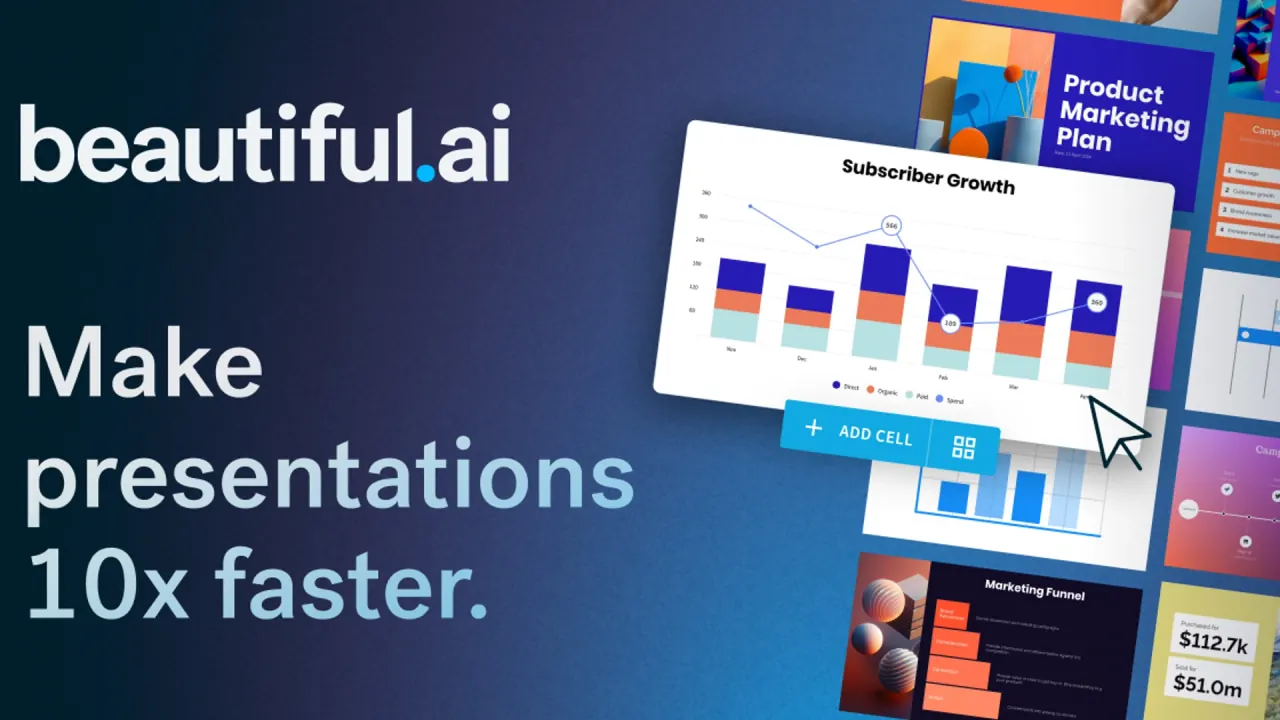
Beautiful.ai interface preview
Beautiful.ai logo

Beautiful.ai

Beautiful.ai turns a prompt, an outline or 300+ auto-aligning Smart Slide layouts into on-brand slide decks, with shared team libraries, viewer analytics and PowerPoint export on paid plans.

Business ToolsProductivityPresentation#Presentations#Pitch Deck#AI Presentation
Try for Free
Saves
Visits
Views
Pricing
Freemium
Published
Oct 6, 2026
Domain
beautiful.ai
Community rating

Used this tool? Rate it

Rate this tool

Beautiful.ai Product Information

Try for Free
Tool Information
Saves
Visits
Views
Pricing
Freemium
Published
Oct 6, 2026
Domain
beautiful.ai
Community rating

Used this tool? Rate it

Rate this tool

Featured Tools

Related Tools

Try for Free

What is Beautiful.ai?

Beautiful.ai is an AI presentation maker for building slide decks, and the company describes its goal plainly: from sales to strategy, Beautiful.ai helps teams create polished presentations that reflect their brand everywhere they are shared. Its building block is the Smart Slide, a layout that rearranges spacing and alignment as content is added, so most formatting work moves from the user to the template.

The company was founded in 2015 by Mitch Grasso, who previously helped found the presentation startup SlideRocket, which VMware acquired in 2011. In March 2026, business press reported that Beautiful.ai took $45 million in non-dilutive financing from General Catalyst's Customer Value Fund, with Jason Lapp as CEO. The legal footer on the site names Beautiful Slides, Inc. as the rights holder.

The product is sold as a subscription aimed at work decks rather than one-off designs, and the integrations page says it is trusted by more than 50,000 teams. Paid plans start with a 14-day trial that needs a card, the listed prices differ between two official pages, and several export and sharing features depend on staying on a paid plan.

Core features

AI deck generation

  • Flexible inputs: the Create with AI screen accepts typed prompts, lets you use the microphone to speak a prompt, and takes supporting documents, PDFs or links as extra context.
  • Model stack: Beautiful.ai says its text features run on Gemini, Claude and other models as needed, while AI images come from Imagen and DALL·E.

Smart Slides and Classic Slides

  • Layout library: decks can start from AI or from over 300 auto-aligning Smart Slide layouts covering data, comparisons, quotes, timelines and image grids.
  • Automatic layout: Smart Slides realign, resize and animate content on their own as text and images change.
  • Manual escape hatch: Classic Slides drop the design guardrails and start from a blank slide for users who want more creative freedom over placement.

The trade-off is deliberate. Smart Slides keep a deck consistent, but they decide spacing and hierarchy for you; Classic Slides return that control at the cost of manual layout.

Brand control and team libraries

  • Brand themes: brand colors, fonts and logos are defined once, and shared themes keep every team member's slides consistent.
  • Team workspace: the Team plan adds real-time collaborative editing, a centralized slide and template library, and version control with locked slides.
  • Guests: invited collaborators without a paid seat can edit presentations shared with them, but guests cannot create, import or duplicate presentations.
  • Languages: the Team plan lists creating presentations in 100+ languages and on-demand slide translation.

Delivery, narration and analytics

  • Voice-overs: presenters can record or upload voice-overs so a deck carries context when sent asynchronously.
  • Protected sharing: presentations can be shared with flexible permissions and protected links, with views and slide engagement tracked for follow-up.
  • Analytics detail: the analytics dashboard reports views, completion rates and last-viewed dates, but analytics are not tracked while Loop Playback is turned on.

Data and imports

  • PowerPoint import: existing PowerPoint files can be imported so their slides are edited inside Beautiful.ai.
  • Live data: a chart or table slide can be connected directly to Smartsheet, so the slide follows when the sheet is updated.
  • Brand asset libraries: a Bynder portal can be connected to import approved brand assets straight into a deck, alongside Google Drive, Dropbox, Box, OneDrive and Frontify connectors.

Guide

Creating a deck with AI

  1. From the My Presentations tab, choose Create with AI and describe the presentation, or paste a full outline or existing content.
  2. Review the outline: after a prompt is submitted, Beautiful.ai first generates a slide-by-slide text outline, where slide titles and copy can be edited and slides added or deleted.
  3. Set visual preferences: pick a theme, choose whether images come from AI generation, stock, the web or nowhere, set a consistent AI image style and choose the presentation language.
  4. Generate the presentation, then refine individual slides with Slide AI or switch between Smart Slide layouts while keeping the copy.

The outline step is the main difference from one-shot generators: structure is fixed in plain text before any visual design is produced, which the company says leads to less rework.

Use cases and examples

The vendor's own customer stories and solution pages point to recurring business decks rather than one-off creative work:

  • Product teams: according to Beautiful.ai, Cvent cut presentation design time by 75% after adopting the tool, so teams could focus on storytelling and strategy instead of formatting.
  • Research and analyst decks: the company says IDC analysts use it to focus on storytelling over design while reducing production time.
  • Consultants and agencies: Beautiful.ai pitches saved themes and templates to freelancers and agencies so every client pitch deck, update and report looks consistent.
  • Recurring reports: a chart slide can be linked to Airtable once so that it stays current as the underlying data changes, which is useful for decks rebuilt every reporting cycle.

These are vendor-reported examples; the time savings are the company's figures rather than independent measurements.

Who is it for

  • Individuals and freelancers who present often and want designed slides without learning layout tools.
  • Teams of 2 to 20 that need shared themes, a common slide library and live co-editing.
  • Larger enterprises: Beautiful.ai offers brand guardrails, advanced permissions with SSO, and enterprise-grade security for organizations rolling out one presentation standard.
  • Students with a valid .edu email, who can apply for free Pro access individually.

It is a weaker fit for schools wanting one contract for all students, because Beautiful.ai does not currently offer bulk or institutional licenses for universities or schools. The subscribing customer must be at least 18 years old or the age of majority in their jurisdiction. Designers who want pixel-level placement on every slide may find the Smart Slide rules restrictive.

Platforms

  • Web app: decks are created on the main website and can be presented from the dashboard or shared as a link, which keeps animations intact.
  • PowerPoint add-in: installed from the Microsoft Office Store, it lets users create Beautiful.ai slides inside their PowerPoint workflow.
  • Offline Player: an installable player for Mac (.dmg) and Windows (.exe) plays exported presentations without a connection.
  • Claude: an integration generates an on-brand, presentation-ready deck directly from a Claude conversation for further editing in Beautiful.ai.
  • ChatGPT: a custom GPT lets users draft content and turn it into presentation-ready slides.
  • API: the Beautiful.ai API is a prompt-to-deck endpoint that returns an editable presentation, and it is currently available through early access.
  • MCP connector: supported AI assistants can search, create and export Beautiful.ai decks, and the connector's export tool covers PDF and PPTX only.

Export formats include editable PowerPoint, PowerPoint images, Google Slides, PDF and the Offline Player. Editable PowerPoint and Google Slides exports are limited to Pro, Team and Enterprise subscriptions, and Beautiful.ai's transitions and animations are lost when a deck leaves the platform.

Pricing

Beautiful.ai pricing is published for individual, team and small-business plans, while Enterprise is quoted by sales. Prices below are as listed on the official pages on October 5, 2026.

PlanListed priceSeats or scopeNotes
Pro$14.50 per month, billed annuallyIndividualUnlimited AI content generation and PowerPoint import and export
Pro monthly$45 per monthIndividualEverything in Pro, billed monthly, for one-time projects
Team$40 per user per month billed annually, or $50 billed monthly2 to 20 usersPro features plus shared workspace and analytics
SMB 50$6,000 per year (flat rate)Companies up to 50 employees, full access for all usersStarted through a demo
SMB 100$12,000 per year (flat rate)Companies up to 100 employees, full access for all usersStarted through a demo
EnterpriseCustom, through salesOrganization-wideAdds SSO, SCIM user provisioning and audit logs
EducationA year freeStudents with valid .edu emailsRequested individually

Two official pages disagree on the headline price. The pricing page lists Pro at $14.50 per month billed annually. The Pro landing page, however, says the plan costs $12/mo billed annually after the trial. The Team card is also inconsistent with the rest of the pricing page: it labels the price as "/MO (INCLUDES 3 USERS)" and lists "Fixed pricing for up to three users", whereas the page text prices Team per user for 2 to 20 seats.

Trial, renewal and refunds

  • Trial: Pro and Team start with a 14-day free trial; the free trial requires a credit card and is charged in full if it is not cancelled before the trial period ends.
  • Renewal: under the terms of service, a subscription term renews automatically for the same period unless the customer gives notice of non-renewal before it ends.
  • Cancellation: a trial or Pro subscription is cancelled by downgrading the account to the Basic plan from a desktop or laptop device.
  • Access after cancelling: subscriptions are cancelled from the Billing section, and Pro remains usable until the end of the billing cycle.
  • Refunds: annual subscriptions may be eligible for a partial refund if requested within 24 hours of the initial purchase or renewal; monthly subscriptions are non-refundable, and all refunds are subject to a processing fee.

Beautiful.ai alternatives

The closest substitutes trade Beautiful.ai's fixed layout rules for broader output types or a general design toolkit:

  • Gamma: an AI presentation and website builder that can generate a shareable, hosted website in minutes, for teams whose decks double as web pages.
  • Gamma exports: Gamma exports to PPT, PDF, PNG or Google Slides, so its decks can move into other editors.
  • Canva: its presentation editor exports slides as a PowerPoint presentation, PDF, video slideshow or Canva website, which suits teams already designing other material in Canva.
  • PowerPoint: existing PowerPoint users can keep their files in PowerPoint and add Smart Slides through the Beautiful.ai add-in instead of moving decks.

Compared with these, Beautiful.ai puts its emphasis on brand enforcement for business decks: locked themes, shared slide libraries and Smart Slide rules, which matter more for repeat team presentations than for one-off visual work.

Limitations

Plan and usage limits

  • Basic plan cap: the Basic plan that cancelled accounts fall back to has a limit of 100 slides in total; at that point users cannot add, duplicate or copy slides or presentations, or recover deleted slides.
  • Downgrade effects: after a downgrade, presentations set to Secured Sharing switch to Public Sharing, and Beautiful.ai branding appears on the page and ending slide during playback, sharing and export.
  • Team workspace caps: the plan comparison caps Team workspaces at 5 themes, 10 workspace presentation templates, 50 library slides and 100 library assets, with no cap shown for Enterprise.
  • Design freedom: Beautiful.ai's own comparison with Gamma lists "less freedom for pixel-level or artistic layouts" as its trade-off.
  • AI accuracy: the help center warns that generated content may be incorrect, outdated or incomplete.

What reviewers report

On a third-party review platform, company-level reviews of Beautiful.ai totaled 248 with a 2.8 score as captured on October 5, 2026. The platform's AI-generated summary, based on 79 recent reviews, says most reviewers were somewhat happy overall, but some were unhappy about unexpected charges and automatic annual renewals without clear prior notice, and some had difficulty reaching support about refund requests. These are reviewer reports about the company, not audited billing data.

Privacy, security and content rights

  • Model training: the help center states that anything users input into Beautiful.ai is never used to train the AI models, and the security page says AI sub-processors are barred from using customer data for training.
  • Certifications: the company says it holds SOC 2 Type II, GDPR, CCPA and PCI certifications and supports SAML SSO 2.0 and SCIM provisioning.
  • Encryption: data at rest is encrypted with AES-256, according to the security page.
  • Internal access: Beautiful.ai says it can access presentation data internally but limits that access to key employees who need it for development and maintenance.
  • Hosting and transfer: the site and services are hosted on Google Cloud, and accepting the privacy policy means agreeing to transfer of information to the United States.
  • Ownership: under the terms, customers retain rights in their content, including presentations they create and output based specifically on their content.
  • Non-unique output: AI output may not be unique, and the same or similar output may be generated for other customers.
  • Training restriction: customers may not use the AI features or any output to develop, train or improve AI models.

FAQ

Q1. Does Beautiful.ai have a free plan?

The pricing page's plan cards list Pro, Team, Enterprise and a monthly Pro option rather than a free tier. Free use comes from the 14-day trial, which needs a card, and from the year of free Pro offered to students with a valid .edu email. Accounts that cancel drop to a Basic plan limited to 100 slides.

Q2. Can I export Beautiful.ai decks to PowerPoint or Google Slides?

Yes, on Pro, Team and Enterprise subscriptions. Beautiful.ai's transitions and animations do not carry over into the exported PowerPoint or Google Slides file.

Q3. How do Beautiful.ai refunds work?

Annual subscriptions may receive a partial refund only if the request is made within 24 hours of the initial purchase or renewal. Monthly subscriptions are not refundable, and every refund carries a processing fee.

Q4. Does Beautiful.ai use my presentations to train AI?

Beautiful.ai says user input is never used to train the AI models and that its AI sub-processors are barred from training on customer data. Separately, its terms prohibit customers from using the AI features or output to train their own models.

Q5. Which AI models power Beautiful.ai?

The help center names Gemini and Claude for text generation and Imagen and DALL·E for images, with other models used as necessary.

Know a Similar Tool?
If you know other great AI tools, feel free to submit them to us