Turn topics, files and links into editable presentations with distinct slide modes, conversational editing and browser playback. Credit allowances and export access depend on the plan and workflow.
Used this tool? Rate it
Used this tool? Rate it
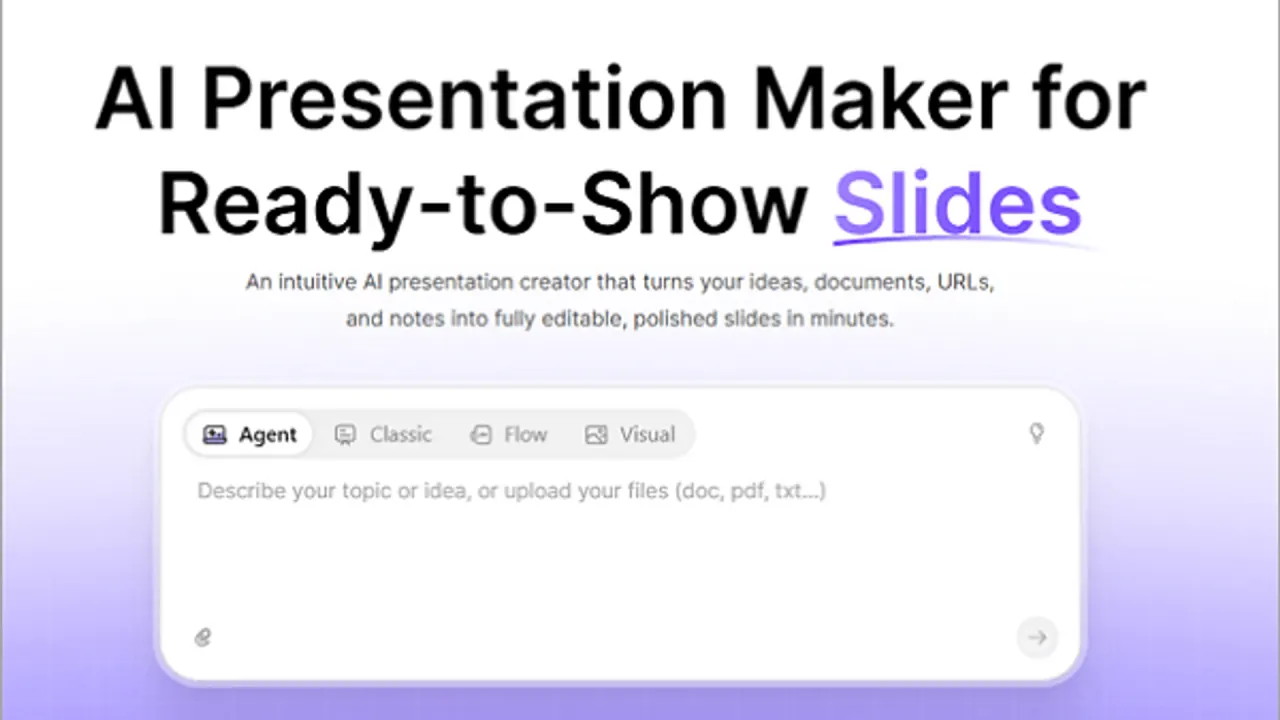
AiPPT (also styled AiPPT.com) is an online AI presentation maker that turns ideas, documents, URLs and notes into editable slides. It combines content generation, slide design and subsequent editing, with separate Agent, Classic, Flow and Visual experiences. A document to PPT workflow starts from existing material, while a topic prompt supplies a starting point for new content.
Agent includes built-in Skills based on frameworks such as SWOT and 4P, and can import a shared .zip Skill package or turn a PowerPoint or PDF into a reusable Skill. A Skill can also be built from scratch. Skills carry reusable methods and structures for recurring work; themes separately control visual styling.
AiPPT accepts topic prompts, uploaded documents, webpage links and connected Google Drive files as starting material. A prompt develops a new structure; files and connected sources supply existing content. Input availability and upload limits depend on the workflow and access tier.
Flow offers controls before outline generation for the presentation scenario, card count, language and content depth, with concise, moderate and detailed depth options. Scenarios include analysis reports, teaching and training, promotional materials and public speeches.
After generation, Flow's custom-theme route is Theme → New Theme, followed by changes to colors, fonts and layout. The custom theme remains within Flow's auto-layout model.
AiPPT positions Agent for turning a product-promotion brief into a marketing proposal, with goal analysis, market research and strategic frameworks included in the generation process.
For project kickoffs, Agent is described as converting an uploaded brief into slides covering goals, scope and milestones.
Children are subject to a separate access condition in the terms: users under 13, or under the applicable local minimum age for personal-data consent, need direct authorization from a parent, guardian or another authorized adult such as a teacher who agrees to the terms. Education positioning therefore does not mean unrestricted child access.
Agent presentations can be downloaded as PPTX, PDF, PNG or HTML, or presented online in a browser. Browser playback requires no special presentation software. PPTX provides a PowerPoint file workflow; HTML is specifically listed for Agent.
AiPPT also offers iOS and Android apps, with a mobile trial described as six presentation generations in total and no more than two free generations per day. The app download page distinguishes generating and previewing a presentation from downloading an editable PPTX: the latter requires a subscription. The mobile trial counts and the web plan's one-time credits use different units.
An app purchase can be attached to the guest account automatically created on first use, rather than to the personal account used for website login. The help instructions describe binding a new email address to that guest account, then using the same address to sign in on the website and access its membership benefits. This is a specific recovery path for a guest-account purchase, not a diagnosis of every missing membership.
The annual USD billing view displayed the following prices as captured on October 23, 2026. Monthly equivalents describe an annual purchase, not a month-to-month charge. The Plus and Pro cards carried 34% OFF and 45% OFF labels respectively; no promotion end date appeared in that captured state.
| Plan | Displayed monthly equivalent | Annual charge |
|---|---|---|
| Free | $0 | No annual charge displayed |
| Plus | $9 | $108 billed annually |
| Pro | $11 | $132 billed annually |
The published allowances use several separate measures:
| Allowance | Free | Plus | Pro |
|---|---|---|---|
| AI credits | 140, one time | 600 per month | 1,200 per month |
| Concurrent Agent tasks | 1 | 10 | 10 |
| Maximum slides in Flow | 15 | 25 | 50 |
| Maximum slides in Visual | 20 | 20 | 20 |
Credits do not buy a fixed number of presentations: the credit guide values each at $0.006, with dynamic costs based on task complexity and runtime, model tokens, third-party API calls and premium capabilities. AiPPT says a task that fails because of its own technical problem automatically returns the credits it consumed. This returns task credits, rather than a subscription payment.
Monthly credits refresh every 31 days from the purchase date, and unused monthly credits are cleared at the end of that cycle. Balances are consumed in the order of monthly credits, free credits and credit packs, with the earliest-expiring credits used first within each type. Annual payment therefore does not mean all monthly allowances accumulate for the full year.
Only Plus and Pro subscribers can purchase additional credit packs, and modifications through Agent Assistant also consume credits. Revisions therefore draw from the allowance as well as initial generation, with actual consumption determined by the final results.
Lifetime membership is described as permanent access to AiPPT and eligible future features, with limited AI credits refreshed monthly according to the membership level. It is not a promise of unlimited AI credits.
Monthly and annual subscriptions renew automatically where applicable, and unsubscribing does not itself refund amounts already charged. The published refund policy allows a reasonable, documented request within seven days of activation to be considered for approval. It applies to monthly, annual and lifetime memberships, makes fees non-refundable after that window, and gives approved refunds a processing period of 15 working days through the original payment method. The seven-day window is a conditional request process, not an unconditional money-back guarantee.
Separately, the terms state that termination due to a default by AiPPT brings a proportional refund of prepaid fees from the effective termination date to the end of the current subscription. They distinguish this from termination due to the user's violation, for which no refund is provided and unpaid fees for the remaining subscription period become due immediately.
Cancellation help dated May 16, 2026 gives the route Account Settings → Subscription → Manage → Cancel subscription, followed by Stripe's cancellation page. It says premium access continues to the end of the paid period, then the account returns to Free while existing presentations remain accessible, with some advanced features potentially unavailable.
The terms dated March 24, 2023 instead say that, after expiry or termination, users cannot access designs, user content or uploaded information; they also say user content in shared designs remains available and ordinary export is permitted before expiry. These public descriptions conflict over post-expiry access. For violation-based termination, the terms also exclude the ordinary export allowance and prohibit creating a new account without written permission.
Gamma is a relevant alternative when importing existing presentation files is a central requirement. Its help documents PowerPoint and Word imports up to 200 MB per file and PDFs up to 100 MB, with retained-layout and restyling options. AiPPT Agent separately lists 20 MB per file. This compares documented intake limits, not measured output quality.
Gamma's free-workspace PDF and PPTX exports carry a “Made by Gamma” badge based on the workspace's plan at export time, even for a document created during a paid subscription. Paid plans remove the badge from future exports rather than changing files already exported. Its documented exception is browser printing from the user's own editor while signed in, which does not add the badge. AiPPT's mobile page instead requires a subscription for editable PPTX downloads: these are different access rules.
Agent accepts Word, PDF, PPT, Excel and CSV files plus images, with a maximum of five uploaded files at once and 20 MB per file. These are Agent-specific upload limits, not a claim about every AiPPT input route.
AiPPT says it has not verified AI output for accuracy and does not guarantee its accuracy, completeness or reliability. The disclaimer appears in its AI terms dated March 24, 2023. Research-led generation and slide design are not documented as factual certification.
The AI terms also restrict permitted uses. Their prohibited-use list includes misleading viewers into believing AI material was human-generated, medical advice or disease-related treatment, prevention, diagnosis or transmission content, legal or financial advice, legally binding contracts, political content, source code, malicious software, nude or shocking content, judicial or other legal-purpose information, and automated decision-making. These are stated usage restrictions, not proof of technical prevention.
Sensitive personal data is also barred from AI input under those terms. The examples include racial or ethnic origin, political views, religious or philosophical beliefs, union membership, health data, sex life and sexual orientation. File acceptance does not override this input restriction.
Between the user and AiPPT, and to the extent permitted by law, the AI terms say users have rights to their input and output while granting AiPPT permission to host them and use them to market and improve its services. AiPPT says it does not claim copyright ownership over that input or output. Legitimate uses are allowed subject to the terms and at the user's risk, without a guarantee of unrestricted rights to every element.
Licensed content inside a design has a separate scope. A design may combine user and licensed content, with asset restrictions varying by type and source despite user ownership of the design. An item's information icon identifies its licensing terms. Ownership of the presentation does not remove those asset conditions.
AI-generated material used in an AiPPT design must be disclosed to its viewers under the AI terms. Social-media sharing, live streams and demonstrations are described as usually permitted subject to manual output review, attribution to the user or company, clear AI disclosure and compliance with the content rules.
AiPPT's privacy policy says it may analyze account content, media uploads and activity and use machine learning to train its algorithms and models to improve the service. It says prior consent may be sought for some projects where legally required or considered appropriate by the company. This permits possible training uses of account material; it is not a no-training promise.
The AI terms separately say inputs are shared with third-party providers to deliver certain AI services and that those providers may use the inputs to improve their own services. They include consent to transfer personal data in input to OpenAI in the United States and state that protection may differ depending on where the user lives. Provider improvement and AiPPT's own-model training are separate provisions; neither says every input always trains every model.
The privacy policy offers correction, download and deletion through account settings and support requests, but says AiPPT cannot delete information published through third-party websites. After an account is terminated or disabled, it retains personal information and user content for a commercially reasonable period while an effective purpose remains, including legal and audit obligations, backup and archiving. The policy gives no fixed immediate-erasure promise on account closure.
Yes. Document input is part of its documented creation workflow, with Word, PDF, PPT, Excel, CSV and images specifically listed for Agent. The limit is five files at once, up to 20 MB each; edits can be requested in chat or made manually.
The mobile app is free to download, and its trial is described as six presentation generations in total with up to two per day. Editable PPTX download requires a subscription; generation and preview are separate.
No. The credit guide describes lifetime access and eligible future features, but credits remain limited and refresh monthly by membership level. Agent revisions also consume credits. Plus and Pro subscribers can buy further credit packs.
The AI terms require viewers to be informed when an AiPPT design contains AI-generated content and prohibit misleading human attribution. Output rights do not remove disclosure or licensed-asset conditions.
