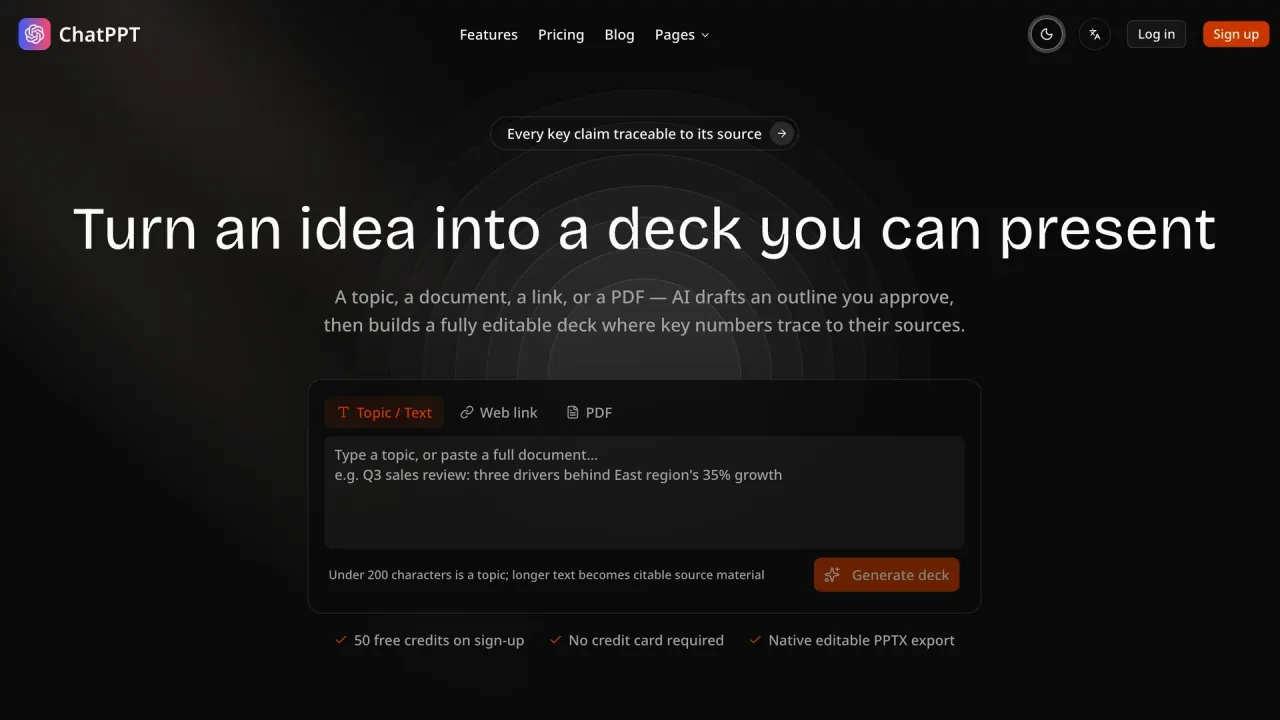

Turn a topic, text, public URL, or text-layer PDF into an approved outline and editable presentation. Keep key claims traceable to supplied material and export native PPTX or PDF.
Used this tool? Rate it
Used this tool? Rate it
ChatPPT is an AI presentation assistant for turning supplied material into an editable deck without treating the deck as a black-box final file. ChatPPT starts with a topic, long text, public web link, or PDF, creates an outline for approval, and builds the deck only after that confirmation. That sequence makes the product less about producing a quick visual draft from a single prompt and more about moving from source material to a reviewable presentation structure.
The cited slides workflow keeps source-linked material, an approved structure, and editable presentation output in one path. Numbers drawn from a supplied PDF can retain page numbers and quotes, while numbers without a source are marked as AI-inferred. The distinction matters when a presentation has to preserve the boundary between what was provided and what the model added during generation.
ChatPPT therefore fits a presentation workflow with two separate moments of judgment: deciding what belongs in the storyline before layout is created, then adjusting the resulting slides after generation. It is not positioned as a source of independent research. Its usefulness comes from reorganizing material a user already has, exposing the source relationship of important content, and keeping the result editable instead of flattening it into an image-based deliverable.
That product definition changes the role of the opening prompt. A short topic can begin the process, but it does not have to carry every fact that will appear in the deck. Longer text, a page, or a PDF can give the outline more material to work from, and the outline is visible before the system commits to a slide sequence. This makes ChatPPT useful when a presentation begins with a brief but becomes more evidence-sensitive as it develops.
The result is still a presentation workflow, not a document-management system or an independent verification service. It organizes a bounded set of supplied inputs into a narrative and visual form. Its central trade-off is useful for readers who value a visible line from source material to slides, while it is less relevant when the main need is open-ended research, inaccessible reference material, or a presentation that never needs editorial revision.
The core feature set combines source intake, outline control, layout generation, slide editing, and export. The product has a specific strength when a deck needs to preserve a usable connection to underlying notes, documents, or public pages rather than merely borrow their theme.
Outline items can be edited or locked before deck generation, creating a control point between source intake and layout. A locked item gives a stable part of the story a different role from material that is still open to rewriting. This separates content decisions from cosmetic changes and keeps the approved structure available while the rest of the deck develops.
Eight selectable themes are rendered with the same layout engine that supports the editor and PPTX output. Theme choice is therefore part of the same production path as later editing and export rather than an isolated preview. The presentation remains a structured working file, with layout applied to a storyline that has already passed the outline stage.
Source labels are useful but deliberately not a truth guarantee. A source-linked statement identifies where supplied material entered the deck; an AI-inferred flag identifies a statement without that connection. The two labels help readers distinguish provenance from generated synthesis, but neither label substitutes for subject-matter review.
The export path is designed to leave room for a later editorial pass rather than ending in a flat captured image. This preserves a practical editing surface after generation: a team can revise wording, remove a visual, replace a number, or reshape a chart without starting again from a static page image. That choice is particularly relevant when a deck must keep evolving after its first draft.
ChatPPT’s documented flow starts with material selection and ends with an editable exported deck. The workflow is deliberately staged: material is brought in first, the storyline is confirmed next, and slide-level refinements happen after layout exists. This avoids treating the first generated deck as the only possible version of the presentation.
A single presentation can include up to five sources, with each page ingested as citable material. That gives a multi-source narrative a defined upper boundary instead of implying that every background document can be silently absorbed into one generation. It also makes source selection part of the presentation design: the deck is as traceable as the material chosen for it.
For the PDF to PPT flow, the service is built around text that can be parsed and cited. The format is not presented as a general document archive or a replacement for a separate research process. Its role is to turn supplied material into a presentation whose outline, slide content, and export can remain connected to the same working context.
The practical consequence is that a presentation brief can begin as an editorial decision rather than a formatting task. The source set defines what the system can draw on; the outline defines what the deck will argue; the editor defines what remains open after generation. That division is useful when a draft has to accommodate comments from more than one reviewer without losing the connection between a slide and the material that motivated it.
The clearest use cases begin with source material that already has a point of view, detail, or evidence but not a presentation-ready narrative. ChatPPT is designed to recast that material for an audience, so the value is not simply converting a file extension; it is moving from a long-form source to a deliberate sequence of slides.
The URL-to-PPT flow is designed for long-form posts, press releases, and product documentation, restructuring them around a presentation goal. This is relevant when the raw page is readable but not organized for a meeting, briefing, or decision discussion. A web source can supply the underlying context while the outline determines which claims become the main story, supporting points, or visual data slides.
The PDF-to-PPT flow is designed for industry reports, papers, and product documents, with every number tied back to a page and quote. That makes it a closer fit for material where the location of a figure matters, such as an analytical report or a technical document. The value is strongest when the original file supplies the evidence and the deck needs to make that evidence easier to present, not when the source itself is unavailable or unreliable.
These two entry paths also draw a useful line between source transformation and original composition. A page or PDF can provide the factual base, while the presentation goal determines the audience, story order, and slide emphasis. This arrangement is suited to briefs that need a coherent visual narrative without severing the relationship to their original documents.
For an analytical deck, traceability changes the standard for a good first draft. A clean layout alone does not answer where a figure came from or whether a conclusion is supported by the source set. ChatPPT’s source-oriented workflow gives those questions a place in the deck-building process: material enters first, the story is approved next, and slides remain open to revision after the layout is produced.
ChatPPT is a stronger fit for people who need an editable presentation artifact after AI generation, not just a shareable rendered deck. Native PPTX exports contain editable text, shapes, and charts rather than screenshot-style slides. That preserves room for a later editorial pass, visual adjustment, or review cycle without requiring the deck to be rebuilt from a flat output.
The online editor supports content locking and local AI edits, so controlled changes can happen after the first deck is generated. This supports workflows where a few slides or source-backed statements need to remain stable while other parts are rewritten, shortened, retoned, or visually adjusted. The tool is therefore relevant to presentation owners who need to keep both change control and editing flexibility visible in the same workspace.
It is especially aligned with source-heavy material: reports, research papers, public documents, and long-form pages that need a presentation structure. It is a weaker match for a workflow that begins only with unverified facts, depends on inaccessible or scanned sources, or expects the first AI draft to be ready for consequential use without a human review step. The product’s own boundaries make the review step part of the fit, rather than an optional extra.
The audience is not defined by job title alone. The more decisive condition is whether the presentation will move through a real review cycle: someone needs to set the storyline, protect stable content, refine selected slides, and preserve an editable file after the AI has done its structural work. That is a different need from generating an attractive one-off visual with no expectation of later changes or source discussion.
ChatPPT keeps slide editing in a web workspace and provides native PPTX output. The browser-based workspace is the working surface for material intake, outline approval, local changes, and deck refinement; the exported file is the handoff format. This separation is useful when a deck has to move from an AI-assisted drafting environment into an established presentation workflow while remaining editable.
The product’s platform story is therefore about a web creation path plus portable files, not about a documented native desktop editor. Its live theme renderer, online editor, and native export are presented as connected parts of the same layout system. That makes the output more durable than a static browser-only visual, while still centering the creation process in the web workspace.
ChatPPT uses credits rather than an unlimited-generation promise. The plans differ in monthly credit allocation and access, while the individual generation and export actions draw from the same metered balance. This makes plan comparison depend on expected deck volume, source-processing needs, and export frequency rather than only on whether the product can produce a slide deck.
The Free plan is listed at $0. The tier structure is therefore an access-and-capacity ladder: the entry plan exposes the source-to-deck workflow, while the paid plan adds a larger monthly allocation for recurring presentation production. The useful comparison is not only price, but also how often a workflow reaches full generation and native export within a 30-day credit window.
| Plan | Listed price | Monthly credits | Included workflow |
|---|---|---|---|
| Free | $0 | 50 | All 13 slide layouts, source citations, online editing, and editable PPTX or PDF export |
| Pro | $19 monthly or $180 yearly | 1,000 | Free-plan features, credit-pack purchasing, and priority support |
The Free plan includes 50 credits per month, all 13 slide layouts, source citations, an online editor, and native PPTX or PDF export. It is described as one complete source-to-export run each month, so it establishes the workflow without representing a high-volume allocation.
Pro is listed at $19 per month or $180 per year and includes 1,000 credits per month, described as about 20 full decks. The annual price is presented as $15 per month when paid yearly. This comparison makes the paid tier primarily a capacity choice for frequent presentation work rather than a separate product with a different output format.
Credits last 30 days, do not roll over, and failed generation or export attempts are automatically refunded. The credit window makes timing part of plan value: allocation is tied to a month rather than accumulating indefinitely, while unsuccessful generation or export does not consume the balance. A new monthly or yearly subscription can receive a full refund within seven days of first payment when none of its paid credits have been consumed; used credits are not refundable.
The source-first workflow has material constraints that directly affect whether a deck can be built from a given input. Web fetching is limited to publicly accessible pages; login-gated or paywalled pages cannot be fetched, and heavily client-rendered pages may yield partial content. A source page that cannot be retrieved or is only partly rendered changes the evidence available to the presentation, even if the visual layout process itself remains available.
PDF inputs are limited to text-layer files up to 10 MB, and scanned or image-only PDFs are not supported in the current version. This makes the product suitable for documents whose text can be extracted and cited, but not for image-only scans that need optical character recognition first. The stated limitation is about input parsing, not about the credibility of the source document itself.
Generated presentations may contain errors, omissions, or misinterpretations of source material, including content marked with source citations. Citation and AI-inference markers make the origin of a statement more visible, but they do not convert generated content into independently verified analysis. The deck remains an assisted draft whose factual interpretation can still need domain judgment.
The limitations are connected rather than isolated. A source that cannot be fetched, a PDF that cannot be parsed, and an unreviewed inference can all reduce confidence in different ways. The product makes these boundaries more visible than a one-step text-to-slides workflow, but visibility is not the same as correctness. The decision value lies in knowing which material entered the deck and which statements still require substantive editorial judgment.
Uploaded material and generated presentations are stored privately, are not used to train AI models, and enter permanent-removal cleanup within 30 days after a project or account is deleted. The stated privacy boundary covers the supplied material and the resulting presentation, while limited account, billing, operational, and security data are handled separately as part of running the service.
Users retain rights to their uploaded materials and generated presentations, while ChatPPT receives the limited licence needed to store and process them for the service. That stated allocation does not remove the user’s responsibility for having rights to the text, URLs, and files submitted to the product. It also keeps the product’s role focused on processing material for the user’s presentation rather than claiming ownership of the underlying source work.
