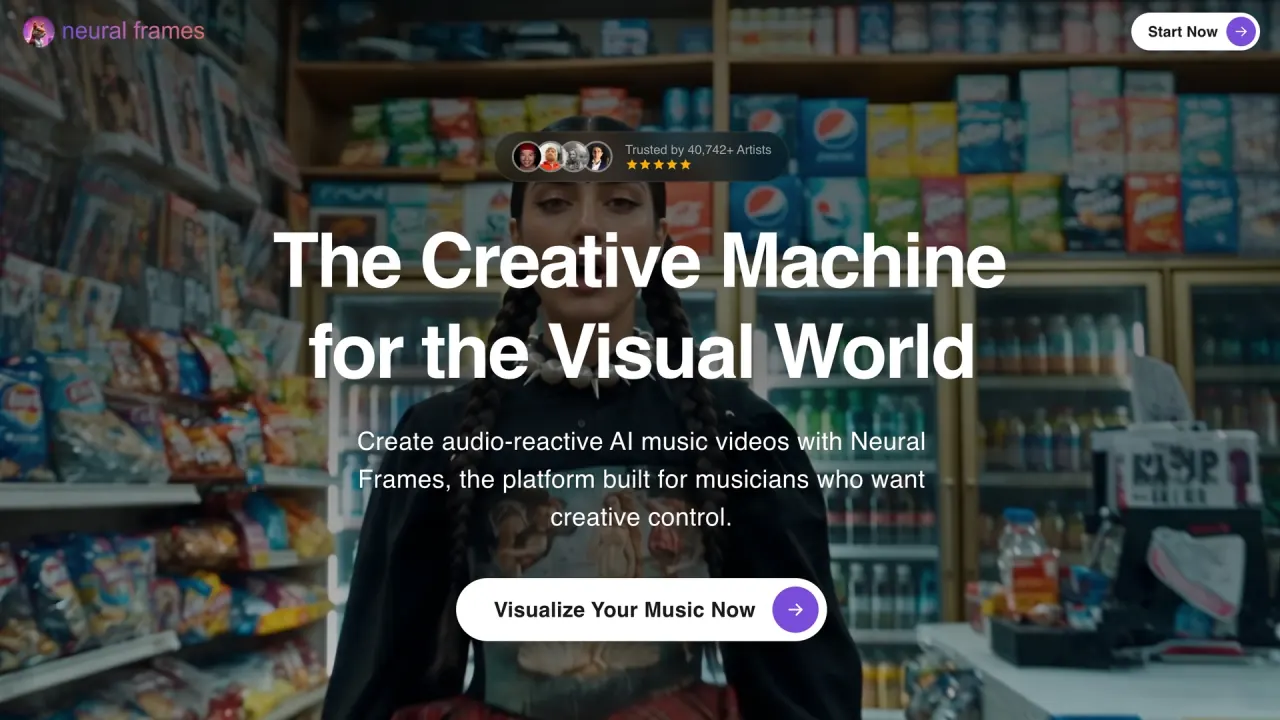

Neural Frames turns an uploaded song into an audio-reactive AI music video, with stem-driven visuals, frame-by-frame or timeline editing and up to 4K export. It is built for musicians, producers and visual artists rather than for general video teams.
Used this tool? Rate it
Used this tool? Rate it


Multi-model image studio, free to start


Community-Trained Models for Art, Video and Characters


Prompt-Based Images, Edits and Video


One gateway for text and media models


Multi-model AI video and image generation in one browser workspace

Turn images, clips and sound into video


Design original characters and animate them


Chat Your Way to a Finished Video
Neural Frames is an audio-reactive AI music video platform operated by Neural Frames GmbH, a company registered in Berlin, Germany. A song is uploaded, the platform separates the track into stems, and the visuals are generated and edited so that motion, colour and transitions follow the music rather than a script written in advance.
The centre of gravity is the audio file: the track is the timeline, the beat grid and the mood reference at once, and the prompt only describes what should appear at a given moment of the song.
Scale figures come from the vendor and shift between pages: the current site claims more than 100,000 artists, over 2 million videos and more than 10 billion frames generated. An earlier version of the homepage read "Trusted by 40,742+ Artists". A profile from earlier in 2026 still described 10,000+ artists, and the company was then described as self-funded without VC backing. The numbers are useful as an order of magnitude, not as an audited count.
The company is small and self-funded. An interview published in August 2026 describes a team of 12 people in Berlin, a $5M annual run rate and no outside capital. The founder separately reported a run rate above $7M in October 2026. Founder-led, revenue-financed growth explains both the pace of feature releases and the subscription-plus-credits pricing that funds the third-party models the platform calls.
Autopilot takes an uploaded song and returns a complete video: lyrics are transcribed, the mood and tempo are read from the track, a storyboard is proposed, and the scenes are rendered. The vendor puts the result at professional music videos in under 10 minutes, and the storyboard can be reviewed and adjusted before credits are spent on the render.
An uploaded track is split into eight stems, covering drums, bass, vocals, melody and the remaining layers, and more than ten modulation parameters map those stems onto visual behaviour. Colour can pulse with the kick, a transition can follow the melody, an effect can intensify on a vocal phrase. The distinction from a conventional visualiser is granularity: stem-level routing lets one instrument drive one parameter at a time.
Generation runs on third-party models rather than one in-house engine. The public plan cards bundle seven AI models on the entry tier and ten on the two higher tiers, and the documented set includes Kling for natural motion, Seedance for stylised transformation, Runway for consistent cinematic output and Stable Diffusion for abstract, trippy animation. Model choice changes both the look and the credit cost of a render, and the pricing page carries a calculator that estimates an Autopilot video by song length and model.
Custom models are trained on uploaded images: roughly 10 to 20 images for a character, 50 to 100 for a visual style. The trained character or style is then reusable across scenes, videos and an album cycle, which is what makes a recurring visual identity practical rather than a one-off.
Two editors sit beside Autopilot. The frame-by-frame editor exposes prompt, motion and seed controls along a timeline for abstract, evolving animation; the text-to-video editor gives a timeline view over the integrated models for cinematic sequences, lyric videos and lipsync. Both support audio-synced timing, and the export path includes a horizontal-to-vertical conversion and a dedicated Short-Form Studio for social clips. Exports run at 25 frames per second, which the vendor markets as 40% more fluid than competitors.
Every paid plan includes 1080p upscaling at no separate charge. 4K upscaling is reserved for the two higher tiers, and the top tier adds priority processing when upscaling demand is high. Upscaling applies to generated footage, so it improves the final file rather than the source model's native resolution.
The three creation modes answer three different questions, and the practical choice is usually about how much of the look is already decided.
Autopilot suits a finished song that needs a watchable video quickly. Upload the track, let the platform transcribe lyrics and read the arrangement, review the generated storyboard, replace any scene that reads wrong, then render. Because the storyboard is reviewed before rendering, the expensive step happens once rather than in a loop.
The frame-by-frame editor suits a visual idea that has to be built shot by shot: a slow morph, a colour cycle tied to a specific bar, a character walking through changing environments. The workflow is closer to a digital audio workstation than to a prompt box, with keyframes placed against the audio and motion strength adjusted until the section sits right.
The text-to-video editor suits sequences that need a specific model: Kling for a realistic crowd, Seedance for a stylised dream sequence, Runway for a consistent cinematic look.
Three habits keep credit spend predictable. Render short sections while dialling in a look rather than the whole song, because failed generations are not charged but successful experiments are. Keep an eye on the credit calculator before committing to a long track on an expensive model. And use the rollover allowance deliberately: unused subscription credits can accumulate up to 300% of the monthly allocation while a subscription stays active, which rewards an album cycle concentrated into a few heavy months.
The product answers a production problem that recurs across the independent music calendar: a finished song, a release date, and no budget for a director, a shoot or an editor.
A single release needs a full-length visual that can carry the track on YouTube and be cut down for vertical feeds. Autopilot produces the long version, the short-form tools produce the clips, and the same custom character or style keeps the artwork, the Canvas loop and the video recognisably from one release.
A Spotify Canvas or a looping background needs a short loop that moves with the track and can be swapped per song. Because the same project holds the audio and the visual, cutting a loop is a matter of choosing a section rather than rebuilding the look.
Labels and small catalogues need several videos a month for a roster, with a per-video cost that can be planned. Credits make that budget legible in a way that a per-project quote does not, and the higher tiers exist precisely for that volume.
The product is aimed at musicians, producers and visual artists who want the video to carry the song rather than illustrate a script, and who are willing to spend an evening learning a timeline in exchange for control that a template tool cannot give.
Independent artists benefit most when the alternative is no video at all. A three-minute track that would otherwise ship with a static cover can ship with a moving visual whose motion is authored by the music, and the same project can produce vertical clips for social platforms.
Electronic, ambient and experimental producers are the clearest fit for the abstract, morphing look. The style that the frame-by-frame editor produces is a signature rather than a limitation in those genres, and the stem routing gives a producer something to tune against their own mix.
Bands and small labels use the account for volume and consistency: several videos a month, one visual identity, one billing line. Content creators outside music can use it for audio-led visuals, but they are paying for music-specific machinery they may not need.
It is a poor fit for anyone who needs a photoreal performance video, a scripted narrative with actors, or a clean product shot. The output is generated animation rather than filmed footage, and third-party reviews consistently report that faces and on-screen text are the least reliable part of the result.
Neural Frames runs in a web browser and is delivered as a self-serve platform: upload, editing and export all happen in the vendor's environment, with nothing installed locally and no desktop or mobile client documented on the pages checked. Because nothing runs on the user's machine, a session can move between machines without carrying a project file.
Videos export at 25 frames per second with 1080p upscaling on paid plans and 4K on the two higher tiers, and the side-by-side formats cover widescreen for YouTube and vertical for TikTok, Reels and Shorts, including a horizontal-to-vertical conversion and a dedicated short-form studio.
The commercial surface is subscription billing through a card, with Payment processing handled by a third-party provider under European rules. A public developer API is not part of the documented product: the site links an API page in its footer, but no published reference, rate card or endpoint documentation was found in the pages checked. Teams that need programmatic rendering should confirm access before planning around it.
Three paid tiers are sold monthly or yearly, with a free entry point.
| Plan | Monthly | Yearly equivalent | Credits per month | Models | Upscaling |
|---|---|---|---|---|---|
| Neural Knight | $39 | $26 ($312 billed yearly) | 2,400 | 7 | 1080p only |
| Neural Ninja | $99 | $66 ($792 billed yearly) | 7,200 | 10 | 1080p and 4K |
| Neural Nirvana | $299 | $199 ($2,388 billed yearly) | 24,000 | 10 | 1080p, 4K and priority |
The entry tier is explicitly not recommended for Autopilot, and that asterisk matters more than the price difference suggests: the cheapest plan is positioned for shorter, lower-cost projects, while the middle tier is the one the vendor recommends for full-length Autopilot videos.
Credits are the real unit of cost. Each render consumes credits according to song length, chosen model and resolution, and the pricing page carries a calculator that shows which plan covers which combination. A fresh allocation arrives every month even on annual billing, unused subscription credits can roll over up to 300% of the monthly allocation while the subscription is active, extra credits can be bought as top-ups, and a failed generation is not charged.
Cancellation takes effect at the end of the paid period, access and included credits continue until that date, and unused subscription credits expire once the subscription actually ends. There is no blanket refund guarantee; the vendor says requests are reviewed case by case, with the clearest case being a first subscription used for a single project that did not work out. Prices are net and local taxes are added at checkout, and payment is by card or another method offered at checkout.
The useful comparison is by production model rather than by feature count, because several tools produce music visuals and only a few organise themselves around an uploaded track.
Template-driven visualisers sit at one end: a library of scenes, a preset reaction to the beat, a fast path to something postable. They are cheaper and quicker, and they give up stem-level control; the output looks like a visualiser rather than like an authored video.
General-purpose generative video editors sit at the other end. Tools built around multi-shot consistency, reference images and prompt-driven cinematography can produce stronger individual shots and a more literal narrative, but they are not organised around a song, and assembling a three-minute edit with them usually means cutting in a separate editor afterwards.
Song-to-video services aimed at social creators occupy the middle. They accept a track or a link from a music generator and return a finished clip with lyrics and lipsync, at a flat monthly price without credit metering, and they trade away the frame-level adjustment that a distinctive look depends on.
Style libraries and art-first platforms cover the case where the visual direction is already an aesthetic choice rather than a music-sync problem. The honest test between all of them is not a feature table but one short section of one of your own tracks, rendered in each candidate, because credit cost, motion quality and the tolerance for abstraction vary more between songs than between marketing pages.
The cheapest plan is marked as not recommended for Autopilot, so the effective entry price for the headline feature is the middle tier. Credit consumption scales with model choice and song length. Third-party reviews describe the credit model as the main cost risk for longer or heavily iterated videos, and the same reviews note that the deep controls encourage exactly that iteration.
The output has a recognisable aesthetic. Morphing, melding transitions and generative texture are the point for electronic and experimental music, and a liability everywhere else: on-screen text is unreliable, faces can drift, and clean photoreal footage of a performance is outside what the platform produces.
Access rules are strict. The account is for adults only. The service is provided as-is with no guarantee of continuous availability, and features can change at any time. Generated output may be incorrect or incomplete, and the user is responsible for reviewing it and for identifying AI-generated material where required.
Data has a hard end date. When a contract terminates, credits are forfeited and projects, custom models and associated data are permanently deleted three months later, so a catalogue has to be exported rather than left in the account. Billing has no blanket refund guarantee, and unused subscription credits expire when the subscription ends.
The subscription is the floor and credits are the variable. An Autopilot video consumes credits according to song length, model and resolution, and the on-site calculator compares plans for a given combination; the entry tier covers lighter, shorter projects while the middle tier is the recommended plan for full-length Autopilot videos.
Yes, in a limited form. The site invites new users to start creating for free, and the terms let the vendor define the scope of a free version and change or withdraw it. Treat free credits as an evaluation budget for a storyboard or a short section rather than as a route to a finished release video.
Yes. The vendor states that creators own the videos and may publish, monetise and use them for client work, and that it claims no rights to finished videos. The user remains responsible for holding the rights to the music, images and footage uploaded. It is also on the user to label AI-generated output where the law requires it.
1080p upscaling is included on every paid plan. 4K upscaling requires the middle or top tier, and the top tier also gets priority processing for upscaling jobs. Because upscaling is applied to generated footage, the result improves the delivered file rather than the source model's native resolution.
Full-length music videos are the target, and the platform's own framing refers to 10-minute music videos and to full-length output rather than to clip-length generation. In practice the limit that bites first is credits, not duration: a long track rendered on an expensive model can exhaust a monthly allocation quickly.
Cancellation is scheduled for the end of the paid period, and access continues until then. Unused subscription credits expire when the subscription ends, projects and custom models are deleted three months after the contract terminates, and refunds are reviewed case by case rather than guaranteed.