
Capacities is an object-based note-taking and personal knowledge management app for individuals. Notes become linked people, books and projects, with daily notes, tasks and an optional AI assistant across desktop, mobile and the web.
Used this tool? Rate it
Used this tool? Rate it


AI assistant for writing, analysis and tasks


From a prompt to a deck, site or doc


Real-time answers, images, and code in one chat


One workspace for every AI model


One workspace where your team and its AI agents think together


Public Codex reset tracker


AI assistant for structured work


Plan, build, and refine work with an AI agent
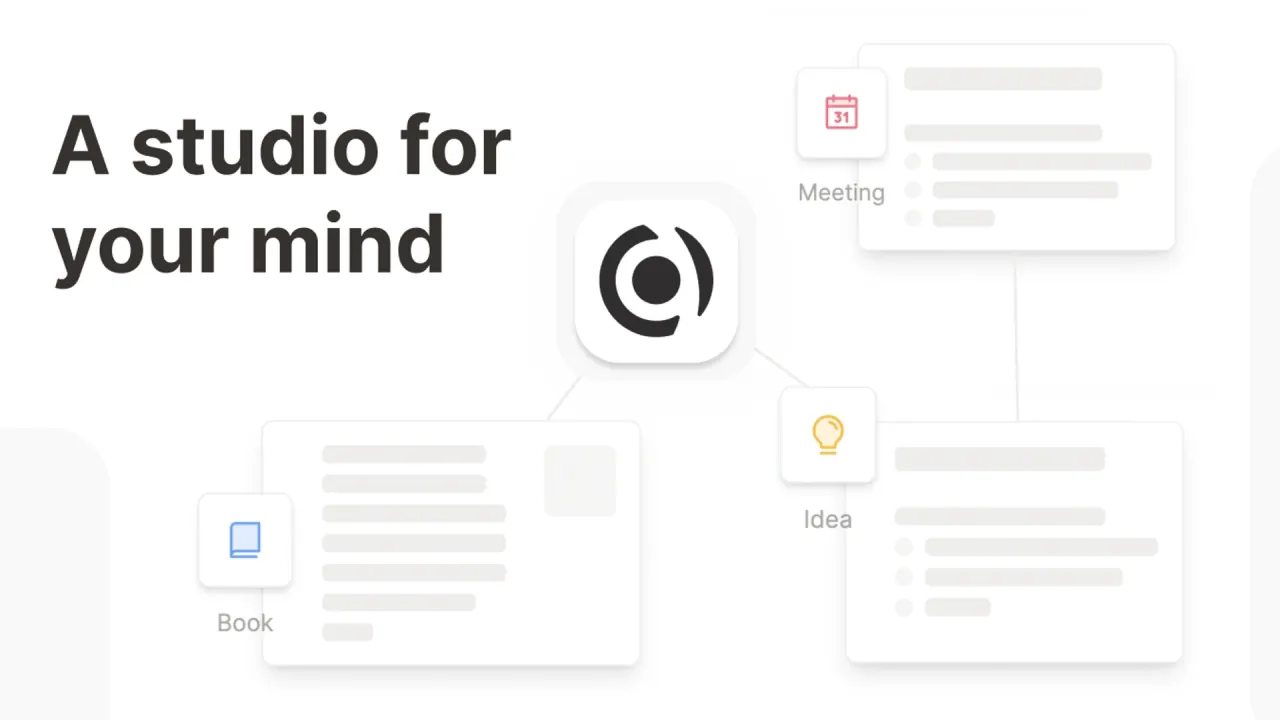
Capacities is a note-taking and knowledge management app that organizes your ideas as connected objects instead of files and folders. A person, a book, a project or a meeting becomes an object with its own properties and links, so nothing has to be filed into a folder before it can be written down. The company calls this object-based note-taking, and it is the main difference from page-and-database tools.
It runs as a desktop app for Mac, Windows and Linux, as a mobile app on iOS and Android phones and tablets, and as a web app in the browser. Capacities Labs reports more than 50,000 active knowledge workers as of 5 October 2026.
Work on Capacities started in 2020, and the team describes itself as a small team located in Germany and the UK. The company says it is bootstrapped, with no outside investors.
The free plan is the note-taking product, with no storage limit on notes and spaces. Pro adds the AI layer, tasks, calendar integration, queries and media analysis. Believer adds the same tools with earlier access to new features.
Capacities is built around typed objects, links between them, a daily note for capture, and optional AI. Most paid features extend those ideas rather than adding unrelated modules.
Every entry has a type. Each type has its own properties, so a book knows its author and a meeting knows who was there. Add dates, ratings, tags, links, numbers, checkboxes—whatever makes sense for that type. Create any kind of object. A recipe. A company. A research paper. A movie you watched. A template can make every new item of that type start with the same fields.
The same objects can be displayed as lists, galleries, tables, or cards. Switching the view changes how the material is read, not what is stored.
Templates define how new objects of a type look when they are created, so a book page and a meeting page can each open with the fields they need.
Objects connect in both directions. Open any object and instantly see every other object that references it.
The daily note is the capture surface. Send thoughts via WhatsApp, Telegram, or email—they appear in your daily note automatically.
Search is not limited to exact words. In a query, semantic search finds notes about an idea even when they use other words. Pro also shows the five closest notes in the space below each note, and surfaces places where a person, place or idea is named before the user has linked it.
The graph view can be narrowed to a topic, keeping only the objects related to it and the links between them.
Write a task in a meeting note and it shows up on the project, on Today, and in your calendar. Your events sit next to the daily note and the tasks for today. A query is a saved question. Tasks, calendar integration and queries are part of Pro.
A whiteboard holds the same notes with room around them: Every card is a note from your space, so what you work out on the board stays with the note. Pro can also preview and restore an earlier version of a page, task, or file, which is the safety net for edits made by hand or by the assistant.
The in-app assistant is not a blank chatbot. It reads what you point it to, follows the links, and suggests changes you approve. You can review each change, or turn on Auto-approve for longer sessions. Recent models from OpenAI, Anthropic, Google, and xAI are all in Pro.
Outside the app, AI Chat Connectors let ChatGPT or Claude search a chosen space and write back to it. Chats in ChatGPT or Claude use the AI plan the user already pays for there. They do not spend the AI budget that comes with Pro.
Saved media becomes its own object, and Pro reads inside it. Image analysis turns text into searchable content: The text in your photos, now searchable. On a PDF, highlight a passage, pick a color, add a thought. A recording returns a transcript and a summary.
The company's onboarding path is short. It starts in the daily note and adds structure only when the same things keep returning.
Capture does not have to start in the app. A message to the WhatsApp or Telegram bot, or an email, lands in the daily note and can be processed later, which makes the phone useful for fragments that are not worth a full note yet.
The AI note-taking layer is optional at every stage. It can answer questions about a page and propose changes, but each proposal remains reviewable until Auto-approve is switched on.
For writers, the company positions Capacities as a place to plan stories, develop magical worlds, flesh out characters and work through plot problems with Capacities.
Object-based structure naturally organizes research papers, authors, and concepts with rich interconnections.
For users with ADHD, the company recommends writing into today's daily note first. Its explanation is direct: The thought is gone if you stop to decide where it belongs.
Type, snap, or pick a photo on the phone and it lands in today's note, where it can be sorted later or left as it is, which keeps capture away from the desk in the same stream as written notes.
Capacities is designed for individuals rather than for teams. There are no shared workspaces, permissions or co-editing, so the product assumes one person's knowledge base rather than a team wiki.
It suits personal knowledge management, where the same nouns keep returning: clients, papers, books, characters, projects. The company names writers, researchers, students, developers and founders among its users. It also suits people who write on a laptop and a phone and want the same material available offline without moving files between devices.
The company says it builds for individuals who think for a living. It is a poor fit for teams that need live collaboration, for anyone who wants notes stored as local Markdown files under their own control, and for users who need an interface in a language other than English or German.
| Surface | Availability |
|---|---|
| Desktop | macOS, Windows, Linux |
| Web | Browser app |
| Mobile | iOS and Android phones |
| Tablet | iOS and Android tablets |
The same account syncs across surfaces, and the app is built to work offline. Capacities is an offline-first application: notes download to the device, edits are stored locally and sync when the connection returns. Some features such as integrations and AI still require internet.
Media can be kept offline too. In the offline settings, users choose whether to download everything or only the files required to display notes, and the browser app keeps only the required set.
On a phone, capture has its own entry points: Widgets, Control Center, Siri, and a long-press on the icon open Capacities exactly where you need it.
Capture also happens outside the app. WhatsApp, Telegram, and email are free on every plan, while Readwise, Kindle import, calendar integrations and task actions belong to Pro. Calendar integration covers Google, Microsoft 365, Apple and CalDAV events next to the daily note, and tasks can be sent to Todoist, TickTick, Things, Apple Reminders, Google Tasks or Microsoft To Do.
The interface is localized in English and German only. There is no plugin marketplace to replicate: the feature set is built in, with no plugin API. Developer access covers a REST API, an OpenAPI spec, a TypeScript SDK and a remote MCP server.
| Plan | Price in the page capture | Scope |
|---|---|---|
| Basic | Free | Core note-taking product |
| Pro | $9.99/month USD | AI assistant and Pro tools |
| Believer | from $12.49/month USD | Same tools, new features first |
| Plus add-on | $8.33/month | Billed annually, two months free |
The capture offers monthly or yearly billing, with yearly marked 16% cheaper, but it does not state which cycle the Pro and Believer figures reflect, and the other state was not displayed. A separate official facts page gives different monthly numbers: Pro is $11.99 per month or $119.88 per year, and Believer starts at $14.99 per month or $149.88 per year. The two official pages therefore disagree on the monthly figure.
Basic media uploads are capped at 5 GB total and 100 MB per month afterwards. Notes and spaces themselves have no storage limit, and Pro adds unlimited uploads under fair use, with a 100 MB cap per file.
AI is metered by a monthly budget rather than per-feature prices. Pro and Believer include a monthly AI budget for light use, and the company does not publish fixed "X analyses per month" numbers. AI top-ups require an active Plus subscription.
A Pro trial runs inside the app. If you don't subscribe when it ends, you'll automatically move to the free plan—but all your notes, objects, and data remain exactly as they are. Plans can be cancelled at any point, and paid fees are not refundable: Subscription fees or one-off fees that you have paid are not refundable and/or not exchangeable, unless otherwise stated or prescribed by applicable law.
Payment is handled by Paddle.com, which acts as merchant of record and handles customer service and returns. You can pay by credit card, via PayPal, Apple Pay, or Google Pay at the moment.
Capacities sits between general workspaces, local-first note apps and encrypted object tools. The company's own comparison pages describe the split.
| Alternative | As described by Capacities | Fits when |
|---|---|---|
| Notion | All-in-one workspace with pages & databases | Teams, project managers and wiki builders |
| Obsidian | Local-first Markdown vault with plugins | Notes must live as files on your own device |
| Anytype or Standard Notes | Providers that cannot read your notes even in theory | Encryption is non-negotiable |
Notion is the broadest of the three: the company describes it as an all-in-one workspace with pages and databases, aimed at teams, project managers and wiki builders. Anyone who needs shared editing will find that scope in Notion and not in Capacities.
Obsidian is the file-based option. The company describes Obsidian as a local-first Markdown vault with plugins, which is the opposite of Capacities' hosted object store: the files live on the device and the feature set comes from plugins rather than built-in modules.
Anytype is described by Capacities as a local-first, end-to-end encrypted object workspace. For users who need a provider that cannot read their notes even in theory, the company itself points to Anytype or Standard Notes. It also explains that end-to-end encryption would rule out its AI assistant, external integrations and API, which is why Capacities does not offer it.
Switching in is partly supported: Capacities supports importing from Notion and converts pages into objects, so a move does not have to start from an empty space.
AI is opt-in per space: If you do not activate AI, no data from your spaces is shared with any third-party AI services. When AI is used, Providers never train on your content and don't keep it after answering, according to the company.
Notes are hosted on certified servers in the EU with daily encrypted backups to several European locations. Every connection uses TLS, and your notes and files sit on encrypted disks. They are never sold, never used for ads, and kept apart from our day-to-day development, the company states.
Leaving is possible without losing the archive: Export your whole space to Markdown, CSV, and media files, with links intact.
Yes. The core product is free, with Pro and Believer tiers for additional features. AI features require a paid plan.
Yes. Capacities is an offline-first application, and notes download to the device so they can be read and edited without a connection. Integrations and AI still require internet.
No. Capacities is designed for individuals, with no team plans, shared workspaces or co-editing.
The app has localization for English and German.
Yes. A full export produces Markdown, CSV and media files with links intact, and exports can be scheduled daily, weekly or monthly.
If you don't subscribe when the trial ends, you'll automatically move to the free plan—but all your notes, objects, and data remain exactly as they are.
No. Capacities is not end-to-end encrypted. The company says connections use TLS and files sit on encrypted disks, and that it could in theory access notes on its servers.
Paid fees are not refundable or exchangeable unless required by law. Payment runs through Paddle.com as merchant of record, which also handles returns.