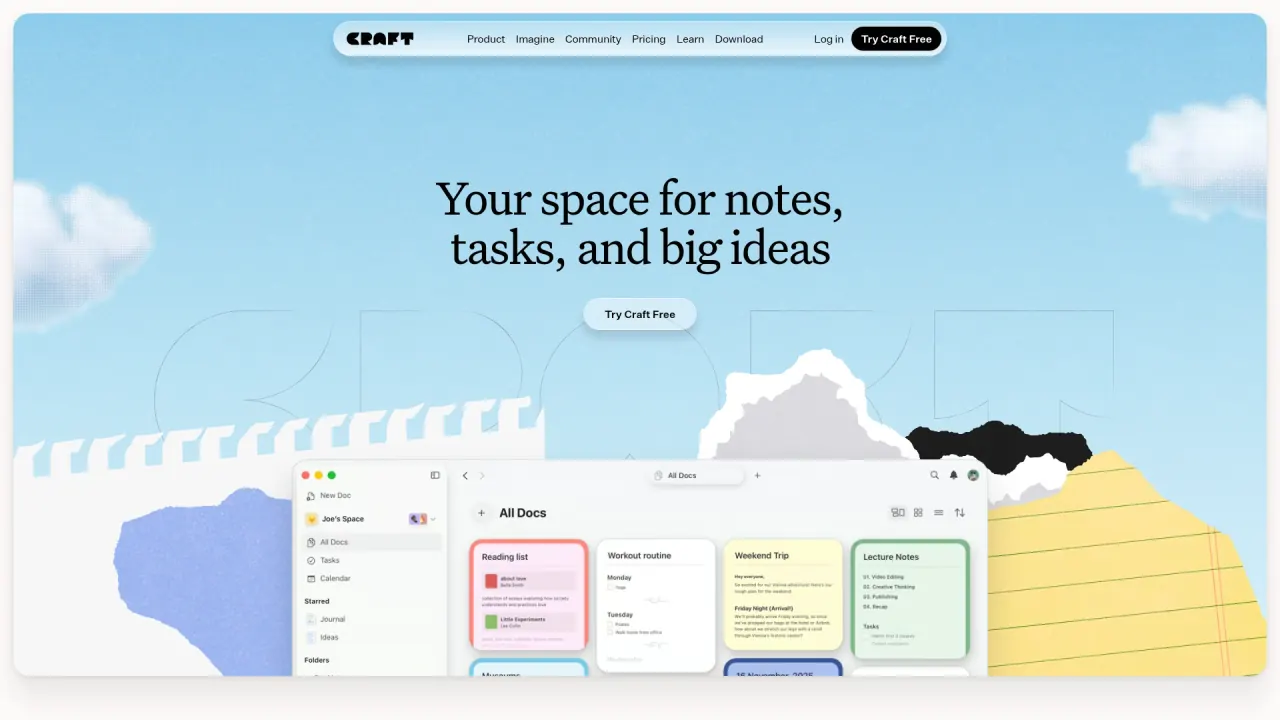

Write and organize documents, track tasks and collaborate in Craft. Explore its AI assistant, platform differences, pricing, privacy and practical limits.
Used this tool? Rate it
Used this tool? Rate it
Craft is a workspace for documents, notes, task management and shared information. Its AI assistant can help users understand and navigate content and act on documents and spaces. A project note, its tasks and a shareable version can remain connected.
Craft’s feature and privacy descriptions are vendor statements.
The Assistant has two modes with different consequences. Explore reads a document and proposes changes for the user to review and approve. Execute applies changes directly and shows edits as they happen. Use Explore when you want to approve changes before they are made.
Craft says the last Assistant action can be undone as one step with Cmd+Z or Ctrl+Z. Undo applies to everything done in the last response, rather than to each edit separately.
The choice of model also affects what the Assistant can do. Craft's local models process requests on the device and do not count toward the included AI allowance, but they operate at document level. On-device models are read-only and cannot use Assistant editing. The vendor lists local models for Mac, iPad and iPhone, and says Assistant editing is available on macOS and iOS.
Craft's terms say User Content, including AI input and output, is not used by Craft or its service providers or subprocessors to train, fine-tune or improve models used to provide the service. Voluntarily shared AI feedback may be used to evaluate and improve the service and underlying models; User Content is used that way only when actively shared for that purpose.
The terms say output may not be unique and users are responsible for their input and use of output, including third-party rights. Verify factual claims before relying on output, including in commercial, legal or medical decisions.
Craft’s help limits provider connections to macOS and iOS and says Web and Windows are not supported. The checked page does not name Android. Craft says conversations using a connected provider run through that provider's API without using Craft AI quota. Usage with an OpenAI API key is billed to the user's OpenAI account; usage with an Anthropic API key is billed to the Anthropic account. New conversations use the connected provider automatically, but already open chats may still use Craft until switched. Check the selected provider, its charges and data terms before sending sensitive material.
A Craft task starts as a checkbox block with a title. It can carry a schedule, deadline, reminder and repeat rule, and can live inside a document, a daily note or the Inbox. A decision can sit near the action that follows from it.
Give it a schedule and it appears in the Calendar and in that day's daily note. Craft says checking it off in one location updates the other appearances. Use the project note for context and the calendar or daily note to decide when to act.
The calendar can also connect meetings to notes. Once a calendar is synced, Craft can create Event Notes for future or past events. Use them for an agenda, decisions and follow-up tasks. The calendar help page says Google Calendar connects through Apple Calendar on Mac, iPhone or iPad and is not directly integrated. Craft’s privacy policy, however, gives Google Calendar as an example of an integration that users can connect or disconnect in account settings. It says cached data is promptly removed on disconnection and Google user data is not retained except as required by law. These descriptions conflict; actual connection behavior was not tested.
Whiteboards are freeform canvases embedded in documents. Elements can be placed freely and connected with arrows, providing a space to sketch relationships or outline a project visually.
Craft supports real-time editing, with changes appearing to collaborators as they work on the same document. Document collaboration does not require a Team plan. Sharing and public publishing are distinct decisions: an invitation to collaborate concerns access to a working document, while publishing makes a document available as a browser-accessible page. Published pages use a craft.me address by default.
The sharing documentation has an internal inconsistency that matters when inviting people without accounts. One section says collaborators must sign in to edit; another discusses temporary identities for unsigned-in users and associates them with comments and edits. Confirm the actual access behavior for your intended invitation before depending on anonymous editing. Craft also says folder sharing is not supported, so documents have to be shared individually.
Pilot a realistic document and its collaborators before migrating a whole library.
A project brief can hold the objective, open questions and resulting actions. A scheduled task appears in Calendar and its daily note; checking it off updates its other appearances. Assign responsibility and decide what completion means.
With a synced calendar, Craft can create Event Notes for future or past events. Prepare an agenda, add decisions and turn next steps into tasks. Review the conflicting Google Calendar guidance above and test the connection before relying on it.
A writer or consultant can draft privately, review suggestions in Explore, then choose between a working invitation and a published page.
Individual professionals and creators may value having notes, documents and tasks in one place. Craft positions Plus for solo professionals and creators who need more capability than the free starting plan.
Students, faculty and academic staff can consider Craft's Education plan, which the vendor describes as free access to premium features for eligible members of academic institutions. Verification lasts 12 months and requires re-verification. Check eligibility and AI usage separately.
Families and small teams can use collaboration and shared spaces, but should compare account and seat rules before inviting people. The Family plan is intended for personal, non-commercial use. Team pricing is per member, and Craft says inviting someone beyond the purchased allocation adds a paid seat. The plan owner should understand who can invite people and how seat changes are managed before a wider rollout.
Privacy-conscious teams should read the storage, encryption and data-use documentation against their own requirements. Craft says it stores documents in the cloud for syncing, backup and collaboration and does not offer end-to-end encryption. On-device AI processing is a separate feature and should not be presented as evidence that every document or every workflow is end-to-end encrypted.
Craft documents access for Mac, iPhone, iPad, Web, Windows, and Android. Its local model documentation lists Mac, iPad and iPhone; Assistant editing is limited to macOS and iOS.
Craft says Apple applications store documents on the device and support offline editing, document and folder creation, search, comments and images. For Web, Windows and Android, documents are saved on the device when opened online and those previously opened documents can be read and edited offline. Documents that have not been opened beforehand may not be available when disconnected. Make an explicit pre-trip or pre-meeting check instead of assuming that a document has been cached.
Synchronization behavior differs too. For Web, Windows and Android, an open document syncs when connectivity returns, but a document edited offline and closed syncs the next time it is opened. Craft says offline edits merge block by block; if two devices change the same block, only one version remains. Check the result after reconnecting.
The calendar help page and privacy policy give conflicting Google Calendar guidance. Teams using multiple platforms should test their meeting workflow.
These vendor-published USD base prices were captured November 12, 2026. Craft says regional pricing is available in many countries. Offers, taxes and channel terms can differ. Check checkout before subscribing; do not infer a renewal rate from a crossed-out amount.
On November 12, 2026, the pricing page’s default Yearly view showed Plus at $6.4/month, Family at $12.0/month and Team at $5 per member/month. The help-page annual prices below differ for Plus and Family; Team’s $60 per member/year is equivalent to $5/month per member. No real checkout was tested, and eligibility and renewal prices were not established.
The free Starter plan lists up to 1,500 content blocks and 1 GB of storage. Test with a representative collection and monitor its block use before building a long-running archive.
The help page lists Plus at $96 annually or $10 monthly in base USD. Its plan description includes unlimited documents and up to ten spaces.
The help page lists Family at $180 annually or $18 monthly in base USD. It describes up to six members including the purchaser and up to five shared family spaces. Craft specifies that Family is intended for personal, non-commercial use; a work team should evaluate the Team terms instead of assuming Family is a business plan.
The Team help page lists $60 per member per year or $6 per member per month, with a range from three to 99 members. Craft says inviting someone beyond the purchased seat allocation adds a paid seat, with a charge for the remainder of the billing period. Removing a member does not automatically lower the seat price; the owner is directed to contact support to reduce seats. Include both the seat count and the administration process when budgeting for a team.
Craft says Free and Education include a one-time AI allowance that does not refresh. The vendor lists on-device models as another option and also describes top-ups and connecting a personal AI provider. Local models are document-level and read-only; confirm the allowance and model needed for a job.
For a subscription purchased through the App Store, Craft directs users to Apple account subscription settings for cancellation. Its refund documentation distinguishes channels and billing periods. For direct craft.do purchases, annual initial purchases and renewals have a 30-day full refund window. Monthly first charges have a 14-day window; monthly renewals are not refundable. Check your purchase channel and the current policy.
Obsidian is worth considering if your priority is a notes system centered on local files and customization. Its vendor says notes are stored privately on the device and can be accessed offline. That approach may suit someone who wants more direct control of a personal knowledge base; assess the separate sync, collaboration and publishing arrangements you need before comparing the total workflow with Craft.
Notion is another workspace to investigate for team projects and shared information. Its vendor describes a workspace for projects, wikis and documents, as well as databases for project management. Consider whether a database-oriented team setup or Craft's document-and-task workflow fits the way your group organizes decisions.
Sharing granularity and account behavior need attention. Craft says folder sharing is not supported, and its sharing guide gives conflicting statements about unsigned-in editing. Plan invitations at the document level and verify the access path with a test collaborator. Avoid placing a sensitive document behind a link until you understand who can use it and what they can do after opening it.
Local availability is not the same on every device. The vendor distinguishes fully stored documents on its Apple apps from the previously opened documents cached by Web, Windows and Android. Closed documents edited offline on the latter platforms sync when reopened. Reopening and confirming synchronization is especially important before switching devices or removing a local copy.
A space has a technical limit on Apple apps. Craft documents a 300,000-block limit per space on Mac, iPhone and iPad that is not changed by upgrading a subscription. It says the web app does not have that limit, but using the web does not remove the need to reorganize a space for those Apple apps. The free plan's 1,500-block allowance and this larger technical limit concern different boundaries.
The AI model and editing mode change the available actions. Craft says on-device models are read-only and operate within a document. Explore and Execute also differ in whether a change is proposed for approval or applied directly.
Encryption and offline conflicts affect sensitive work. Craft says it does not offer end-to-end encryption and stores documents in the cloud to support syncing and collaboration. Its offline documentation also says competing edits to the same block on two devices leave only one version of that block after merging.
Yes. Craft lists a free Starter plan with a 1,500-block allowance and 1 GB of storage. Its Free AI allowance is described separately as a one-time quota, so a free account should not be assumed to include a recurring cloud AI allowance. Check current terms before choosing a plan.
Explore proposes edits for approval; Execute applies them. On-device models are read-only, and Craft lists Assistant editing on macOS and iOS. Verify the model and mode before editing important content.
Apple apps store documents on-device; Web, Windows and Android cache documents opened online. On those platforms, closed offline-edited documents sync when reopened.
No Team plan is required for individual document collaboration. Family, Team and Business add features; Team charges per member. Test unsigned-in editing because the documentation is inconsistent.
Craft's terms say it does not claim ownership of user content and that the user retains their rights, while granting Craft a license to operate and provide the service. The user is responsible for having the rights needed to supply that content. Review the terms and the permissions given to collaborators or viewers, particularly when documents contain material belonging to someone else.
