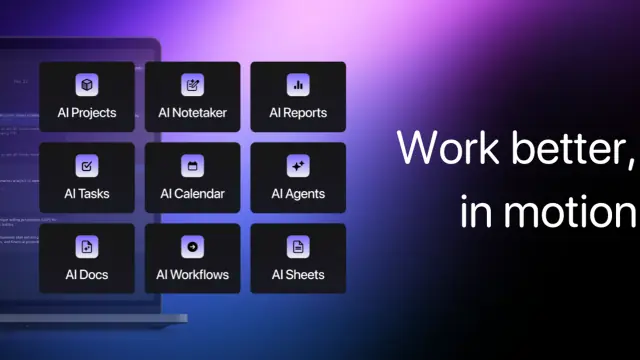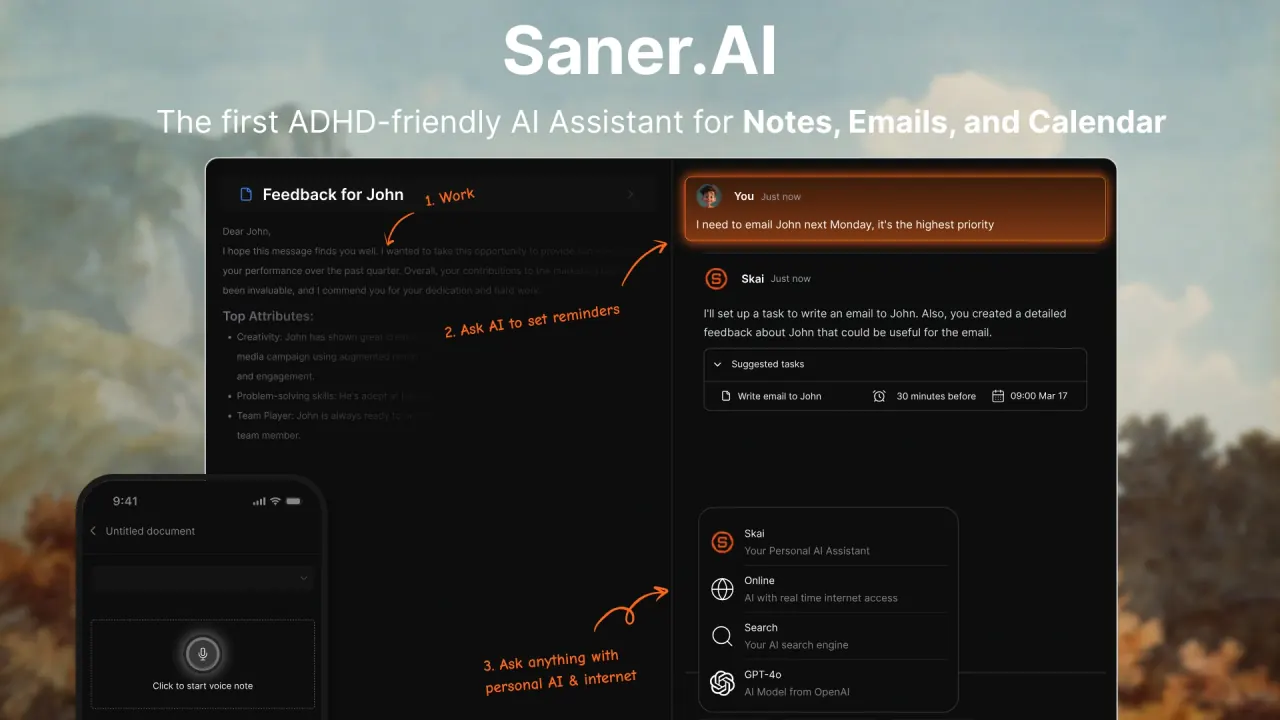

Ask Skai to find context in your notes and email, turn follow-ups into tasks, and plan around your calendar. Capture ideas by voice or text and review suggested changes before keeping them.
Used this tool? Rate it
Used this tool? Rate it


AI assistant for writing, analysis and tasks


From a prompt to a deck, site or doc


Real-time answers, images, and code in one chat


One workspace for every AI model


One workspace where your team and its AI agents think together


Public Codex reset tracker


AI assistant for structured work


Plan, build, and refine work with an AI agent
Saner.AI is an AI personal assistant that brings notes, email, tasks and calendar into one workspace and is designed with ADHD users in mind. Its built-in assistant, Skai, can find saved information, suggest actions from material you bring in, and build a plan around the commitments already on your calendar.
The workspace works with two kinds of information that often get mixed together. A reference, such as the requirements in a client message, can stay available when you need to ask about it later. An action, such as replying with an estimate by Friday, can become a dated task. For someone who keeps both in the same email thread, being able to work with them separately is a reason to use an assistant with a library and a task list.
Use a queue of messages associated with one project to try the loop from email to a reviewed task. A project label gives the imported set a boundary. For instance, a small team’s launch correspondence might contain decisions you want to retrieve, questions for other people, and concrete commitments that need to be tracked.
Saner.AI can turn email into tasks with reminders. Consider a client giving a new date for a proposal while also asking for an updated estimate. The updated date is useful in the plan, and the estimate is a distinct action. The email stays relevant because it contains details that the short task name cannot capture. A task with a reminder gives the action a specific point at which it returns to view.
An independent consultant can use this workflow when the inbox holds more than one client’s deadlines and questions. Each item has to become something concrete, such as preparing a revised scope, following up on a missing attachment, or replying once a colleague has confirmed a price. The history in the thread remains available when a short reminder needs more context.
You can ask Skai to break a large task into subtasks. Preparing a workshop can mean assembling the handout, checking links, and sharing the final agenda. A single task holds the overall deadline, while the smaller actions make it clear which parts can start before other people reply.
That distinction also matters during a change to the schedule. If a review meeting moves, organizing the preparation into smaller actions helps you see which items already have the necessary inputs and which depend on the new meeting. Each subtask describes something that can be finished and reviewed on its own.
Saner.AI accepts bulk uploads of Markdown files and PDFs. Someone collecting background material for a report can use a small set of project notes and source documents to retrieve the specifics of an earlier decision. Questions about what a phrase meant or what options were discussed belong with that material. Requests that commit the writer to a future action belong on the task side of the workspace.
An imported reference set is especially useful when a project starts with existing material from several places. A question can span that material when you remember what the answer was about and have forgotten the date, filename or exact wording.
Saner.AI lists Starter at $8 per month and Standard at $16 per month when billed yearly, or $12 and $20 respectively on month-to-month billing. The paid plans share the same features as Free and change the amount you can use them.
| Plan | Built-in AI usage | Approximate task and note capacity | Support on paid plans |
|---|---|---|---|
| Free | Limited | About 100 tasks and notes | — |
| Starter | About 20 times Free | About 1,000 tasks and notes | Team |
| Standard | About 50 times Free | About 100,000 tasks and notes | Founders |
Free has no subscription fee and requires no credit card to start. The free tier has particular value when you want to see how a small working set moves through the same inbox, calendar and search features as the paid versions.
Built-in AI usage includes Skai chat, online search, AI search of notes, and background features such as suggesting tags, finding similar notes, and describing images. A workflow can therefore draw on AI usage even when you mostly use suggestions inside the library. The storage figures are approximate item counts. A large document collection and frequent use of Skai can put pressure on different allowances.
External AI models are accessible on every tier, with separate per-token billing or your own API key, and their messages do not count against the built-in AI usage of the plan. This gives the workspace two separate cost considerations. The subscription covers the plan that contains Skai and the workspace features. Chatting directly with models such as GPT, Claude or Gemini has a separate payment path, so the paid-tier usage multiplier applies to the built-in allowance.
Monthly and yearly subscriptions renew on their respective billing cycles until canceled. An upgrade takes effect immediately, and you are charged immediately minus a credit for the unused part of the current billing cycle. Downgrades take effect at the end of that cycle. Saner.AI’s terms say payments are non-refundable except where the law requires otherwise.
You can export your notes from inside the Saner.AI app. This makes it possible to take your notes with you when you move a collection to another workspace. The documented export described here covers your notes.
To cancel, go to Settings in the Saner.AI app, open Subscription plan and select Manage subscription.
Saner.AI’s terms say you can ask the company to delete your account by contacting it directly. An account deletion request serves a different purpose from canceling the subscription that renews on a paid billing cycle.