
Toolso.AI
Toolso.AI
All ToolsCategoriesTrendingLatest ToolsBlog
Toolso.AI
Toolso.AI
Toolso.AI
Toolso.AI

Discover the best AI tools to boost your productivity

GitHubGitHubTwitterX (Twitter)YouTubeYouTubeTikTokEmail

Popular Categories

  • AI Writing
  • AI Image
  • AI Video
  • AI Coding
  • More Categories

Explore

  • Latest Tools
  • Popular Tools
  • More Tools
  • Submit Tool
  • Pricing

About

  • About Us
  • Contact
  • Blog
  • Changelog

Legal

  • Cookie Policy
  • Privacy Policy
  • Terms of Service
  • Refund Policy
© 2026 Toolso.AI All Rights Reserved
Limited timeLimited-time offerFeatured Listing24h priority review · No backlink · 30 days featured$29.90then $59.90Price rises to $59.90 after Oct 31Ends in--:--:--Submit now
  1. Home
  2. All Tools
  3. Productivity
  4. UPDF
UPDF interface preview
UPDF logo

UPDF

UPDF is a PDF editor for Windows, Mac, iOS and Android that edits, annotates, converts and OCRs documents, with a separately priced AI Assistant for summaries, translation and document chat.

ProductivityAI Assistant#Mobile App#Ocr#Pdf
Start Free Trial
Saves
Visits
Views
Pricing
Free Trial
Published
Sep 17, 2026
Domain
updf.com

UPDF Product Information

Start Free Trial
Tool Information
Saves
Visits
Views
Pricing
Free Trial
Published
Sep 17, 2026
Domain
updf.com

Featured Tools

Related Tools

Start Free Trial

What is UPDF?

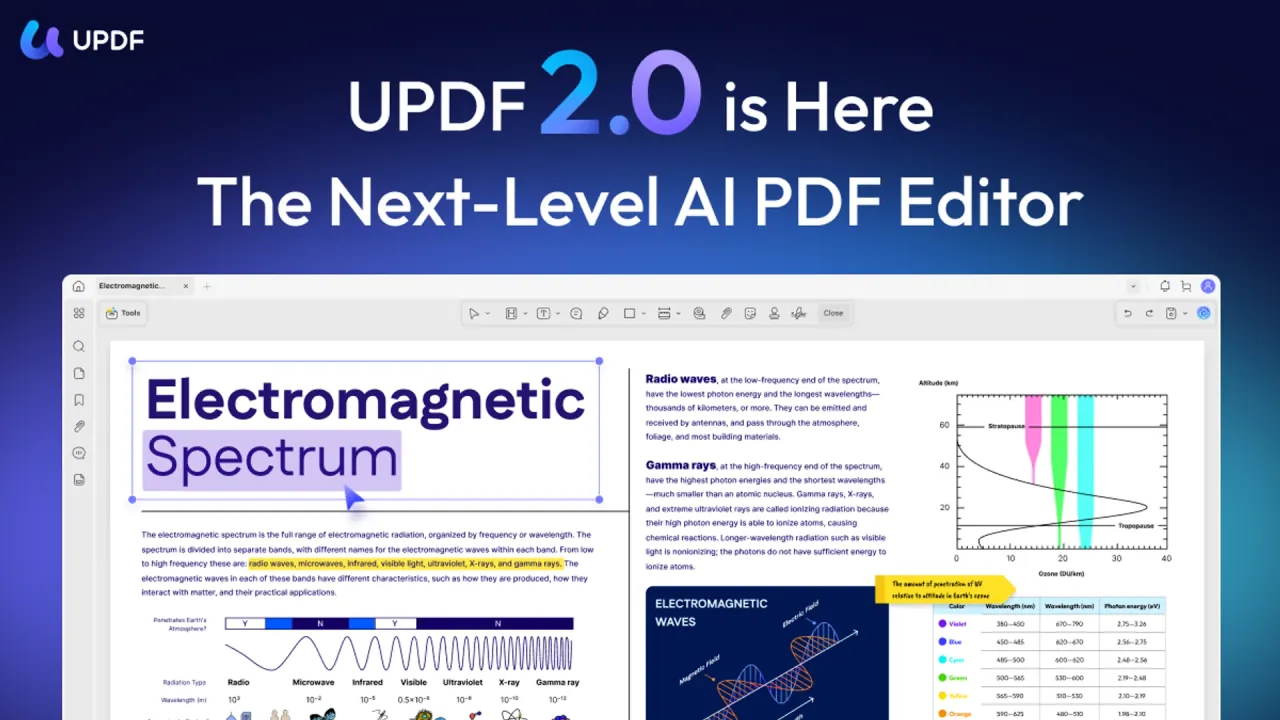
UPDF is an AI PDF editor for Windows, Mac, iOS and Android, sold under a one-license, all-platforms model. It edits, annotates, converts and organizes PDFs, while a separately priced AI Assistant summarizes, translates and answers questions about documents in the apps and in a browser.

Superace Software Technology Co., Ltd. is the seller named on the iOS app's store listing. UPDF 2.5 adds 10+ AI agents for tasks such as semantic search, auto-bookmarking and research, finance or legal analysis.

Two facts shape most buying decisions. UPDF Pro (the PDF toolkit) and the AI Assistant are separate products with separate prices, and OCR as well as many batch and protection tools depend on the platform and build you install.

Core features

The lists below describe the desktop apps; the Platforms section shows what mobile lacks.

Editing and annotation

  • Content editing: text, images and links can be changed in place, much like editing a Word document.
  • Markup: highlights, shapes, stickers and eSignatures can be added, and review comments can be exported as a separate PDF.

Conversion and PDF OCR

  • Export formats: Word, PowerPoint and Excel files, CSV, common image formats, RTF, plain text, XML and HTML.
  • PDF OCR: scans become searchable and editable PDFs. Recognition covers 38 languages plus 4 bilingual presets that pair English with Simplified Chinese, Traditional Chinese, Japanese or Korean.

Selecting more than 3 OCR languages can slow recognition. Because scanned files are converted through OCR, the Mac restrictions under Limitations also affect scan-to-Office work.

Pages, forms and protection

  • Pages: split by page count, file size or top-level bookmarks, swap odd and even pages, and add Bates numbers across multiple documents.
  • Forms and security: create and edit form fields, redact across pages, sanitize files, and set a permissions password that prevents editing, copying and printing.
  • Output: save as PDF/A, PDF/E or PDF/X, or batch convert, OCR and compress files.

AI Assistant

Ask PDF only answers questions about the uploaded PDF, while Chat mode accepts any question. The assistant also explains PDFs, chats about images and turns text-heavy PDFs into mind maps.

  • Translation: documents can be translated across 12+ languages while preserving the original layout and style.
  • Models: GPT-5 is the default; DeepSeek R1 can be selected in Chat mode, but Ask PDF currently runs on GPT-5 only.
  • Scanned files: the assistant can analyze scanned PDFs once the OCR process has been run first.

AI agents and credit use

  • Auto-bookmarking: bookmarks are native PDF bookmarks, embedded in the file and readable in other PDF readers.
  • Page check: the agent flags blank pages, pages that still need OCR, upside-down or sideways pages and breaks in page numbering.

Auto-bookmarking deducts AI questions only for pages where headings are detected, so a 10-page document with headings on 3 pages uses 3 questions. Generating a watermark, sticker, background or stamp produces three PNG images and charges one credit per successful image, so a full run normally costs 3 AI credits. Page-check fixes vary: blank pages get a Delete button, while reversed pages get a Check button for manual rotation.

Guide

Chat with a PDF in the app

  1. Open the PDF in UPDF on desktop and click the AI Assistant icon in the top-right menu; on iOS or Android, UPDF AI sits on the right side of the bottom toolbar.
  2. Select Ask PDF, then click Chat with PDF to analyze the open document.
  3. To switch files, close the current PDF, open the next one and repeat step 2.

Mac versions earlier than 1.6.3 and Windows versions earlier than 1.6.5 do not show the AI Assistant icon until updated.

Work with several PDFs

  1. In the online AI, create a collection to chat with several PDFs at once.
  2. In the desktop apps, which do not support multi-file chat, batch-combine the PDFs into one file first and chat with the combined document.

Remove the trial watermark after upgrading

  1. Open a PDF saved on a free account in Edit mode.
  2. Make any change and save; the trial watermark is removed on save.

UPDF use cases and examples

  • Literature reviews: online Paper Search finds, summarizes and saves academic papers, and Deep Research turns them into organized literature reviews.
  • Large reading sets: on paid AI plans, the online AI can chat with up to 100 PDFs simultaneously.
  • Foreign-language manuals: auto-bookmarking can analyze a Japanese technical manual and output an English navigation tree.
  • Scanned contracts and archives: OCR makes image-only scans searchable before the assistant summarizes them.

The trade-off is that research search and multi-file collections live in the browser, so a full literature workflow moves between the desktop app and the web.

Who is it for

Good fit:

  • Students and teachers: education pricing requires a verified educational email, and those licenses are for individual, non-commercial use only.
  • Organizations that avoid cloud AI: for enterprise users, UPDF can provide a version without cloud and AI functions.
  • Windows and Apple-silicon Mac users who need OCR, and buyers who prefer a lifetime license for the editor.

Weaker fit:

  • Intel Mac or Mac App Store users who need OCR, since those builds lack it.
  • Android-first users who need form creation, digital signatures or redaction.
  • Anyone who cannot use cloud processing: by using UPDF AI, the PDF file is automatically uploaded to UPDF Cloud so the AI can analyze it.

Platforms

System requirements

PlatformMinimum systemInstall size
WindowsWindows 10 or later177 MB, plus a 1.68 GB OCR plugin
Mac, website buildmacOS 11.0 or later85 MB, plus a 1.4 GB OCR plugin
Mac, App Store buildmacOS 11.0 or later296.9 MB
iPhone and iPadiOS 14.0 or later70 MB
AndroidAndroid 6.0 or later140 MB

Android users without Google Play can install the UPDF APK downloaded directly.

Feature differences by platform

CapabilityWindowsMaciOSAndroid
Redact and sanitizeYesYesNoNo
Compare PDFsYesYesNoNo
Batch convert and OCRYesYesNoNo
Create and edit formsYesYesYesNo
Digital signaturesYesYesYesNo
PDF to mind mapYesYesYesNo

The same table marks PDF summaries, translation and UPDF Cloud sync for all four platforms.

Devices and offline use

  • Devices: a purchase covers up to 4 devices, including web access, across Windows, Mac, iOS and Android; exceeding the limit requires email verification.
  • Replacing devices: over the limit, logging in on a new device prompts you to remove an old one.
  • Web sessions: one account can log into two web devices at once.
  • Offline: the PDF tools work offline, but registration and activation need an internet connection.
  • Cloud drives: Google Drive, Dropbox and OneDrive can be connected (the platform table lists Dropbox for iOS and Android); their files are stored only on your device and are never uploaded to UPDF's servers.
  • Interface: 12 languages, including English, French, German, Japanese, Korean and both Chinese scripts.

Pricing

UPDF pricing is split between UPDF Pro, the AI Assistant and add-on apps. These are the US-dollar prices on the individual pricing page in September 2026.

Plans

PlanBillingSale priceList price
UPDF ProYearly$49.99$69.99
UPDF ProLifetime$79.99$99.99
AI Assistant aloneYearly$79.00$139.00
AI Assistant aloneQuarterly$29.00$39.00
AI Assistant aloneMonthly$15.00$15.00
AI Assistant with ProYearly, after 7-day trial$69.00$139.00

If you only purchase UPDF, AI use stays at testing level: analyzing 5 PDFs or asking 100 questions. A lifetime Pro license with yearly AI still bills the AI part every year. With the AI Assistant, the yearly Pro route includes 110GB of cloud storage and the lifetime route 102GB.

Free version and AI trial

ItemFree or trial
SavingTrial watermark added
Conversion2 files per day
Batch processing2 files
OCR5 uses
Cloud1GB, 10MB max per file
AI5 PDFs, 100 pages each, 100 questions

The free Windows and Mac version requires an account. AI trial allowances are shared between the apps and the web version. The comparison table also shows a "UPDF with AI Standard" tier with 100 PDFs and 1,000 questions per month, but no price for it appeared in this capture.

Other plans

  • Education: Pro yearly $39.99, AI yearly $59.00, AI quarterly $25.00; the education Pro plan covers 2 desktops plus 2 mobiles.
  • Productivity Suite: $29.99 per month bundling Pro, the AI Assistant, the Nomostar scanner, IvyCraft Basic and UPDF Sign with 20 signature requests.
  • UPDF Sign: $99.00 per year with 300 signature requests, or $12.00 per month with 20.

Renewal and refunds

  • Renewal: card and PayPal payments renew automatically; local methods such as boleto, pix and sofort are one-time payments.
  • Coupons: a discount coupon is for one-time use and subsequent subscriptions are based on the original selling price; renewal fees may also be increased.
  • Bundles: a Pro and AI bundle is charged together but invoiced separately at renewal, and a yearly AI entitlement is still distributed monthly.
  • Cancellation: online-store subscriptions are cancelled in the account center under Products and Plans, and App Store or Google Play subscriptions under those stores' rules. The refund policy asks for cancellation 3 days before renewal, while the subscription agreement says at least 24 hours before the period expires.
  • Pro refunds for online-store purchases: a full refund within the first 30 days, 50% while less than half of the subscription period has passed, then none; a perpetual license cannot be refunded after 30 days, and App Store purchases follow Apple's refund policy.
  • AI refunds when the AI Assistant is bought separately: monthly plans are refundable within the first 15 days only; yearly plans follow the Pro schedule.
  • Conditions: refunds under the money-back guarantee may be approved when the product is proven defective or orders were duplicated, and all refunds are at UPDF's sole discretion. Processed refunds take 5–8 business days to appear.

UPDF alternatives

UPDFPDF-XChange EditorBentoPDF
PlatformsWindows, Mac, iOS, Android, web AIMS Windows 10 and laterBrowser
Free useWatermarked saves, daily limits70% of features unrestrictedFree, no signup
Paid modelYearly or lifetime; AI separatePerpetual license from $62$0, open source
ProcessingAI uploads files to UPDF CloudAI needs your own API keyLocal, no uploads
  • PDF-XChange Editor suits Windows-only buyers who want to pay once; its AI Assistant only processes documents after the user supplies an AI account API key.
  • BentoPDF suits merging, splitting, conversion and signing when files must stay on the device, and it works in a browser without signup.
  • UPDF is the one of the three that pairs native mobile apps with its own cloud sync and a bundled AI subscription.

Limitations

OCR availability

  • The Mac App Store version does not include OCR, and Macs with Intel chips lack it even with the website version.
  • The free version limits PDF OCR to 5 uses.
  • The platform table marks scanned-document OCR on all four platforms, but the pricing page note says OCR is available only on Windows and on Mac with an Apple chip.

Conflicting statements

  • Device rights: the Terms and Conditions say installation of the licensed software on two or more devices is prohibited, which conflicts with the multi-device allowance.
  • AI trial file size: the pricing comparison table lists 10MB per PDF, while the FAQ on the same page gives 100MB.
  • Model name: the tech specification labels the assistant "GPT-5.6 + DeepSeek R1", while the AI help pages name GPT-5 as the default model.
  • Encryption: UPDF describes HTTPS transfers, but the developer-supplied data safety section of the Android listing says data isn't encrypted in transit.

Security advisory

In September 2025, Spain's national cybersecurity institute coordinated the publication of three high-severity DLL search path hijacking vulnerabilities (CVE-2025-10213 to CVE-2025-10215, CVSS v4.0 score 7) in UPDF.exe for Windows version 1.8.5.0, allowing an attacker with local access to execute arbitrary code. The notice stated that no solution had been reported at the time; it does not say whether 2.x releases are affected.

Review signals

  • On a third-party consumer review platform, UPDF's company profile shows a TrustScore of 3.9 from 714 company-level reviews.
  • That platform's AI summary of 66 recent reviews is mostly positive but notes a few reports of cumbersome login requirements, unexpected billing charges and difficult keyboard navigation.
  • The US iOS listing averages 4.58 from 678 ratings; these app-level ratings should not be averaged with the company-level score.
  • The pricing page offers a gift-card draw to buyers who review UPDF on a community forum, that review platform or a mobile app store, so ratings there may reflect incentives.

Contract terms

  • Liability: capped at the fees paid in the preceding six months, where lawful.
  • Disputes: individual claims only, no class actions, under the laws of England and Wales.
  • Public statements: the licensee may not make or publish any public statement concerning the software or the licensor without prior express written consent.
  • Unusual AI usage: bot-like batch uploads or scripted processing can lead to restricted or terminated AI access.

Privacy

  • Training: the privacy policy states that UPDF AI will not collect, and UPDF does not permit any third party to use, files, documents or personal information to train general-purpose AI or machine-learning models.
  • AI output: results may be inaccurate, harmful or biased, and UPDF AI uses some technology provided by OpenAI.
  • Conversations: AI chats are visible only to the account owner, can be exported, and UPDF says it does not store conversation data.
  • Storage: documents in UPDF Cloud are stored in data centers in the user's region, such as the US or Europe, while AI processing is described as running on US servers. UPDF also states ISO/IEC 27001 certification.
  • Deletion: deleting the account permanently removes the associated personal information.
  • Analytics: users can opt out of the anonymous Software Improvement Program during installation.
  • Sharing: anyone with a public link can view a shared document read-only and download it.

FAQ

Q1. Is UPDF free?

Yes, with limits: the free Windows and Mac version adds a trial watermark when saving, allows 2 conversions per day and 5 OCR uses, and requires an account.

Q2. Does UPDF Pro include the AI Assistant?

No. The AI Assistant is a separate purchase; added to Pro, it costs $69.00 per year after a 7-day free trial.

Q3. Can I run OCR on any Mac?

No. OCR needs the website download on a Mac with an Apple chip; the Mac App Store version and Intel Macs lack it.

Q4. How do UPDF refunds work?

Online-store purchases of Pro are fully refundable within 30 days and 50% refundable while less than half of the subscription period has passed; perpetual licenses are not refundable after 30 days, and refunds remain at UPDF's discretion.

Know a Similar Tool?
If you know other great AI tools, feel free to submit them to us