
Squibler is a browser-based AI writing workspace for novels, non-fiction books and screenplays. It generates outlines and full drafts, keeps characters and settings consistent, and exports manuscripts to PDF or DOCX.
Used this tool? Rate it
Used this tool? Rate it


From a prompt to a deck, site or doc


One workspace for every AI model


One workspace where your team and its AI agents think together


Public Codex reset tracker


AI assistant for structured work


Plan, build, and refine work with an AI agent


AI translation for multilingual workflows


Ad-free Chinese AI search with cited answers
Squibler is a web-based AI writing application for authors, novelists, screenwriters, and other writers working on long-form projects. It works as a project workspace: outline, chapters, scenes and characters sit in one file, and the assistant writes inside that structure.
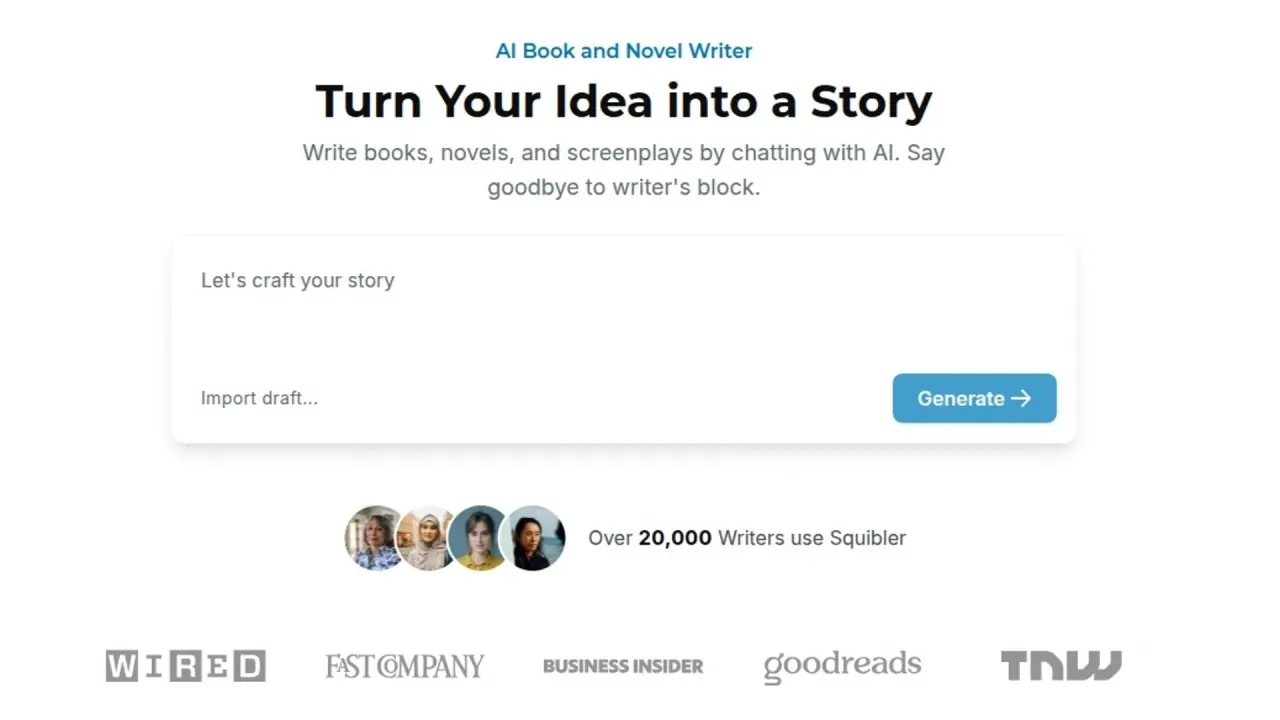
The promise is narrow: "Write books, novels, and screenplays by chatting with AI." The homepage states "Over 20,000 Writers use Squibler", a vendor count that is not independently audited, and labels the product an AI book writer.
An independent review says its strongest fit is "for writers who want one workspace for story development, manuscript production, revision, and project history". That matches the feature set: generation, outlining, element tracking and export in one place, aimed at long-form work.
It is also a screenplay tool: the same workspace handles formatted scripts, which matters for writers adapting prose into a script. It is not a general writing assistant with a blank prompt box; it starts from a story project. For a novelist comparing AI novel writing software, the relevant question is whether the draft engine respects structure and character continuity.
The central feature turns a concept into a structured draft. Share your concept, genre, and core elements, and Squibler generates a complete book organized into chapters and scenes. The output is an editable document, so the first pass can be restructured, expanded or rewritten chapter by chapter.
The vendor describes the result as a living document refined with editing tools built for long-form storytelling.
Create a complete screenplay draft with formatted scenes, dialogue, and cinematic structure. The vendor says the generator understands screenplay conventions and produces a script built for clarity, pacing and character development. That is the difference between a document with scene headings, action lines and dialogue blocks and prose with a few scene breaks inserted. As a screenplay writing tool it sits with script editors rather than with novel-only generators.
Squibler generates detailed outlines that map your story’s structure, pacing, and character progression. The module doubles as a story outline generator for writers who plan before drafting. Outlines can be built before or after drafting, and the vendor treats them as a blueprint that can be reorganised at any stage.
The editor works on existing text as well as new text. Set your objective, and Squibler evaluates your text, proposes revisions, and iterates with you until it feels right, while you stay in control by accepting, rejecting, or refining every suggestion. That loop is the quality control: the model proposes, the writer decides, and nothing is committed without a click.
Characters, settings and key details can be stored as structured elements. Squibler references them while writing and editing to maintain character consistency, strengthen motivations, prevent contradictions, and support cohesive storytelling across chapters. For a long manuscript this addresses the usual failure mode of AI drafts, where a character's eye colour or a town's geography drifts between chapters.
Highlight passages to generate original images or short video sequences inspired by your scenes. The output is aimed at cover art, storyboards and pitch material rather than at the manuscript itself.
Writers with an existing manuscript can bring it in: attach manuscripts to your prompts after creating your Squibler account. The import is presented as a way to work from a draft rather than a blank page, which is the common situation for anyone who has already started a book.
An independent review also credits the product with collaboration and branching version control, which puts it among the few AI writing tools that treat a book as a shared project.
The workflow is linear, and each step maps to a documented feature.
The vendor says the interface is built to reduce friction: Squibler includes features like smart prompts, a guided introduction tool, and an intuitive dashboard designed to reduce friction in your writing process. The guide is short because the product pushes writers into a fixed sequence rather than leaving them with a blank chat box.
The sequence also shows where the tool is weakest: steps two and three depend on a clear premise, and a writer who cannot state the genre, protagonist and conflict in a few lines will get a generic draft. Steps four and five remain the slowest part.
You can use Squibler to create complete novels and screenplays in a matter of minutes. The claim is about a generated first draft, not a publishable book: the vendor describes the output as a manuscript the writer then reviews and refines. The realistic use is a structural first pass that gives the writer something to edit, which suits writers who already know their story.
Writers also use Squibler to polish their existing work or to help them get over writer’s block. Importing a partial manuscript and asking for the next scene is narrower and lower-risk than generating a whole book, and it suits writers who already have a voice.
One customer testimonial hosted by the vendor describes generating a complete book and then adding personal knowledge while reviewing it. That sequence — machine draft, human pass — is the realistic division of labour for a tool that markets speed. The generated text supplies structure and volume; the writer supplies detail, judgement and voice. The account is vendor-hosted rather than independent testing, but it matches how the Smart Writer and Elements are designed.
A third-party review recommends Squibler for writers working on books, novels, and screenplays who also want long-form support and collaboration. Collaboration and version branching are the features behind that recommendation, and they matter when more than one person edits a manuscript or a writer keeps an alternate version of a chapter.
Squibler Plus is positioned for writers working on a single book or screenplay, while Pro is positioned for multiple projects or co-writing several books. That split is the clearest signal about fit: a debut novelist is the Plus customer, and a ghostwriter or small studio is the Pro customer.
A review's guidance is to choose the product for structured, full-length fiction and screenplay workflows, and to choose another tool when integrations or language breadth are central requirements. A team that needs CMS sync, or native drafting in several languages, is outside the product's centre.
Writers who mainly need sentence polishing, grammar checks or short marketing copy will find the long-form scaffolding heavier than the job requires.
Squibler runs in a browser. An independent review describes the tradeoff as a "web-only, single-language experience without integrations". In the pages reviewed there is no desktop client, mobile app or integration directory.
Export. Plans list "Export project to PDF and DOCX" among the features of Plus, and the same applies to Pro. Those formats cover editing, print preparation and self-publishing uploads.
Import. Existing manuscripts can be attached to prompts after sign-up. The import feeds text into the prompt workflow rather than rebuilding a project structure.
Language. The vendor's FAQ says: Squibler allows you to create books, novels, and narratives in English, then you can translate it to 80+ languages. That is translation of finished work, not drafting in another language. The two statements describe different stages, and the reviewed pages show no non-English drafting mode.
Access. A free tier works in the browser, and paid tiers add credits and manuscript generation.
The pricing page captured on November 26, 2026 lists three plans on an annual and monthly toggle, and AI credits are the main meter. The same page carries a FAQ whose figures do not match the plan cards.
| Plan | Monthly | Annual (per month) | AI credits | What the card emphasises |
|---|---|---|---|---|
| Free | $0 | $0 | 500 AI credits/month | Test full book and screenplay creation |
| Plus | $29.99 | $15.83, billed annually | 20,000 AI credits/month | Full-length manuscripts, a 200–300 page book, PDF and DOCX export |
| Pro | $89.99 | $49.17, billed annually | Unlimited | As many books as you want; books, screenplays and content at scale |
The Free tier is $0 and includes 500 AI credits/month. Plus carries 20,000 AI credits/month and, according to the card, lets a writer generate a full 200-300 page book. Pro removes the meter with "Unlimited AI credits" and is the only tier that promises unlimited books.
The page disagrees with itself on price. The FAQ quotes Plus at $29 per month, discounted to $16 per month ($192 annually), and quotes Pro at $89 per month, discounted to $49 per month ($588 per year). The plan cards show different annual figures, and the toggle advertises a 45% saving. A September 2026 third-party review lists 1,000 AI credits on Free and 10,000 on Plus, matching neither card. The tier structure is stable — free, metered and unlimited — but the allowance is the least consistent number in the sources.
Access terms. The FAQ says there’s no time limit to the Limited Tier, so the free plan is not a trial that expires. If a writer cancels, the FAQ says they can always export their work and keep using it in free mode, and that the first book a writer creates comes with a free physical copy.
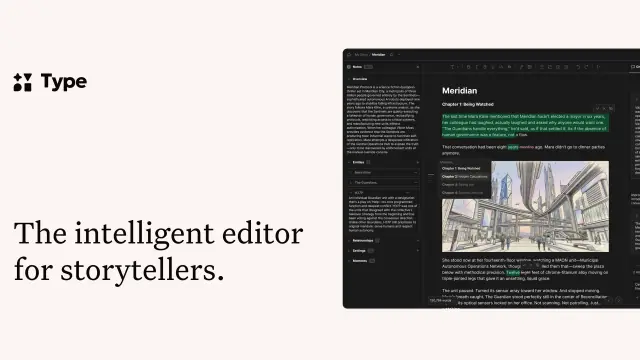
Alternatives. The practical alternative is a general writing assistant or a different book-production tool. A directory in the same category lists Type.ai as an "AI book writer and editor for long-form creative writing", and files Squibler under book writing, novel writing, AI writer and screenplay rather than general productivity. A writer who needs brand-voice marketing copy is in a different category; one who needs a print-ready pipeline should compare export and printing.
Credits, not features, set the practical ceiling on what a plan can produce. Pro's own card says "Never run out of credits mid-project", which frames exhaustion as a normal risk on metered plans.
The free tier is a scene generator, not a book generator. The FAQ describes paid plans as the way to "create full-length manuscripts and an unlimited number of images", and the Free card promises to test book and screenplay creation rather than to finish one.
Publishing and sales are out of scope. Squibler doesn’t include built-in publishing or sales-tracking tools for book performance. The manuscript can be exported, but the store listing and sales dashboard live elsewhere.
Audiobooks are not produced in-app. While Squibler doesn’t directly produce audiobooks, it supports high-quality audio narration by helping you structure clean, well-paced text that’s ideal for voice conversion. The audio step is a separate tool.
Templates are thin. A review notes that "only three templates are shown", which it says may limit multilingual or broader content work.
Web only. There is no desktop or mobile client in the pages reviewed, so offline writing is not part of the offer.
Single-language drafting. The review characterises drafting as single-language, and the vendor's own route is translation after an English draft, so drafting in another language is outside the documented workflow.
Rights are stated, not contracted in the pages reviewed. The vendor's pricing FAQ states that everything created with Squibler is 100% yours and that the creator is the author and owner of the work. The terms and privacy pages linked from the site were not retrievable on November 26, 2026, so the licence, refund and data-handling clauses behind that statement were not verified.
Yes. Free is $0 with 500 AI credits a month, and the vendor says the limited tier has no time limit. Its scope is testing book and screenplay creation, not producing a full manuscript.
The vendor's pricing FAQ says everything created with Squibler is 100% yours and that you are the author and owner of the work. The underlying terms were not retrievable, so that statement could not be checked against the licence clauses.
Yes. Manuscripts can be attached to prompts after the account is created, and the assistant can then work from the imported draft.
The documented route is to create the book in English and translate it to 80+ languages. The reviewed pages do not describe native drafting in another language, and an independent review calls the product single-language.
Squibler offers built-in AI-powered image generation that crafts professional book covers and images without needing a separate design platform.
Squibler supports on-the-fly AI editing and rewriting that respond to your tone, structure, and genre.
No. The vendor says the product does not directly produce audiobooks and does not include built-in publishing or sales-tracking tools; chapters can be exported to a separate audio tool.