
Toolso.AI
Toolso.AI
All ToolsCategoriesTrendingLatest ToolsPricingBlog
Toolso.AI
Toolso.AI
Toolso.AI
Toolso.AI

Discover the best AI tools to boost your productivity

GitHubGitHubTwitterX (Twitter)YouTubeYouTubeTikTokEmail

Popular Categories

  • AI Writing
  • AI Image
  • AI Video
  • AI Coding
  • More Categories

Explore

  • Latest Tools
  • Popular Tools
  • More Tools
  • Submit Tool
  • Pricing

About

  • About Us
  • Contact
  • Blog
  • Changelog

Legal

  • Cookie Policy
  • Privacy Policy
  • Terms of Service
  • Refund Policy
© 2026 Toolso.AI All Rights Reserved
Limited timeLimited-time offerFeatured Listing24h priority review · No backlink · 30 days featured$29.90then $59.90Price rises to $59.90 after Oct 31Ends in--:--:--Submit now
  1. Home
  2. All Tools
  3. Writing
  4. Sudowrite
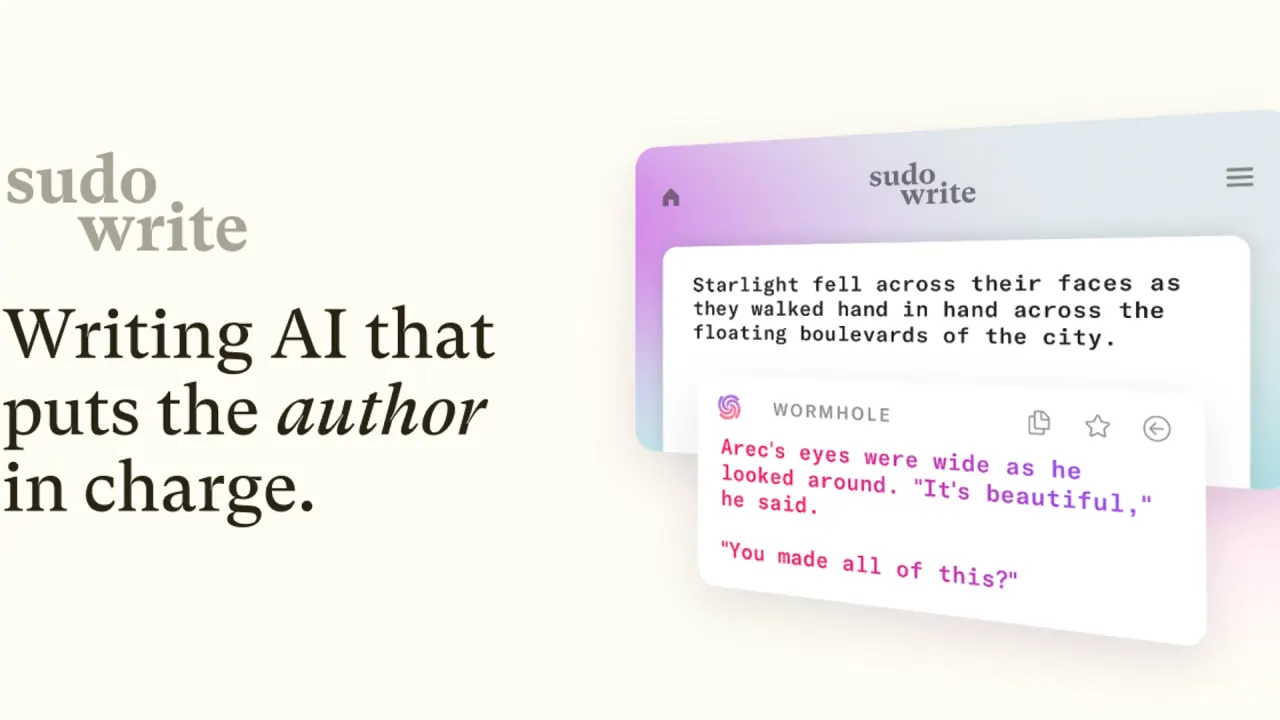
Sudowrite interface preview
Sudowrite logo

Sudowrite

Sudowrite is a web and mobile AI writing app for novelists that drafts, expands and revises prose using a Story Bible of your characters, outline and world. It pairs its own fiction model, Muse, with third-party models on credit-based plans.

WritingAI CreativityAI Writing#AI Writing Assistant#Brainstorming#Creative Writing
View Pricing
Saves
Visits
Views
Pricing
Paid
Published
Oct 3, 2026
Domain
sudowrite.com
Community rating

Used this tool? Rate it

Rate this tool

Sudowrite Product Information

View Pricing
Tool Information
Saves
Visits
Views
Pricing
Paid
Published
Oct 3, 2026
Domain
sudowrite.com
Community rating

Used this tool? Rate it

Rate this tool

Featured Tools

Related Tools

View Pricing

What is Sudowrite?

Sudowrite is an AI toolkit for novelists that helps plan, write, edit and organize their work, with a full web app and companion apps for iOS and Android. Sudowrite was founded by writers Amit Gupta and James Yu. Rather than a general chatbot, it is built around AI fiction writing: drafting scenes, continuing a manuscript in the author's voice, keeping characters and plot straight through a Story Bible, and giving editorial notes.

The company says it runs dozens of AI models, including Anthropic's Claude models, open-source models, OpenAI models and in-house models built for fiction such as Muse. Muse is described as trained exclusively on a curated dataset with 100% informed consent from the authors.

Three points shape most buying decisions. AI features are metered in credits whose cost varies widely by model. The default Muse model is marketed as unfiltered, including adult content, while the terms require users to be 18 or older. And the refund wording differs between the help center and the terms.

Core features

Drafting and revision tools

  • Write: analyzes characters, tone and plot arc, then suggests the next 300 words in the author's voice, with alternative options.
  • Expand, Describe, Rewrite and Quick Edit: if you are more of a pantser than a plotter, Write gets you unstuck, Expand fleshes things out, Describe adds sensory detail, Rewrite dials in voice and Quick Edit transforms prose by specific instructions.
  • Visualize: generates art for character sheets and worldbuilding documents from your descriptions.
  • Plugins: community and custom tools that can simulate readers, let you talk to your characters or convert a novel to a screenplay.

Story Bible and story memory

Story Bible takes a project step by step from idea to outline to chapter beats and then to thousands of words of prose. Behind it, the Saliency Engine reviews the task and all story information you have provided, then exposes only the most relevant details to the AI. You can hide a character card or a single trait, and when the eye icon is struck through, the AI ignores that card or trait altogether, which helps keep a late reveal out of early chapters. Projects in a Series folder share Characters, Worldbuilding and Outline visibility, so a multi-book universe stays consistent.

Prose Modes and models

  • Sudowrite Muse: the default model in Draft and Write, and the engine behind Expand.
  • Style Examples: Muse can take up to 1,000 words of your own examples so it writes more like you.
  • Creativity: a Muse setting in Draft; lower creativity keeps the AI from taking creative liberties with what you planned, and a special setting of 11 works quite differently from the rest.
  • Excellent: help pages disagree on its engine. One page says Excellent is powered by Claude 3.7 Sonnet. Another says Excellent uses Sudowrite's own Ballad model as its primary engine.
  • Basic: built on GPT-4o Mini for economical drafting.
  • Experimental models: the current list includes GPT-5, Claude 4.5 Opus and other Claude models, Gemini 3 Pro, DeepSeek V3.1, Grok 4, Kimi K2 and Mistral Large 2.

Prose Modes and experimental models still pass through Sudowrite's background prompting. The only way to use a truly raw model is to build a Plugin on it, which matters for writers who want to control the full prompt.

Feedback

Feedback reads a scene, chapter or whole book and leaves margin comments like an editor, and it also sees your Story Bible, so notes on pacing or character voice refer to your own outline and cast. Built-in types range from developmental edits to line and copy edits, plus subjective notes from AI beta readers, and you can create your own feedback type.

Guide

From idea to a chapter draft

  1. Create a project and start a Story Bible from your notes, or import an existing manuscript.
  2. Throw loose ideas into the Braindump section of Story Bible and expand them step by step into a full outline.
  3. With Story Bible complete, generate Scenes, check that they match your plan, then turn them into full chapters of prose with the Chapter Generator.
  4. To draft with Muse, open the Write button's dropdown, choose Write Settings, select Prose Mode and pick Muse.
  5. Revise with Rewrite, Quick Edit or Feedback, then export the chapter or the whole project.

Write and Describe use very few credits, especially with efficient models, while generating a full chapter's prose from a filled-in Story Bible can consume quite a few.

Sudowrite use cases and examples

  • Continuing a manuscript or writing a sequel: Import Novel brings in a partial or finished manuscript and fills in the Story Bible, which is useful when a sequel needs a Story Bible based on the earlier book. It supports .txt, .doc, .docx, .rtf and .odt files, is optimized for documents up to 120,000 words and focuses on importing 5-7 primary characters.
  • Moving from Scrivener: Scrivener projects can be imported from a backup .zip with folders and documents preserved.
  • Getting notes before human readers: a shared document link gives each reader their own clean copy to comment on, keeping feedback organized and private.
  • Preparing a submission: Plugins can help write a query letter for approaching literary agents.
  • Capturing ideas away from the desk: the mobile app is aimed at walks, trains and other on-the-go moments, with Smart Dictation for speaking scenes aloud.

Who is it for

  • Discovery writers: one independent comparison describes Sudowrite as best suited to discovery writers and pantsers, writers who enjoy drafting but struggle with momentum, and authors who want help inside scenes.
  • Writers sizing a plan: authors who mostly use Chat with Quick Edit can usually stay on Hobby & Student, while someone aiming to write a novel in 30 days with heavy Story Bible use is pointed to at least Professional.
  • Adults only: the terms require users to be at least 18 years old.
  • Poor fit: Muse is not optimized for non-fiction or highly structured tasks, and the product is positioned around fiction throughout.

Platforms

  • Web app: the full product, with all Story Bible generation tools, the Plugins ecosystem, document history and trash.
  • iOS and Android apps: listed in both stores as an AI novel writing app and positioned as companions to the web app, with Write and Rewrite available but other features missing. The mobile core is Write, Rewrite, Chat and Smart Dictation, and Story Bible generation is limited to the chat workflow.
  • Sync: all projects and documents sync automatically between web and mobile.
  • Mobile gaps: the mobile app has no trash for deleted projects, which must be recovered on the web, and new Visualize images can only be created on the web.
  • Mobile language support: both store listings say the app is currently available in English only and that AI responses are written in English.

On the web, you can write in almost any language and Write will match it, but other features may fall back on English. The pricing page separately lists "Speaks 30+ languages" among its feature tiles, while the actual language behavior differs by feature and by app. As captured on October 2, 2026, the US App Store listing shows a 4.4 rating from 382 ratings, a 4+ age rating and Human Plus Plus, Inc. as developer. Also as captured on October 2, 2026, the Google Play listing shows a 3.8 rating from 711 reviews, an Everyone rating and 100K+ downloads. Store age ratings differ from the 18+ requirement in the terms.

Exports cover a single document as .docx, a project as a .zip or one merged .docx, and the Outline as a CSV, but neither project nor document export includes Story Bible contents by default.

Pricing

Sudowrite pricing has three subscription tiers, Hobby & Student, Professional and Max, each available with annual or monthly billing. Most features are on all plans, but Feedback is exclusive to Professional and Max, and the plans also differ in monthly credits and whether those credits expire.

PlanMonthly creditsBilled annuallyBilled monthlyUnused monthly credits
Hobby & Student225,000$10/mo$19/moExpire at each refresh
Professional1,000,000$22/mo$29/moExpire at each refresh
Max2,000,000$44/mo$59/moRoll over up to 12 months
  • Credits are not words: the 1 million credits of Professional might yield anywhere from 50,000 to 500,000 AI words a month, depending on how they are used.
  • Model choice drives cost: in one example, writing the same number of words took about 70 credits with GPT-5 Nano and over 8,000 with Claude 4.1 Opus, more than a 100x gap.
  • Included without credits: Quick Edit and Chat are free to use by default, although each has an optional High Quality mode that does use credits.
  • Rollover: only Max credits roll over; on Hobby & Student and Professional, unused credits expire at the end of each monthly cycle. Max credits roll over for up to 12 months from issue while the subscription stays active.
  • Extra credits: one-time credit purchases require an active subscription, and purchased credits do not expire. Monthly credits are always spent first, which preserves purchased credits for later months.
  • Refresh date and transferability: monthly credits arrive on the same date each month as the original subscription date, and credits have no cash value and cannot be transferred.
  • App store pricing: the iOS in-app purchase list shows Hobby & Student Monthly at $24.99, Professional Monthly at $39.99, Max Monthly at $84.99 and a 100k credit pack at $5.89, all above the web prices.

Trial, refunds and cancellation

Sudowrite offers a free trial with no credit card needed. New accounts created in the mobile app receive a limited number of free trial credits. AI features stop without a paid plan, although projects stay accessible and exportable. Refund wording conflicts between documents. The plans article says to email in the first week of a plan for a refund if you are not fully satisfied. The terms state that, due to the nature of digital services, fees are not refunded on cancellation. Pausing for up to three months is only available on monthly plans; annual subscribers can only cancel. Downgrades keep the current plan until the renewal date, and upgrades include a pro-rated refund of unused time on the previous plan.

Sudowrite alternatives

  • Novelcrafter: a 2026 hands-on comparison sums up the split as Sudowrite optimizing for language and Novelcrafter optimizing for structure. It names plotters and planners, series writers and worldbuilders as Novelcrafter's audience. Novelcrafter's AI features run on a bring-your-own-key model, so AI usage relies on the writer's own API key rather than bundled credits.
  • NovelAI: positioned as a tool for generating AI anime art or crafting stories, combining image generation and story generation in one product.
  • General chatbots: the same comparison treats ChatGPT-style tools as flexible assistants and Sudowrite or Novelcrafter as the actual writing infrastructure for a manuscript.

Limitations

Content policy and age limits

  • Muse is unfiltered: Sudowrite calls Muse its most unfiltered model, one that embraces the full range of human experience, including violence and adult themes.
  • Explicit fiction is allowed: the company's own blog answers yes to whether Sudowrite can write explicit erotic content, saying Muse allows mature content without restrictive filters or content warnings.
  • Other modes are stricter: Excellent is described as incredibly permissive but may imply rather than explicitly describe adult or graphic situations. Basic inherits OpenAI's strict content moderation and avoids explicit sexual content and extreme violence.
  • Hard prohibition: the terms ban creating sexually explicit content featuring minors or content that sexually exploits minors.
  • Shared Plugins: plugin guidelines ask builders to keep Plugin titles and descriptions PG-13 and to use NSFW designations when merited.

Output and workflow limits

  • English first: Muse works best in English for now and may need extra prompting to generate reliably in other languages.
  • Unpredictable credit burn: there is no way to predict how many credits a feature will use, and the same feature can cost different amounts depending on Prose Mode, model and input context.
  • Import trade-offs: Import Novel always creates a new project and may generate placeholder names for unnamed characters.
  • Continuity slips: a 2024 hands-on review by a tech publication reported that Sudowrite changed a character's name mid-story and switched another character's curly hair to a spiky hairdo for no reason.
  • Mixed user ratings: as captured on October 2, 2026, a third-party review platform shows a 2.9 average from 32 company-level reviews, and the platform notes the company has not invited its customers, so the reviews may not be representative.

Privacy, training and ownership

  • Training: Sudowrite says it does not use your writing to train AI models. Its Muse page adds that your work is never used to train Muse.
  • License in the terms: uploading content grants Sudowrite a non-exclusive, worldwide license to host, store, process, display and transmit it, solely as necessary to provide and improve the service.
  • Privacy policy age: the privacy policy was last updated on October 6, 2020, and in the text reviewed it does not address AI model training or name its AI model providers.
  • Public share links: anyone with a document's share link can view it, so a shared draft is only as private as the link.
  • Mobile data sharing: the Google Play data safety section says the app may share personal info, financial info and device or other IDs with third parties.
  • Ownership and originality: Sudowrite claims no rights over anything you put in or anything it generates. It also encourages writers to run plagiarism checkers on their results.

FAQ

Q1. Can Sudowrite write adult or explicit fiction?

Yes, through Muse, which the company describes as unfiltered. Other Prose Modes are more cautious, Basic follows OpenAI moderation, and sexual content involving minors is prohibited. Users must be 18 or older.

Q2. Does Sudowrite train AI models on my manuscript?

No, according to the company: it states that your writing is not used to train AI models, and that Muse is never trained on your work. The 2020 privacy policy does not address training in the text reviewed.

Q3. Is there a free trial or refund?

There is a free trial with no credit card required. The help center offers a refund within the first week, but the terms say fees are not refunded on cancellation, so the two documents conflict.

Q4. Does Sudowrite work in languages other than English?

On the web, Write usually matches the language you write in, but other features can fall back on English. Muse works best in English, and the mobile apps are English-only.

Know a Similar Tool?
If you know other great AI tools, feel free to submit them to us