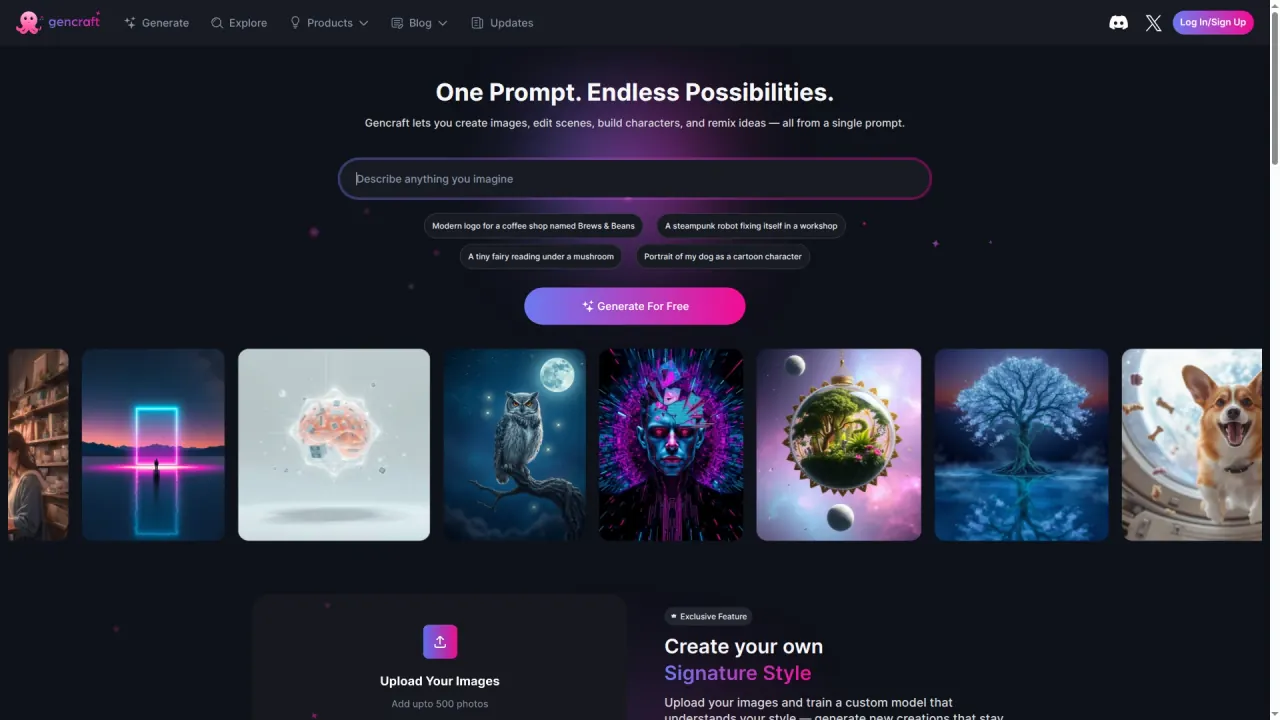

Gencraft turns text prompts into images and offers reference-guided variations and local edits. Subscribers can also generate video.
Used this tool? Rate it
Used this tool? Rate it


AI image editing from a reference photo


Multi-model image studio, free to start


Natural AI photo editing for portraits and projects


Build random generators, share them free


Anime art, powered by a million community models


Real-time answers, images, and code in one chat


Community-Trained Models for Art, Video and Characters


Browser-Based AI Photo Editing and Image Generation
Gencraft is an AI image generator with separate modes for turning text prompts into images or videos. Its image workflow can begin with a description, an existing image used as a reference, or a specific area of a picture that needs to change. A description establishes a scene, a reference contributes visual cues, and a selection defines the region to edit.
In image mode, applying a preset visual style is optional. Leaving the style open gives the model more latitude. Choosing one helps answer a narrower question, such as whether the same subject reads well as an ink illustration.
The web Generate page groups the model, style and aspect ratio in its settings panel. The prompt tells the tool what to depict, the model changes how it interprets that brief, and the aspect ratio defines the frame. In a comparison of models, keeping the prompt and frame steady makes it easier to see why one version suits the brief. A standing figure and a wide heading backdrop call for different frames.
On the web, Pro presets can save the model, style, aspect ratio, seed and text to place before or after the prompt. Saved text can be useful when a set of images shares a medium or lighting treatment but each shot has a different subject. For a model that accepts negative prompts, presets can also carry exclusions.
Presets belong to a particular feature, and Pro users can save up to 10 across features. A preset for one tool cannot serve as a global style rule. Two recurring setups might be a wide frame for background art and a portrait frame for character studies.
Magic Edit applies a new prompt to a masked area, with automatic segmentation and manual box or pencil tools for defining that area. An automatic segment can isolate an object. Drawing the mask by hand is useful when the change needs to cover both a paper sign and its reflection.
Replacing a mug handle is a local edit. Putting the mug on an outdoor café table affects the setting and light across the frame, making a reference-guided variation more useful.
Regenerating an earlier preset-based result can carry forward its original prompt prefix and suffix even after the preset itself has been edited. An older draft can therefore keep its original treatment. The text in the prompt field is only part of the input when those additions are active.
Sketch Guide pairs a reference image with a prompt to guide the new image’s composition or shapes. A designer with a rough flyer layout can use a sketch with the major blocks already drawn, then ask for a different material treatment or atmosphere. For example, an arch in the center can become a paper cutout while the largest blank area remains available for the event details. The result is a concept image. Lettering and logos that must be exact can be laid out separately using the approved artwork and copy.
Character Guide can use a new photo or an image from past uploads alongside a prompt describing a different scene or style. For an illustrated sequence, a creator can start with a reference of an original character in a raincoat and generate a station and a street scene from that same visual starting point. Compare the costume, silhouette and distinctive details in the two results before using them on adjacent pages. The reference guides the variation, and the finished sequence still depends on choosing outputs that agree on those details.
Custom model training uses a collection of uploaded images with captions, and the training workflow calls for consistent names for the same subject across captions. Gencraft’s training guide specifies a minimum of 5 training images. That setup fits a series where the recurring subject or style justifies preparing multiple examples. A single variation carries a smaller input burden with Character Guide. When preparing a recurring style, captions can distinguish what should repeat from incidental background details.
Pro users can fix a custom seed when they want to vary a prompt from the same starting seed. Consider a kiosk illustration with the right placement but the wrong time of day. Holding the seed while changing morning to evening isolates the change in the prompt. The seed is a starting condition, so the selected output remains the reference if other settings change later.
The mobile results screen uses a sideways swipe to move between creations and an upward swipe to see result details. This suits previewing a social card at its intended size, while the desktop browser view puts the candidates next to each other.
Generation presets are also available to Pro users in the iOS and Android apps.
Gencraft offers free image models for trying image creation. Free image access fits an early look at the tool. Retention and commercial terms become more important when a concept moves into a longer project.
Video generation requires a subscribed account. The requirement applies even to a single concept clip.
Custom model training is a Pro feature with a separate payment for each model training run. A preset starts from saved settings. A custom model starts from a captioned image set and a training checkout.
Purchases may be made through the Gencraft website, the Apple App Store or Google Play. The paid subscription renews automatically unless it is canceled before renewal. For an organization with more than $1 million in annual gross revenue, the terms require each person using Gencraft on its behalf to maintain a separate subscription at Gencraft’s highest paid tier throughout that use.
Cancellation follows the purchase channel, through the web Plans and Billing area, iOS subscriptions or Google Play subscriptions. The terms route refund requests for Apple or Google in-app purchases to the respective store. The refund route identifies who takes the request. A refund remains subject to the applicable purchase terms.
Subject to mandatory law, the terms say Gencraft is not required to refund purchased features or compensate users for unused features. This is relevant to a web purchase where Gencraft is the billing channel. The separate store refund routes apply to purchases made through those stores. For repeated generation, estimate costs from the checkout price, any allowance you can confirm for that purchase channel and any separately billed training.
Gencraft says creations on free accounts may be removed once they are older than 30 days. The Help Center describes lifetime retention for Pro creations. This describes the provider’s retention policy for creations. Downloading a keeper gives the creator a separate copy when a project may need matching images beyond the free retention window.
The privacy policy says generated output may remain on the service after the corresponding submission has been deleted. The library retention period and the retention of a generated output after deleting the input apply to different records. The input includes material such as a text prompt or an uploaded photo, and a generated portrait can carry recognizable details from it.
Under the terms, people without a paid subscription may use Gencraft for personal, noncommercial purposes, and receive a Creative Commons Attribution Noncommercial 4.0 license for their generated content. That condition affects whether a personal experiment can move into advertising or a paid deliverable.
Under the terms, ownership of content generated during a paid subscription persists after it ends to the extent permitted by law, subject to Gencraft’s content license, disclaimers and applicable enterprise account requirements. Gencraft’s commercial-use guidance allows compliant paying subscribers to use images generated during the subscription commercially, including after cancellation. The creation date and the subscription period both matter for documenting intended use.
The terms give Gencraft an irrevocable, perpetual, nonexclusive license over user submissions and generated content to operate its business, including developing and improving Gencraft. The terms define Limited Use Content as images submitted to generate output, and say some features may store and process those images throughout the user's use of Gencraft. For uploaded images that fall within the terms’ Limited Use Content definition, the license is limited to providing Gencraft and its functionality, and public display or distribution requires the user’s direction or prior consent. That exception applies to the submitted images.
The terms place custom models under Customized Features owned by Gencraft. The model remains a company-owned feature even when a creator pays for the training run. That matters when a brief calls for delivery of the model in addition to the resulting images.
Character Guide can be opened from the Generate options or through Remix in My Creations. A reference and a new prompt create a variation. For a single region, the more targeted route is Magic Edit.
Reopening the earlier result can bring back its own prefix and suffix. Those saved inputs explain why the old wording may still influence the new variation.
Rights in images made during a paid subscription can persist after cancellation, subject to applicable law and the conditions described above, including the enterprise account rule when it applies. An image made without a paid subscription comes under the noncommercial license.
The training workflow requires Pro and includes a distinct payment for each model training run. Saving a preset is a separate feature and does not pay for training.