
Toolso.AI
Toolso.AI
All ToolsCategoriesTrendingLatest ToolsPricingBlog
Toolso.AI
Toolso.AI
Toolso.AI
Toolso.AI

Discover the best AI tools to boost your productivity

GitHubGitHubTwitterX (Twitter)YouTubeYouTubeTikTokEmail

Popular Categories

  • AI Writing
  • AI Image
  • AI Video
  • AI Coding
  • More Categories

Explore

  • Latest Tools
  • Popular Tools
  • More Tools
  • Submit Tool
  • Pricing

About

  • About Us
  • Contact
  • Blog
  • Changelog

Legal

  • Cookie Policy
  • Privacy Policy
  • Terms of Service
  • Refund Policy
© 2026 Toolso.AI All Rights Reserved
Limited timeLimited-time offerFeatured Listing24h priority review · No backlink · 30 days featured$29.90then $59.90Price rises to $59.90 after Oct 31Ends in--:--:--Submit now
  1. Home
  2. All Tools
  3. Image Editing
  4. Nano Banana
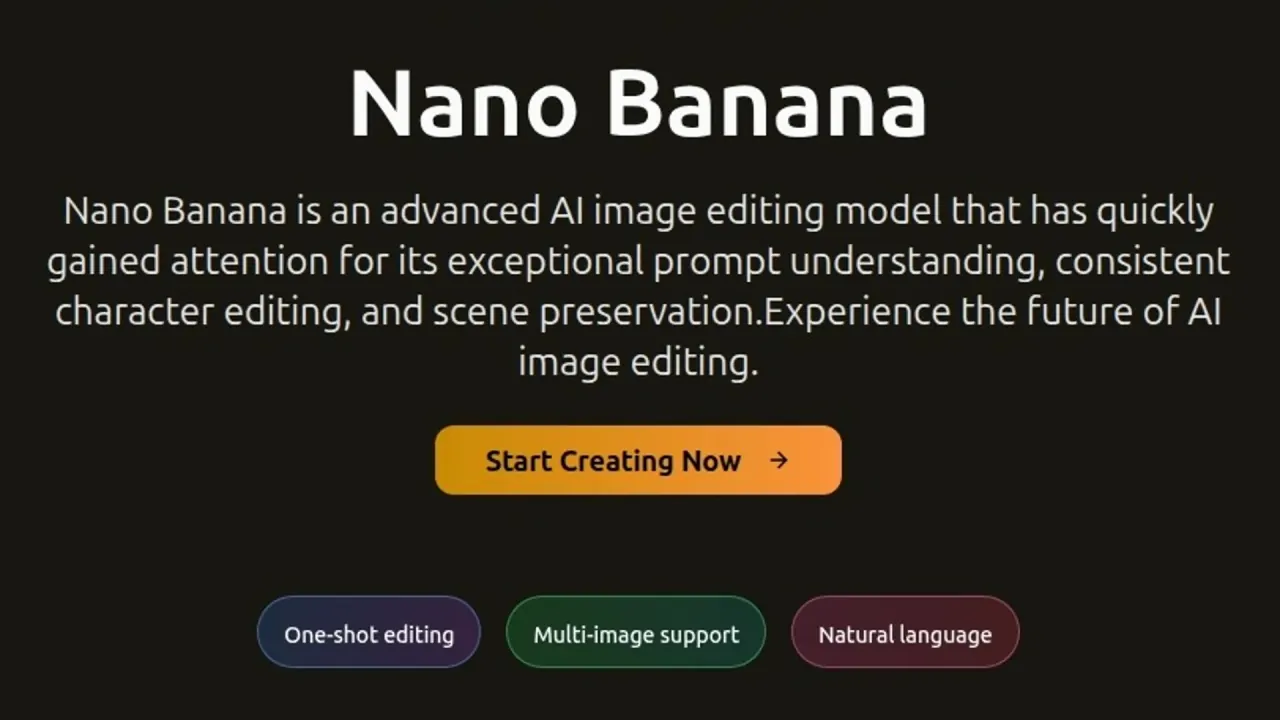
Nano Banana interface preview
Nano Banana logo

Nano Banana

Nano Banana (nanobanana.io) is a credit-based web platform for editing photos with text prompts and generating images and videos from several model families, with a REST API for developers.

Image EditingImage GenerationVideo Generation#Text To Video#Image Enhancement#image-to-video
View Pricing
Saves
Visits
Views
Pricing
Paid
Published
Oct 6, 2026
Domain
nanobanana.io
Community rating

Used this tool? Rate it

Rate this tool

Nano Banana Product Information

View Pricing
Tool Information
Saves
Visits
Views
Pricing
Paid
Published
Oct 6, 2026
Domain
nanobanana.io
Community rating

Used this tool? Rate it

Rate this tool

Featured Tools

Related Tools

View Pricing

What is Nano Banana?

Nano Banana (nanobanana.io) is a browser-based AI image editor and generation hub that runs on credits. The site describes Nano Banana as an AI image editor that lets users edit and enhance photos with natural language prompts while keeping characters and objects consistent.

The site is broader than a single editor. Its API page says the service offers one unified REST endpoint for leading AI image and video models, including Nano Banana, so builders can run video, avatar and product workflows without integrating several providers.

Relationship with Google

"Nano Banana" is also the name of Google's own image models: Google introduced Nano Banana Pro (Gemini 3 Pro Image) as its new state-of-the-art image generation and editing model.

On nanobanana.io, the Nano Banana Pro page describes that model as Google’s advanced AI-powered image editing and generation model. That sentence is about the model, not the website. The website does not state its relationship with Google: none of its home, generator, pricing, API or legal pages says whether the site is affiliated with Google, licensed by it, or how it reaches the models it labels as Google's.

Name confusion is a documented issue around this model family. Independent business press examined several paid sites that use the Nano Banana name and reported that they were unrelated to Google, the developer of Nano Banana. That article's text does not name nanobanana.io, so it is context for the category rather than a finding about this site.

Core features

Nano Banana combines a prompt-driven editor, a text-to-image generator that can switch between many models, single-purpose image utilities and video generation, all paid for from the same credit balance.

Prompt-based image editing

  • Scene preservation: The site says edits keep the original structure, perspective and lighting of the image intact.
  • Character consistency: Nano Banana is positioned as keeping the same characters consistent across a series of edits.
  • Multi-image workflow: The site advertises processing and editing several images at once with consistent styling, aimed at batch edits and series work.

These three points are the product's core selling claims. They are vendor descriptions, and no benchmark or independent test of them appears on the site's product pages.

Generator controls

The web generator has two modes, Image Edit and Text To Image, and opens with the Nano Banana 2 model selected. It accepts up to 10 reference images in JPG, PNG or WEBP format, a prompt of up to 5,000 characters, one to four outputs per run and 1K, 2K or 4K resolution, and it displays a credits-required figure before you press Create. Aspect ratio defaults to Auto.

Model lineup

The image model list on the site includes several Nano Banana versions (the original, Pro, 2, 2.1, 2.5 and 3), GPT Image 1.5, 2 and 2.5, Seedream 4.0, 4.5, 5.0 Lite and 5.0 Pro, Qwen Image and GLM Image.

The video model list covers Veo 3.1, Sora 2 and Sora 2 Pro, Kling 2.6, 3.0, 3.0 Motion Control and 4.0, Seedance 1.5 Pro, 2.0 and 2.5, Pixverse V6 and C1, Wan 3.0, Minimax H3 Max, Grok Imagine and Happy Horse 1.0.

The model and API pages do not explain how the site accesses any of these models or who operates them.

Video generation

The text-to-video tool opens with Seedance 2.0 selected, a 2,000-character prompt box, a 16:9 aspect ratio, a 6-second default length, resolution choices from 480p to 4K and a Generate Audio option. The image-to-video tool adds Reference to Video and Frames to Video modes and accepts up to 9 images with the same length and resolution controls.

Image utilities

  • Background remover: the remover strips photo backgrounds and produces transparent PNG files.
  • AI image enhancer: the enhancer is described as upscaling resolution, removing noise and correcting colors in one click. It takes one image at a time and offers 2K, 4K and 8K output settings.

Guide

The basic image workflow:

  1. Open the generator, choose Image Edit or Text To Image, and pick a model from the list.
  2. For edits, the site's workflow begins with uploading the image you want to change, whether a photo or artwork.
  3. Next, write a clear text prompt describing how you want to transform the image.
  4. Set the aspect ratio, number of outputs and resolution, check the credits shown, then press Create.
  5. Review the result in My Creations and download it.

Writing prompts

The site's prompt guide gives structures for both generation and editing:

  • Generation: break the request into parts and list them from most important to least important, because earlier details have more influence on the final image.
  • Editing: write prompts as Keep, Change, How and Constraints, stating what must not change before what to modify, then the style or strength, then side effects to avoid.
  • Iteration: use one sentence to lock the direction, then add detail while changing only one or two things per attempt.

Nano Banana use cases and examples

The site and its API page point to a handful of concrete jobs where its editing and generation features fit:

  • Storytelling and branded characters: consistent characters across edits are pitched as suited to storytelling, game design and branded content.
  • Ecommerce imagery: the API page lists new product settings, seasonal variations and detail shots made from existing assets for storefronts and launches.
  • Campaign creative: it also describes exploring visual concepts quickly, then turning the strongest direction into a coordinated set of ads, landing-page art or announcements.
  • Short video: the text-to-video page is pitched at short videos, promos, mini-films and educational clips.
  • Background replacement: a prompt-guide example keeps a person's face, hairstyle, pose, outfit, composition and light direction unchanged while swapping in a seaside boardwalk at dusk.

These are vendor-described scenarios, not case studies with measured results.

Who is it for

Nano Banana targets people who want to change or create images by describing them instead of using manual editing tools.

  • Creators and marketers: the generator page addresses designers, marketers and everyday creators who want professional-grade edits without manual retouching.
  • Developers and product teams: the API is pitched at adding AI image generation directly into an app, website or existing product.
  • Small teams: the Pro and Enterprise yearly plans list team management for up to 5 and up to 30 seats.

It is a poor fit for some users:

  • Children: the service is not intended for children under 13 years of age.
  • Anyone needing adult or sexually suggestive output, which the terms prohibit (see Limitations).
  • Anyone who specifically wants Google's own product, terms and support for Nano Banana models; Google offers its own access routes, covered under alternatives.

Platforms

  • Web app: Nano Banana runs in the browser at nanobanana.io, and the terms say you must create an account to access the services.
  • Mobile: no iOS or Android app is linked from the site's header or footer.
  • Payments: subscriptions and credit packs are processed through Creem, the payment provider used for orders and invoices.

Nano Banana API

  • Authentication and endpoints: the quick-start guide uses a Bearer token, a JSON request body and two production endpoints, one to create a task and one to check it.
  • Shared credits: the Nano Banana API documentation describes one API key, shared credits and asynchronous task processing with a consistent workflow across supported models.
  • Polling: task results are fetched by polling the status endpoint with the returned task ID, and the docs recommend checking every 5 seconds.
  • Key handling: an API key is created from the API Keys page, and the full key is only shown once, so it must be copied at creation.

Pricing

Nano Banana sells credits through subscriptions or one-time packs. The pricing page has Yearly, Monthly and One Time tabs and states "Cancel anytime". The default view is Yearly, under a "Nano Banana 2 Flash Sale" banner advertising a limited-time 50% discount, and each yearly price appears beside a higher crossed-out figure.

PlanYearly view priceCrossed-out yearly figureCreditsPage estimateTeam seats
Basic$9.9/month, billed $118.8/year$238.815,000 credits/year~750 imagesNot listed
Pro$23.9/month, billed $286.8/year$574.836,000 credits/year~1,800 imagesUp to 5
Enterprise$63.9/month, billed $766.8/year$1534.8120,000 credits/year~6,000 imagesUp to 30

The Pro and Enterprise cards also carry "up to 50% bonus" and "up to 150% bonus" labels without saying what the bonus applies to. All three yearly cards list permanent data storage, faster generation, priority support, watermark-free video and image downloads, and a Commercial Use License. Monthly prices and one-time pack sizes sit on the other tabs and are not part of the default view.

Credit rules

  • Subscription credits renew monthly, and unused credits from the previous month are reset at renewal; one-time credit packs remain valid indefinitely.
  • You cannot hold two subscriptions to the same plan; the alternatives are upgrading to a higher plan or buying one-time credit packs.
  • The terms add that subscriptions auto-renew unless cancelled.

Free access

Signing in grants free credits, but none of the pages reviewed states how many. The generator page's FAQ says free users get limited generations per day while premium subscribers enjoy unlimited access. That "unlimited" wording conflicts with the fixed credit allotments on the pricing page.

Cancellation and refunds

  • Cancellation: subscriptions can be cancelled by emailing support, which usually replies within one business day, or by logging in to Creem's order portal with the purchase email.
  • Refund window: refund requests must be made within 3 days of purchase.
  • Usage cap: a refund is only possible if you have used no more than 10% of the credits in that purchase.
  • Processing: refund requests typically get a reply within 1–2 business days, and approved refunds are processed within 24–48 hours.

The pages conflict here: the refund policy describes this refund window, while the terms state that credit purchases are final and non-refundable.

Nano Banana alternatives

Because the site shares its name with Google's image models, the most direct alternatives are Google's own access routes to the Nano Banana models.

  • Gemini app: when Google introduced Nano Banana Pro, it said the model was rolling out globally in the Gemini app through the Create images option with the Thinking model, with free-tier users getting limited free quotas before falling back to the original Nano Banana model.
  • Gemini API, Google AI Studio and Vertex AI: for developers and enterprises, Google said Nano Banana Pro was starting to roll out in the Gemini API and Google AI Studio, with Vertex AI available for scaled creation.
  • Cost context: independent business press has pointed out that Google's Nano Banana can be used for free through Gemini, which is relevant when comparing paid third-party credit plans.

The trade-off is breadth versus provenance. Nano Banana bundles many image and video model families behind one credit balance and one API key, while Google's channels give first-party access to Google's models under Google's own terms but not the other model families listed on nanobanana.io.

Limitations

Most of Nano Banana's stated limits come from its terms of service, and several of its own pages contradict each other.

Content rules

  • No adult output: prompts, images or edits intended to generate NSFW, adult-only or sexually suggestive outputs are strictly prohibited.
  • Enforcement: the site may block content, reject requests, remove outputs or suspend accounts, and repeated or severe violations can lead to permanent bans without refund.

Service limits

  • Peak-time throttling: the operator reserves the right to limit usage during peak periods.
  • Plan-based quality: image quality and resolution may be limited by plan type.
  • No result guarantee: the terms say the service does not guarantee specific image editing or generation results.

Inconsistent or dated pages

  • The Nano Banana 2 page still calls that model highly anticipated and soon to be officially released, even though the generator opens with Nano Banana 2 already selected.
  • The terms describe Basic, Pro and Max subscription options, while the pricing page's visible plans are Basic, Pro and Enterprise.
  • The terms' contact section lists only the website and a support email; the legal pages reviewed name no operating company or postal address.

Privacy and content rights

The privacy policy and terms set out how uploads and outputs are handled.

  • Processing: prompts, uploaded images and generated content are processed temporarily to provide the editing service.
  • Model training: the privacy policy lists improving the site's AI image editing capabilities among its uses of data but does not say whether uploads are used to train models.
  • Retention and deletion: generated and edited content is stored according to your subscription plan, and you can request deletion of your data at any time.
  • Public gallery: public content may be featured in the site's gallery with attribution.
  • Ownership: you keep the rights to your prompts and uploads, grant a limited license to process them, and generated or edited content remains your property.
  • Sensitive data: users must not enter sensitive personal data such as health data, religious beliefs or sexual orientation into the tools.
  • Security and transfers: data is described as encrypted in transit and at rest, and information may be processed in countries other than your own.

FAQ

Q1. Is nanobanana.io run by Google?

The website does not state its relationship with Google. It describes Nano Banana Pro as Google's model, but it does not say whether the site itself is affiliated with or licensed by Google.

Q2. How much does Nano Banana cost?

In the default Yearly view, Basic is $118.8 per year for 15,000 credits, Pro is $286.8 per year for 36,000 credits and Enterprise is $766.8 per year for 120,000 credits. Monthly plans and one-time packs are on separate tabs.

Q3. Do unused credits carry over?

Subscription credits do not carry over: unused credits are reset when the subscription renews each month. One-time packs stay valid indefinitely.

Q4. Can I get a refund?

Only within 3 days of purchase and only if no more than 10% of the purchased credits have been used, according to the refund policy. The terms separately call credit purchases final and non-refundable.

Q5. Can I use the images commercially?

Paid plans list a Commercial Use License, and the terms say generated and edited content remains your property. You are still responsible for having the rights to anything you upload.

Know a Similar Tool?
If you know other great AI tools, feel free to submit them to us