
Toolso.AI
Toolso.AI
All ToolsCategoriesTrendingLatest ToolsPricingBlog
Toolso.AI
Toolso.AI
Toolso.AI
Toolso.AI

Discover the best AI tools to boost your productivity

GitHubGitHubTwitterX (Twitter)YouTubeYouTubeTikTokEmail

Popular Categories

  • AI Writing
  • AI Image
  • AI Video
  • AI Coding
  • More Categories

Explore

  • Latest Tools
  • Popular Tools
  • More Tools
  • Submit Tool
  • Pricing

About

  • About Us
  • Contact
  • Blog
  • Changelog

Legal

  • Cookie Policy
  • Privacy Policy
  • Terms of Service
  • Refund Policy
© 2026 Toolso.AI All Rights Reserved
Limited timeLimited-time offerFeatured Listing24h priority review · No backlink · 30 days featured$29.90then $59.90Price rises to $59.90 after Oct 31Ends in--:--:--Submit now
  1. Home
  2. All Tools
  3. Image Editing
  4. Mage
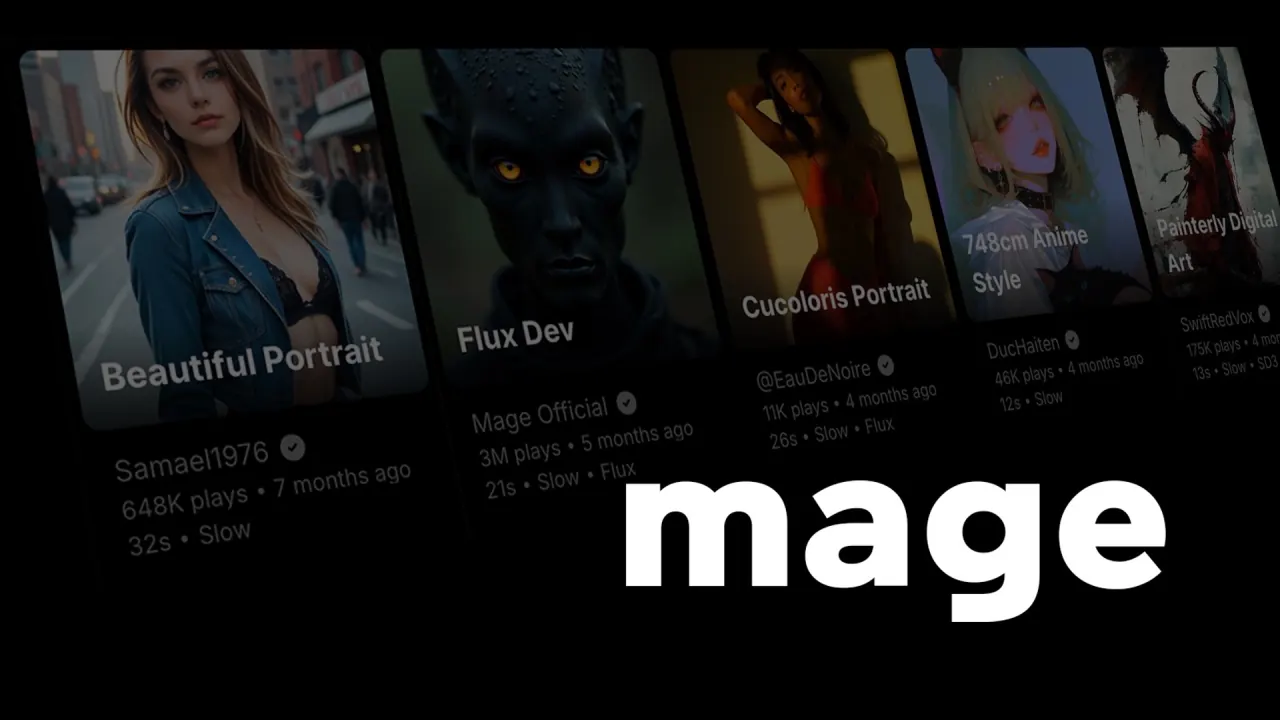
Mage interface preview
Mage logo

Mage

Browser-based AI image and video generator from Ollano, Inc. with Stable Diffusion, Flux 2 and Mage-exclusive models, reusable characters, and monthly plans or pay-per-use Gems. Adults 18+ only.

Image EditingImage GenerationVideo Generation#Text To Video#image-to-video#Text To Image
Try for Free
Saves
Visits
Views
Pricing
Freemium
Published
Sep 28, 2026
Domain
mage.space
Community rating

Used this tool? Rate it

Rate this tool

Mage Product Information

Try for Free
Tool Information
Saves
Visits
Views
Pricing
Freemium
Published
Sep 28, 2026
Domain
mage.space
Community rating

Used this tool? Rate it

Rate this tool

Featured Tools

Related Tools

Try for Free

What is Mage?

Mage (mage.space) is an image and video generation service that runs entirely in the browser, keeps image and video work in one workspace, and offers a free quota with no card required. The service is built by Ollano, Inc., a company that describes itself as a small, independent team. Mage reports more than 10 million users, over 1 billion creations, and roughly 300,000 images and 30,000 videos generated per day; these are self-reported figures.

For a quick decision, four facts matter most. Paid plans make generation unlimited only on the models and settings each plan lists. Everything else runs on a prepaid currency called Gems. The site says it is for adults only. And several official pages disagree about content rules, output ownership and video limits, so the Limitations section sets those statements side by side rather than picking one.

Core features

Model catalog

  • Base models: Mage supports Stable Diffusion 1.5, SDXL, SD3.5, Flux 2, Chroma, Krea 2, Z-Image, Wan, MiniMax-H3, Nano Banana and more.
  • Mage-exclusive models: Fruit-named models such as Mango, Guava, Kiwi, Cherry, Blueberry, Raspberry, Berry, Melon, Plum and Lemon are fine-tuned versions of other state-of-the-art models that the company says are designed to offer greater creative freedom.
  • Fast Mode: Fast Mode is described as enabling 5-15x speed-ups.

LoRAs and custom models

  • LoRA stacking: The plan table allows up to 1 LoRA on Basic, up to 2 on Pro, and up to 5 on Pro Plus and Max, with the same limits for Textual Inversions.
  • Model import: Pro Plus and Max can import SD1.5, SDXL, Pony and Illustrious checkpoints along with LoRA, Textual Inversion, Lycoris and Video LoRA files; Basic and Pro show no import option.

Choosing a model decides more than the visual style. Each paid plan attaches unlimited generation to a named list of models, and hosted third-party models keep their own vendors' filters, so the model you pick also determines what you pay per image and which prompts are likely to be refused.

Consistent AI characters and motion

  • Character reference: One uploaded reference image lets you reuse the same character across image and video generations, which is how Mage handles consistent AI characters for storytelling or a recurring persona.
  • Motion Control: Motion Control applies the movement of an uploaded reference video to your AI character so it can dance, move or act in the generated clip.

Character reuse and Motion Control are where Mage works as an AI video generator rather than a still-image tool: a saved character supplies the face and body, and the reference clip supplies the choreography. Motion Control is listed as unlimited only on the Max plan.

Editing apps

  • Swaps and lipsync: The built-in apps include Video Face Swap, Video Character Swap, and a Lipsync app that makes a subject speak an audio clip from a single image.
  • Image editing apps: Other apps cover inpainting of specific areas with a mask and a prompt, swapping an entire character while keeping the original scene, swapping an outfit while preserving the person, and changing the lighting direction and mood of an image.

The swap apps can place a face or a whole character into existing footage. They operate under the content rules described in Limitations, which ban deepfakes and non-consensual depictions of real people.

Guide

Creating a first image

  1. Open the Mage AI image generator in a browser; there is nothing to install.
  2. Describe what you want in plain language, then choose Flux 2, Stable Diffusion or a Mage model such as Mango.
  3. Generate the image; it stays private to your account until you decide to post or share it.
  4. To animate a result or build a clip, switch to video generation, which is unlimited from the Pro plan or paid per generation in Gems on other plans.

Typical use cases

Mage positions itself for fantasy art, photorealistic portraits, AI characters for storytelling, professional edits and short cinematic video clips. The company's own blog adds that creators who sell content on subscription platforms choose Mage because its fruit models leave room for creative freedom that other generators do not support. That positioning sits uneasily with the Terms, which still prohibit pornographic content.

Who is it for

  • First-time creators: No experience is required, and you can start from a starter prompt or a plain description of what you want.
  • Advanced Stable Diffusion users: The professional toolset covers models, samplers, ControlNet, LoRAs, character training, multi-step pipelines and inpainting.
  • Adults only: Mage states that it is for adults 18+ only and that content involving minors or non-consensual depictions of real people is strictly prohibited.

Mage is a weaker fit for anyone who needs unambiguous ownership of generated work, because the About page and the Terms describe ownership differently. It also does not suit teams that want to script the web app, since automation is forbidden outside the API. The Terms separately require each user to warrant that they are of full legal age to contract in their jurisdiction. No age-verification step beyond these two statements was described on the pages reviewed.

Platforms

  • Web app: The main product is a browser app with no install; no iOS or Android app was linked from the pages checked.
  • Developer API and MCP: A REST API and a remote MCP server run the same 28 image, video and audio models, and every generation is paid in Gems with no subscription.
  • AI assistants: The MCP server lets Claude, ChatGPT, Claude Code, Grok or Cursor connect with OAuth sign-in and use 16 tools.
  • API throughput: Each API account can run 20 generations at once, and Mage says the limit can be raised for your use case.
  • API inputs: Image, video and audio inputs can be sent as URLs or data URLs, or uploaded as files of up to 100 MB through a signed upload.
  • Safe retries: Idempotency keys make a retried submit return the original request without charging again.
  • No scripting of the web app: Automation is strictly forbidden on Mage, and business needs are directed to API access instead.

The pages do not agree on API availability. The membership FAQ still describes a premium API in limited beta that is currently at capacity, while the developer pages describe self-serve keys and a working quick start.

Pricing

Only monthly prices appeared on the plan pages checked; no annual billing option was shown.

PlanMonthly priceImage generationVideo and speedMonthly Gems
Free$0Limited access to featuresThrough Gems only300 sign-up bonus Gems
Basic$10Unlimited on base models and LoRAs, with inpainting and refine2x faster generations500
Pro$30Adds premium base models, unlimited character creation, 2K Enhance and ControlNetUnlimited video generation, 4x faster1,500
Pro Plus$60Adds 4K Enhance, up to 5 LoRAs, custom model import and a queue of up to 10Premium video models3,500
Max$200Everything in Pro PlusMotion Control video, HD video up to 1080p, longer 10s clips15,000

Which models each plan makes unlimited

  • Images: Basic covers SD1.5, SDXL, SD3.5, Flux 2, Chroma, Z-Image Turbo, Krea 2 and GPT Image 2 & 2.5 (Low); Pro adds HiDream, Mango, Guava, Anima and Grok Image; Pro Plus and Max add Nano Banana 2.
  • Video: Pro covers Wan, LTX, Melon, Lemon and MiniMax-H3; Pro Plus adds Cherry, Plum Max, Kiwi, Blueberry 2, Raspberry, Berry and Grok Video; Max adds Cherry 2 Pro and Plum.
  • Motion Control: Motion Control appears only in the Max column, with clips of up to 5s.

Every model can also be run with Gems, which is how models and settings outside a plan's list are paid for.

Gems and billing rules

Gems are the pay-per-use layer on top of or instead of a plan. Each generation is charged in Gems at its model's listed price, and 1,000 Gems cost $1 on the standard pack. On the developer pages, featured models start from 135 Gems for a Mango image, 68 Gems for a Nano Banana 2 image, 245 Gems for a Lemon video and 618 Gems for a Cherry video. Packs are one-time purchases, and the largest pack is 110,000 Gems for $100, including 10,000 bonus Gems. Purchased Gems expire 90 days after purchase. An account can hold at most 300,000 Gems at any given time, a cap Mage describes as temporary. Membership Gems expire after 30 days and are renewed each billing cycle, so they cannot be banked across months. Referring a friend adds 5,000 bonus Gems for both people once the friend makes a first purchase.

Mage typically does not offer refunds, citing the unlimited nature of its plans, and asks users with extraordinary circumstances to contact support. Plans can be cancelled at any time through Stripe's self-service customer portal, which is linked from the navigation menu. A cancellation takes effect the day after the current subscription period ends, and the account is then downgraded to the free version. If you upgrade, the new plan is pro-rated for the current month.

Mage alternatives

The main trade-off between Mage and its neighbors is metering: flat monthly plans with unlimited generation on listed models versus credit allowances, or a community model hub.

  • OpenArt: OpenArt meters usage with credits; its Starter plan lists 4,000 credits per month for up to about 4,000 images, so every generation draws down an allowance rather than being unlimited.
  • Civitai: Civitai describes itself as a place to explore thousands of free Stable Diffusion and Flux models and to create and share AI-generated art, which suits people who mainly want the open model community rather than a single subscription.

Mage's own position between these two is a curated model list plus imported community models on higher plans, billed as a flat fee.

Limitations

Content rules that do not line up

  • Terms: The Terms prohibit generating, promoting, distributing or sharing pornographic content. The Terms page is marked as updated in April 2024.
  • Blog positioning: Mage's own blog says its fruit models sit at the permissive end of the catalog.
  • Hosted third-party models: Models from outside vendors keep their vendors' restrictions on Mage, including Nano Banana 2, GPT Image 2, Grok Image and Veo 3.1 Lite.
  • Hard bans: Mage says it strictly prohibits illegal content, including any material involving minors or deepfakes.
  • Blocked requests cost Gems: A generation that fails is refunded, unless Mage's content policy blocked it.
  • Enforcement: An account terminated for violating the community guidelines may not use Mage again or circumvent the termination.
  • Depicted people: The guidelines ask users to remove a creation if someone depicted in it asks them to.

These statements come from different pages and dates, and none of them settles how explicit content is handled in practice. In September 2023, an independent investigative report found that Mage severely restricted sexual images after showing that many people were using the site to generate non-consensual porn. That report predates the current plans and should be read as history, not as a description of today's filters.

Video limits differ between pages

The comparison table lists video resolution up to 768p on Pro, 720p on Pro Plus and 2K on Max, with durations up to 15s on all three. The Max plan card, by contrast, advertises HD video up to 1080p and a 10s duration.

Reviews

On a consumer review platform, Mage showed an overall score of 2.5 from 29 reviews, with 59% of them one-star, as captured on September 28, 2026. The sample is small, and it measures the company as a whole rather than any single model or plan.

Ownership and licensing

  • About page: Users own their output and can use it commercially, with no attribution required.
  • Homepage FAQ: Content created on Mage can be used for commercial purposes, and attribution is appreciated but not required.
  • Landing pages: A commercial license is included on every paid plan.
  • Terms, forfeiture: By using Mage, users agree to forfeit all intellectual property rights claims, including copyright claims, to their requests and to the images or other content created.
  • Terms, public domain: The Terms name the CC0 1.0 Universal Public Domain Dedication as the affirmation users make when using the service.
  • Terms, license to Ollano: Submitting or posting content grants Ollano Inc. a perpetual, irrevocable, worldwide, transferable, sub-licensable, royalty-free license to use, copy, adapt, publish and distribute it.

Marketing pages promise ownership, while the older Terms describe forfeiture, a public domain dedication and a broad license to the company. The pages do not explain how these statements fit together.

Privacy

  • Private by default: Creations are private by default, and they appear to others only if you manually post them on Mage or share them elsewhere.
  • Payments: Payment details go to a third-party payment processor and are not stored on Mage's own systems, although Mage can access user information through that processor.
  • Analytics: Mage uses analytics providers such as Google Analytics, which uses cookies to collect non-identifying information.
  • EU data rights: Users in the European Union can exercise GDPR data rights by emailing Mage with requests or concerns.
  • Model training: The privacy policy reviewed does not say whether prompts or outputs are used to train models.

FAQ

Q1. Is Mage free?

Yes, with limits. The Free plan gives limited access to features plus a 300 Gem sign-up bonus; unlimited generation starts with the Basic plan.

Q2. Does Mage allow adult or NSFW content?

The answer depends on which page you read. Landing pages say the site is for adults 18+ only and the blog calls its own models permissive, while the Terms dated April 2024 prohibit pornographic content. Deepfakes and anything involving minors are banned on every page checked.

Q3. Can I use Mage images commercially?

Mage's FAQ and About page say yes, without attribution. The Terms also describe a CC0 public domain dedication and a broad license to Ollano Inc., and the pages do not reconcile the two.

Q4. Can I get a refund on a Mage plan?

Mage says it typically does not offer refunds. Cancelling stops renewal at the end of the current period, and generations blocked by the content policy do not get their Gems back.

Q5. Does Mage have an API?

Yes. The developer pages describe a REST API and an MCP server paid per generation in Gems, while the membership FAQ still calls the API a limited beta at capacity.

Know a Similar Tool?
If you know other great AI tools, feel free to submit them to us