
Toolso.AI
Toolso.AI
All ToolsCategoriesTrendingLatest Tools
AI Models

Image models

  • Nano Banana 2.1
  • GPT Image 2.6 Sunburst
  • Seedream 5.5
View all

Video models

  • MiniMax H3
  • Kling 4.0
  • Seedance 2.5
View all
All AI models
Blog
Toolso.AI
Toolso.AI
Toolso.AI
Toolso.AI

Discover the best AI tools to boost your productivity

GitHubGitHubTwitterX (Twitter)YouTubeYouTubeTikTokEmail

Popular Categories

  • AI Writing
  • AI Image
  • AI Video
  • AI Coding
  • More Categories

Explore

  • Latest Tools
  • Popular Tools
  • More Tools
  • Submit Tool
  • Pricing

About

  • About Us
  • Contact
  • Blog
  • Changelog

Legal

  • Cookie Policy
  • Privacy Policy
  • Terms of Service
  • Refund Policy
© 2026 Toolso.AI All Rights Reserved
Limited timeLimited-time offerFeatured Listing24h priority review · No backlink · 30 days featured$29.90then $59.90Price rises to $59.90 after Dec 31Ends in--:--:--Submit now
  1. Home
  2. All Tools
  3. Gaming
  4. Dubbing AI
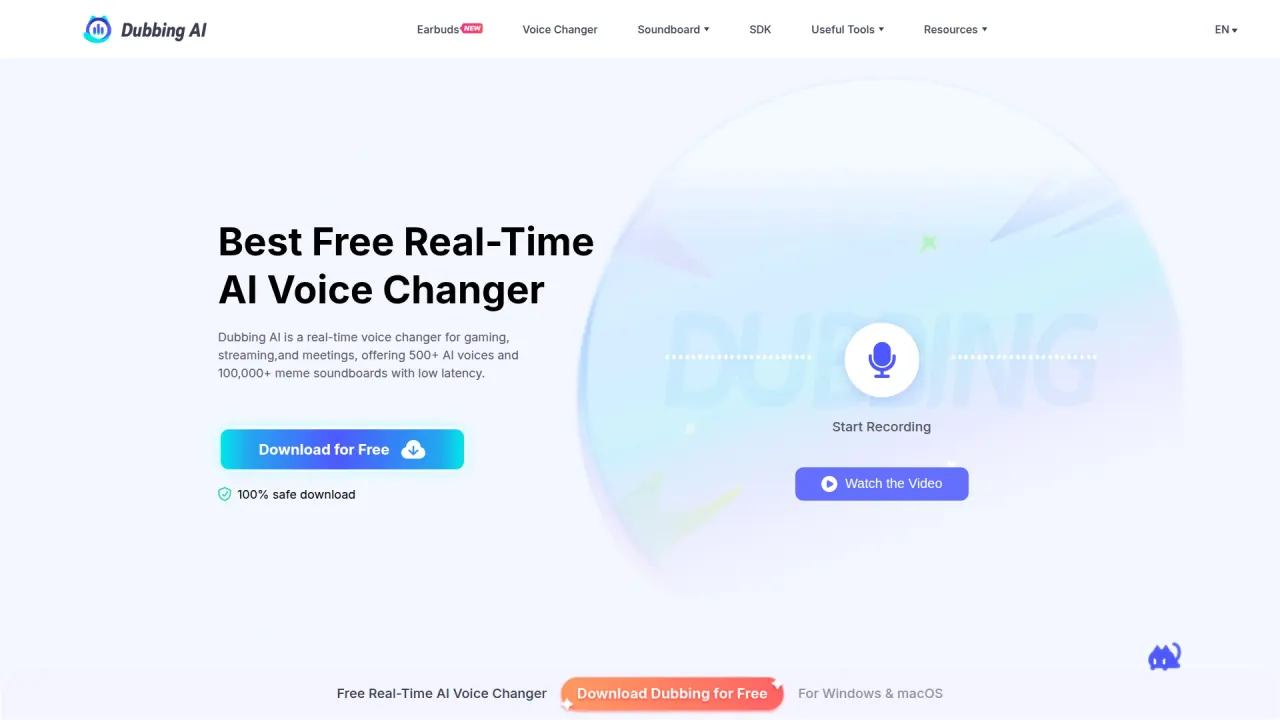
Dubbing AI interface preview
Dubbing AI logo

Dubbing AI

Dubbing AI converts your voice live through a virtual microphone, with 500+ character voices, a meme soundboard, voice cloning, mobile apps and USB-C voice-changing earbuds.

GamingVoice GenerationAudio Generation#Text To Speech#Voice Cloning#Voice Chat
View Pricing
Saves
Visits
Views
Pricing
Paid
Published
Nov 26, 2026
Domain
dubbingai.io
Community rating

Used this tool? Rate it

Rate this tool
View Pricing

Dubbing AI Product Information

View Pricing
Tool Information
Saves
Visits
Views
Pricing
Paid
Published
Nov 26, 2026
Domain
dubbingai.io
Community rating

Used this tool? Rate it

Rate this tool

Featured Tools

Songcove interface preview
Songcove logo

Songcove

Paid

Personal stories, made into song gifts

AI Image To Image interface preview
AI Image To Image logo

AI Image To Image

Free

AI image editing from a reference photo

Raphael AI interface preview
Raphael AI logo

Raphael AI

Free

Multi-model image studio, free to start

Airbrush interface preview
Airbrush logo

Airbrush

Free Trial

Natural AI photo editing for portraits and projects

ChatGPT interface preview
ChatGPT logo

ChatGPT

Freemium

AI assistant for writing, analysis and tasks

Gamma interface preview
Gamma logo

Gamma

Paid

From a prompt to a deck, site or doc

Perchance interface preview
Perchance logo

Perchance

Freemium

Build random generators, share them free

PixAI interface preview
PixAI logo

PixAI

Freemium

Anime art, powered by a million community models

DeepSeek interface preview
DeepSeek logo

DeepSeek

Freemium

DeepSeek AI models for chat and API

Grok interface preview
Grok logo

Grok

Freemium

Real-time answers, images, and code in one chat

SeaArt AI interface preview
SeaArt AI logo

SeaArt AI

Freemium

Community-Trained Models for Art, Video and Characters

ZenMux interface preview
ZenMux logo

ZenMux

Free

One Gateway, Every Model, Compensated Failures

PIXLR interface preview
PIXLR logo

PIXLR

Free Trial

Browser-Based AI Photo Editing and Image Generation

i10X interface preview
i10X logo

i10X

Paid

One workspace for every AI model

Photoroom interface preview
Photoroom logo

Photoroom

Free Trial

Product photo editing for online stores

Fotor interface preview
Fotor logo

Fotor

Paid

AI photo editing and design in one browser tab

Notion interface preview
Notion logo

Notion

Paid

One workspace where your team and its AI agents think together

Codex Reset interface preview
Codex Reset logo

Codex Reset

Freemium

Public Codex reset tracker

Related Tools

Fineshare
Fineshare interface preview
Fineshare logo

Fineshare

Free Trial

One Suite for AI Voice, Music and Video

Try Now
Luvvoice
Luvvoice interface preview
Luvvoice logo

Luvvoice

Freemium

Free online text-to-speech with 200+ voices

Try Now
Typecast
Typecast interface preview
Typecast logo

Typecast

Freemium

Emotion-controlled AI voice generation and voice cloning

Try Now
Speechgen.io
Speechgen.io interface preview
Speechgen.io logo

Speechgen.io

Paid

Pay-as-you-go AI voiceovers in 150 languages

Try Now
FakeYou
FakeYou interface preview
FakeYou logo

FakeYou

Freemium

Character voices for text and audio

Try Now
Voicemaker
Voicemaker interface preview
Voicemaker logo

Voicemaker

Paid

Speech projects with customizable AI voices

Try Now
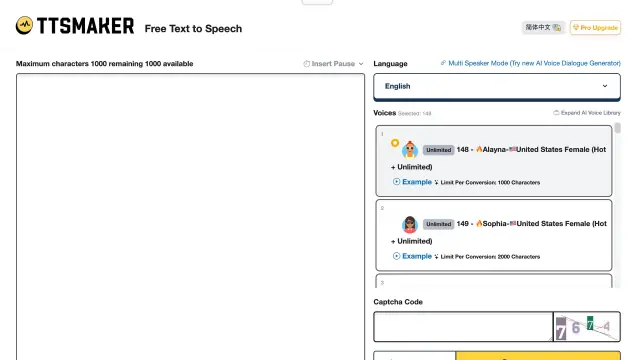
TTSMaker
TTSMaker interface preview
TTSMaker logo

TTSMaker

Freemium

Free text to speech with 600+ AI voices

Try Now
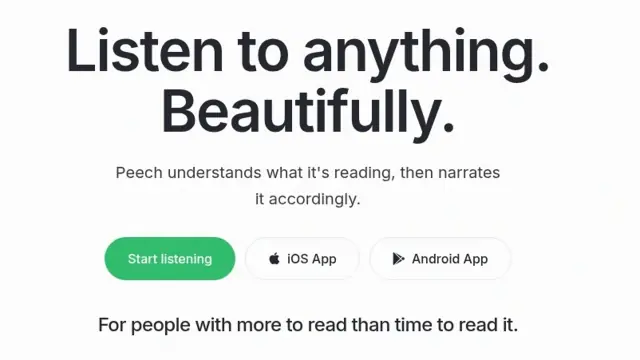
Peech
Peech interface preview
Peech logo

Peech

Paid

Listen to anything, narrated for what it is

Try Now
HomeTop toolsSimilar

What is Dubbing AI?

Dubbing AI is a real-time AI voice changer that sits between your microphone and the app you are talking in. You pick a voice from a library the company counts at 500+ characters, switch conversion on, and every program reading your microphone — Discord, OBS, Zoom, a game — receives the transformed voice instead of yours. The operator named in the site footer is HALO INTERACTIVE PTE. LTD., registered in Singapore. The product ships as a Windows and macOS desktop app, an iOS and Android app, and USB-C earbuds that run the same conversion without the desktop software.

The positioning is character fidelity rather than utility pitch-shifting. The catalogue is built around game and anime personas, celebrities and original voices, refreshed weekly, next to a meme soundboard the homepage counts at 100,000+ clips. That pairing explains why the store listing calls it an AI voice generator with 500+ voices, and why the marketing speaks to streamers, gamers and role-play communities.

A paid plan opens the rest of the library, voice cloning and the surrounding tools; the free rotation is described under pricing.

Two structural facts matter more than the feature list. The audio path is a virtual device rather than a plugin, so you set "Microphone (Dubbing Virtual Device)" as the input inside each app. And conversion runs on the CPU, which the company puts at 2–3% — the argument for leaving it running beside a game.

Core features

The product is one real-time voice changer with several front ends, sharing a single voice library across desktop, mobile and earbuds.

  • A rotating character library. The site describes 500+ AI voices, each studio-trained and refreshed weekly with new drops; voices are grouped by game, anime, celebrity and original categories, and favourites can be pinned for one-click switching.
  • Live conversion with a stated latency. The long-form page describes a response time of under 300 milliseconds, a feature card prints "< 300ms", and the social-apps paragraph settles on 300 ms as the figure that keeps a call natural.
  • CPU-only processing. The technical paragraph puts the changer at 2–3% of the CPU and contrasts that with RVC at 25–50% of the CPU and 15% of the GPU; a card on the same page advertises 5% instead, so the vendor's overhead figure is not consistent.
  • Monitoring while you perform. A "Hear Myself" toggle routes the converted voice back through headphones so pitch and tone can be checked before going live.
  • A soundboard with community uploads. Presets ship in the app, clips can be uploaded and shared, and the library is sorted into memes, music, games, anime, sound effects and TikTok.
  • Voice cloning. The tool takes an uploaded file or a fresh recording and returns a custom voice in your own list.
  • Coverage beyond English. The FAQ claims more than 40 languages and local dialects, and lists emotional delivery such as screaming, sighing, singing, mumbling and whispering.
  • A surrounding toolkit. Online voice changer, vocal remover, instrumental remover, voice recorder, audio converter (MP3, WAV, MP4, M4A, OGG), sound-effect generator, accent conversion and text-to-speech share one account.
  • Hardware and developer access. USB-C earbuds with an in-line mic, a Dubbing Box for phones, and SDK plus API access for embedding the conversion in another product.

The virtual device carries the most weight, because it is system-level: the same voice follows you from a game lobby to a Zoom call to a browser tab without per-app integrations. The soundboard is the second differentiator, since triggering a clip and changing a voice in one window removes a tool from a live setup.

Guide

Setup follows six moves on every desktop machine, and the company estimates under five minutes from download to a first transformed sentence.

  1. Install the desktop app for Windows or macOS, open it, and set your normal microphone as the input.
  2. Open the Voicebox menu and scroll the library; tapping a character previews it, and favouriting one keeps it at the top of the list.
  3. Toggle the voice changer switch at the bottom of the window; a green indicator confirms that processing is live.
  4. Turn on "Hear Myself" and check the result in headphones, adjusting pitch and tone before anyone else hears it.
  5. Inside Discord, OBS, Zoom or the game, choose "Microphone (Dubbing Virtual Device)" as the input device.
  6. Speak, then switch characters as needed without restarting the app or the game.

Headphones are not optional in practice: the FAQ states that speakers send converted audio back into the microphone and produce an echo.

The mobile path is shorter because the hardware does the routing: plug the earbuds into a USB-C port, open the app, confirm the pairing request, pick a voice and switch monitoring on. The same pair works as ordinary wired earbuds when the app is closed, and console and VR modes extend control to those devices.

Cloning has its own sequence: choose the feature, press "Clone Now", confirm the account has a premium subscription, and upload a recording; when processing finishes the voice appears in the custom list. The introduction describes a 15-second snippet while the steps ask for a file longer than one minute, a discrepancy worth knowing when preparing audio.

Use cases: where live voice change earns its keep

  • Streaming. Twitch, YouTube and Kick streams use it to hold a character for a whole session, with weekly drops giving a reason to change the bit.
  • Short social video and pranks. TikTok, Snap and Instagram calls suit celebrity and meme voices, with the soundboard supplying the reaction clip that follows.
  • VTubing and avatar work. Anime and villain voices map onto a visual persona, which is the use case behind the AR and face-filter section.
  • Meetings and support calls. Zoom, Meet and Teams treat the app as an ordinary microphone, enough to mask identity on a call or sound different in a standup.
  • Competitive games. Valorant, CS, Apex and Roblox lobbies are the audience the earbuds page names, with Discord as the party-chat layer.
  • Audio drama and one-person casts. Several characters can come from one microphone because the voice swaps between takes while the script stays fixed.

The common thread is that the voice has to change while other people are listening. A recorded voice-over can be edited afterwards; a raid, a prank call or a live reaction cannot.

Who is it for

It fits people whose voice is part of a real-time performance: streamers holding a character, gamers wanting a lobby persona, VTubers matching voice to avatar, and role-play communities that treat voices as costumes. It also fits anyone who wants one install to cover Discord, OBS, Zoom and in-game chat, because the virtual device is the same everywhere.

It fits less well in four situations. Professional voice-over and dubbing needs recorded, editable takes and usually a script-to-picture workflow, which a live changer does not produce. Teams needing seat management or an admin console will not find one described on the pages reviewed here. Anyone who needs a published price before buying has to install the app, because the public site lists none. And Linux users sit outside the supported desktop list, which names only Windows and macOS.

The free tier suits testing rather than production, and the set changes, so a running bit built on a rotating voice may not survive a month.

Platforms

  • Windows. Windows 10 or higher, with no GPU requirement stated.
  • macOS. macOS 10.13 or higher.
  • iOS. The mobile app requires iOS 15.0 or newer.
  • Android. Android 8.0 or above.
  • VR and console. A console and VR mode is described for controlling effects while the earbuds are connected to a supported console or headset.
  • Earbuds. USB-C only; the store listing states that Lightning connections are not supported. They carry a dual-driver build, an in-line mic with a monitor toggle, a detachable cable and three ear-tip sizes, and work as standard wired headphones with no app or account.
  • Dubbing Box. A separate hardware unit for changing voice on a phone away from the desktop.
  • Browser tools. The online changer, vocal remover, instrumental remover, recorder, converter and sound-effect generator run without the desktop app.
  • Developer access. SDK and API services are listed for embedding the conversion in another product.

An account is required, and registration is by email. Desktop and mobile share one subscription, but the licence limits simultaneous use to two devices.

Pricing

The public site publishes no price list. The concrete figure the company has put in writing sits in an app-store reply to a complaint about cost, dated 18 November 2024: the subscription is 8 USD, equivalent to NT260. Everything else comes from the terms and from what each access path unlocks.

Access pathWhat is statedScope
FreeTen voices rotating daily, five in a daily MysteryBox, fifteen changing weeklyEvery account, no payment
Periodic subscriptionUnlocks the full voice library, cloning and advanced effects; monthly or annual billingSold through the app and through distributors
Lifetime licence (OTL)Pay once and the licence lasts until the account is closedDescribed in the terms as an alternative to renewal

The free row is a rotation rather than a permanent catalogue: the FAQ says voices are free for trial and that the paid plan unlocks every character.

Refunds are narrow and time-boxed: seven calendar days for a fraudulent charge or billing error, and for an unused annual subscription; monthly plans are non-refundable, partial refunds are not offered, and a cancelled subscription cannot be reactivated. Payment can arrive through Stripe, PayPal or Xsolla, and distributor purchases follow that distributor's process while the seven-day window still applies.

The licence is personal and non-commercial by default, with one exception written into the terms: content creators may monetise output through social networks and social media.

Dubbing AI alternatives: what changes if you switch

Three alternatives cover the three cost models a buyer usually weighs, and each figure comes from that competitor's own page as reviewed for this comparison.

  • Voicemod. The official site advertises 200+ voices, a free download for PC and Mac, a virtual microphone other apps read as an input, Voicelab for custom voices, and a soundboard with community sounds. It is the closest like-for-like swap: same virtual-device architecture, same streamer audience, a smaller voice catalogue on the vendor's own count.
  • MorphVOX Pro. A one-time purchase rather than a subscription: the product page shows $39.99 struck through and $29.99 as the current price, with a free trial for Windows. The emphasis is voice-learning algorithms, background cancellation and voice packs with quick keys, not a rotating character catalogue.
  • Clownfish Voice Changer. A system-level Windows utility whose published effects are pitch, robot, radio and modulation presets, installed on the capture device so every app receives the modified audio. The supported systems run from Windows Vista to Windows 11, and the point is lightness rather than a character library.

What changes when you switch is the shape of the spend, not only the price. Dubbing AI sells access to a refreshed library, cloning and hardware; Voicemod sells a comparable library plus its own soundboard ecosystem; MorphVOX turns a recurring fee into one purchase but keeps you inside filter-based voices; Clownfish drops the fee and the character library together.

Portability is the hidden cost. A soundboard does not move between apps, and a favourite voice is licensed rather than owned, so switching resets the library even when the new tool is cheaper — which makes the catalogue, not the monthly figure, the deciding variable for anyone chasing a specific character.

Limitations

  • Most of the library is behind a subscription. The free tier is a daily and weekly rotation; the full catalogue, cloning and advanced effects need a paid plan.
  • Cloning is metered. A subscribed account receives three cloning opportunities per month, extra attempts are bought with D-Coins, and a cloned voice works only while the subscription is active.
  • Cloning turnaround is tiered. The FAQ says a clone typically completes within 48 hours, and that paid cloning completes within two hours with better audio quality.
  • The input length is stated two ways. The cloning page's introduction describes a 15-second snippet; its instructions ask for audio longer than one minute.
  • The licence is personal and capped. Use is limited to two devices at a time and to personal, non-commercial purposes, with monetisation through social platforms carved out.
  • Published content carries a broad licence. The terms grant the operator a permanent, irrevocable, free licence to use, publish, reproduce, modify, translate and commercially develop published material — which sits beside the cloning FAQ's statement that the company claims no rights in cloned-voice content.
  • Refunds are narrow. Seven days for fraud, billing error or an unused annual plan; monthly billing is not refundable; cancellation cannot be reversed.
  • The service can change or end. The terms reserve the right to modify or terminate the service at any time, with or without notice.
  • Speakers cause feedback. The setup instructions require headphones, because speaker output re-enters the microphone as an echo.
  • The desktop list excludes Linux. Only Windows and macOS are named.
  • Data handling is broad. The store listing says the app may collect location, personal and financial data, encrypts data in transit, and offers deletion requests; the privacy policy commits to deleting personal information within 90 days of account deletion.

The reception on mobile is mixed rather than hostile. As captured on 26 November 2026, the Google Play listing shows 2.9 stars from 2.07K reviews alongside 1M+ downloads and in-app purchases. The install base is large and the average rating is not.

FAQ

Q1. Can I use Dubbing AI for free?

Yes, with a rotating set: ten voices change daily, five sit in a daily MysteryBox and fifteen rotate weekly. The full library, cloning and advanced effects need a subscription.

Q2. Which apps and games does it work with?

Anything that reads your microphone once "Dubbing Virtual Device" is selected, including Discord, Twitch, WhatsApp, Zoom, OBS, Steam, League of Legends, Valorant, DOTA 2, CS:GO, Fortnite, Overwatch, PUBG, Apex Legends and Among Us.

Q3. Do the earbuds work with every iPhone?

No. They are USB-C, and the store listing states that Lightning connections are not supported; they fit supported USB-C iPhone and iPad models.

Q4. Can I use a cloned voice commercially?

The cloning FAQ says cloned voice can be used for content creation and that the company claims no rights and assumes no responsibility. The terms separately grant a permanent free licence over material users publish, and the general licence is personal and non-commercial apart from social-media monetisation.

Q5. How long does voice cloning take?

A clone typically completes within 48 hours, while paid cloning completes within two hours with better audio quality. Each subscribed account gets three attempts per month.

Q6. What happens if I cancel?

Renewals stop, the subscription cannot be reactivated, and no refund is issued for the cancelled period. Cloned voices need an active subscription to use.

Know a Similar Tool?
If you know other great AI tools, feel free to submit them to us