DocsBot is a hosted service that indexes documentation, websites, tickets and cloud files, then answers questions and runs support actions with an AI agent. Plans are metered by source pages and monthly AI credits, with a free tier and custom enterprise deployment.
Used this tool? Rate it
Used this tool? Rate it


AI assistant for writing, analysis and tasks


DeepSeek AI models for chat and API


One workspace for every AI model


Chat Your Way to a Finished Video


Plan, build, and refine work with an AI agent


The agentic customer platform for go-to-market teams


AI image editing from a reference photo


Multi-model image studio, free to start
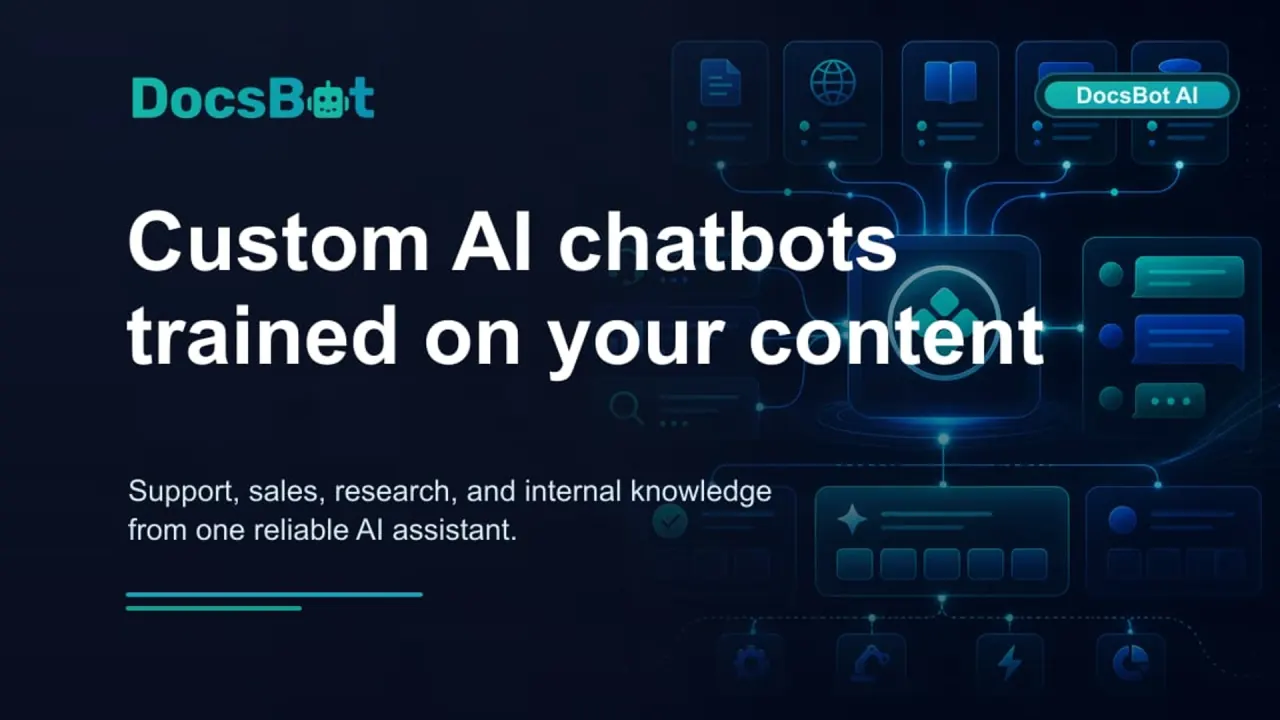
DocsBot turns a company's documentation into AI agents that answer questions and take action. The company's own summary is that DocsBot turns your knowledge base into AI agents that deliver instant, accurate answers and take action across your tools, workflows, and support operations. The service is operated by UglyRobot, LLC DBA DocsBot AI, a registered LLC in Delaware, USA. The homepage presents it as custom AI agents for business, delivering instant answers and actions for customers and the team.
The site sorts its work into four families: AI customer support bots, pre-sales chat, internal knowledge access and a research assistant. The support bots are positioned to answer 24/7 and hand conversations to people; pre-sales chat engages visitors with a sales agent and captures leads; internal knowledge access retrieves answers from company documentation; the research assistant combines a DocsBot knowledge base with live web search and Code Interpreter.
Audience counters are the company's own: the homepage states that the product is loved by 75k+ users and trusted by more than 3,000 businesses, as captured on November 23, 2026. No review-platform listing or rating could be captured for this review, so those two figures are the only audience numbers here and neither is independently re-checkable.
Commercially, DocsBot is a subscription with a metered usage unit. A free tier covers personal use, and three monthly tiers priced at $49, $149 and $499 add bots, source pages, monthly AI credits, actions and seats. Annual billing is presented as two months free, and an enterprise tier is quoted individually.
The site gives three different totals for supported sources: the training section headlines 40+ content sources, the four-step walkthrough says content can be imported from 37+ sources, and a FAQ answer says the product supports 28+ source types. All three figures appear on the same domain, and the page does not explain the difference.
Websites can be scanned page by page, or supplied as a single URL, a URL list, an XML sitemap or an RSS feed, and WordPress exports are accepted as uploads. Uploads also cover documents, audio and video files, question-and-answer pairs and raw CSV data; Notion, Scribe, Confluence, Zendesk Guide and Google Drive are connected as sources, and YouTube transcripts can be indexed from a video or playlist. Closed Help Scout tickets can be used as training material as well.
Two units govern how much content fits in a plan. A page is about 5k characters of cleaned text, and UTF-8 languages such as Chinese, Japanese and Korean can use more characters per page. Advanced document parsing consumes 2 AI credits per page and starts at the Standard tier.
Source refresh is scheduled rather than continuous. Compatible sources can be refreshed daily, weekly or monthly, and manual updates can be triggered at any time. The plan comparison narrows the cadence: the Free tier has no source refresh, Personal refreshes monthly, and Standard and Business refresh weekly.
Retrieval is described as a cleaned and chunked index read by an agentic pipeline. In the company's words, DocsBot cleans and chunks sources and uses a cutting-edge agentic RAG pipeline to retrieve, rerank, and use the most relevant matches as context for the AI to answer the question. Answers are not limited to the documentation's language: the product supports over 100 languages, and the FAQ says it can answer in a language the documentation itself does not use.
Model choice is tied to the credit meter. A standard chat message starts at 1 credit on a 1x model, while larger models, AI actions, skill runs and longer requests cost multiple credits. The published multiplier table tops out with GPT-6.2 Astra at 40x, so the same message can consume forty times the base allowance. Connecting an OpenAI key is optional, and text carried over that key is billed at 1x on any model.
The pitch is AI support agents that act, not only answer. DocsBot can automate processes and connect to the systems a business already uses, and the per-bot action allowance is 3 actions on Personal, 8 on Standard and 12 on Business. Typical actions named on the site are search, Stripe billing, scheduling and handoff, alongside configurable action buttons.
Skills are the custom-workflow layer: they can be built, validated and published from the Standard tier upward, and the Skill Builder is presented as researching, coding, testing and packaging a custom skill. Machine access is also plan-gated: remote MCP connections start on Personal, and an MCP server that exposes a bot over the protocol starts on Standard.
Distribution is broad. A bot can be embedded on a website, WordPress or an app, or connected to Slack, Microsoft Teams and ticketing systems, and the site advertises integration with 7,000+ apps through Zapier and Make. A public API is documented alongside admin endpoints and usage guides.
Voice agents reuse the knowledge, tools and workflows a bot already has, so the same answers can be delivered as a spoken conversation. Realtime voice agents start on the Standard tier, and voice input in the widget starts on Personal.
Analytics are tiered as well. The FAQ says analytics vary by plan, with basics covering usage and higher tiers unlocking deeper reports, topics, sentiment, resolution rates, satisfaction and AI-driven analysis; question and conversation analytics start on Standard, while topic reports, sentiment analysis, AI question reports and the data explorer are Business features.
DocsBot documents a four-step setup that requires no coding: create a bot, upload source data, test and refine, then launch. The steps map directly onto the plan limits above, so the sequence below follows the vendor's own order.
Two operational details sit outside the four steps. Historical conversations can be imported as chat logs or tickets through CSV or through integrations such as Zendesk, Intercom, Freshdesk and Help Scout, which gives a new bot real support history to learn from. And plan changes take effect at once: upgrades and downgrades activate instantly in the dashboard, with unused credit applied to the next billing cycle.
Customer support. The primary case is moving support from reactive to proactive with bots that answer instantly around the clock. The site pairs that with human handoff, so first-contact resolution can end in a person rather than a dead end.
Pre-sales chat. A second agent can sit on marketing pages, engage every visitor immediately, and capture leads with forms that start on the Personal tier. The pitch is a sales agent trained on the knowledge base and the sales playbook rather than a generic greeting bot.
Internal knowledge. The same machinery can be pointed inward to surface answers from internal documentation without searching several tools, which is the case the site describes for employees rather than customers.
Research. The research assistant combines the knowledge base with live web search and Code Interpreter to produce cited insights, a use that depends on the Standard tier for web search and on credits for the heavier model calls.
The plan ladder describes the audience fairly precisely. The Free tier is explicitly for personal use and testing, Personal targets power users and small businesses just getting started, and Business is presented with advanced reporting to improve products, docs and support, including per-bot roles for reselling or multiple workspaces. Enterprises with serious traffic and custom integrations are routed to a quoted plan.
Support coverage scales with price as well: all plans include docs, AI and email support, with response times set by plan, and enterprise customers can add SLAs and dedicated channels.
DocsBot runs as a hosted web application, and its main output is an embeddable chat widget plus API access. Widget appearance is adjustable on every plan for basic colors, styling and placement, while custom CSS and unbranded widgets are reserved for higher tiers.
Delivery channels include websites, WordPress, apps, Slack, Microsoft Teams, ticketing systems, and Messenger, WhatsApp and Telegram from the Personal tier. Voice runs through the same bot rather than a separate product.
Hosting is managed by the vendor on Vercel and Google Cloud across multiple regions, and the company acts as data processor with DPAs, exports, deletion tools and EU storage or protected transfers. Enterprise deployments can use Microsoft Azure OpenAI Service with role-based access control, private networks and region restrictions, and self-hosted options are available for data-protection requirements.
Prices are monthly list prices in US dollars as published on the pricing page on November 23, 2026. Annual billing is offered with two months free, and the page also displays JPY, EUR, GBP and AUD currencies.
| Plan | Price | Bots | Source pages | AI credits / month | Actions per bot | Team users |
|---|---|---|---|---|---|---|
| Free | $0/month | 1 | 50 | 100 | None | 1 |
| Personal | $49/month | 1 | 5k | 5k | 3 | 1 |
| Standard | $149/month | 3 | 15k | 15k | 8 | 5 |
| Business | $499/month | 10 | 100k | 60k | 12 | 10 |
Usage beyond a plan is sold as monthly add-ons that renew with the plan: $49 per 5k extra monthly AI credits, $19 per extra bot, $29 per 10k extra source pages, and $19 per extra team user, the last restricted to Business and Enterprise. The pricing page carries a 14-day money-back guarantee, and eligible businesses can request a Standard trial with full features instead of relying on the guarantee.
The enterprise tier is quoted rather than listed. Its additions include custom bot, source and question limits, custom seats, per-bot roles, Azure OpenAI Service, self-hosted options, IP logging, SSO, priority support and SLAs, and custom chat-log retention.
DocsBot publishes its own comparison of 20 tools, covering featured monthly plans, chat and voice channels, human handoff and action workflows. The page is labelled as published by DocsBot with vendor links that are first-party sources rather than affiliate links, and it carries an update date of September 2, 2026.
The featured monthly prices on that page put SiteGPT's Growth plan at $129/month, Chatbase's Standard plan at $150/month, Botpress's Plus plan at $189/month and CustomGPT.ai's Premium plan at $499/month. Intercom's Fin is listed at $99 per full seat per month plus $0.99 per Fin outcome, Zendesk's Suite Professional at $149 per agent per month, and Help Scout AI at $30 per user per month plus $0.75 per AI resolution.
The structures differ more than the headline numbers. Intercom and Zendesk are priced per seat with outcome or resolution charges on top, Help Scout assumes its helpdesk subscription, and DocsBot sells bot capacity with credits rather than agent seats. The vendor's own verdict on its product is that DocsBot is more platform than teams seeking only a basic website bot may need, a trade-off worth reading next to the cheaper single-purpose website bots in the same table.
Credits are a hard stop, not an overage bill. When the monthly AI credit limit is reached, the bot stops responding and shows visitors a friendly error message; the site offers an upgrade, an auto-add setting or a wait for the next calendar month as the ways out. Because larger models and actions multiply consumption, a plan's headline credit number is not a message count.
The unbranded widget is the clearest plan boundary. Removing DocsBot branding requires the Business tier, and custom CSS sits above the entry tiers as well. That tier is listed at $499 per month, so an unbranded bot starts there.
The pages disagree about where compliance starts. The comparison table marks SOC 2 Type II, GDPR compliance and a standard DPA as included only in Business, while the homepage presents SOC 2 Type II certification as a general control validated annually by independent auditors, and the enterprise list repeats SOC 2 Type II alongside GDPR, HIPAA and custom DPAs. A buyer reading only the homepage would not learn that the comparison table gates those items to the top self-serve tier.
Bot training data is stored in Weaviate cloud, and sources, questions, answers and chat history pass through the OpenAI APIs. Staff may review that data for support, quality control and enforcement, and the policy advises against submitting personally identifying information in questions or source content because it may be stored. Browser-side PII redaction, which uses a small locally trained model before a visitor message is sent, is a Business feature.
Deletion has two paths with different friction. Deleting the account removes personal information within 5 days, but the policy also states that once an account is created it must be deleted by contacting the company, and profile data for registered users is stored indefinitely unless the user changes or deletes it.
The site itself gives 40+, 37+ and 28+ on different sections of the same domain. The named connector list is the reliable part: websites, uploaded documents and media, Notion, Confluence, Google Drive, YouTube transcripts and helpdesk ticket sources.
No. Every supported model is available through the included AI credits, and connecting an OpenAI key is optional.
A standard message on a 1x model costs 1 credit. Larger models, actions, skill runs and longer requests cost more, and the published multiplier table tops out at 40x, so heavy use can exhaust a plan's allowance quickly.
The product answers in over 100 languages and can respond in a language that the source documentation does not use.
There is a free tier for testing core features. Eligible businesses can request a Standard plan trial with full features, and the pricing page also offers a 14-day money-back guarantee.
Yes, for enterprise customers. Self-hosted options are available to satisfy data-protection requirements, and the enterprise plan also offers Azure OpenAI Service and SSO.