
Toolso.AI
Toolso.AI
All ToolsCategoriesTrendingLatest ToolsPricingBlog
Toolso.AI
Toolso.AI
Toolso.AI
Toolso.AI

Discover the best AI tools to boost your productivity

GitHubGitHubTwitterX (Twitter)YouTubeYouTubeTikTokEmail

Popular Categories

  • AI Writing
  • AI Image
  • AI Video
  • AI Coding
  • More Categories

Explore

  • Latest Tools
  • Popular Tools
  • More Tools
  • Submit Tool
  • Pricing

About

  • About Us
  • Contact
  • Blog
  • Changelog

Legal

  • Cookie Policy
  • Privacy Policy
  • Terms of Service
  • Refund Policy
© 2026 Toolso.AI All Rights Reserved
Limited timeLimited-time offerFeatured Listing24h priority review · No backlink · 30 days featured$29.90then $59.90Price rises to $59.90 after Oct 31Ends in--:--:--Submit now
  1. Home
  2. All Tools
  3. Chatbots
  4. Chatbox AI
Chatbox AI interface preview
Chatbox AI logo

Chatbox AI

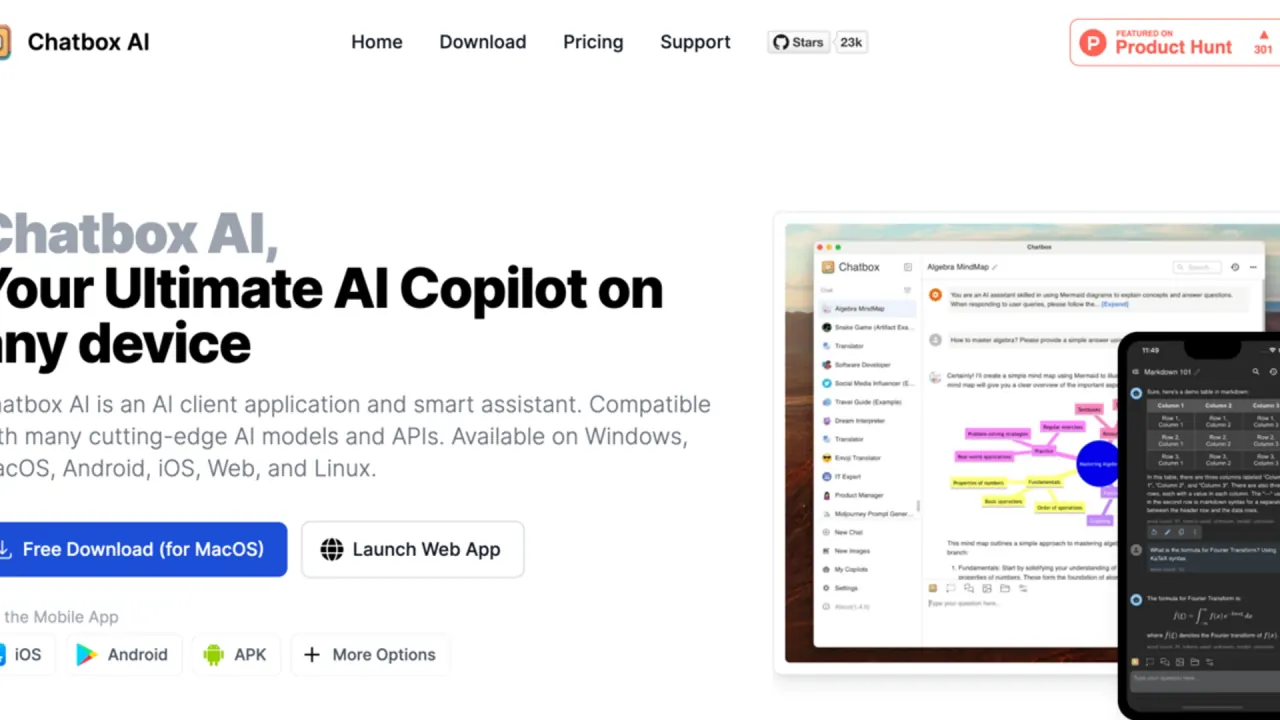
Chatbox AI is a desktop, mobile and web client for chatting with GPT, Claude, Gemini, DeepSeek and local models, using your own API keys or a hosted Chatbox AI plan, with chats kept on your device.

ChatbotsAI AssistantAI Agent#Open Source#Chatbot#LLM
Try for Free
Saves
Visits
Views
Pricing
Freemium
Published
Oct 6, 2026
Domain
chatboxai.app
Community rating

Used this tool? Rate it

Rate this tool

Chatbox AI Product Information

Try for Free
Tool Information
Saves
Visits
Views
Pricing
Freemium
Published
Oct 6, 2026
Domain
chatboxai.app
Community rating

Used this tool? Rate it

Rate this tool

Featured Tools

Related Tools

Try for Free

What is Chatbox AI?

Chatbox AI is a multi-model AI client: one app for chatting with models such as GPT, Claude, Gemini, Grok and DeepSeek on desktop, mobile and the web, with an agent mode for multi-step work on desktop.

The name covers two layers. Chatbox is the client application, while Chatbox AI is also the name of the company's hosted model service, sold as a subscription. The setup guide offers two ways to use the product: subscribe to the Chatbox AI service, or plug in API keys you already hold from OpenAI, Claude or other services.

There is an open-source edition as well. The GitHub repository linked from the website is the Chatbox Community Edition, released under the GPLv3 license, and its README says code is regularly synced in both directions with a separate pro repository.

Several legal names appear across official channels. The website footer credits Mediocre, LLC. On the US App Store, the seller is listed as 2.5 HK LIMITED and the developer as Mediocre Apps. The Google Play listing shows the developer as Mediocre Company and names Jike HK Limited in Hong Kong under its developer details.

Other apps and sites use similar "Chatbox" names, and the official download guide tells App Store users to look for the official Chatbox AI app icon so they do not install a similarly named app.

Core features

Features split by platform: chat, file questions and web search work across the apps, while the knowledge base and the Work Mode agent run only in the desktop app.

Model access

  • Bring your own API key (BYOK): you register with an AI provider, add its API key in Chatbox, and requests go directly to that provider rather than through a Chatbox AI subscription.
  • Provider coverage: setup guides cover OpenAI, Claude, Gemini, OpenRouter, DeepSeek, Kimi, MiniMax, GLM, ZenMux, Xiaomi MiMo, LongCat and Tencent Hunyuan.
  • Local models: Ollama and LM Studio can be connected as local providers, and the BYOK guide notes that sensitive data then never leaves your machine.

Files and knowledge base

  • Chat with files: PDFs, Word documents, images and code snippets can be added to a chat to summarize them, ask questions or extract information.
  • Knowledge base (desktop only): documents saved to a local knowledge base can be searched by the AI when it answers.
  • File limits: each knowledge base file must be under 50 MB, in formats including pdf, docx, txt, md, pptx, xlsx, csv, epub and common image types.

Work Mode agent

Work Mode turns a chat into an agent loop: the AI decides on a step, calls a tool, reads the result and repeats until the task is done, with each step shown in a timeline. It arrived in a desktop release announced on 2026-06-30. Work Mode is limited to the desktop apps for Windows, macOS and Linux and needs a model that supports tool use, such as Claude or GPT; the web and mobile apps offer regular chat only.

  • Code execution: the AI can run Node.js or Bash in a local sandbox to process data, generate files and convert formats.
  • Approval levels: the default Approve setting asks before running commands or changing files, while Full Access skips those prompts and is described by Chatbox as fast but risky.
  • Checkpoints: after 25 consecutive tool calls the agent pauses so you can continue or stop.
  • Working Directory: grants read and write access to a real local folder without per-action approval; it is not yet available on Windows.
  • Skills: Skills follow the agentskills.io spec and are compatible with Claude Code skills.
  • MCP: built-in cloud MCP servers (Fetch, Sequential Thinking, EdgeOne Pages, arXiv, Context7) are marked Premium, and you can add your own servers.

Web search

Web search can use one of three providers:

ProviderRequiresReads full page content
Chatbox AIA paid Chatbox AI licenseYes
Bing SearchFree (limited, subject to Microsoft)No
TavilyYour own API keyYes

Bing returns search results only, so having the AI open and read linked pages takes either a paid Chatbox AI license or a Tavily key.

Output formats and images

  • Rich rendering: Mermaid diagrams, LaTeX formulas and Markdown render in replies, and generated code can be previewed live as it updates.
  • Image generation: typing a description such as "a cartoon cat drinking coffee" produces an image, with image counts capped per plan.

Guide

Getting started

  1. Download the desktop or mobile app, or open the web app in a browser.
  2. On first launch, pick "I'm new to this" for a guided setup of the Chatbox AI service, or "Skip guide" if you already know how to configure API keys.
  3. For the hosted service, create an account on the website and claim the free license with its daily-refreshing quota, or buy a paid plan.
  4. For BYOK, open Settings, choose a model provider such as OpenAI and enter the API key issued by that provider.
  5. After buying a plan, the License Key arrives by email; activate it in Settings by selecting Chatbox AI as the AI provider and entering the key.

Controlling context and cost

Every message resends the whole conversation context to the model, so long threads use more tokens or Compute Points with each turn. Chatbox has a "Maximum Context Messages" setting that caps how much history is sent, and its guide suggests starting new conversations regularly.

Backing up chats

Because chats live on each device, backups are manual: go to Settings → Data Management, choose Export Data, and save JSON for full backup and restore or Markdown for readable archives. Importing that JSON file on another device moves the history across.

Use cases and examples

  • Spreadsheet analysis: upload a CSV or Excel file in Work Mode and ask for metrics; the AI runs code, writes the conclusion and exports a summary table you can preview or save.
  • Charts without Python: the sandbox runs Node.js and Bash and does not preinstall Python's scientific stack, so charts usually come back as a standalone HTML file.
  • Coding help on a local project: add a project folder to the Working Directory on macOS or Linux and the AI can browse code, find issues, edit files and run scripts.
  • Study and research: the app listing pitches reading papers, rendering LaTeX formulas and searching literature for students and researchers, plus document analysis and report drafting for professionals.

Who is it for

  • People who want several models with little setup: the guide recommends the Chatbox AI service for users who prefer simplicity, and BYOK for users with a technical background who want custom configurations.
  • Privacy-sensitive or offline users: local models are recommended for strict privacy requirements, for people who do not want to pay for AI, and for limited network environments.
  • Businesses: the software may be used commercially without charge as long as the original code is not modified; a commercial license is required for modifications or rebranding, multi-tenant services for enterprise clients with 10 or more users, bundling on hardware, and large government or education procurement.
  • Teams buying in bulk: enterprise purchases go through the "Enterprise procurement and partnerships" option on the Chatbox support platform.
  • Less suited: people who expect chats to follow them across devices automatically, and children under 13, for whom the service is not intended.

Platforms

Chatbox runs as a free web app, as desktop builds for Windows, macOS and Linux (including ARM64), and as mobile apps from the App Store, Google Play or a direct APK download. The desktop builds need Windows 10 or later or macOS 11 or later, and Linux builds ship as AppImage and deb packages. The iOS app is free in the US App Store, requires iOS 16.0 or later and is rated 17+ in Apple's lookup data.

One License Key works on up to 5 devices at the same time, counting computers, phones and tablets.

As captured on October 5, 2026, the US App Store lookup showed an average rating of 4.625 from 640 ratings. Google Play, as captured on October 5, 2026, showed 3.6 stars from 777 reviews, a Teen rating and 100K+ downloads. The two stores rate different audiences, so the scores are not directly comparable.

Pricing

Chatbox AI pricing has two layers: the app is free to start and works with your own API key, while hosted models come with a Chatbox AI subscription starting at $3.99/month.

PlanMonthly billingAnnual billing (per month)Compute PointsAI images
Free$0$010,000, daily reset5
Lite$3.99$3.502,000,000 per month25 per month
Pro$19.99$16.7012,000,000 per month100 per month
Pro+$39.99$33.3330,000,000 per month200 per month

Annual billing lowers the per-month rate on every paid plan, from $3.99 to $3.5 on Lite and from $39.99 to $33.33 on Pro+. The pricing page opens on annual billing, so its headline Pro+ figure is $33.33 a month with the $39.99 monthly price struck through; the pages checked show annual plans only as a per-month rate, not as a yearly total.

Compute Points are one quota shared by all hosted models, but each model consumes points at its own rate per token. On Pro, the guide estimates 12,000,000 points at roughly 107M DeepSeek V3 tokens but about 6.7M Claude Sonnet 4.5 tokens.

  • Free tier: new users who have not bought a plan get a quota that refreshes every day. The comparison marks Work Mode as trial only on the Free plan.
  • Model access by tier: advanced models are limited to Pro and Pro+, so Lite covers standard models only.
  • Quota cycle: quota resets monthly on your purchase date, renewing does not reset it early, and unused points are cleared on the reset date.
  • Top-ups: add-on packs of Compute Points are valid for 3 months.
  • Changing plans: upgrades apply immediately and downgrades at the next billing cycle. The Stripe portal cannot switch plans, so a change means buying the new plan from the pricing page.
  • Payment methods: card payments through Stripe work worldwide and auto-renew by default; WeChat Pay and Alipay are limited to Mainland China and are one-time purchases without auto-renewal.
  • Cancellation: after cancelling, the service stays usable until the current billing cycle ends and stops after expiration.
  • Refunds: refund requests go through the Chatbox support platform, which shows eligible orders, refund conditions and the estimated amount; the pages checked do not state a fixed refund window.
  • BYOK costs: with your own key you pay the provider only for the tokens actually used, outside any Chatbox plan.

Chatbox AI alternatives

Independent product listings place TypingMind and ChatHub next to Chatbox, and both handle payment and model access differently from its subscription-or-BYOK split.

TypingMind sells a one-time lifetime license instead of a subscription and relies on your own API keys with locally stored data. ChatHub sends one question to several models at once and runs on web, iOS, Android, Windows and Mac, starting free with a premium plan for more usage. On Google Play, ChatHub appears under "More by Mediocre Company", the same developer name shown for Chatbox.

Limitations

  • No automatic sync: each device stores its own data, and Chatbox does not sync chats across devices automatically.
  • No server-side recovery: because history lives only on local devices, Chatbox cannot restore lost chats from its servers.
  • Platform gaps: the knowledge base does not work on Windows ARM64, and on web and mobile local file parsing is limited to text formats.
  • Model identity checks: a model's answer to "which model are you?" is not a reliable check; Chatbox points to its model settings, API response headers or the provider dashboard instead.
  • Abuse enforcement: the Terms let the operator restrict features, revoke free or trial benefits, block re-registration or permanently close accounts it reasonably believes were used to game those benefits.
  • Service continuity: the Terms also reserve the right to stop providing the app and end its use at any time without notice.
  • Two license texts: the Community Edition on GitHub is GPLv3, but the Terms for the app say you may not copy or modify it or try to extract its source code. The pages checked do not explain how the two documents relate.

Privacy and data handling

  • On-device storage: chat messages and settings stay on the device, and Chatbox says it will not upload them to its servers without permission. API keys are also kept locally and are not sent to Chatbox servers.
  • Chatbox AI service traffic: using the hosted service sends your messages, some context and uploaded files or images to Chatbox AI, and data may be temporarily stored on its servers to speed up later replies.
  • Conflicting retention wording: the privacy policy says these messages are processed in real time and are not stored after the response is generated, which is stricter than the help center's temporary-storage note.
  • Training and advertising: Chatbox AI states that it does not permanently store this data and will not use it for advertising, model training or other commercial use.
  • Third-party providers: with cloud providers added through BYOK, Chatbox says it cannot guarantee the privacy and security of data sent to those services.
  • Payments: the privacy policy, dated 2023-08-29, names Lemonsqueezy as the sales platform collecting billing details. The homepage FAQ instead says order information is stored on Stripe and the Chatbox backend database, so the two pages are inconsistent.
  • Analytics: the policy lists Google Analytics, Sentry and Lemonsqueezy as third-party services and says log data may include your IP address.
  • Store disclosure: the developer-provided Google Play data safety section says the app may collect and share app activity, encrypts data in transit, and that data can't be deleted.
  • Image rights: Chatbox's FAQ says the person who creates an AI image can assert copyright and decide how it is used, as long as the use does not break local laws or offend public decency.

FAQ

Q1. Is Chatbox AI free?

The apps are free to download, and new users can claim a free Chatbox AI license with a daily quota. Heavier use of hosted models needs a Lite, Pro or Pro+ plan, while BYOK users pay their model provider directly.

Q2. Is Chatbox AI open source?

Partly. The Community Edition on GitHub is open source under GPLv3 and is synced with a separate pro repository. The apps distributed from the website are governed by the site's Terms, which prohibit copying or modifying the app.

Q3. Can I use Chatbox AI with local models?

Yes, through BYOK, with Ollama or LM Studio configured as local providers. The hosted Chatbox AI service itself does not support local models; they are available only through BYOK.

Q4. Does Chatbox AI use my data to train models?

For its hosted service, Chatbox AI states that it will not use your data for model training or advertising. With your own API keys, the model provider's privacy policy and terms determine how your data may be used.

Know a Similar Tool?
If you know other great AI tools, feel free to submit them to us