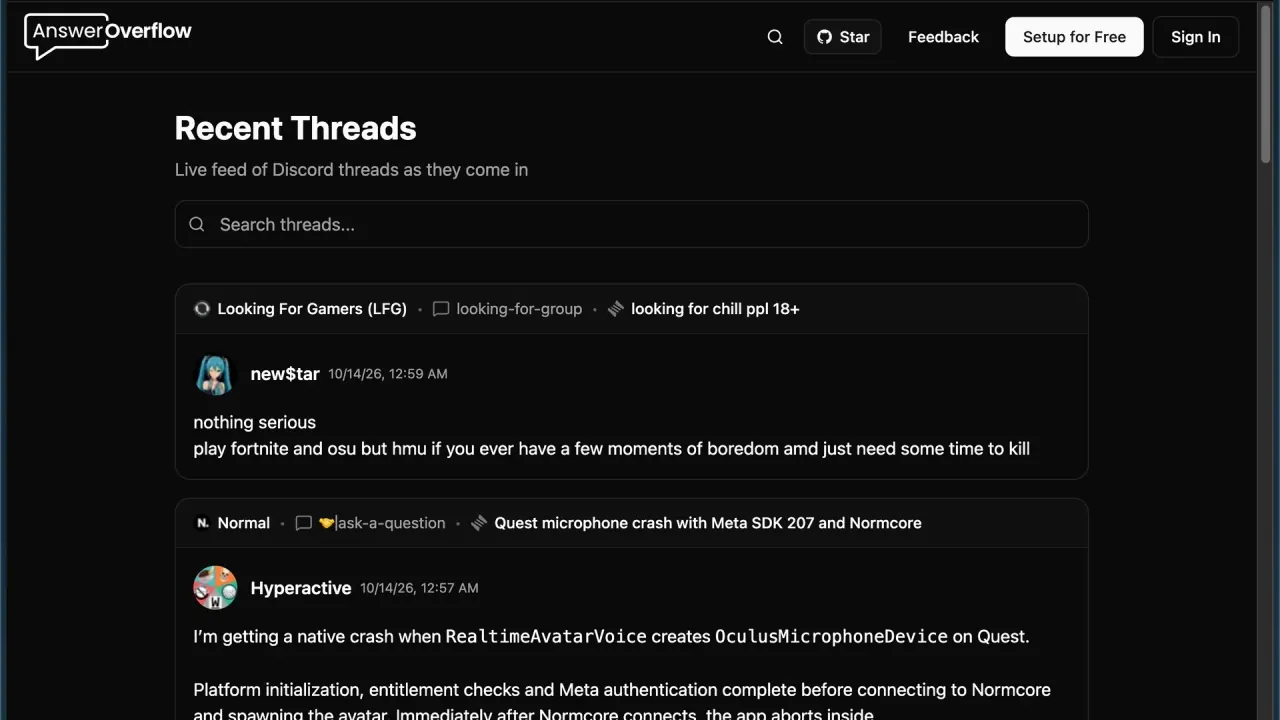

Answer Overflow publishes selected Discord channels as web pages that search engines and AI agents can read, with consent controls and a support workflow built around solved threads.
Used this tool? Rate it
Used this tool? Rate it


The agentic customer platform for go-to-market teams


AI image editing from a reference photo


Multi-model image studio, free to start


Natural AI photo editing for portraits and projects


AI assistant for writing, analysis and tasks


From a prompt to a deck, site or doc


Build random generators, share them free


Anime art, powered by a million community models
Answer Overflow is a Discord bot and hosting service that turns threads from selected channels into web pages that search engines can index. It starts from a blunt observation on the project's own repository: questions get answered in a Discord server, then the knowledge disappears into a channel that nobody outside the server can search.
A page is built per thread, and the published result is a web page rather than a chat log.
Three outcomes are sold together: indexing into Google, answering questions with AI and gaining insight into what the community asks about. Only the first is documented step by step. The third appears in the marketing framing without a dashboard of its own.
The code is open source under the MIT licence, so a community can inspect how the bot and the site work before installing anything.
The feature set splits into publishing, forum workflow and consent controls. Discord indexing works best when the channel already looks like a support forum.
Indexing is enabled per channel and publishes that channel's content to search engines such as Google. The unit of control is the channel, so a help channel can be public while the rest of the server stays out of the index.
The crawler runs roughly every six hours, and the interval moves with the number of servers Answer Overflow is in. That pacing avoids overloading the Discord API and gives a question time to be solved before it is indexed.
Backfill works from the beginning of a channel toward the newest messages; a busy channel can take a few days to finish, after which it is refreshed every 24 hours. A small server sees its first pages quickly, while a large archive arrives in stages.
Forum channels are the recommended shape because a question must be answered in a thread, which makes the start and end of a conversation easy to identify. A plain text channel produces a continuous stream, so the indexer has to guess where one question stops.
Requiring tags when posting keeps the channel ordered and pushes people to put a question in the right place. A solved tag is applied when a question is answered, and Answer Overflow uses that tag to highlight the accepted answer on the result page.
Any of the original poster, an administrator, or a role with ManageChannels, ManageThreads or ManageGuild can mark a post solved. The action adds an indicator, sends a bot message with a jump to the solution and reacts to the resolving message with a check mark. The thread then reads as a question with a designated answer.
Where a server prefers ordinary text channels, Auto Thread opens a thread for every message. The thread is named from the author's nickname plus the message content, capped at 50 characters.
Threaded text channels are supported, but forum channels are still recommended because they index better. Auto Thread is a migration path for a server that is not ready to restructure its channels: a short title identifies a thread but cannot carry a full question.
Posting in a forum channel counts as consent unless the user has already set a state, disabled indexing of their messages or set the account to be ignored. Read-the-rules consent during membership screening marks new users as consenting.
A server can accept the public default, switch to private-by-default, or let individuals choose. The guide below explains what each choice does to a visitor.
An Inkeep integration answers from a server's chat history, combined with other sources. It can also place an embedded chat on Answer Overflow pages so a visitor can follow up on a thread.
That covers the visitor who arrives from a search result and wants a follow-up, and the one who never opens Google at all. The page has to exist in public first, so indexing remains the core.
Setup is mostly configuration inside Discord and the dashboard, and the order matters: a channel indexed before its consent text is in place publishes under the default rule.
Discord's Community server type is the recommended base because it adds a server description, forum channels and membership screening. The server description is synced to the community page on Answer Overflow.
Use forum channels for support, require at least one tag, and set a default reaction such as an upward arrow so members can vote on questions they also have.
New servers start from the public default, and a user can opt out with /manage-account. When a server switches to private-by-default, messages from users who have not consented are shown only to visitors who are in the same server.
The per-user controls are worth explaining before the first complaint. The strongest opt-out is the global ignore action, which the documentation describes as destructive and equivalent to deleting the account. It removes every stored message tied to the account. It also stops future messages from being indexed. Analytics events for that account stop being recorded. The state can be reversed later with the Stop ignoring account button in /manage-account.
This is a support tool before it is a marketing tool. The strongest cases are the ones where the same question arrives repeatedly and the answer is already sitting in a thread.
Installation errors, version mismatches and configuration details are answered once and then asked again by every new user. The repository describes pages built for large servers including Valorant, Cloudflare, C# and Nuxt.
Game servers, mod servers and hobby communities share a shape: high message volume and newcomers who ask what regulars have answered many times. An independent technology report described a large fashion community's moderators using the Answer Overflow bot to index Discord threads.
Homework help communities belong to the same pattern, and the product names them as a target. The result is a community knowledge base that a new member can search before asking.
Answer Overflow is for public communities with a focus on support. The examples are open source projects, game servers, game mod servers, game development communities, homework help communities and hobbyist communities.
The buyer is usually the person who owns that channel: a community manager, a developer-relations lead or an open-source maintainer. The decision turns on two questions. Is the help content public in the first place, and do repeat questions cost more than the setup work of adding a bot and writing a consent line?
Two cases fall outside the fit. A community that does not run on Discord has nothing for the bot to index, because the product is a Discord bot before it is anything else. A server that keeps every channel private has nothing to publish.
The documented entry points are the Discord bot, the web dashboard and the hosted pages. Channels are switched on from the channels tab of a web dashboard. The pages sit on answeroverflow.com on the free plan or on a custom domain on the paid plan.
The same pages are offered to ChatGPT and to AI agents through MCP. The page is built once, submitted to Google through a sitemap and exposed to assistant tools.
| Access point | What it does | Availability |
|---|---|---|
| Discord bot | Joins the server, reads selected channels, supports solved marks and consents | Required for indexing |
| Web dashboard | Enables channels and manages community settings | Included |
| Hosted pages | Publishes threads as web pages | answeroverflow.com on Free, custom domain on Advanced |
| MCP and AI agents | Makes pages available to assistant tools | Documented in the repository |
| Inkeep integration | Answers from chat history and embeds a chat on pages | Optional integration |
| Plan | Listed price | Hosting | Page views | Ads | Custom domain | Other inclusions |
|---|---|---|---|---|---|---|
| Free | Free, no setup fee | answeroverflow.com | Unlimited | Ad supported | Not listed | Setup at no cost |
| Advanced | $250 / month | Custom domain | Unlimited | Ad free | Included | Custom subpath, bot name and picture, First Month Free |
The Free plan is hosted on answeroverflow.com with unlimited page views, is ad supported and has no setup fee. Advanced is listed at $250 per month for established communities. Advanced adds a custom domain, a custom subpath such as /community, custom bot picture and name, no ads and unlimited page views, and carries a First Month Free label.
The gap between the plans is ownership of the URL and the absence of ads, not volume: both list unlimited page views. Discord SEO is the reason to pay for a custom domain, because the page has to compete on the question rather than merely exist on a shared host.
A changelog post explains that pay-per-page-view did not work for non-commercial communities, which is why the public platform is ad supported with unlimited page views.
The Advanced card is labelled First Month Free, while the FAQ gives a different length: New subscribers get a 14-day free trial to test out all Advanced features before being charged. Confirm the first charge at checkout.
Two redirect rules matter after purchase. Cancelling sends the custom domain back to a redirect to answeroverflow.com so the content stays reachable. Upgrading permanently redirects existing pages on answeroverflow.com to the new domain while Google updates its index.
If the goal is only to keep answers, the alternatives are the places a community could put the knowledge instead of publishing Discord threads.
Discord works as a chatroom rather than a forum: discussion is ordered chronologically instead of by vote. Searching Discord threads is far more difficult than looking for the same information on Reddit. The knowledge is still there, but only for people who already know the server exists.
A 2026 developer-media guide says answers that need a durable, searchable home usually move from Discord to GitHub Discussions. GitHub Discussions stays indexed and searchable next to the repository. That makes it a natural fit for questions that belong to one codebase, while Stack Overflow and public forums play the same role for questions that are not repo-specific.
An AI support bot can deflect repeat questions without publishing anything, which keeps the answer inside Discord where search engines cannot reach it. The two can coexist, and Answer Overflow itself offers an Inkeep integration for the in-server case.
Staying on answeroverflow.com means competing for the same results with every other server on the platform. Indexing on the community's own domain is the documented way to avoid competing with the other servers hosted on answeroverflow.com.
Most of the friction is about time and control, not missing features.
The seven-day window is the one to plan around: a community that disables indexing after an incident should not assume the pages vanish that afternoon.
Yes. The free tier runs on answeroverflow.com with no page-view cap and no setup fee, funded by advertising. Advanced costs $250 per month and removes the ads while adding a custom domain, a custom subpath and custom bot branding.
A newly enabled channel should appear within about a day. An existing channel is backfilled from its oldest messages, which can take several days, and is refreshed daily once complete.
No. Pages are handed to Google through a sitemap, and Google makes the indexing decision. The product cannot force a page into the index.
The pages remain on Answer Overflow for up to a week after the switch is turned off, and they can linger in Google for longer because that index is not controlled by the company. Removing something urgently means contacting the company.
Yes. The /manage-account command lets a user opt out, and a server can choose private-by-default. The global ignore option deletes the stored messages, stops future indexing and stops analytics for that account.
Forums are the better input because each question gets its own thread with a clear start and end. A text channel can be indexed with Auto Thread instead, but the documentation still prefers forums.
It falls back to a redirect to answeroverflow.com, so existing links keep working. On an upgrade, the old pages redirect permanently to the new domain while Google catches up.