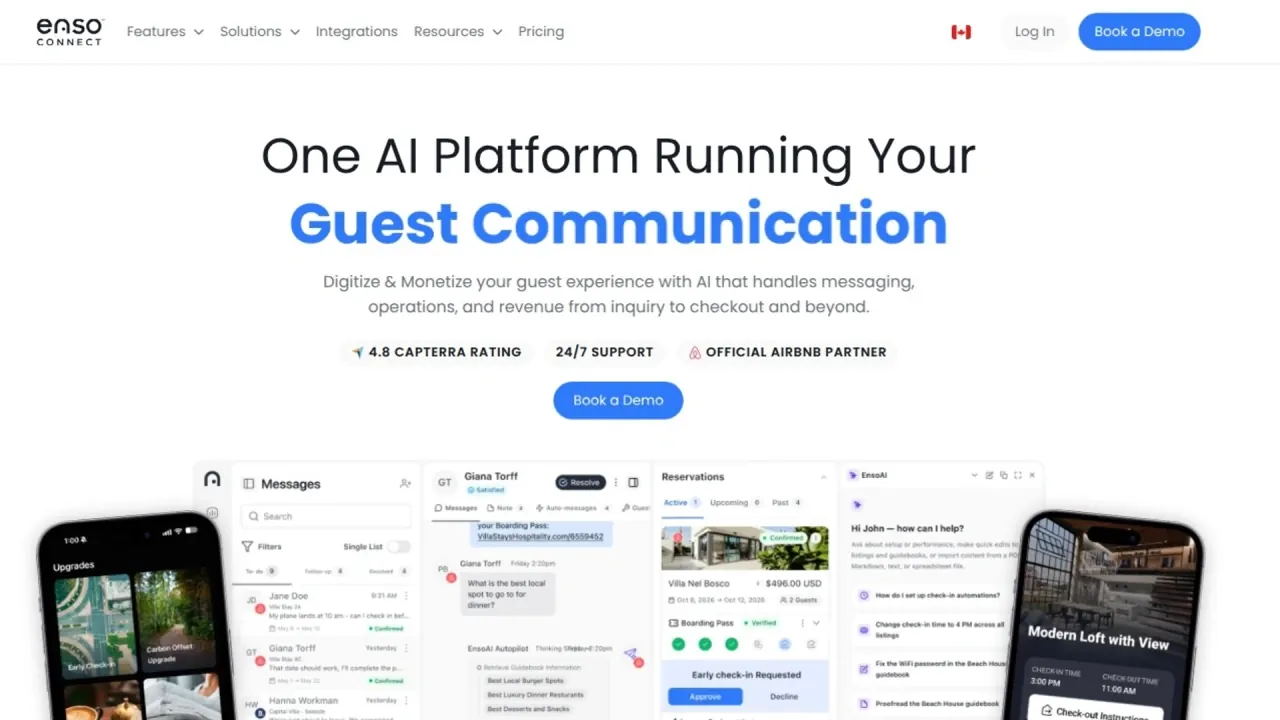

Unify guest messages, digital check-in, upsells and access for vacation rentals and boutique hotels, with AI drafts or automated replies.
Used this tool? Rate it
Used this tool? Rate it
Enso Connect is an AI guest experience platform for vacation rental managers and boutique hotels. Boarding Pass combines branded digital check-in, upsells and local recommendations.
Copilot prepares replies for staff approval. Autopilot automates guest communication during selected windows or around the clock, escalating when needed. Capabilities vary by plan.
Autohost, Truvi and Chekin power verification, protection and authority reporting white-labeled inside Boarding Pass.
Enso Experiences adds local tours, activities and experiences inside Boarding Pass.
Enso Connect charges per bookable unit: a vacation rental listing, hotel room or serviced apartment, with a five-unit minimum. The USD/yearly cards captured on October 28, 2026 show these starting rates.
| Plan | Yearly-billed starting rate (USD) |
|---|---|
| Core | $16 per unit/month |
| Pro | $24 per unit/month |
| Max | $28 per unit/month |
Core's separately published starting rates are $20 per unit/month on monthly billing, $18 on quarterly billing and $16 on yearly billing. Quarterly billing saves 10% and yearly billing saves 20%.
Volume pricing starts at ten units; exact pricing depends on portfolio size, PMS and AI usage. All plans include Unified Inbox, Boarding Pass, upsells, CRM and dashboard. Pro is described as adding AI-run workflows and tasks to Core; Max adds AI-run operations across the portfolio.
Monthly AI usage covers Autopilot and EnsoAI Agent. The vendor describes starter as enough for guest messages; the multipliers give no absolute message count.
| Allowance | Core | Pro | Max |
|---|---|---|---|
| Monthly EnsoAI usage | Starter | 2x | 5x |
| Brands | 1 | 5 | Unlimited |
| Website chat widgets | 1 | 5 | Unlimited |
| Emails | 1 | 5 | Unlimited |
| SMS lines | 1 | 5 | Unlimited |
| PMS connections | 1 | 10 | Unlimited |
| Workflows | Unlimited | Unlimited | Unlimited |
| Smart locks and thermostats | Add-on | 2 devices per unit | 3 devices per unit |
| Local authority reporting | Add-on | Included | Included |
Phone Calls is coming soon, listing one, five and unlimited numbers respectively. Unlimited workflows does not imply identical AI execution across plans.
Onboarding, PMS connection and training have no setup fee. All plans include dedicated onboarding, 24/7 support, a customer-success representative and the community; Max adds dedicated AI training sessions.
EnsoAI Agent is also described under normal-hospitality-volume fair use, without per-message fees, a separate AI add-on or seat charge; unusual use is discussed before changes. This sits alongside monthly tier allowances, without quantified unlimited AI.
The pricing FAQ allows switching plans and monthly, quarterly or yearly billing. An Airbnb policy explainer instead describes annual subscriptions, monthly payment and case-by-case prepayment changes that may lose a discount.
The explainer advertises unlimited users billed per listing. The agreement permits only Authorized Users with corresponding received and paid licenses. Individual accounts/passwords cannot be shared, but may be reassigned during the term when the original user no longer needs access.
Agreement fees depend on listings and smart devices, are in USD unless the Proposal expressly says otherwise, and are invoiced in advance, normally net 30 days unless the Proposal changes this. Fees are non-cancelable and non-refundable except as expressly provided.
Unless the Proposal says otherwise, additions/removals incur full-month fees; removed listing/device subscriptions are not charged beyond that month. A separate Minimum Commitment establishes a pricing floor for the initial term and renewals, unless future reductions are mutually agreed. Unit removal and commitment reduction are distinct.
The agreement provides an initial month, quarter or year, or the term in the Proposal, then renews for the matching period. Termination requires written notice at least 30 business days before the desired date. The Airbnb policy explainer instead describes one-year contracts, 30 days' cancellation notice and no refunds except special circumstances.
The agreement charges 5% on upsells and ancillary fees and 7% on damage waivers, each capped at USD 25 per transaction. Taxes have no commission. These charges are separate from subscriptions.
The Airbnb-host offering advertises a limited-time free Autopilot trial for hosts primarily using Airbnb. The Airbnb policy explainer says there is no standard free trial, with tailored evaluation possible for qualified businesses.
The Autopilot page advertises buy-three-months/get-one-free and buy-twelve/get-three-free, plus free-Autopilot wording. Its FAQ also ties a three-month free offer to signing up before the end of 2025. That dated offer is not a current universal free trial.
The ROI program credits eligible revenue shortfalls against annualized core subscription cost over twelve months with all contracted listings active. Future-purchase credit equals the shortfall, capped at three months of subscription cost, without a cash refund or open-ended free use.
Eligibility applies to new agreements created after June 1, 2024 and signed by December 31, 2026. All contracted listings must activate within three months and remain at the contracted minimum for twelve active months. Promotions cannot combine; Enso says it honors the highest discounted promotion.
Every listing must offer early check-in, late checkout and extended stays at required prices. Early/late extensions of 0–1, 1–2, 2–4, 4–6 and 6+ hours require at least 10%, 15%, 25%, 45% and 60% of average daily rate respectively, each with a $25 minimum. Extended stays require at least 50% of average daily rate.
Revenue includes Enso-processed fees and excludes taxes; cost excludes non-core add-ons. Revenue equaling twelve months of core subscription cost invalidates the guarantee. Stripe must be available locally; a Stripe ban during the twelve active months permits termination within 30 business days.
Enso reserves the right to cancel the program. Credits are non-cash and non-transferable, and undelivered unredeemed credits are forfeited on program termination or account cancellation.
Duve offers a branded browser guest app with no download or account. Content varies by room type, booking source or check-in answers; guests can check in, message, order room service, buy upsells and check out.
Hostfully Digital Guidebooks shares property information by private link or downloadable PDF. One customizable guidebook is free with sponsored recommendations. Pro adds revenue features, branding, bulk editing and translations to 16+ languages. This focuses on guidebook delivery.
The fees description separately places holds two days before check-in through two days after checkout, with collection possible until then. The charge-card alternative refunds within two days after checkout unless collected. Stay timing differs from card hold lifetime.
Clients own Client Data subject to license rights and remain responsible for its quality, legality, consent, access/security, encryption, backup and recovery.
ENSO Connect Data includes Client Data deidentified with respect to individuals, plus support, implementation and diagnostic records such as tickets, logs and trace files. For Client Data incorporated in ENSO Connect Data, the agreement grants perpetual, irrevocable, royalty-free, fully paid-up, worldwide, transferable and sublicensable rights to collect, analyze, use, disclose, copy, reproduce, create derivative works and commercially exploit it for any purpose. This includes operating, performing, improving and enhancing the service and developing new services. Enso may not use or disclose Client Data in a manner revealing the client's identity or confidential information.
Gmail connection authorizes sending/reading mail and server storage of credentials and message content. Authorized account users can view conversations; necessary sharing with Google and hosting providers is allowed. Google user data is limited to email features, without sale or advertising use. Disconnecting/revoking access stops mailbox access and removes credentials, without an explicit promise to erase all message content.
Guest data includes contact, stay/property/payment-type and booking-platform information, host-configured ID documents, device/IP information and credit-card/billing details for purchases through Enso.
Guests request deletion from their host/controller. Authorized admins can irreversibly delete guest data through Enso CRM; hosts remain responsible for external inbox, PMS and third-party copies.
The privacy policy allows use, sharing and sale of anonymized or aggregated information, while restricting knowing or intentional identity-revealing sharing without consent. Processing may occur worldwide, including in countries with lower data protection. PII is retained as long as Enso deems necessary for the stated purposes, without a fixed period.
The current homepage describes an existing PMS connection or a direct Airbnb integration. The Airbnb policy explainer instead says a PMS is required. These statements conflict; direct Airbnb does not imply every channel connects directly.
The guidebook feature advertises 150+ languages. The Airbnb policy explainer gives a broader 250+ claim for guidebooks and agreements and lists live support in English, French and Spanish. These lower bounds do not establish a reduction.
Copilot separately advertises 15+ supported languages.
The operator reviews and publishes drafts drawn from listing data, policies and the local area, with Google Places also available as a source. Guests open the guide from a messaging link in a phone browser.
