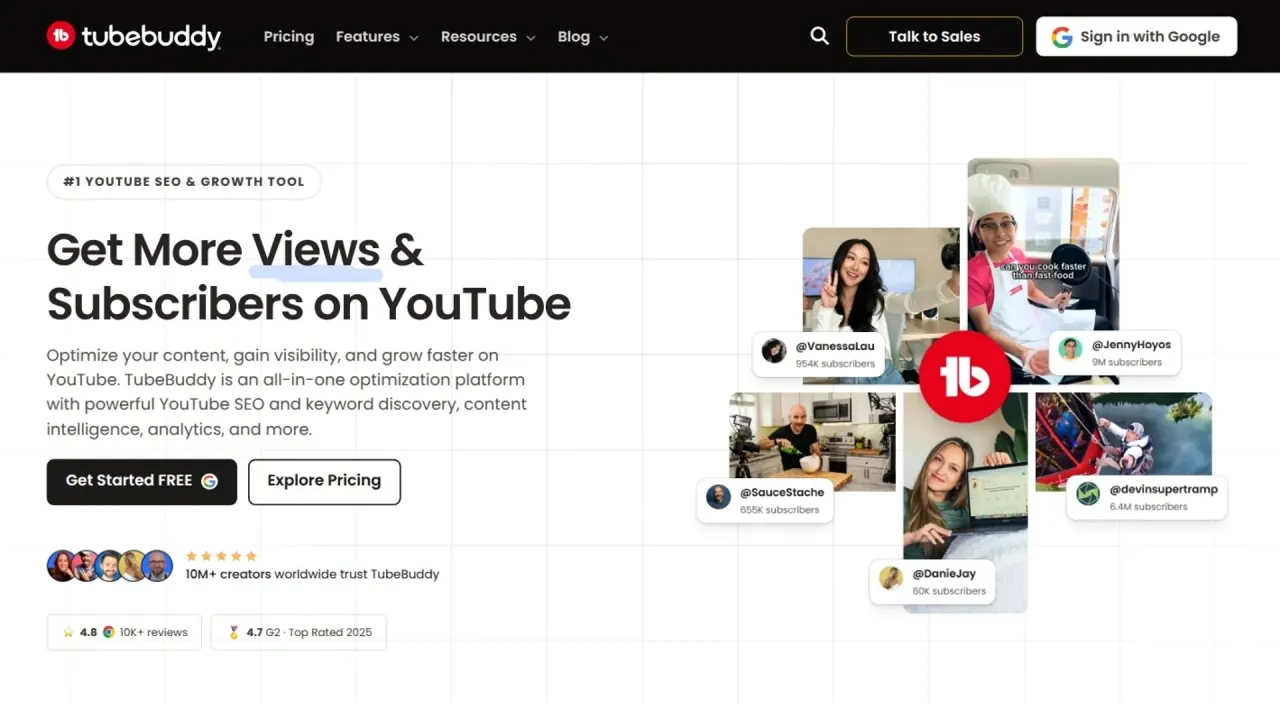

TubeBuddy is a Chrome extension that adds keyword research, SEO scoring, thumbnail and title testing, analytics and bulk editing to YouTube Studio. Paid licenses are sold per channel, with an Enterprise tier for teams.
Used this tool? Rate it
Used this tool? Rate it


Track AI budgets, cash returns and portfolio decisions


Track public AI usage-limit reset signals


AI image editing from a reference photo


Multi-model image studio, free to start


Natural AI photo editing for portraits and projects


AI assistant for writing, analysis and tasks


From a prompt to a deck, site or doc


Build random generators, share them free
TubeBuddy is a Chrome extension and web service that adds optimization, research and analytics tools to YouTube, and the company describes it as an all-in-one optimization platform with YouTube SEO, keyword discovery, content intelligence and analytics. Creators install it in the browser, and its panels appear on top of YouTube Studio rather than in a separate dashboard.
The company presents the product as a YouTube SEO tool built around four jobs: finding keywords viewers search, scoring titles, tags and descriptions, testing thumbnails and titles, and reading channel analytics. A free tier exists, and paid licenses unlock the bulk editing, testing and search-depth features that the free tier limits.
Audience figures on the company's own surfaces do not agree. The homepage hero and footer state that 10M+ creators trust TubeBuddy, the closing call-to-action on the same page says 4M+ creators trust us, and the extension's store listing says the product is trusted and recommended by over 15 million creators. The Chrome Web Store listing itself reported 1,000,000 users when captured on November 23, 2026, which is the only audience figure in this review that a reader can re-check independently.
TubeBuddy's features page is goal-first: it invites readers to pick a goal, then points them to the matching category. Channel optimization is the largest group there, with 13 tools, and the extension's store listing summarises the same product as 50+ tools.
Keyword Explorer starts from a term, returns search volume and competition data, and links a tag to deeper research. The homepage frames the job as YouTube keyword research: finding high-volume, low-competition topics before competitors do, and it states that TubeBuddy finds the YouTube keywords your viewers are searching so you can optimize for them.
SEO Studio scores a video in real time and points to what to change, and the company positions it together with a tag generator as a complete YouTube SEO suite. Related tools in the SEO family include search positions, a best-practice audit, Click Magnet and search rank tracking, the last two of which the pricing comparison marks as Legend-level or limited on Pro.
TubeBuddy's YouTube A/B testing rotates thumbnail or title variants, measures click-through rate and declares a winner. Titles can be generated with the AI Title Generator and then run through a test, so a channel can compare several options instead of one. Thumbnail Analyzer is listed as limited on both Pro and Legend and full only on Enterprise.
Channelytics and the channel health report track rankings, impressions and revenue, and the company says the analytics view shows which content drives views, subscribers and revenue. Videolytics, the retention analyzer, the competitor scorecard and the demonetization audit sit in the same reporting family.
Bulk tools apply changes across many videos at once: bulk find, replace and append; bulk card and end-screen editors; bulk thumbnail overlays; comment export and bulk comment deletion; scheduled publishing and scheduled video updates. Sunset Videos hides a video or removes it from playlists at a future date and time, and TubeBuddy sends a notification 24 hours before a scheduled sunset runs.
The AI family covers title generation, Click Magnet opportunity suggestions and suggested Shorts. Community management is the smallest family, with comment management and a pick-a-winner workflow for engagement.
TubeBuddy runs inside YouTube, so most workflows start on a YouTube page rather than on the TubeBuddy site. The company's tool documentation gives the entry point for each tool; Sunset Videos, for example, is found on the My Videos page, the Upload page or the Edit Video page.
The pricing page adds one operational detail that affects planning: licenses renew automatically on the billing cycle, and a cancelled license keeps paid features until the paid period ends.
Running a large back catalogue. Channels with hundreds of uploads use the bulk editors to change descriptions, cards, end screens and thumbnails across many videos, which is the workload the bulk family exists for. Playlist Actions adds advanced ordering and filtering, including sorting by engagement, subscribers gained or watch time, and removing private or unlisted videos from a playlist.
Keeping evergreen videos current. Sunset Videos schedules a video to become private or unlisted, or to leave some or all playlists, at a chosen future date; the company lists protecting against licensed content as one reason to schedule that change. The 24-hour advance notification gives a channel a chance to review the queue before it runs.
Testing packaging on published videos. Creators who already publish can test thumbnails and titles on live videos and let the tool rotate variants until a winner emerges, instead of guessing before upload.
Reading a niche rather than a single channel. The competitor scorecard, competitor upload alerts, keyword research and the niche leaderboard are aimed at comparing a channel with others in the same subject area.
TubeBuddy is built for individual YouTube creators first. The company states that Pro, Star and Legend are Creator License Packages available to individual creators only, and that they are not available to businesses; it determines business status by criteria that include multiple YouTube channels on TubeBuddy, 50k or more YouTube subscribers, three or more channel managers, or 50 or more employees.
That split explains the two product shapes. A solo creator managing one channel fits the per-channel Pro or Legend license, while an agency, media company or brand with several channels is routed to Enterprise, which the pricing page describes as custom pricing for brands and teams, with unlimited seats as negotiated in the contract.
The homepage adds three audience sketches that match the tool set: new creators who need titles, tags and keyword ideas for their first uploads; growing creators who want to diagnose a plateau with YouTube analytics and competitor comparisons; and teams and brands that need bulk processing and permissions across channels.
Creators whose work is mostly short-form vertical video, or who only need occasional keyword ideas, sit outside the product's centre of gravity: its documented workflows, testing and bulk tools are built around long-form videos inside YouTube Studio.
TubeBuddy is distributed as a Chrome extension; the site's navigation and footer label the download simply as Chrome Extension, and the Chrome Web Store listing is the official install point. The extension's panels load inside YouTube Studio, so the working surface is the YouTube interface rather than a separate analytics product.
The store listing reported version 2271, a size of 41.61 MiB and a single language, English (United States), when captured on November 23, 2026. No Firefox, Safari or Edge listing appeared in the pages checked for this review, and the pages checked did not describe a native mobile app.
Because the tools read YouTube data, the product depends on YouTube's interfaces. The terms state that the services may use YouTube's Application Interface Program (API) and that using the services means agreeing to be bound by the YouTube Terms of Service, which makes channel access and Google sign-in part of the operating model rather than an optional extra.
TubeBuddy sells three license types. Pro and Legend are per-channel creator licenses with monthly and annual billing; Enterprise is quoted per contract.
| Plan | Price shown | Billing | Notable inclusions |
|---|---|---|---|
| Pro | $8 /mo during the sale ($16 standard) | $96/year billed annually | Limited Next Video Ideas, basic video and thumbnail tools, basic title and tag optimization, keyword research |
| Legend | $17 /mo during the sale ($34 standard) | $204/year billed annually | Everything in Pro plus content strategy tools, advanced reporting, full search and SEO access, bulk processing, audience tools, Shorts linking, topical analysis |
| Enterprise | Custom pricing | Contract | Everything in Legend plus unlimited Next Video Ideas, support for brands with 3+ channels, 1:1 training, dedicated expert support, automated channel reviews |
The prices above were captured during a Black Friday promotion. The pricing page states that the sale ends December 6, with 50% off any annual license or 20% off any monthly license. The page adds that the promotional discount applies to renewals for up to one year after purchase. A Legend annual purchase during the sale also includes a login code for the Thumbnail Academy course, which the page values at $700.
Seat counts differ by tier. Starter, Pro and Star licenses are limited to one user per license, Legend licenses include 2 user seats, and Enterprise licenses include unlimited seats as negotiated in the contract. Sharing a license beyond those limits is described in the terms as a violation.
A free tier exists as the entry point: the site advertises starting free with no credit card required, and the pricing page notes that a cancelled paid license drops the channel back to the free plan after the paid period ends. The company also states that it offers full refunds within 30 days of purchase, a courtesy limited to the first order.
TubeBuddy's own comparison table names vidIQ, ViewStats and 1of10 as the alternatives it competes with, and lists each vendor's highest published individual plan in USD as of September 2026. It puts vidIQ at $49/mo on Max. ViewStats appears at $49.99/mo on Pro. 1of10 is listed at $89/mo on Pro. The page's framing is that competitors split their best tools across three plans while Legend carries the full set in one plan, so the comparison is a vendor argument rather than a neutral test.
Feature rows in that table are worth reading individually rather than as a score: keyword and SEO research is marked available on all four products, thumbnail and title tools are marked absent on 1of10, bulk editing and trend analysis are marked absent on 1of10, and YouTube Shorts linking is marked available only on TubeBuddy.
Independent signals about switching are thin. Among the reviews visible on the extension's store listing when checked for this review, one user credited another YouTube extension, TubeLens, with solving a video analysis problem; that is a single account, not a pattern, and the store page itself shows only a handful of reviews at a time.
One license, one channel. The terms state that a license grants upgraded access to one YouTube channel for its duration. If a license is applied to the wrong channel, the company offers a one-time channel switch within a 30-day grace period after purchase, and a coupon code named RepeatBuddy gives 50% off the price of a second channel; the terms describe that as the only option outside the grace period or after one switch.
Refunds are first-order only. A full refund is available within 30 days of purchase, but the company describes the courtesy as offered during the first order only, so later purchases are not covered by the same window.
Renewal is automatic. Monthly and yearly licenses renew automatically, and cancelling is the customer's responsibility before the next payment. Access continues through the remainder of the paid term.
Liability is capped. The terms limit liability to one hundred U.S. dollars ($100) to the maximum extent permitted by law, and disclaim warranties of availability, merchantability and fitness for a particular purpose.
No bug bounty, no scanning. TubeBuddy states that it does not offer bug bounties for unsolicited security disclosures and prohibits unauthorised vulnerability scans and penetration testing.
Ratings diverge by surface. The homepage advertises 4.8 from 10K+ reviews and a 4.7 top-rated badge dated 2025, while the extension's store listing showed 3.5 from 8.5K ratings on November 23, 2026. The two numbers measure different populations and should not be averaged; the store figure is the one that can be re-checked without an account.
Tool coverage varies by tier. Thumbnail analysis is marked as limited on Pro and Legend and full only on Enterprise, and search rank tracking is marked as limited on Legend and full only on Enterprise in the plan comparison, so a feature named on the marketing pages may still be restricted on the plan being considered.
The privacy policy states that TubeBuddy does not sell personal information and has not sold it in the preceding twelve months. It also states that users consent to the transfer to and processing of their information in the United States, and that the site uses Google Analytics and other third-party analytics providers to collect usage information. The policy describes CCPA rights for California residents and GDPR rights for residents of the European Economic Area.
Yes. There is a free tier, and the site advertises starting free with no credit card required. Testing, bulk processing and full keyword data sit behind the paid licenses, and the company says a channel drops back to the free plan when a paid license is cancelled and the paid period ends.
One. A standard license is tied to one YouTube channel, and the terms add a one-time switch within 30 days if the license is applied to the wrong channel. Channels beyond that require another license, the RepeatBuddy coupon for a second channel, or an Enterprise contract.
The company offers a full refund within 30 days of purchase, limited to the first order. Refund requests go to the support address listed on the site.
No. The tools load inside YouTube and YouTube Studio through the Chrome extension, which is why the store listing describes the product as integration inside YouTube Studio and the site labels the download as a Chrome extension.
The documentation describes scheduled actions such as sunsetting as tools inside the paid product, and cancelled licenses keep paid features only until the paid period ends. The pages checked for this review did not state whether already-scheduled sunsets continue to run after a downgrade.