
Toolso.AI
Toolso.AI
All ToolsCategoriesTrendingLatest ToolsPricingBlog
Toolso.AI
Toolso.AI
Toolso.AI
Toolso.AI

Discover the best AI tools to boost your productivity

GitHubGitHubTwitterX (Twitter)YouTubeYouTubeTikTokEmail

Popular Categories

  • AI Writing
  • AI Image
  • AI Video
  • AI Coding
  • More Categories

Explore

  • Latest Tools
  • Popular Tools
  • More Tools
  • Submit Tool
  • Pricing

About

  • About Us
  • Contact
  • Blog
  • Changelog

Legal

  • Cookie Policy
  • Privacy Policy
  • Terms of Service
  • Refund Policy
© 2026 Toolso.AI All Rights Reserved
Limited timeLimited-time offer$29.90then $59.90Price rises to $59.90 after Oct 31Ends in--:--:--Submit now
  1. Home
  2. All Tools
  3. Social Media
  4. YTShortsdl
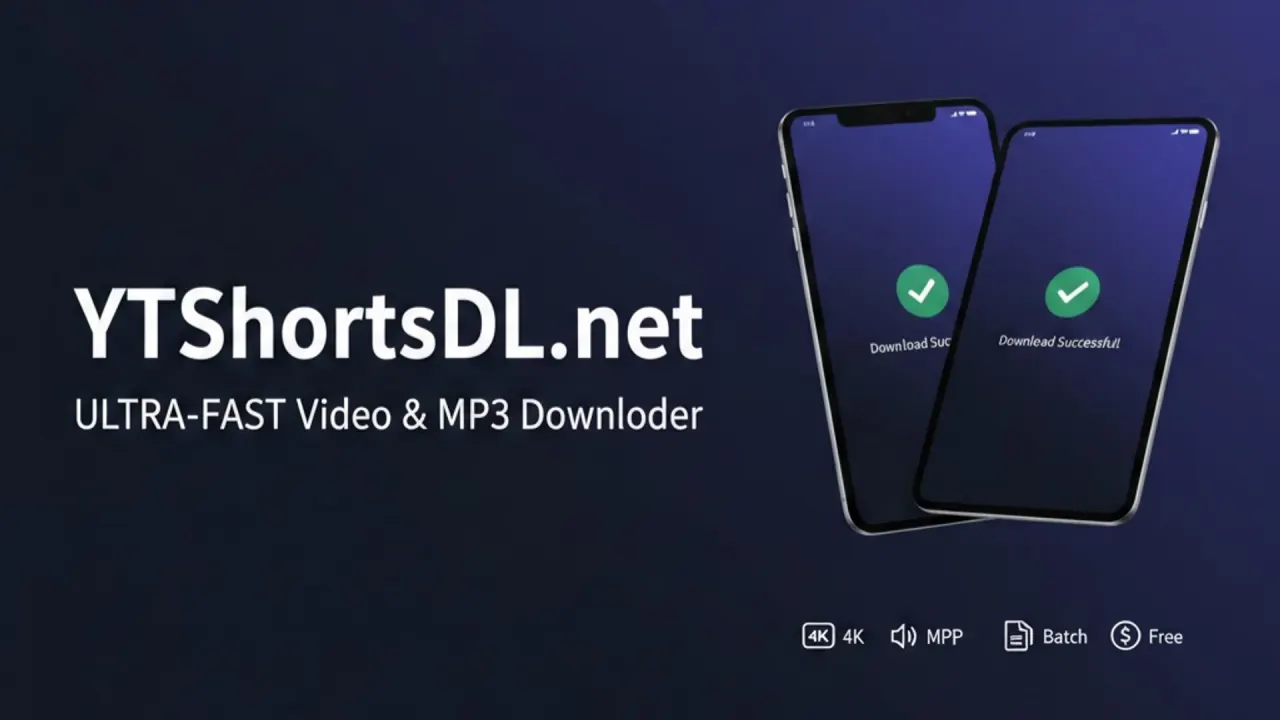
YTShortsdl interface preview
YTShortsdl logo

YTShortsdl

YTShortsdl is a browser-based YouTube Shorts downloader that saves MP4 video and MP3 audio, with AI transcripts, summaries and paid script rewriting for creators reusing short-form video.

Social MediaVideoAudio Tool#Free#Transcription#Youtube
Try for Free
Saves
Visits
Views
Pricing
Freemium
Published
Sep 26, 2026
Domain
ytshortsdl.net
Community rating

Used this tool? Rate it

Rate this tool

YTShortsdl Product Information

Try for Free
Tool Information
Saves
Visits
Views
Pricing
Freemium
Published
Sep 26, 2026
Domain
ytshortsdl.net
Community rating

Used this tool? Rate it

Rate this tool

Featured Tools

Related Tools

Try for Free

What is YTShortsdl?

YTShortsdl is a browser-based YouTube Shorts downloader that saves Shorts as MP4 video or MP3 audio and adds AI tools that turn a video's transcript into text scripts. The homepage describes the service as a way to download YouTube Shorts videos and audio (MP4/MP3) instantly, now featuring an AI-powered video to script converter and a viral script generator for creators. The site itself writes the brand as YTShortsDL or YtShortsDL, several pages use the name ShortsSync, and the browser add-on is published as SnapShorts - Pro.

The about page states the core mission as becoming the premier tool for creators to download, optimize, and reuse YouTube Shorts. It also says the product started with a small team of content creators who struggled with the limitations of existing download tools. In the maker's launch post on a developer forum in November 2025, YTShortsdl was introduced as a bulk downloader built for Shorts content repurposing and described as currently a free utility.

Two layers matter when deciding whether it fits. Standard-quality downloads, audio extraction and thumbnails are offered free under a daily quota. 4K downloads, AI rewriting and a watermark remover are positioned as paid extras, yet the dedicated pricing page still says plans are coming soon, so paid-plan details come only from the upgrade window built into the site (see Pricing).

Core features

Shorts video downloads

  • Batch mode: The downloader has a Single mode and a Batch mode labelled Batch (Max 3), so one batch takes up to three links.
  • Free quality level: The homepage labels the free MP4 option Standard and offers 4K/8K as Pro options for higher quality.
  • 4K page labels: The 4K page puts the tiers side by side as 1080p (Free) and 4K UHD (PRO).
  • Watermark on free files: The homepage FAQ states that the free download retains the watermark and points to a paid AI feature for removing it.

On the paid tier, the site says its 4K downloads target VP9 or AV1 streams rather than the lower-bitrate stream used for 1080p. Access requires signing in: buyers are told to log in so the Pro tool page unlocks.

Audio extraction

The homepage pitches MP3 extraction as a way to separate the audio track for remixes or sound design without extra conversion tools. The dedicated Shorts to MP3 page says it uses the yt-dlp engine to target YouTube's highest available audio streams, up to 320kbps. That page's headline calls it an M4A downloader while its summary offers conversion to MP3 or M4A, so the two audio formats are both named on the same page.

Transcripts and AI summaries

The video to script converter produces a full transcript of a video, including auto-generated captions. Its page lists extraction in English, Spanish, Japanese and dozens of other languages, and says every line of the script is timestamped for jumping to the matching moment. A separate AI Script Generator page works more like a summarizer: it analyzes transcripts to return key takeaways and actionable insights, and states that processing runs on the Volcano Ark Engine.

AI script remix

Beyond plain transcripts, the homepage shows an AI Remix step that rewrites a transcript into a new short-form script, marked as a PRO feature under the button label One-Click Script Remix. The homepage example turns a rambling spoken transcript about a plastic-bottle life hack into a punchy, numbered script with emoji and a follow prompt, labelled "AI-Optimized Viral Script".

Thumbnails and trending list

  • Thumbnail downloader: The thumbnail tool shows every available thumbnail size for a Shorts link, including HD, SD and MaxRes, with the largest file at 1280x720. The page lists four sizes: HD at 1280x720, SD at 640x480, HQ at 480x360 and MQ at 320x180.
  • Trending page: A trending page lists daily trending YouTube videos and Shorts for browsing alongside the AI tools.

AI watermark remover

The watermark tool is described as a three-step process of masking the watermark area, inpainting the pixels behind it and producing a clean output file. It is sold as a premium service available via credits or subscription, priced on the computing power each video needs. No credit prices appear on that page.

Guide

Downloading a Short in the browser

  1. Copy the link of the YouTube Short you want to save.
  2. Paste the URL into the box on the homepage and click Parse.
  3. Press the download button; the site says the file is saved straight to the device.

Saving to an iPhone

The iPhone guide explains that Safari first stores the file in the Files app rather than the camera roll.

  1. In the YouTube app, tap Share on the Short and choose Copy Link.
  2. Open the site in Safari, paste the link and tap Download Video.
  3. Tap the download arrow in the Safari toolbar and open the file.
  4. Your video will be in the Downloads folder of the Files app; long-press it, choose Share, then Save Video to move it into Photos.

Using the browser add-on

  1. Install the add-on from the Firefox or Edge store link on the add-on page; Opera is listed as coming soon.
  2. Pin the icon if the browser hides new extensions.
  3. While watching a Short, click the icon; the site opens with the video URL already processed into an MP4 ready to download.

YTShortsdl use cases and examples

The site frames nearly every tool around reusing short-form material across platforms. The examples it gives are specific:

  • Turning videos into text formats: The converter page suggests turning a 10-minute video into a detailed blog post, pulling out memorable quotes for Twitter, or translating the text to reach a global audience.
  • Rewriting a Short's hook: The homepage example shows the AI transforming a raw YouTube transcript into a high-engagement script for social media.
  • Reusing audio from your own Shorts: The MP3 guide describes using a viral sound as a podcast intro, pulling out a sound effect, or sampling your original music for a long-form video.
  • Swapping copyrighted background music: The same guide notes that separating audio lets you reuse a video without its original track when you must replace copyrighted background music on the new platform.

The site's own guides frame these workflows around content you own or are authorised to use, which the Limitations section sets out in full.

Who is it for

  • Creators repurposing their own Shorts: The about page says serious creators need more to save time and maintain quality when managing content across TikTok, Instagram and other channels.
  • Students and researchers: The AI summary page names students, researchers and busy creators as the audience for key takeaways from long videos.
  • Agencies and heavy users: The Elite plan in the upgrade window is described as for MCNs & Power Users, while Pro is described as best for creators.
  • Not for children under 13: The privacy policy says the site is not intended for anyone under the age of 13.

It is a weaker fit for anyone who needs a documented, stable paid plan today, because the pricing page and the in-site upgrade window disagree about whether plans are live.

Platforms

  • Web: The homepage says the tool works on iOS, Android, PC and Mac with no need for a dedicated app download.
  • Browsers: The desktop guide says it works on Chrome, Firefox, Safari and Edge without installation.
  • No native app: The iPhone guide answers that there is no App Store app and warns about look-alike apps.
  • Browser add-on: The add-on page offers Firefox and Edge installs and lists Opera as coming soon.
  • Languages: Besides English, the site serves a Spanish version and a Hindi version of the homepage.

The Firefox listing for SnapShorts - Pro, published by Franklin Tools Dev and first created on December 3, 2025, showed 3 average daily users and no ratings as captured on September 25, 2026. That listing requests access to youtube.com pages and to a separate conversion host, ytdlp.vistaflyer.com. The support page describes the add-on's flow this way: the extension sends the video URL to the service's API, which extracts the stream links and returns a direct download URL to the browser.

Pricing

The homepage FAQ says the core download functionality is 100% free, with a paid subscription for premium features such as 4K downloads and the AI Watermark Remover. The dedicated pricing page, however, reads only that pricing plans are coming soon. Plan names, prices and allowances therefore come from the upgrade window and quota panel built into the site:

PlanPrice in upgrade windowDownloads4K downloadsTranscript extractionsAI scripting or summaries
Free (Daily Free Plan)$03 per dayNot listed1 per day1 AI summary per day
Pro$12.90/month or $99/yearUnlimited SD300300300
Elite$29.90/month or $199/yearNot listed separatelyUnlimitedUnlimited (All Features)Unlimited

A Monthly/Yearly toggle in the window advertises Save 25%+ on yearly billing. The Pro card also lists an ad-free experience, and Elite adds priority API access and 1-on-1 premium support, with a Contact Sales button instead of Upgrade Now. The Pro column does not say whether 300 is a monthly or one-time count. A third-party AI directory likewise lists paid access from $12.90/month. Checkout in the upgrade window runs through PayPal.

The watermark remover is sold separately via credits or subscription, and the terms mention daily usage quotas as another way to access paid services.

Refunds and changes

The terms state that all purchases of usage quotas and subscriptions for AI services are non-refundable, citing the immediate, non-reversible nature of digital content processing. They also reserve the right to modify or discontinue any paid service feature at any time.

YTShortsdl alternatives

Which alternative fits depends on whether you need your own uploads, a general downloader or transcripts:

  • YouTube's own download for uploaders: YouTube lets you download MP4 files of videos you have uploaded, in either 720p or 360p depending on the video size. Creators reusing their own Shorts can get a file this way without a third-party service, though at lower resolution than the paid tiers sold here.
  • yt-dlp: yt-dlp is a feature-rich command-line audio/video downloader. YTShortsdl's own audio page says it runs on the yt-dlp engine, so the command-line tool gives terminal users direct access to the same underlying engine.
  • YTVidHub for subtitles: A banner on YTShortsdl pages points users who need YouTube subtitles to YTVidHub, offering SRT, VTT and TXT downloads plus AI summaries free. The relationship between the two sites is not stated on the pages reviewed.

Limitations

Usage terms and copyright notices

The site's usage rules differ from page to page, so the key sentences are set out here as written:

  • Terms of Service: You, and not YtShortsDL.net, are solely responsible for all content you download. The terms say the service is intended for personal, non-commercial use, or for commercial use with explicit, legal permission from the content owner.
  • Prohibited activities: The terms bar mass, automated scraping, illegal activities, distributing malware, and circumventing technological measures designed to protect content.
  • Watermark guide: The watermark guide states that you must be the original copyright holder to download and reuse the video.
  • Transcript tool notice: The transcript page says the tool is intended for personal use, research and transformative work, and asks users not to republish transcripts verbatim without permission.
  • Audio tool notice: The audio page asks that downloaded audio be used in line with YouTube's Terms of Service and applicable copyright laws.
  • Reuse guide notice: The reuse guide says the tool is intended for content creators working with content they legally own or have explicit authorization to use.

The terms also say the service is provided as is and disclaim all warranties, including damages related to downloaded content or service interruption. No DMCA or copyright-claim page was found among the pages reviewed, including the sitemap.

Conflicting product statements

  • Pricing status: The pricing page says plans are coming soon, while the upgrade window lists priced Pro and Elite plans.
  • Batch scale: The November 2025 launch post described playlist and channel-level bulk processing of dozens or hundreds of Shorts; the current homepage caps a batch at three links.
  • Watermark remover status: The homepage and watermark page present the AI Watermark Remover as available, while the 2025 roadmap page lists an AI Watermark Eraser under future features, and the upgrade window's plan lists do not name watermark removal.
  • Registration: The privacy policy says the site does not require registration, while the paid Pro tool page unlocks only after logging in.

Vendor performance figures

Several figures are the site's own claims without a published method: a 98% flawless removal rate for watermarks, conversion described as 23% faster than named competitors, and a 99.9% uptime promise. The support page adds that downloads can fail when YouTube applies temporary rate limits or changes video streams.

Privacy and data use

  • No sign-up data by default: The privacy policy, last updated November 9, 2025, says the site does not intentionally collect personally identifiable information unless you contact it.
  • Usage data: It automatically logs the Shorts URLs submitted, technical data including browser type, operating system, IP address and access times, and usage statistics such as which tools were used.
  • Advertising: To support the free tools, the site uses third-party advertising partners including Google AdSense, which uses cookies to serve ads based on prior visits.
  • File storage: The terms say the service does not host content or store files beyond the required processing time.
  • Add-on data: The support page says the add-on transmits only the active video URL when you click Download.

The privacy policy does not say whether transcripts or text sent to the AI tools are used for model training.

FAQ

Q1. Is YTShortsdl free?

Standard-quality Shorts downloads, MP3 extraction and thumbnails are free under a daily quota that the quota panel sets at 3 downloads, 1 transcript extraction and 1 AI summary. 4K downloads, AI rewriting and watermark removal are paid, and the upgrade window lists Pro at $12.90/month and Elite at $29.90/month.

Q2. Does YTShortsdl remove the YouTube watermark?

Not on free downloads, which keep the watermark. Removal is offered as a paid AI feature, though one roadmap page still lists it as upcoming.

Q3. Can I get a refund on YTShortsdl?

No. The terms make all purchases of usage quotas and subscriptions for AI services non-refundable.

Q4. Is there a YTShortsdl app?

There is no App Store app; the service runs in the browser on phones and computers, with an optional add-on for Firefox and Edge.

Know a Similar Tool?
If you know other great AI tools, feel free to submit them to us