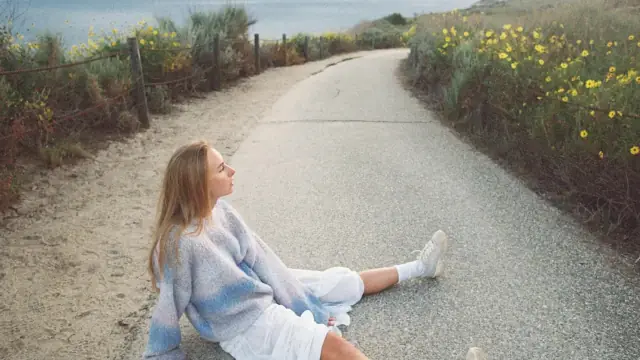

Photo AI trains a personal model from your selfies, then generates photorealistic photos and short videos of you in new outfits, places and poses.
Used this tool? Rate it
Used this tool? Rate it


AI image editing from a reference photo


Multi-model image studio, free to start


Natural AI photo editing for portraits and projects


Build random generators, share them free


Anime art, powered by a million community models


Real-time answers, images, and code in one chat


Community-Trained Models for Art, Video and Characters


Browser-Based AI Photo Editing and Image Generation
Photo AI is a browser-based AI photography studio that works on one subject at a time: you upload photos of a person, it trains a private model of that face and body, and from then on it renders new photorealistic frames and short videos of them in poses, outfits and places you never shot. The homepage sells it as "the first AI Photographer in the world" and leads with a blunt promise: fire your photographer, then take an AI photo shoot from a laptop or phone instead of hiring one.
In practice it is an AI photo generator for people rather than a general-purpose image tool. The unit of work is a reusable model, not a prompt, so the same face carries across a whole library of shoots, edits and clips. Around that core sit preset photo packs, text-driven editing and a video pipeline with generated audio, all inside one web account.
Photo AI is the current name of a product that began as Avatar AI. The pricing page footer states that Photo AI is a registered trademark and that it was formerly known as Avatar AI, so older tutorials written under the old name describe the same studio. It is built and run by Pieter Levels, who describes the business in the first person as "a 100%-owned independent business without investors" and says he runs it by himself.
A live counter on the homepage reported 31,167,303 photos generated when this page was checked on November 29, 2026, which is a vendor-published running total rather than an audited figure.
Everything hangs off the trained model: packs, prompts, edits and video all reuse it, so one session produces a consistent portfolio instead of isolated images.
The photo side runs on a mix of engines. The current main pipeline is the studio's own Hyper Realism model, and the company says it uses other models for post-processing, upscaling, video, audio and voice. The pricing page names the models behind the newest modes: Nano Banana 2 for photo packs, Seedream 5.5 for higher-volume photo generation and Seedance 2.5 for video, so the video side works as an AI video generator tuned for people rather than landscapes.
Two boundaries matter before planning work. Magic Edit works on the image, not on the trained model, so a text edit can drift away from the person's face; the documentation says plainly that you will lose likeness at that point and can remix afterwards to bring it back. 3D generation is also offered with an explicit caveat that the quality of people in particular is not good yet, which the team states directly instead of hiding it.
A first shoot follows a short sequence, in the order the interface presents it.
The guidance asks for variety rather than volume: a mix of close-up selfies and full-body shots, taken in different places, angles, clothes and expressions, and explicitly warns against low-variety sets, group photos, other people, sunglasses, hats and photos where the face is cropped or hidden.
Two cases need a different setup. For couple photos, the model type must be set to Couple and every uploaded photo must contain both people; uploading separate portraits trains a blend of the two faces instead of a couple. For batch work, a list of prompts separated by three pipe characters runs sequentially, applying each prompt to the chosen number of photos before moving to the next one.
Batch generation is gated by plan. The help page states that batch photos are only supported on the Premium and Ultra plans, wording that still uses the older plan names while the pricing page sells Starter, Pro, Max and Ultra — a naming inconsistency to check against your own billing page rather than a settled rule.
The pack library doubles as a map of what people actually do with the studio, because each pack is a pre-built shoot rather than a filter.
The economics differ by use case: one headshot needs one pack run, an influencer account needs a persona plus recurring packs, and a store needs batch try-on and probably commercial rights.
Photo AI fits people who will come back to the studio repeatedly: creators posting several times a week, small brands that need on-model product images, dating-app users refreshing a profile, and professionals who want a set of headshots without booking a studio.
It fits less well in three situations. If you need one guaranteed-perfect portrait, the subscription and the curation burden are hard to justify. If your use is commercial, the plan tier matters: the commercial use license is included on Pro, Max and Ultra, while the Starter plan is described as personal use only. And if you need to depict someone else, consent is your responsibility.
Trust at scale is mostly self-reported. The company says the studio is used by paying creators, brands and e-commerce stores, and publishes a running photo count, but there is no published customer list or independent usage study behind either statement.
Photo AI runs in a web browser. You sign in with Google or an email link, work from a laptop or a phone, and everything — models, gallery, packs, edits, video — lives in that account rather than in a desktop application.
There is no current iOS app. The help centre says the iOS app existed once and was discontinued so that effort could go into the website, that existing iOS subscriptions ended automatically, and that any app now calling itself Photo AI is unrelated to the company. The same answer frames the website as the surface the team focuses on, and no Android app appears in the pages reviewed here.
The unusual integration is MCP. Photo AI exposes an MCP connector that can be added to Claude, ChatGPT, Cursor or any other MCP-capable client at photoai.com/mcp; after logging in and approving access, you can ask the assistant to take photos, turn one into a video or upscale an image. The studio becomes a tool an agent can call, a different access path from the gallery.
Store workflows are supported indirectly rather than by a native plugin: try-on output is positioned for Shopify product pages, and batch try-on is the practical way to process a collection.
Photo AI is sold as a monthly credit subscription in four tiers, with a yearly option that cuts the effective monthly price. All tiers include the studio; what changes is the credit allowance, models per month, quality and likeness rating, parallel generation, commercial rights and access to video and editing tools.
| Plan | Price (monthly) | Credits / month | Photos or videos per month | Models / month | Commercial licence |
|---|---|---|---|---|---|
| Starter | $19/month | 50 credits | 5 Nano Banana 2 photos or 10 Seedream 5.5 photos | 1 | No |
| Pro | $49/month | 1,000 credits | 100 Nano Banana 2 photos or 200 Seedream 5.5 photos | 3 | Yes |
| Max | $99/month | 3,000 credits | 300 Nano Banana 2 photos, 600 Seedream 5.5 photos or 16 Seedance 2.5 videos (15s) | 10 | Yes |
| Ultra | $199 list, shown at $99/month in a 50% promotion, $1,199 billed yearly | 10,000 credits | 1,000 Nano Banana 2 photos, 2,000 Seedream 5.5 photos or 40 Seedance 2.5 videos (15s) | 50 | Yes |
The tiers change output settings, not just volume. Starter is rated low photo quality and low likeness, one photo at a time; Pro moves to medium quality and four photos at once; Max to high quality and eight at once; Ultra to ultra quality, ultra-high likeness and sixteen at once. Video, the editing suite, the upscaler, try-on for Shopify and priority response start at Max, with unlimited storage reserved for Ultra.
Yearly billing carries the discount. The pricing page advertises plans from $9/month billed yearly, savings of up to 57%, and six or more months free compared with paying monthly. Credits are issued monthly even on an annual subscription, so the allowance does not arrive as one lump sum.
Credits are spent per action. A Hyper Realism photo costs 5 credits, a Nano Banana Pro photo 10, a video with sound 300, a talking video 3 credits per 100 characters, a 3D model 25, character swap 22 per second, upscale, zoom-out and relight 5 to 15, and combining photos or importing one into the gallery 1. Monthly credits expire with the billing month, while extra credits bought on top expire only after two years and can be topped up at any time.
Every new model also comes with free photos: 48 per model on any paid plan, so a heavy user stacking models receives a growing pool of included shots on top of the credit allowance.
Alternatives are a pricing question more than a feature question. Because Photo AI bills monthly for a credit pool, a buyer who needs one set of headshots is comparing a recurring subscription against one-off pack services, and one third-party comparison of seven AI headshot tools placed Photo AI sixth at 6.3/10 while still listing it as the cheapest entry point at $19/month.
The constraints that change a purchase decision are mostly published by the company itself, and several of them are easy to miss before paying.
Privacy sits in the same section because it is a practical limit on what you upload. Deleted photos are permanently removed after 30 days, and cancelling a subscription leads to full deletion of the account's data after 90 days, which gives a concrete exit path. Outside those cases the policy is open-ended: personal data is kept "for as long as necessary to provide the services", and retention periods are described as varying by data type rather than fixed in one table.
Uploading someone else's face requires their express written consent, and content depicting minors is prohibited outright. The terms do not state in the reviewed pages whether uploaded photos train shared or public models, so that question is best answered from the current policy text rather than assumed either way.
Yes. The help page notes that subscriptions are paid, and the included free photos per model arrive only after you subscribe and create a model. Starter is rated low likeness, so the cheapest way to judge quality is one month on a tier you can compare against your own face.
Around 20, with variety rather than polish: close-up selfies plus full-body shots, different places, angles, clothes and expressions, and no sunglasses, hats, group shots or cropped faces. Couple models need every upload to contain both people.
Pro, Max and Ultra include a commercial use license; Starter is personal use only. If the images go on a store, an ad or a client deliverable, budget for the higher tier from the start.
You can cancel at any time from the billing menu and the subscription stops renewing. Deleted photos are permanently removed after 30 days, and cancelling leads to full data deletion after 90 days.
No. Photo AI is web-only; the iOS app was discontinued and existing iOS subscriptions ended, and the company warns that unrelated apps using the name are not connected to it. An MCP-capable assistant can drive the studio instead, but it still runs through the web account.