
Toolso.AI
Toolso.AI
All ToolsCategoriesTrendingLatest ToolsPricingBlog
Toolso.AI
Toolso.AI
Toolso.AI
Toolso.AI

Discover the best AI tools to boost your productivity

GitHubGitHubTwitterX (Twitter)YouTubeYouTubeTikTokEmail

Popular Categories

  • AI Writing
  • AI Image
  • AI Video
  • AI Coding
  • More Categories

Explore

  • Latest Tools
  • Popular Tools
  • More Tools
  • Submit Tool
  • Pricing

About

  • About Us
  • Contact
  • Blog
  • Changelog

Legal

  • Cookie Policy
  • Privacy Policy
  • Terms of Service
  • Refund Policy
© 2026 Toolso.AI All Rights Reserved
Limited timeLimited-time offerFeatured Listing24h priority review · No backlink · 30 days featured$29.90then $59.90Price rises to $59.90 after Oct 31Ends in--:--:--Submit now
  1. Home
  2. All Tools
  3. Image Editing
  4. Dzine
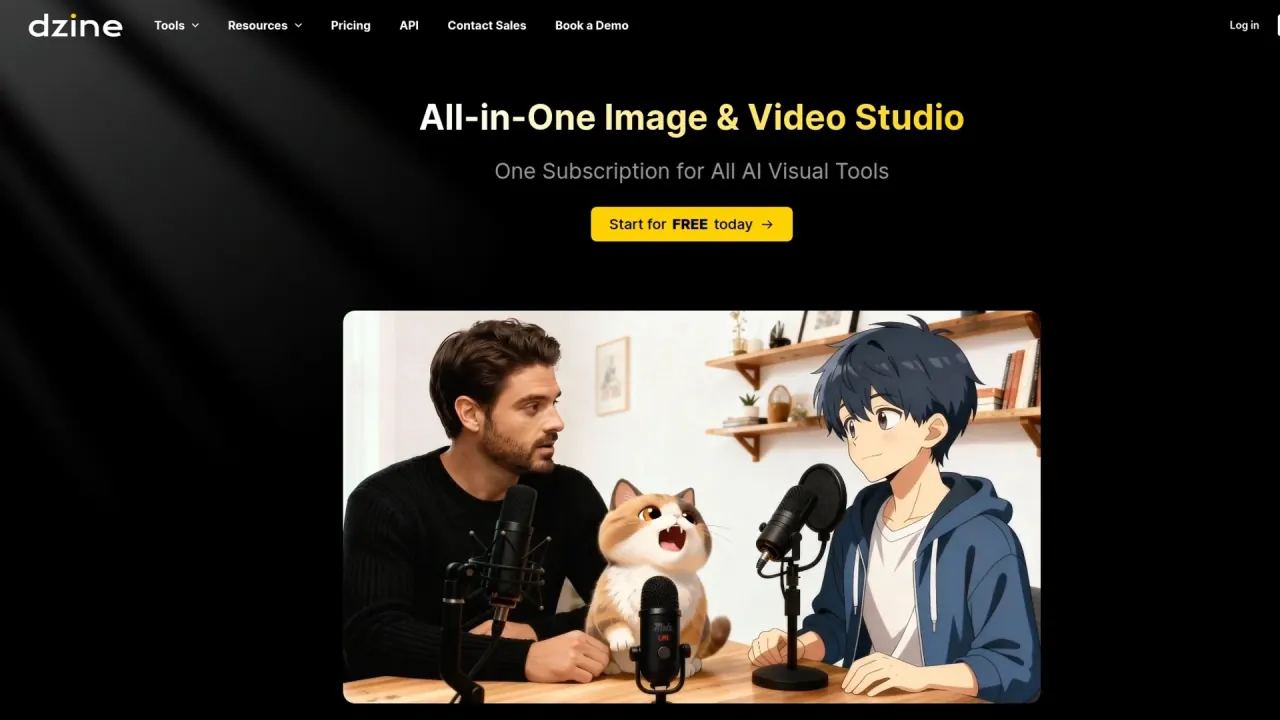
Dzine interface preview
Dzine logo

Dzine

Dzine is a credit-based AI workspace from SeeKoo LLC for generating and editing images, producing videos, and syncing speech to up to 4 characters. It pairs a layout canvas with models such as Nano Banana Pro, Kling, and Veo.

Image EditingImage GenerationVideo Generation#Lip Sync#image-to-video#Multi-Model
View Pricing
Saves
Visits
Views
Pricing
Paid
Published
Oct 6, 2026
Domain
dzine.ai
Community rating

Used this tool? Rate it

Rate this tool

Dzine Product Information

View Pricing
Tool Information
Saves
Visits
Views
Pricing
Paid
Published
Oct 6, 2026
Domain
dzine.ai
Community rating

Used this tool? Rate it

Rate this tool

Featured Tools

Related Tools

View Pricing

What is Dzine?

Dzine is an AI creative workspace for generating, editing, and developing images and videos, built for individual creators, creative teams, and production workflows. In practice it works as an AI image generator, an image editor with a layout canvas, a video generator, and a lip sync studio inside one credit-based account.

Its supported-model list includes Nano Banana Pro, Sora 2, Kling 2.6, Hailuo AI, Wan 2.6, Veo 3.1, Z-image, and Seedream 4.5, and each model carries its own credit cost.

The service is owned and operated by SeeKoo LLC, which the terms of use describe as a US private company. Its security whitepaper names the company as SEEKOO LLC (dba Dzine.ai), headquartered in Seattle, Washington. Some AI tool directories still list the product under its earlier name, Stylar.

Core features

Dzine bundles image generation, video creation, enhancement, face swap, and lip sync into one toolkit powered by AI models.

Canvas and image-to-image

  • Layout-first generation: You can arrange shapes, images, or other visual elements on the canvas and press Image-to-Image to merge them into a new image layer that keeps the structure you laid out.
  • Reference uploads: You can upload your own images as references to guide style, composition, characters, products, and other visual details.

AI editing and Chat Editor

  • Local edits: Local Edit, Insert Object, and AI Eraser cost 4 credits each and Generative Expand costs 8, and all four are limited to paid plans.
  • Chat Editor: Chat Editor is also listed for paid plans, and its cost depends on the model you pick: Nano Banana Pro edits cost 20 credits at 1K or 2K and 40 at 4K, while Midjourney edits cost 12.
  • Face tools: Face Swap, Face Repair, and Expression Edit cost 4 credits each and are listed for paid plans.
  • Model updates: Chat Editor added Ideogram 4.0 on June 12, 2026, and Video Modify added Gemini Omni Flash on June 17, 2026.
  • In-house models: Alongside third-party models, Dzine offers its own, with Dzine Video V2 at 20 credits per five-second clip and the Dzine Inpainter Model for video inpainting at 150.

AI lip sync video

Dzine's AI lip sync video tool animates a still photo or existing footage from uploaded audio or a typed script. Its multi-character mode animates up to 4 characters from a single image or video, with separate lip movements for each speaker. Lip sync videos can run up to 5 minutes, so longer dialogues do not have to be split into short segments.

Consistent characters

Dzine's consistent character AI is designed to keep the same face, outfit, and style for a character even in different scenes. You start from an uploaded reference image and a written description, and the result can be reused across stills and video. Training a custom character costs 30 credits on paid plans, as does training a Pro Style.

Collaboration and provenance

The homepage says directors, designers, producers, and clients can work from the same source of truth in real time, without scattered files or handoff gaps. It also describes a record of references, prompts, model choices, edits, approvals, and contributors, along with automated flags for potential copyright, likeness, trademark, or similarity risks. These are vendor descriptions; the pages reviewed do not say how accurate the risk flags are.

Export options

Export at 1x is free on all plans, 1.5x and 2x upscaled export require a paid plan, and 3x, 4x, SVG, and 3D model export are listed for Creator and Master plans.

Guide

Two workflows are documented as short, fixed sequences on their tool pages.

Making a lip sync video

  1. Upload the image or video you want to animate; the tool accepts still photos and existing footage.
  2. Add the speech by uploading an audio file or typing a script for Dzine's AI voice generator.
  3. Click Generate to render the synchronized talking video.

Building a consistent character

  1. Upload an image of your character, highlighting traits such as clothing, accessories, and expressions.
  2. Write a prompt describing physical traits, clothing style, accessories, and any unique characteristics.
  3. Download the generated images and reuse the character in later scenes or projects.

Dzine use cases and examples

  • Short films and storyboards: Dzine is pitched for complete films, covering characters, scenes, and storyboards through motion, individual shots, and final edits.
  • Localizing and re-voicing video: The lip sync workflow is aimed at localizing a product demo, refreshing an old ad, or re-voicing a training video. The same lip sync video can also be generated in multiple languages with matching mouth movements.
  • Brand mascots: A consistent character can serve as one mascot across ads, websites, and social media campaigns.
  • AI influencers and spokespersons: A generated character can be given a voice and used as a consistent spokesperson for a brand or personal project.
  • Comics and episodic illustration: Character consistency is positioned for comics, storyboards, and episodic illustration projects.

Who is it for

Dzine suits people who want many image and video models behind one canvas and are comfortable paying per operation in credits.

Good fit:

  • Beginners: No prior experience with AI image generation is needed to start creating.
  • Creative teams: Team accounts can manage members, share projects and creative assets, organize workspaces, and control credit usage from one place.
  • Paid commercial users: Any paid plan allows commercial use of generated content to the extent permitted by applicable law, while free-tier output is limited to personal projects.

Weaker fit:

  • Automated pipelines on unlimited plans: The fair usage policy says unlimited generation supports reasonable, human-initiated creative workflows and is not designed for high-volume, automated, scripted, or programmatic generation. Programmatic access is sold separately through the developer API.
  • Buyers who need refund protection: Subscription payments cannot be refunded once processed, including for unused time.

Platforms

  • Web app: Dzine is offered as a website and application at dzine.ai and its subdomains.
  • Developer API: The Dzine API is a RESTful interface whose reference covers text-to-image, image-to-image, image-to-video, face swap, and upscaling, with code examples in Shell, Python, and JavaScript.
  • API billing: API access is sold as pay-as-you-go token top-ups at $0.025 per token, with no monthly subscription tiers.
  • API setup conflict: The getting-started steps on the same page still tell developers to subscribe to a plan in the API portal before creating a key, so the two sections of that page do not match.
  • Enterprise API: An enterprise tier offers custom token packs, volume pricing, the full video model lineup, and dedicated support with SLA options.
  • Enterprise sign-in: Dzine lists MFA and enterprise SSO options using OAuth 2.0 and SAML 2.0.
  • Mobile: The official pages reviewed (homepage, pricing, FAQ, and tools index) show no mobile app download links.

Pricing

Dzine pricing is built around one unified credit balance that covers image, video, and other AI tools. New free accounts receive 100 credits valid for 12 months, and the earlier daily reset to 32 credits is no longer offered.

Paid access comes in four individual plans, Beginner, Creator, Master, and Master Pro, each sold with monthly or annual billing. New users get a limited-time 50% discount on the first month of monthly Beginner or Creator billing, and annual billing is advertised at up to 22% off.

PlanMonthly billingAnnual billingCredits per monthImage generation
Beginner$8.99/mo ($4.49 first month)$84 per year1,000Credits per image
Creator$24.99/mo ($12.49 first month)$240 per year6,000Credits per image
Master$59.99/mo$600 per year9,000Unlimited under fair usage policy
Master Pro$149.99/mo$1,440 per year30,000Unlimited under fair usage policy

Unused subscription credits roll over for up to 3 months on Creator, Master, and Master Pro, while Beginner credits do not roll over. Creator and higher plans can buy top-up credits at $10 for 2,000, $20 for 4,000, or $50 for 10,000, valid for 12 months; free and Beginner users cannot buy top-ups.

Per-use costs differ sharply by model: GPT Image 2.5 costs 9 credits per image and Nano Banana Pro 50, while a 5-second Seedance Pro Fast clip at 720p costs 15 credits and Seedance 2.0 at 1080p costs 550. On Beginner and Creator, that spread decides how far a monthly allowance goes.

Higher tiers mainly add capacity: Beginner and Creator run 8 concurrent jobs with video upscaling up to 1080p, while Master runs 15 and Master Pro 18, both with upscaling up to 8K; stored private characters rise from 10 on Beginner and Creator to 60 on Master and 120 on Master Pro. Referral reward credits are valid for 12 months, and rewards may vary depending on the invited user's plan.

The pricing page is inconsistent on Beginner storage: the plan card lists a 10 GB asset library, while the comparison table shows 1 GB. Fees are charged in US dollars. Limited PayPal and Wise payment options are available by contacting the team.

Dzine alternatives

Two multi-model creative platforms cover similar ground with different credit models:

  • Leonardo.Ai: Its free plan includes 150 fast tokens per day, with free creations set to public.
  • OpenArt: Its Starter plan lists 4,000 credits per month and access to 100+ premium image, video, and audio models.

Against these, Dzine's distinguishing pieces are the layout canvas with image-to-image merging, multi-character lip sync for up to 4 speakers, and the provenance record aimed at team production. Its free tier is a one-time grant of 100 credits rather than a daily allowance, which matters for people who want to keep generating without paying.

Limitations

Billing, refunds, and cancellation

  • No refunds: All subscription payments, monthly or annual, are non-refundable, including unused subscription periods and unintentional purchases.
  • Renewals: Subscriptions renew automatically, and cancelling after a renewal takes effect at the end of that billing cycle with no refund for the renewal payment.
  • Credits after cancelling: Remaining credits do not roll over once the current billing period ends after cancellation.
  • Plan switches: Switching plans cancels the current one, charges the full price of the new plan, and resets the billing cycle.
  • Coupons: A transaction that uses a coupon code is non-refundable, and only one code can be applied at a time.
  • Price changes: Dzine can change prices by posting a notice to your account or its website, and new prices apply to fees charged after the effective date.

Fair use on unlimited plans

Unlimited image generation on Master and Master Pro sits under a fair usage policy. If usage strains the system, Dzine AI may temporarily restrict generation speed or frequency, limit certain models or features, or temporarily suspend unlimited privileges, and it may do so without prior notice. The same policy says unlimited plans do not guarantee unrestricted access to all models. For usage beyond its limits, Dzine may move the user to a custom credit-based or enterprise plan, and repeated or severe abuse can lead to suspension or termination.

Content rules and account use

  • Prohibited content: The terms bar content a reasonable person could find obscene, pornographic, or excessively violent, among other categories.
  • Prompt blocking: Dzine may block prompts and blur results it judges too graphic or offensive, even when the content does not otherwise break the rules.
  • Single-user accounts: Sharing, transferring, or letting others access an account is prohibited.
  • Generation speed: Generation time varies with settings such as resolution and with the method used, and higher-resolution images may take longer.

What reviewers report

On a third-party review platform, Dzine had a 2.9 rating from 49 reviews as captured on October 5, 2026, split between 47% five-star and 47% one-star ratings; the platform notes that the company has not invited reviews, so they may not be representative. The platform's AI summary of 46 recent reviews says most reviewers were somewhat happy, while some reported unexpected subscription charges, trial renewals without notice, billing management problems, inconsistent output from certain tools, and slowdowns on larger tasks.

Privacy, ownership, and data use

  • Ownership: Between you and Dzine, you own the content you generate to the extent permitted by applicable law.
  • Service use of content: The terms let Dzine and its affiliates use your content to develop and improve the services, including storing it with metadata such as seeds and text prompts in your history.
  • Training statement: The security whitepaper separately says user-generated data is processed transiently and never reused for model training without consent.
  • Public by default on free plans: Images generated by free accounts are public and may appear in Dzine's community feed, and private generation is a subscription feature.
  • Rights can vary: Usage rights may vary depending on the tool, model, plan, and content used.
  • Compliance statements: The security whitepaper states that Dzine complies with GDPR, CCPA/CPRA, SOC 2 Type II, and DMCA, and that customer data sits in AWS environments with AES-256 encryption at rest.
  • Data sharing: Dzine's privacy policy commits not to sell, rent, or transfer personal data to third parties for commercial or marketing purposes.
  • After account deletion: Public activity from a terminated account may remain stored on Dzine's servers and stay publicly accessible. Permanent data removal can be requested through a Data Deletion Portal or by email.
  • Disputes: The terms require binding individual arbitration under Washington law and rule out class actions.

FAQ

Q1. Does Dzine offer a free trial?

The Chat Editor page advertises a 7-day free trial for new users. The pricing page adds that some regions may only get a limited version of the free trial, such as Beginner Plan only, and that availability can change with location, usage behavior, or other risk factors.

Q2. Which Dzine credits are spent first?

Dzine deducts the credits that expire soonest first; when expiry dates match, subscription credits go before referral credits, which go before top-up credits.

Q3. How do I cancel a Dzine subscription?

Open your profile page, choose Manage Plan & Invoice, and cancel in the Stripe portal; team plans are cancelled from the team admin page under Current Plan.

Know a Similar Tool?
If you know other great AI tools, feel free to submit them to us