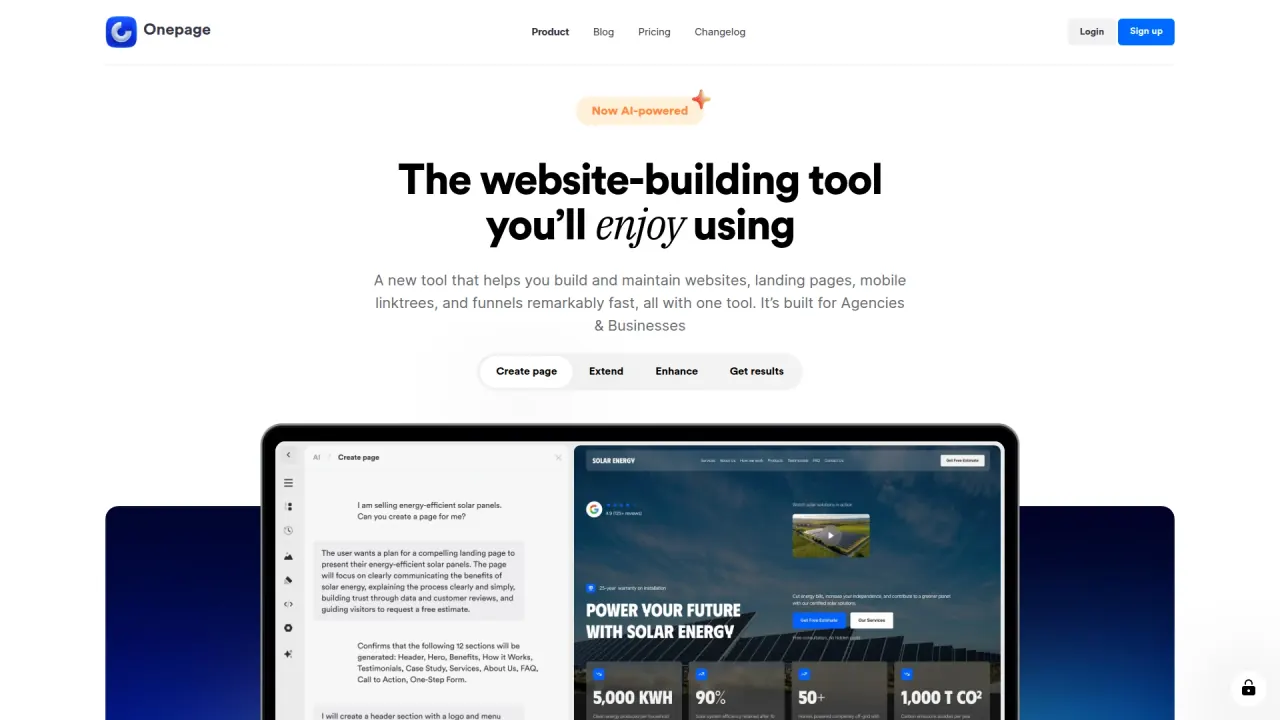

Onepage is an AI website builder that generates fully editable pages, runs an agent for site work over chat, and bundles hosting, CMS, CRM and forms. It is aimed at businesses and agencies that ship client sites.
Used this tool? Rate it
Used this tool? Rate it


From a prompt to a deck, site or doc


One workspace for every AI model


Chat Your Way to a Finished Video


Plan, build, and refine work with an AI agent


Build forms around real submission workflows


AI image editing from a reference photo


Multi-model image studio, free to start


Natural AI photo editing for portraits and projects
Onepage (onepage.io) is a web platform for building and growing websites with AI, positioned by its maker for businesses and agencies that want to ship sites, landing pages and lead funnels without stitching together separate tools. The company behind it, ONEPAGE GmbH, was founded in 2018 in Frankfurt am Main by Marcel Knopf (CEO) and Nikita Makukhin (CPO). On the company's own numbers, its press hub lists 49 team members, more than 18,000 paying corporate customers and more than 300,000 registered users.
The product positioning is broad for an AI website builder: the same account covers full websites, standalone landing pages, multi-step forms and funnels, and a built-in CRM, and its own homepage says the platform is trusted by more than 20,000 businesses and agencies across the globe. Three capabilities added or overhauled during 2026 shape what the tool is today: the Onepage Agent that executes website work from chat, an MCP connector that lets external AI clients operate an account, and an agentic CMS. A third-party software comparison listing captured on November 27, 2026 records a 4.8 rating from 77 reviews for Onepage, matching the rating badge shown on the official homepage.
Onepage bundles the editor, hosting, CMS, forms and marketing features in one platform, and the pitch is that sites launch and grow without plugins or extra tools; the editor combines AI creation with the ability to adjust every detail by hand. Around that editor sit four capabilities that carry most of the product's identity:
Onepage Agent: The Onepage Agent does website work from a single chat window: it builds websites, sets up projects, adds team members and takes on bulk jobs across the whole account. The company says it covers 100+ actions and is included on every plan, Free included.
MCP connector: The MCP connector lets Claude, Cursor, Codex or any other MCP client work directly on an Onepage account. The company states it is available on every plan including Free and runs on the user's own AI plan.
Agentic CMS: The CMS models content as collections with typed fields such as rich text, dates and galleries, plus references between collections; the agent can build collections, pages and SEO for you or alongside you.
AI credits: AI features run on plan-metered AI credits: 25, 35, 50 and 75 credits per month on the four paid tiers, with 20 credits granted once on the Free plan. Credits are the shared currency behind AI generation, the agent and vibe coding.
Template blocks vs AI sections: A paid-placement editorial review reports that standard drag-and-drop template blocks shipped with zero heading tags and zero alt text in three templates checked, while AI-generated sections included correct heading order, paragraph tags and alt text by default; the same review found the site-level language attribute defaulting to German on pages written entirely in English.
The relationship between these pieces matters for expectations: the agent and on-page AI generation consume credits, so heavy generative use is metered by plan. MCP use is the deliberate exception, because it runs on the AI subscription you already pay for elsewhere rather than on Onepage's own credit pool. The CMS and much higher page limits arrived with the October 2026 workspace release, which is worth remembering when older reviews describe Onepage as a landing-page-only tool.
A typical end-to-end flow from the official pages looks like this:
The official pages describe distinct workflows for two customer types.
Agencies running client work. The company's agency page says more than 4,000 agencies run client work in Onepage. Each client's design system is stored so the agent's output matches the studio's standard, and a saved project can be reused as a template that the agent adapts for the next client. Team permissions per client decide who works on each project and what the client sees.
Businesses turning visits into leads. On the business side, every enquiry—forms, quote requests and bookings, including half-finished ones—arrives in one list, built-in analytics cover visits, traffic sources and enquiries, and leads can be sent to external CRM and email tools while ads are tracked with server-side conversion events. Multi-step forms and quizzes are part of the same pipeline, so a landing page builder and the lead inbox behind it stay in one account.
Migrating an existing site. The October 2026 release notes describe the agent handling the move and the URL redirects end to end, with the new workspace adding folders and table views for managing many websites in one place.
Onepage is built as a website builder for agencies and businesses, and independent reviews refine that picture. An independent editorial review describes the fit precisely: agencies, freelancers and small to mid-size businesses that want lead-generation websites and landing pages built quickly, with a CRM, GDPR consent tools and hosting in the EU. The same review draws the negative boundary in one sentence: if you need an online store, a big app marketplace or deep design freedom, a larger website builder will give you more room.
A founders-focused guide comparing builders calls Onepage the fastest AI/no-code path for launch pages and simple product sites when you want something credible this week, while assigning motion-heavy marketing pages to Framer. Both independent assessments agree on the pattern: conversion-focused pages and moderate multi-page sites are the sweet spot; bespoke design and heavy content operations are not.
Two structural facts sharpen the decision. First, the terms of use are written for businesses: they apply exclusively to companies, public-law entities or special funds under public law, not to consumers. Second, plan limits scale by website count rather than seats alone; the pricing section below lists the exact ceilings.
Onepage is a hosted, browser-based platform; there is nothing to install and nothing to deploy. Sites connect to a custom domain with a choice of EU or US hosting. Cookie consent is built in, and fonts load from Onepage's own servers. The Free plan publishes on a Onepage subdomain; paid plans add a custom domain and remove Onepage branding.
Plan cards show both a monthly list price and a lower discounted-term price, with per-plan resources: Essential $19.90 / $9.90 with 1 website, 100 pages, 8 collections and 500 records; Standard $39.90 / $24.90 with 2 websites, 200 pages, 25 collections and 2,000 records; Advanced $69.90 / $49.90 with 5 websites, 500 pages, 60 collections and 5,000 records; Expert $179.90 / $129.90 with 20 websites, unlimited pages, 200 collections and 20,000 records.
| Plan | Term price shown | Monthly list price | Websites | Pages | Collections | Records | AI credits |
|---|---|---|---|---|---|---|---|
| Free | $0 | $0 | 1 | 5 | 3 | 25 | 20 once |
| Essential | $9.90/mo | $19.90 | 1 | 100 | 8 | 500 | 25/mo |
| Standard | $24.90/mo | $39.90 | 2 | 200 | 25 | 2,000 | 35/mo |
| Advanced | $49.90/mo | $69.90 | 5 | 500 | 60 | 5,000 | 50/mo |
| Expert | $129.90/mo | $179.90 | 20 | Unlimited | 200 | 20,000 | 75/mo |
A few rules sit behind the table. Limits are counted across all websites of the account, and the comparison table charges $8 per extra website per month; the same table lists the credit and collection ceilings shown above. Prices are net, VAT is added at checkout, and a term is paid upfront and renews at the same price. Billing toggles between monthly, 12-month and 24-month terms, and the page notes savings of up to 50% on 24 months. The Free plan covers one test website with 5 pages, 3 collections, 25 records and 20 AI credits granted once, including the AI Agent, vibe coding, MCP, a built-in CRM with forms and a Onepage subdomain.
Two cost-related caveats belong next to the table. As captured on November 27, 2026, the pricing and terms pages displayed a limited-time Black Week promotion saving 25% on any upgrade until 30 November. An editorial review cautions that heavy generative use is the one place where the sticker price understates the real cost, and reports that the vendor's help documentation states MCP use runs on the user's own Claude subscription without consuming Onepage AI credits.
A third-party comparison listing pairs Onepage with Leadpages: Leadpages starts from $29/mo on its Pro plan with no free plan and a 4.2 rating from 572 reviews, while Onepage offers a free plan and a 4.8 rating from 77 reviews, as captured on November 27, 2026. For buyers whose main job is conversion-optimized landing pages, that pairing is the closest like-for-like comparison; the free plan is the clearest differentiator between the two.
For broader comparison, a founders-focused guide groups Onepage with Webflow, Framer, Carrd, Squarespace and WordPress. In that grouping, Framer wins motion-heavy marketing pages and Webflow wins design control on scalable marketing sites. The same guide advises moving to Webflow or a custom stack when a project needs a large CMS, advanced interactions, multi-locale sites or a design system the agency must own. The pattern is consistent: Onepage competes on AI build speed plus bundled hosting, CRM and forms, while dedicated platforms keep the edge in e-commerce, heavy A/B testing and pixel-level design control.
The verifiable limits fall into contract, capacity and quality categories.
Cancellation mechanics differ by billing term: monthly licences extend month by month unless terminated in time, so the exit window, not the sticker price, is what commits a buyer to a term.
Across the official pages reviewed for this profile, no statements were found about offline desktop apps, marketplace plugins or native e-commerce inventory features.
The privacy policy describes AI feature processing in which the entered prompt is tokenized, a response is displayed to the employees of the controller, and the response is based both on the model's trained data and on the specific specifications in the prompt, with data from the active contractual relationship processed in the process. In other words, the AI features draw on contract data and prompt input when generating responses.
For cross-border data flows, personal data transferred outside the European Union must be provided with additional safeguards under Article 44 et seq. GDPR, relying on adequacy decisions or EU standard contractual clauses. Hosting can be chosen in the EU or the US, cookie consent is built in, and fonts load from Onepage's own servers.
Across the privacy pages reviewed on the official site, no statement was found about whether customer data is used to train the underlying models. The policy documents AI processing in operational detail but leaves that training question unaddressed, so buyers who need a no-training commitment have nothing on the official pages to cite.
Yes — one test website with 5 pages, 3 collections, 25 records and 20 AI credits granted once, plus the AI Agent, vibe coding, MCP and a built-in CRM with forms, published on a Onepage subdomain until you upgrade.
Claude, Cursor, Codex and any other MCP client can connect to an Onepage account. The company states MCP is available on every plan including Free and runs on the user's own AI plan, so external AI tools can build and edit the sites directly.
Paid tiers include 25, 35, 50 and 75 credits per month, and the Free plan grants 20 credits once. Credits are consumed by AI generation, the agent and vibe coding, and limits are counted across all websites of the account.
Yes. Sites connect to a custom domain with a choice of EU or US hosting; the Free plan stays on a Onepage subdomain. Cookie consent is built in and fonts load from Onepage's own servers.
The terms of use apply exclusively to companies, public-law entities or special funds under public law, so the offering is written for businesses rather than consumers. Monthly and annual licences renew by term, with a one-month notice period for monthly licences.
A third-party comparison listing captured on November 27, 2026 records a 4.8 rating from 77 reviews for Onepage, matching the rating badge shown on the official homepage.