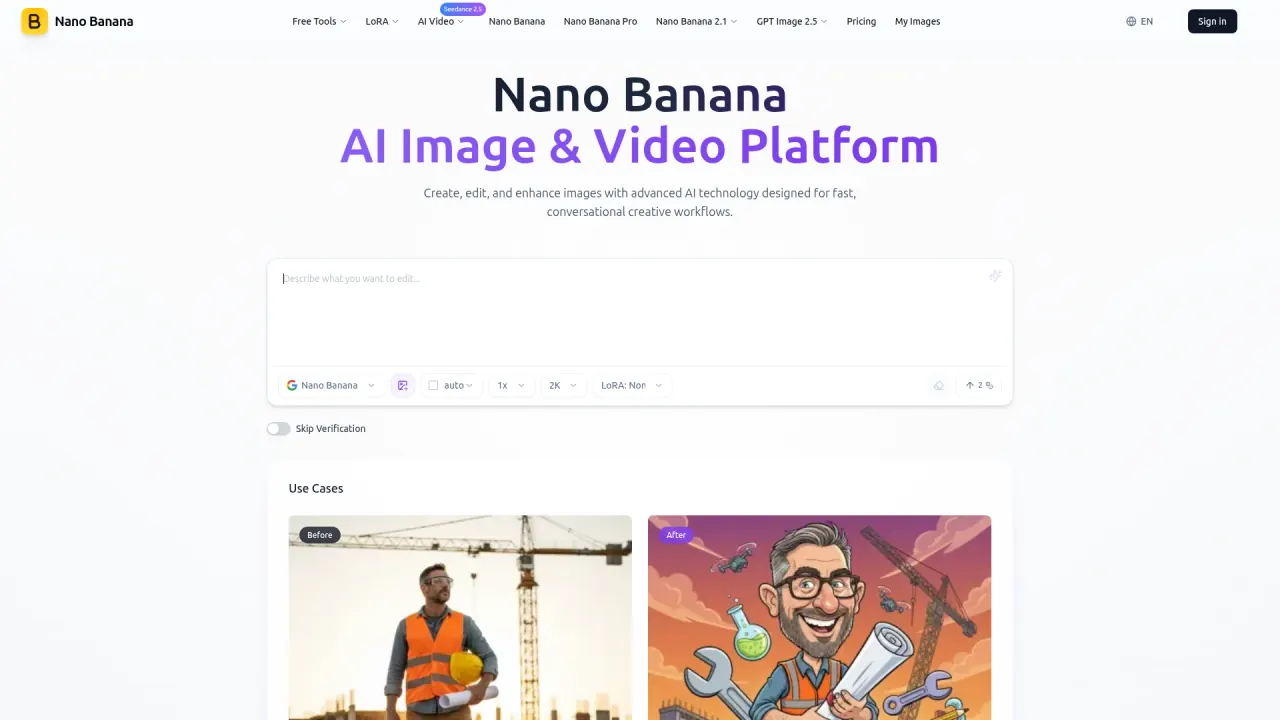

Nano Banana is a browser-based AI image and video platform for conversational editing, keeping the same character across prompts, fusing several images into one scene and generating images from natural-language instructions.
Used this tool? Rate it
Used this tool? Rate it


AI image editing from a reference photo


Multi-model image studio, free to start


Natural AI photo editing for portraits and projects


Build random generators, share them free


Anime art, powered by a million community models


Real-time answers, images, and code in one chat


Community-Trained Models for Art, Video and Characters


Browser-Based AI Photo Editing and Image Generation
Nano Banana is a browser-based AI image and video platform for generating, editing and enhancing pictures through conversation. Its own description is unusually direct: an "independent AI image and video platform for generation, editing, and enhancement", built for "fast, conversational, and multi-turn creative workflows with strong character consistency and practical visual understanding". The independence matters, because the name refers to a widely used image model family rather than to this site.
The product's central promise is that a character survives editing. Instead of generating one picture and then losing the face, outfit or style on the next attempt, Nano Banana is built to keep "perfect character appearance across multiple prompts and edits". That is the difference between a general text-to-image tool and an editor used for a campaign, a product catalogue or a set of profile pictures that must look like the same person or object throughout.
Editing is done with instructions rather than brushes. A user uploads a photo, describes the change in plain language, and the system carries it out: blurring a background, removing an object, altering a pose or colourising an old photo are all given as examples. Multi-image fusion extends this to compositions, where several inputs are combined into one visual, and the same interface also offers video generation, with Veo 3.1 listed as a plan feature.
Used as an AI image editor, it works from an upload rather than from a blank prompt. Everything runs in the browser at nanobanana.im. The site states that access needs "no downloads", and the working files are ordinary images: JPEG, PNG or WebP up to 5MB per upload. A free starting credit is offered after login, so the editing model can be tried before any subscription.
Consistency is the feature the product organises itself around. Nano Banana claims it can "maintain perfect character appearance across multiple prompts and edits", placing the same character in different environments or showing a product from multiple angles while keeping every detail. In practice this is what makes iterative work possible: a second edit does not reset the face or the product finish, so a series of images can share one identity.
Edits are requested as sentences. The site invites users to "tell Nano Banana what you want in plain language" and lists the operations it handles: blurring backgrounds, removing objects, altering poses and colourising photos. Each instruction is executed as a described transformation rather than as a manual selection, which lowers the skill floor for retouching and makes multi-step revisions practical for people who do not work in layered editors.
Fusion takes several inputs and produces one composition. Nano Banana says it can "seamlessly combine multiple images into cohesive visuals", putting objects into scenes or restyling rooms, and its own comparison point is that multi-image fusion merges inputs and colour schemes with a single prompt. This is the feature behind composite requests such as placing a product in a photographed interior or building a scene from separate references.
The model is positioned beyond photorealism. Nano Banana is built to "interpret diagrams, support educational use cases, and handle complex visual reasoning tasks", which covers prompts that depend on real-world context rather than on style alone. Template support applies the same consistency to commercial sets: the site names real estate listings and product catalogues as cases where a template keeps brand assets visually uniform.
Generated output can carry a marker. The site says it supports "transparent AI-assisted creation with attribution and provenance cues", and its FAQ adds that some outputs "may include invisible attribution or provenance markers to support responsible AI use". The marker is described as invisible, so it does not change how an image looks, but it is a fact about the file rather than about the picture.
Alongside editing, the platform works as an AI video generator as well as a still-image tool. The pricing table lists "Veo 3.1 Video Generation" among the features of every tier, including the free one, and the homepage presents the product as an image and video platform rather than an editor alone. Batch generation is also listed as a plan feature, and the interface exposes a control for the number of images produced at once.
A gallery supplies starting points instead of a blank prompt field. The site offers "copy-ready ideas for creative portraits, professional headshots and everyday image edits", including collections of 20 cinematic portrait ideas and 10 prompts for business profile photos. The gallery is content rather than capability, but it shortens the distance between arriving at the site and producing a usable first image.
The gallery exists for users who do not want to write a prompt from scratch. Collections group ideas by outcome, such as creative portraits, professional headshots or everyday retouching, and each entry is presented as a copy-ready prompt. The 20 portrait ideas and the 10 business headshot prompts are the two collections the homepage highlights, and both are aimed at the profile-picture use case rather than at commercial photography.
The headshot collections point at a specific job: turning an ordinary photo into a polished profile image. Because character consistency is preserved across prompts, a user can produce several variations of the same face for different platforms without the result drifting into a different person, which is the usual failure mode when a portrait is regenerated from scratch.
Template support is aimed at repeatable commercial sets. Nano Banana names real estate listings and product catalogues as the cases where a template keeps visual consistency, and multi-image fusion lets a product or a room be placed into a prepared scene. The combination suits a seller who needs many images that look like one shoot rather than many separate generations.
A recurring character is the clearest use of the consistency feature: the same persona can be placed in different environments, outfits or scenes while remaining recognisable. The site's own testimonial from a marketing director describes creating "an entire campaign with the same AI influencer", which is exactly the workflow that depends on the character staying stable between prompts.
Nano Banana is aimed at people who need many images of the same subject rather than one striking picture.
It is a weaker fit for anyone who needs guaranteed exclusivity or trademark clearance from a generator, since the terms explicitly decline to promise that output is lawful, non-infringing or suitable for a particular purpose.
No native iOS or Android app is described on the pages reviewed for this profile, so the browser is the working surface for all features covered here.
Nano Banana sells subscriptions plus a one-time credit option. The figures below are those displayed on the pricing page on November 26, 2026, with the annual price shown first and the monthly price second.
| Plan | Price | Credits |
|---|---|---|
| Free | $0 per month, no credit card required | 24 credits per year |
| Basic | $6.9 per month billed annually ($82.8 charged today); $13.9 monthly | 4,800 credits per year |
| Pro | $19.9 per month billed annually ($238.8 charged today); $39.9 monthly | 18,000 credits per year |
| Max | $39.9 per month billed annually ($478.8 charged today); $79.9 monthly | 48,000 credits per year |
The page advertises an annual option that saves 50% against monthly billing and a separate one-time credit pack. Every subscription renews automatically unless cancelled, and cancellation is available in account settings with access continuing to the end of the paid period. Annual plans are charged in full at purchase. Each tier lists the same feature set — premium image generation, unlimited image dimensions, Veo 3.1 video, priority support, unlimited upscaling, batch generation and no captcha verification — so the practical difference between tiers is the yearly credit allowance.
A 7-day money-back guarantee applies to first-time purchases with reasonable usage, and a refund must be requested from support within 7 days of the original purchase. The terms add that subscription fees are otherwise non-refundable once charged, with no prorated refunds for unused time. Filing a chargeback before contacting support may be treated as a breach.
The terms require users to be over 18 and state that the company does not permit anyone under 18 to use the service. The privacy policy takes a different line, saying the service "does not address anyone under the age of 13" and that it does not knowingly collect data from children below that age. The two documents therefore set different thresholds, and the pages reviewed do not reconcile them. The privacy policy also says that personally identifiable information may include an email address. It states that personal data is retained only as long as necessary for the stated purposes or legal obligations.
The acceptable-use section is long and specific. It bans NSFW and sexually explicit output regardless of artistic or educational framing, any sexual depiction of a minor, non-consensual intimate imagery and sexual deepfakes. It also forbids generating visual likenesses of real artists, celebrities or public figures without consent. Face-swap and manipulation content intended to impersonate or deceive an identifiable person is also prohibited, and violations can lead to immediate termination and reporting to the authorities.
Two pages describe commercial rights differently. The pricing FAQ says that paid plans include commercial usage rights for generated content. The homepage FAQ states that all created images "are yours to use freely". The terms take a narrower position again: the company does not guarantee that output will be "accurate, complete, lawful, non-infringing, available for commercial use in every context, or suitable for Your intended purpose", and places responsibility for reviewing output on the user. The pages reviewed therefore do not give a single answer on commercial use.
Output may carry invisible attribution. The homepage FAQ says some outputs "may include invisible attribution or provenance markers", so a file can contain provenance data even when the image looks clean. Uploads are capped at 5MB in JPEG, PNG or WebP, which rules out large raw files. The liability section caps the company's total liability at the amount actually paid or 100 USD for users who have not purchased anything.
Yes. The site offers up to 2 free credits after login. The pricing page also lists a $0 plan with 24 credits per year and no credit card requirement.
JPEG, PNG and WebP files up to 5MB each. Editing starts from that upload; generation without an upload is also available from the same prompt box.
The pages do not agree. The terms do not guarantee that output is lawful or available for commercial use in every context, and they place responsibility for reviewing output on the user. The pricing FAQ and the homepage FAQ give the more permissive descriptions quoted under limitations.
Some outputs may include invisible attribution or provenance markers, according to the site's FAQ. The marker is described as invisible, so it is provenance data rather than a visible logo.
A 7-day money-back guarantee applies to first-time purchases with reasonable usage, and the request must reach support within 7 days of purchase. After that, subscription fees are non-refundable and no prorated refunds are given for unused time.