
Toolso.AI
Toolso.AI
All ToolsCategoriesTrendingLatest Tools
AI Models

Image models

  • Nano Banana 2.1
  • GPT Image 2.6 Sunburst
  • Seedream 5.5
View all

Video models

  • MiniMax H3
  • Kling 4.0
  • Seedance 2.5
View all
All AI models
Blog
Toolso.AI
Toolso.AI
Toolso.AI
Toolso.AI

Discover the best AI tools to boost your productivity

GitHubGitHubTwitterX (Twitter)YouTubeYouTubeTikTokEmail

Popular Categories

  • AI Writing
  • AI Image
  • AI Video
  • AI Coding
  • More Categories

Explore

  • Latest Tools
  • Popular Tools
  • More Tools
  • Submit Tool
  • Pricing

About

  • About Us
  • Contact
  • Blog
  • Changelog

Legal

  • Cookie Policy
  • Privacy Policy
  • Terms of Service
  • Refund Policy
© 2026 Toolso.AI All Rights Reserved
Limited timeLimited-time offerFeatured Listing24h priority review · No backlink · 30 days featured$29.90then $59.90Price rises to $59.90 after Dec 31Ends in--:--:--Submit now
  1. Home
  2. All Tools
  3. Marketing
  4. Hypefury
Hypefury interface preview
Hypefury logo

Hypefury

Hypefury is a social media scheduler for creators: its AI writes posts in your voice, publishes them to six networks at the best time, and turns Instagram comments into DMs and email contacts.

MarketingSocial MediaAutomation Tools#Ai Writing#Social Listening#Scheduling
View Pricing
Saves
Visits
Views
Pricing
Paid
Published
Nov 29, 2026
Domain
hypefury.com
Community rating

Used this tool? Rate it

Rate this tool
View Pricing

Hypefury Product Information

View Pricing
Tool Information
Saves
Visits
Views
Pricing
Paid
Published
Nov 29, 2026
Domain
hypefury.com
Community rating

Used this tool? Rate it

Rate this tool

Featured Tools

Jotform interface preview
Jotform logo

Jotform

Freemium

Build forms around real submission workflows

HubSpot interface preview
HubSpot logo

HubSpot

Freemium

The agentic customer platform for go-to-market teams

AI Image To Image interface preview
AI Image To Image logo

AI Image To Image

Free

AI image editing from a reference photo

Raphael AI interface preview
Raphael AI logo

Raphael AI

Free

Multi-model image studio, free to start

Airbrush interface preview
Airbrush logo

Airbrush

Free Trial

Natural AI photo editing for portraits and projects

ChatGPT interface preview
ChatGPT logo

ChatGPT

Freemium

AI assistant for writing, analysis and tasks

Gamma interface preview
Gamma logo

Gamma

Paid

From a prompt to a deck, site or doc

Perchance interface preview
Perchance logo

Perchance

Freemium

Build random generators, share them free

PixAI interface preview
PixAI logo

PixAI

Freemium

Anime art, powered by a million community models

DeepSeek interface preview
DeepSeek logo

DeepSeek

Freemium

DeepSeek AI models for chat and API

Grok interface preview
Grok logo

Grok

Freemium

Real-time answers, images, and code in one chat

ZenMux interface preview
ZenMux logo

ZenMux

Free

One Gateway, Every Model, Compensated Failures

SeaArt AI interface preview
SeaArt AI logo

SeaArt AI

Freemium

Community-Trained Models for Art, Video and Characters

PIXLR interface preview
PIXLR logo

PIXLR

Free Trial

Browser-Based AI Photo Editing and Image Generation

i10X interface preview
i10X logo

i10X

Paid

One workspace for every AI model

Photoroom interface preview
Photoroom logo

Photoroom

Free Trial

Product photo editing for online stores

Notion interface preview
Notion logo

Notion

Paid

One workspace where your team and its AI agents think together

Fotor interface preview
Fotor logo

Fotor

Paid

AI photo editing and design in one browser tab

Related Tools

Publer
Publer interface preview
Publer logo

Publer

Freemium

Social media scheduling priced per account

Try Now
Planable
Planable interface preview
Planable logo

Planable

Paid

Social media planning, feedback and approvals for teams

Try Now
Taplio
Taplio interface preview
Taplio logo

Taplio

Free Trial

LinkedIn growth planned, drafted and scheduled in one place

Try Now
Postiz
Postiz interface preview
Postiz logo

Postiz

Paid

Agentic social scheduling across 30+ channels

Try Now
Ssemble
Ssemble interface preview
Ssemble logo

Ssemble

Paid

AI clip maker that turns long videos into Shorts

Try Now
Sniffsub
Sniffsub interface preview
Sniffsub logo

Sniffsub

Paid

Reddit audience research, one subreddit at a time

Try Now
PosterMyWall
PosterMyWall interface preview
PosterMyWall logo

PosterMyWall

Freemium

Templates, AI tools and marketing in one editor

Try Now
JoyLink
JoyLink interface preview
JoyLink logo

JoyLink

Free

Tracked deeplinks and deal tools for affiliate creators

Try Now
HomeTop toolsSimilar

What is Hypefury?

Hypefury is a social media scheduler for creators and small businesses: its AI writes posts in your voice, and the app publishes them to Instagram, Facebook, Threads, LinkedIn, TikTok and Bluesky at the time it works out for each network. The pitch is narrower than "all-in-one social suite" — the site argues that scheduling was never the hard part, and that knowing what to post every day across six platforms is.

Hypefury, Inc. started the product in 2019 as a weekend project by founder Samy Dindane, and the team works fully remote. One subscription covers five jobs creators usually buy separately: scheduling, AI writing, Instagram auto DMs, a link-in-bio page with click analytics, and keyword monitoring.

Three facts should be settled before a trial. Hypefury publishes to six platforms and X, the network the product was built around, is not among them; independent reviewers name that removal as the main reason long-time users leave. The AI writer covers four text-first platforms, not all six. And AI output is metered, so heavy Instagram posting costs more of the allowance than the headline number implies, because a carousel counts as three AI posts.

Core features

The feature set bundles writing, scheduling, comment automation, links and listening into one account. Each part has a ceiling, and most plan differences sit inside those ceilings rather than in publishing.

  • AI writer in your voice: reads your best posts, your edits and the drafts you reject, then writes the next posts for empty slots for Instagram, Threads, LinkedIn and Bluesky.
  • One composer, six platforms: a post is written once and adapted per network, long posts become threads, and carousels, Reels, video and LinkedIn PDF carousels share the editor.
  • Queue, calendar, bulk upload: drafts wait in the queue until you approve them and only go out unattended if you switch on "publish without asking me"; the queue fills each platform at times Hypefury picks, the calendar moves posts by drag, and CSV upload covers Threads, Bluesky and LinkedIn.
  • Tweetshots: text turned into Instagram image posts, 2 a day on Flexible and 5 a day on Creator and Pro.
  • Engagement Builder: one feed of niche posts from people and keywords with a suggested reply, on Threads and Bluesky.
  • Instagram auto DMs: anyone who comments your keyword gets your link by DM, with email capture, contact export and no fee per DM.
  • Autoplug and links: a follow-up with your offer under posts that perform, plus a free link-in-bio page and short links counting clicks by country and device — 10, 20 or 50 by plan.
  • Analytics, Sonar and MCP: Instagram, Threads and LinkedIn stats with best posts ranked; Pro adds five watched keywords with drafted replies and email alerts, and Claude or ChatGPT can schedule through the MCP server.

The parts feed one another: a post earns a comment, the keyword comment triggers a DM, the DM asks for an email, and Autoplug places the offer under the post that already performed. Publishing is never capped, while AI writing and short links are — and AI writing stops at four platforms, so a Facebook Page or TikTok calendar still depends on you writing those posts.

Guide

The reviewed pages publish no course, so this sequence follows the product's interface descriptions and FAQ in the order a new account meets them.

  1. Connect one account per platform. Instagram authorisation happens on Instagram's own page through Meta's official API, Hypefury never sees the password, and access can be removed by disconnecting.
  2. Teach the voice. Hypefury reads the posts already on the account, even a handful, and pre-fills field, audience, topics, tones and goals; with no posts, you fill the same short form by hand.
  3. Draft a week, then adapt it. Press once on an empty slot and it receives a post for that platform, or switch on the six-hour queue refill on Creator and Pro, then redraft the best idea for Threads, Bluesky and LinkedIn instead of rewriting it three times.
  4. Set the rhythm. The queue publishes at per-platform times, the calendar moves posts to another day, and CSV upload handles a larger batch.
  5. Run a comment-to-DM campaign. Choose the keyword, decide whether the DM asks for an email first, then pause or edit it from one tab and check which post produced the most DMs.
  6. Close with Autoplug and links. Attach the offer to posts that performed, point the profile at the link-in-bio page, and read click counts by country and device.

The trial needs no card and grants seven days of Creator, so the flow can be tested with six platforms and 300 AI posts before a plan is chosen. Because a carousel counts as three AI posts, a week of Instagram carousels exhausts the Flexible allowance of 20.

Social media use cases and examples

Hypefury is built around one pattern: publish, capture the comment, convert it into a contact, then promote the offer again to people who already engaged.

  • Lead magnets on Instagram: a coach posts a carousel about a template, invites readers to comment a keyword, and everyone who comments receives it by DM after giving an email; contacts can be exported.
  • Newsletter growth from existing posts: Autoplug adds the newsletter link under posts that performed, with an AI-written variation so the follow-up does not read identically every time.
  • Consultants and founders on LinkedIn: personal profiles and company pages are both supported, long posts become threads or PDF carousels, and LinkedIn analytics sit beside Instagram and Threads figures.
  • Small brands watching competitors: Sonar on Pro watches five keywords, drafts replies and emails an alert when someone mentions the brand or a competitor.

Who is it for

The vendor defines the audience by economics rather than job title: people building a personal brand or a creator business — coaches, consultants, founders, writers, educators — with the test being whether the audience is part of how they make money. The features match that positioning, since comment-to-DM capture, autoplug and a link-in-bio page all serve the case where attention has to become revenue.

  • Solo creators posting to four or five networks: the queue, per-platform adaption and AI writer remove most of the weekly writing and scheduling.
  • Coaches and consultants with one lead magnet: keyword comments plus email capture turn a post into a list-building campaign without a separate DM tool.
  • Small brands with several identities: Creator includes two workspaces and Pro up to five, each with its own accounts.
  • Teams of two or three: Pro allows two ghostwriters or managers who write, schedule and publish but cannot see billing or delete a workspace.

Three groups fit badly. Anyone whose audience is mainly on X should stop here: X has been absent from the platform list for some time, and reviewers describe that removal as decisive. Agencies managing many accounts will find five workspaces and two manager seats tight. Teams needing approval chains, asset libraries or client reporting should treat it as a creator tool, because analytics cover Instagram, Threads and LinkedIn rather than a cross-client dashboard.

Reception is mixed and thin. User-review platforms show 4.7 out of 5 across 21 ratings and 4.8 out of 5 across 26, read through a third-party audit that notes some ratings were incentivized and some predate the platform change; a second platform shows 2.9 out of 5 from two reviews, both one star, too few for a pattern but both describing billing and support problems. Editorial desks split: one scores 7.9 out of 10 and ranks the tool 11th of 34 in its category while stating X is no longer supported, another rates 3.5 out of 5 for the same reason.

Platforms

Hypefury runs in the browser: the marketing site and the application are both published in 18 languages, and no desktop download appears on the reviewed pages.

  • Instagram: publishing, analytics, keyword auto DMs, Reels and carousels.
  • Facebook Pages: publishing through the same queue.
  • Threads: publishing, analytics, Engagement Builder, CSV upload.
  • LinkedIn: personal profiles and company pages, long posts, PDF carousels, analytics.
  • TikTok and Bluesky: publishing through the queue, with analytics and CSV upload on Bluesky.
  • X: absent from the platform list on the pricing page.

One caveat: third-party directories list five networks rather than six, usually dropping Facebook Pages, and one still describes Hypefury as a Twitter growth tool; the pricing page is the reference where the two disagree.

Pricing

Three plans in US dollars, each starting with the same seven-day Creator trial. Yearly billing is charged as 12 months for the price of 10.

PlanMonthlyYearlyPlatformsWorkspacesAI posts a monthShort links
Flexible$6 per platform$60 per platform1, plus $6 each12010
Creator$19$190All six230020
Pro$39$390All sixUp to 51,00050

Creator is the flat price for all six platforms and becomes cheaper than Flexible from the fourth platform onward. Pro adds Sonar with five keywords, two manager seats and priority support.

Three definitions decide what a bill looks like. An AI post is any post Hypefury writes, from an empty slot, a filled week or the six-hour refill, and an Instagram carousel counts as three. A workspace connects one account per platform, so a second Instagram account needs a second workspace. Managers on Pro can write, schedule and publish but cannot see billing or delete a workspace.

Prices exclude VAT, tax is added at checkout from the billing address, and prices are stated to be changeable at any time in US dollars. There is no charge per post or per DM, and the pricing-page audit found no overage rules, so caps act as hard ceilings. Plans and billing periods switch from the billing page, where cancellation also happens without an email. Nothing is charged when the trial ends unless a plan is chosen, and scheduled posts stop until one is.

Alternatives to consider

Two independent rankings and one category blog agree on the shortlist, and on why people look: the missing X support. For anyone who needs X publishing, that settles the question, because Typefully, Buffer, Publer and Tweet Hunter still publish there.

  • Buffer: the broadest general scheduler on the comparison lists, with a free tier for three channels and per-channel pricing from $6 a month; it publishes to X and to the networks Hypefury covers, without comment-to-DM automation or listening.
  • Typefully: the writing-first option for X and LinkedIn, with a free plan of 10 posts a month and a low yearly price; comparisons name it the closest replacement for writers drawn to Hypefury's drafting surface.
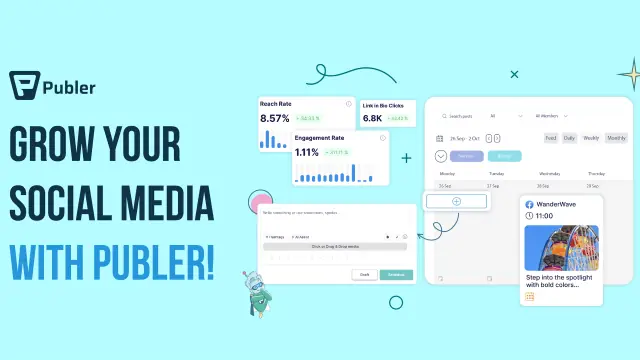
  • Publer: bulk scheduling and recycling across many networks including X, priced per account, with API and MCP access on its business tier.
  • SocialBee: content recycling with per-profile billing, built around evergreen queues rather than AI drafting.
  • Zoho Social and TrackMedia: the two highest scores in the 117-tool scorecard where Hypefury ranks 35th, covering scheduling at a lower entry price with free tiers.

Hypefury wins where one subscription must cover writing, six-network scheduling, Instagram DMs with email capture and a link-in-bio page for a solo creator; the alternatives win on X coverage, editing depth, free tiers and team scale.

Limitations

  • No X publishing: the platform list covers Instagram, Facebook, Threads, LinkedIn, TikTok and Bluesky, and reviewers describe the removal of X as the reason the tool no longer fits X-first creators.
  • AI writing covers four platforms: drafts are written for Instagram, Threads, LinkedIn and Bluesky, so Facebook and TikTok posts are scheduled but written by you.
  • AI output is capped: 20, 300 or 1,000 AI posts a month by plan, an Instagram carousel costing three, and Tweetshots capped at 2 or 5 a day.
  • Listening is Pro-only: five keywords with drafted replies; the cheaper plans include no mention monitoring.
  • Team scale is small: two manager seats and five workspaces at most.
  • Trial ends in a suspended subscription: no charge is made, but the subscription is suspended until upgraded and scheduled posts stop going out.
  • Cancellation is not immediate, and refunds are narrow: it takes effect at the end of the current paid term, and a full refund of remaining credit is promised only if the operator stops providing services.
  • Prices can change at any time: the terms reserve the right to change prices and correct errors, with payments in US dollars.
  • Content licence is broad: posting grants an unrestricted, irrevocable, perpetual, transferable, royalty-free, worldwide licence including sublicensing, while the user keeps ownership; waiving moral rights is part of the same clause.
  • Access can be withdrawn without notice: the operator may deny access and delete an account and its content at any time, and the terms disclaim warranties of accuracy and exclude liability for data loss and interruptions.

Privacy and your data

  • Account and social data: email, the Google name and picture used to sign up, and for each connected network the name, username, profile picture, posts and statistics, plus the comments and messages Hypefury handles.
  • AI processors: Anthropic's Claude writes posts from past posts, preferences and instructions and checks whether listening results are about you; Google's Gemini analyses posts and images at setup, writes carousels and drafts replies.
  • Hosting and tax address: Vercel serves the site and application, Supabase stores accounts, workspaces, connected accounts and posts, and at trial start the approximate location derived from the IP address goes to the payment provider as a billing address.
  • Retention, rights and cookies: data is kept only as long as necessary, GDPR rights include access, rectification, objection, restriction and deletion by email, and advertising cookies are listed beside session, preference and security cookies.

The policy does not state whether submitted content trains models, so neither a training claim nor a no-training assurance should be assumed.

FAQ

Q1. Does Hypefury still support X?

No. The pricing page lists Instagram, Facebook Pages, Threads, LinkedIn, TikTok and Bluesky, and X is not among them. Reviewers name that removal as the main reason X-first creators leave.

Q2. Can I try Hypefury without paying?

Yes. Every plan starts with a seven-day Creator trial, no card is required and nothing is charged when it ends unless a plan is chosen. Scheduled posts and the AI stop until a plan is picked.

Q3. How many AI posts do I get?

Flexible includes 20 a month, Creator 300 and Pro 1,000. Any post Hypefury writes counts, whether from an empty slot, a filled week or the six-hour refill, and an Instagram carousel counts as three.

Q4. What happens to my content licence?

You keep ownership, but posting grants an unrestricted, irrevocable, perpetual, transferable, royalty-free and worldwide licence including sublicensing, and the same clause waives moral rights in that content.

Q5. Can I cancel whenever I want?

Yes, from the billing page without an email. Cancellation takes effect at the end of the current paid term, so the remainder is paid whether used or not, and no general money-back window is stated.

Q6. Which platforms can the AI write for?

Instagram, Threads, LinkedIn and Bluesky; Facebook Pages and TikTok are publishing targets only.

Know a Similar Tool?
If you know other great AI tools, feel free to submit them to us