
Toolso.AI
Toolso.AI
All ToolsCategoriesTrendingLatest ToolsPricingBlog
Toolso.AI
Toolso.AI
Toolso.AI
Toolso.AI

Discover the best AI tools to boost your productivity

GitHubGitHubTwitterX (Twitter)YouTubeYouTubeTikTokEmail

Popular Categories

  • AI Writing
  • AI Image
  • AI Video
  • AI Coding
  • More Categories

Explore

  • Latest Tools
  • Popular Tools
  • More Tools
  • Submit Tool
  • Pricing

About

  • About Us
  • Contact
  • Blog
  • Changelog

Legal

  • Cookie Policy
  • Privacy Policy
  • Terms of Service
  • Refund Policy
© 2026 Toolso.AI All Rights Reserved
Limited timeLimited-time offerFeatured Listing24h priority review · No backlink · 30 days featured$29.90then $59.90Price rises to $59.90 after Oct 31Ends in--:--:--Submit now
  1. Home
  2. All Tools
  3. Marketing
  4. Planable
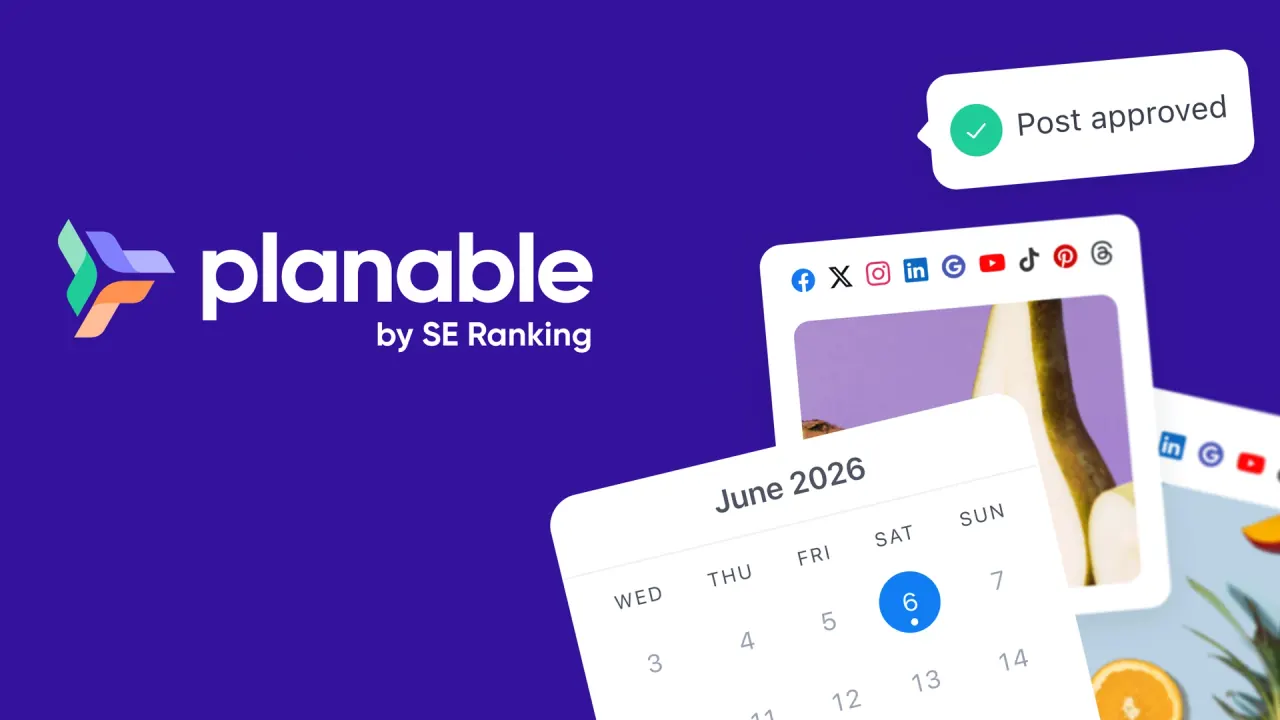
Planable interface preview
Planable logo

Planable

Planable is a collaboration-first social media management tool where agencies and brand teams draft posts, collect client feedback and sign-off, and schedule to nine networks, with pricing per workspace and unlimited users on paid plans.

MarketingSocial MediaCollaboration Tools#Mobile App#Social Listening#Api Available
View Pricing
Saves
Visits
Views
Pricing
Paid
Published
Oct 5, 2026
Domain
planable.io
Community rating

Used this tool? Rate it

Rate this tool

Planable Product Information

View Pricing
Tool Information
Saves
Visits
Views
Pricing
Paid
Published
Oct 5, 2026
Domain
planable.io
Community rating

Used this tool? Rate it

Rate this tool

Featured Tools

Related Tools

View Pricing

What is Planable?

Planable is a collaboration-first social media management tool that helps marketing teams, agencies and brands create, plan, review, approve, schedule, publish and analyze social media content in one shared workspace. Where most social media tools treat scheduling as the core job, Planable says it is built around collaboration and approvals.

Planable was founded in 2016. Its terms of service are a contract with Planable, Inc. covering planable.io and its related websites, applications and mobile apps. The company has since been acquired by SE Ranking, an SEO platform, and says Planable stays Planable as users know it.

Core features

Content creation and post formats

  • Grouped posts: one draft can cover multiple platforms in one go, and content sync can be switched off when a network needs platform-specific tweaks.
  • Formats: Planable schedules posts, Stories, Reels, carousels, TikToks and LinkedIn PDFs, plus recurring posts for evergreen content, post location, audience targeting and first comments.
  • Per-network details: posts can carry thumbnails, alt text and tags, Instagram collab posts can be published, and personal LinkedIn profiles can be tagged.

Planning views

Content can be laid out in four views: feed, calendar, grid and list. The feed view looks and feels like the native platforms, with post previews visible without extra clicks; the grid previews an Instagram profile and the list view handles bulk actions.

Feedback and approvals

  • Comments and suggestions: feedback in Planable includes text suggestions, annotations and one-time links for quick, ad-hoc feedback.
  • Team-only drafts: on Pro and Enterprise, team-only draft posts let a team draft, discuss and refine posts privately before clients or approvers see them.
  • Approval types: the None approval type publishes without an approval step, and Optional enables approvals without requiring them to publish. The Required approval type means at least one approver must sign off before publishing.
  • Multi-level approvals: on Enterprise, approval steps are stacked in order, for example team lead, client and legal, and posts publish only once everyone has signed off.

A different approval flow can be set for each workspace, so each client can get its own social media approval workflow, strict for one and lighter for another. Plan level caps enforcement: Basic can only make approvals optional, Pro can block publishing until someone approves, and only Enterprise chains several approvers.

Planable AI

  • Generation and rewriting: Planable AI generates captions from prompts, images or videos, suggests post ideas, generates hashtags, rewrites existing copy and drafts comment replies in the Social inbox.
  • Rewrite modes: rewrite options include make it shorter, expand, surprise me, make it punchier and custom instructions, and the original copy stays intact until a change is applied.
  • Style reference: when generating new post ideas, Planable AI can reference previously published content.

Planable AI is included on all plans at no extra cost and, according to the company, with no usage limits. Reply drafting lives inside the Social inbox, which is itself a paid add-on.

Analytics, Social inbox and Social listening

  • Analytics add-on: includes cross-channel performance data, page and post-level metrics, audience insights and customizable client-ready reports.
  • Social inbox add-on: a unified inbox for comments and DMs across connected pages, with AI-suggested replies and sentiment filtering.
  • Social listening add-on: monitors brand, topic and competitor keyword mentions across X, YouTube, Reddit, TikTok, Facebook, Instagram, LinkedIn and the wider web, including blogs, news sites, forums and newsletters.

Social listening is keyword-based rather than tag-based, so it surfaces posts from people who never mentioned the brand handle. Each workspace gets 1 brand keyword, 3 topic keywords and 3 competitor keywords.

Guide

A typical setup for moving one client's posts from draft to sign-off to publication:

  1. Create a workspace and set its rules. Each workspace has its own controls, including timezone, auto-scheduling after approval, locking content once approved, posting timetables, custom labels and post templates.
  2. Add the team. Workspaces can assign team or client roles and personal permissions to view, approve, edit, publish or analyze.
  3. Connect the brand's pages, within the account types listed under Platforms.
  4. Invite approvers. Approvers can be invited by email or link with their details pre-filled, and approval rights can be limited to the relevant stakeholders.
  5. Draft and request approval, keeping work in progress team-only where the plan allows.
  6. Collect sign-off from occasional reviewers. Occasional approvers do not need an account to view posts and comment through a shared post link.
  7. Let approved posts go out. With auto-scheduling switched on, posts are scheduled automatically once they get approval.

Planable use cases and examples

  • Agency client approvals: each client gets its own workspace and approval chain, following the guide above.
  • Multi-location and multi-brand rollouts: list view supports bulk approving, scheduling, deleting and duplicating across workspaces, which suits one campaign pushed to many locations; list view is Enterprise-only.
  • Instagram grid planning: the Instagram grid planner shows the complete grid, including content published outside Planable; the grid view starts on Pro.
  • Newsletters, blogs and ads: universal content lets teams plan, review and approve non-social content such as newsletters, blog posts and ads in the same content calendar as social posts.
  • Publishing tracked outside Planable: Universal Content pages can be approved with clients or kept team-only, and blogs or newsletters are manually marked as published so the calendar shows when they are live.

Who is it for

Planable is designed for agencies managing multiple clients and approval cycles, and for brands coordinating internal teams with external stakeholders such as partners, legal and executives. Planable also lists freelancers and content creators managing several accounts among its intended users.

Good fits:

  • Agencies with client sign-off: feedback, approval and scheduling sit in one place.
  • Large teams with few brands: extra reviewers do not raise the bill on per-workspace pricing.
  • Brands with compliance steps: Enterprise approvals can chain team lead, client and legal.

Weaker fits:

  • Users wanting a permanent free tier: the free option is a one-time allowance of 50 posts.
  • Many brands on a small budget: Planable recommends one workspace per brand or client, so five clients need five workspaces.
  • Heavy X publishers on the entry plan: Basic publishes one tweet per 24 hours.
  • Teams needing a long archive: published posts storage is 13 months on Basic and Pro, after which posts are deleted.

Platforms

Planable schedules content for Facebook, Instagram, LinkedIn, X (Twitter), YouTube, TikTok, Pinterest, Google Business Profile and Threads. Account types matter: supported accounts include Instagram Professional accounts (business and creator), Facebook Pages, personal and business TikTok accounts, Pinterest business accounts only, LinkedIn personal profiles and company pages, YouTube channels, Threads accounts and Google Business Profiles.

Add-on coverage is narrower than scheduling coverage:

  • Analytics: Planable Analytics covers Facebook, Instagram, LinkedIn, YouTube, TikTok and Google Business Profile, so X, Pinterest and Threads are not in the analytics list.
  • Social inbox: Social inbox covers comments on Facebook, Instagram, LinkedIn and TikTok, and DMs on Facebook and Instagram only.

Mobile apps:

  • Capabilities: the mobile app lets users plan, review, approve and schedule on the go and preview the feed, calendar and grid.
  • iOS: the iOS app is a free download that requires iOS 16.6 or later, is listed in English only, and showed an average of about 4.6 from 224 ratings in the US App Store lookup as captured on October 5, 2026.
  • Android: the Google Play listing showed 3.6 stars from 451 reviews and 50K+ downloads as captured on October 5, 2026.

Integrations and access:

  • Connected apps: integrations include Canva, Slack, Zapier (labelled beta), iCal calendar sync, a public API and an MCP connector for AI assistants.
  • API and MCP: the public API is available on Pro and Enterprise but not on Basic. The MCP connector is listed on Basic, Pro and Enterprise.
  • Single sign-on: single sign-on (SSO) is available only on the Enterprise plan.

Pricing

Planable pricing is counted per workspace, not per seat. All paid plans include unlimited users, so the number of workspaces, not the size of the team, drives the bill.

PlanMonthly billingAnnual billing (approx.)Posts per workspaceSocial pages per workspaceApproval typesViews
Free trial$0–50 in total, no reset4None, OptionalFeed, Calendar
Basic$39 per monthabout $32.50 per month60 per month4None, OptionalFeed, Calendar
Pro$59 per monthabout $49.17 per month150 per month10None, Optional, RequiredFeed, Calendar, Grid
EnterpriseCustomCustomUnlimited50None, Optional, Required, Multi-levelFeed, Calendar, Grid, List

Annual billing gives two months free and is billed as a single upfront payment; annual figures are the company's approximations. Prices are shown in US dollars and exclude applicable taxes. The free trial gives 50 created posts in total with no credit card and no time limit, and the posts do not reset monthly. On paid plans, the monthly post limit counts all posts across all pages in a workspace and resets on the 1st of each month.

Add-ons

  • Analytics: the Analytics add-on costs $14 per workspace per month.
  • Social Inbox: the Social Inbox add-on costs $9 per workspace per month.
  • Social listening: Social listening starts from $99 per workspace per month.

Both add-ons are available on all paid plans, priced per workspace, and can be enabled or disabled at the workspace level. Analytics and Social inbox add-ons can only be tested on a paid plan, each with a 30-day free trial. The pages disagree on how many add-ons exist. The pricing FAQ says Planable offers two add-ons on all paid plans. The social listening page describes Social listening as a standalone add-on available on all Planable plans.

Billing, discounts, cancellation and refunds

  • Volume and non-profit pricing: volume discounts are available for 5+ workspaces. Non-profit organizations can request a discount by contacting support.
  • Payment methods: Planable accepts major debit and credit cards through Stripe, and Enterprise plans can also pay by bank or wire transfer.
  • Cancelling: plans can be upgraded, downgraded or cancelled at any time from the Billing Dashboard, and an annual plan cancelled mid-cycle keeps access until the end of the billing period.
  • Refunds: the terms state that all sales are final and that Planable does not offer refunds for subscription fees.
  • Downgrades: when users, workspaces or plan level are reduced, the difference is credited toward future invoices rather than paid back.

Planable alternatives

The third-party review profile for Planable lists Buffer, Metricool and Hootsuite among profiles people also looked at. Buffer and Hootsuite illustrate two other pricing units: per channel and per user.

  • Buffer: Buffer prices by the number of channels used. Its free plan connects up to 3 channels with 10 scheduled posts per channel. Approval workflows are included only on its Team plan.
  • Hootsuite: Hootsuite plans are sold per user, or seat. Its Advanced plan adds reviewing and approving content with a team.

Per-channel pricing follows connected profiles, per-seat pricing follows headcount, and per-workspace pricing follows the number of brands or clients, which favors many reviewers per client.

Limitations

Plan and trial limits

  • No X during the trial: X (Twitter) publishing is not available during the free trial.
  • X cap on Basic: Basic can publish one tweet per 24 hours, while Pro and Enterprise are unlimited.
  • Storage: media storage is 10 GB on Basic, 50 GB on Pro and custom on Enterprise.
  • Version history: version history lasts 1 week on Basic, 30 days on Pro and is unlimited on Enterprise.
  • AI brand voice: a global brand voice setting for Planable AI is not yet available.

Content retention and accounts

Published content is archived one year after publishing and permanently deleted 30 days later on Free, Basic and Pro, or one year later on Enterprise, and users are responsible for keeping backups before the deletion date.

  • Inactive accounts: accounts without companies or workspaces that stay inactive for 1 year get three email notices and are deleted unless the user logs in before the deletion date.
  • Age: users must be at least 18 years old.

User feedback signals

On one third-party review platform, Planable's company profile showed 4.4 from 71 reviews, with 77% five-star and 11% one-star ratings, as captured on October 5, 2026. Only 2 of those reviews were posted in the last 12 months, so most of the sample is more than a year old.

Privacy and content rights

  • Data controllers: SER Acquisition Inc. and Planable Inc. are joint controllers of personal data, and requests go to Planable Inc.
  • AI training: Planable does not use personal data processed under its privacy statement to develop, improve or train generalized AI or ML models.
  • GDPR: the company states that its terms, privacy policy and cookie policy reflect GDPR regulations.
  • Content ownership: users retain copyright and other intellectual property rights in content they post.
  • License to Planable: posting content grants Planable a worldwide, non-exclusive, royalty-free, sublicensable and transferable license to use, reproduce and display it in connection with the Service and its business.
  • Android data safety: the developer-declared Google Play data safety section says the app may share app activity and app performance data with third parties, may collect files and docs, encrypts data in transit and allows deletion requests.

FAQ

Q1. Does Planable have a free plan?

There is no ongoing free plan, only a one-time allowance of 50 posts with no time limit.

Q2. Is Planable priced per user?

No. Billing is per workspace, with unlimited users on paid plans.

Q3. Do clients need a Planable account to review posts?

Not for occasional review: a shared post link lets them view and comment without an account, while approvers are invited by email or link.

Q4. Does Planable offer refunds?

No. The terms say all sales are final; downgrades become credit on future invoices.

Know a Similar Tool?
If you know other great AI tools, feel free to submit them to us