
Toolso.AI
Toolso.AI
All ToolsCategoriesTrendingLatest ToolsPricingBlog
Toolso.AI
Toolso.AI
Toolso.AI
Toolso.AI

Discover the best AI tools to boost your productivity

GitHubGitHubTwitterX (Twitter)YouTubeYouTubeTikTokEmail

Popular Categories

  • AI Writing
  • AI Image
  • AI Video
  • AI Coding
  • More Categories

Explore

  • Latest Tools
  • Popular Tools
  • More Tools
  • Submit Tool
  • Pricing

About

  • About Us
  • Contact
  • Blog
  • Changelog

Legal

  • Cookie Policy
  • Privacy Policy
  • Terms of Service
  • Refund Policy
© 2026 Toolso.AI All Rights Reserved
Limited timeLimited-time offerFeatured Listing24h priority review · No backlink · 30 days featured$29.90then $59.90Price rises to $59.90 after Oct 31Ends in--:--:--Submit now
  1. Home
  2. All Tools
  3. Research
  4. Rayyan
Rayyan interface preview
Rayyan logo

Rayyan

Rayyan is a web and mobile platform where research teams import references, remove duplicates, screen titles, abstracts and full texts, and report with PRISMA diagrams. Relevance ratings come with every plan, while the ResearchPilot AI suite is limited to institutional plans.

ResearchCollaboration Tools#Mobile App#Team Collaboration#research paper tool
Try for Free
Saves
Visits
Views
Pricing
Free
Published
Sep 28, 2026
Domain
rayyan.ai
Community rating

Used this tool? Rate it

Rate this tool

Rayyan Product Information

Try for Free
Tool Information
Saves
Visits
Views
Pricing
Free
Published
Sep 28, 2026
Domain
rayyan.ai
Community rating

Used this tool? Rate it

Rate this tool

Featured Tools

Related Tools

Try for Free

What is Rayyan?

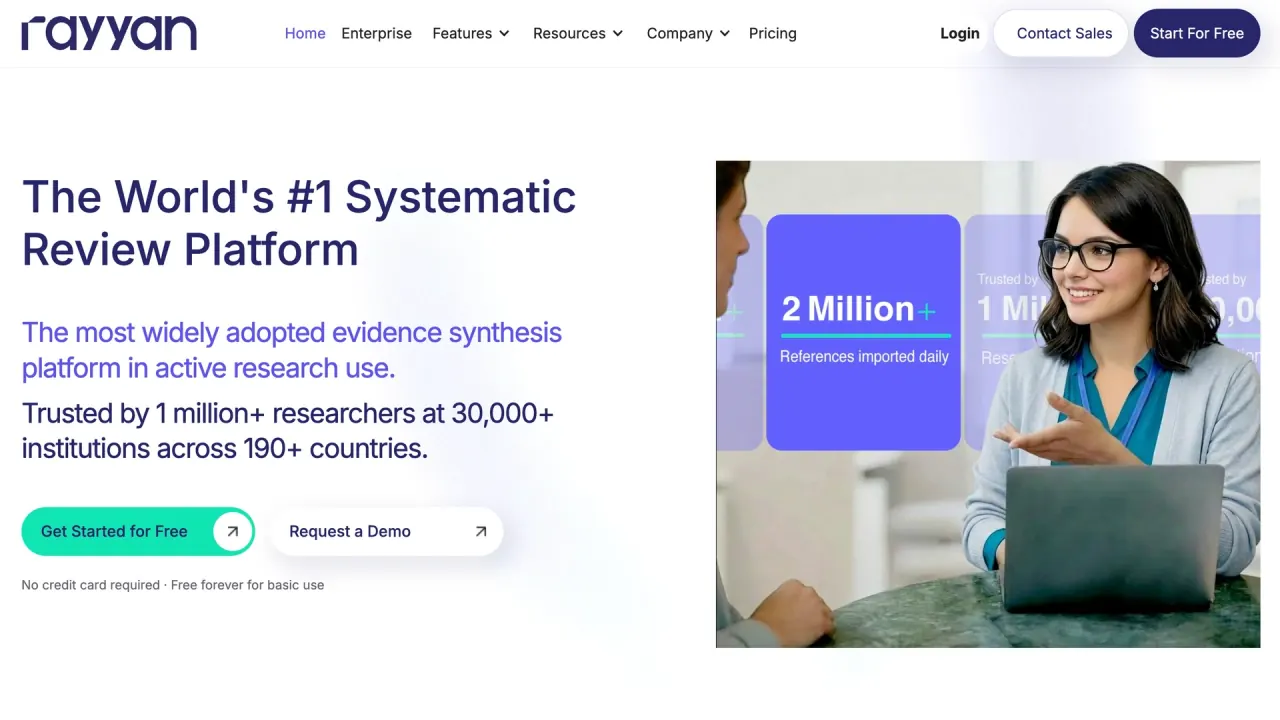
Rayyan is systematic review software that runs in the browser and as an iOS and Android app, built to take a review team from imported search results to a screened and reported set of studies. The company describes itself as the most widely adopted evidence synthesis platform and says it is trusted by 1 million+ researchers at 30,000+ institutions across 190+ countries. Those are vendor figures rather than audited counts.

The product started as an academic project. Rayyan's developers at the Qatar Computing Research Institute described it in a 2016 peer-reviewed paper as a free web and mobile app that speeds up title and abstract screening through semi-automation. Today Rayyan is run by Rayyan Systems Inc., a company based at 1 Broadway in Cambridge, Massachusetts.

The main plan boundary: relevance ratings and duplicate detection are free, while the ResearchPilot AI screening and extraction tools require an institutional plan.

Core features

Rayyan organizes a review into eight stages: import and organize, invite collaborators, deduplicate, title and abstract screening, full-text screening, data extraction, risk of bias, and reporting.

Screening and relevance ranking

  • Five-level relevance ratings: The classifier is a Support Vector Machine trained on each reference's title and abstract, using single words, word pairs and MeSH terms, and it places every undecided reference in one of five levels from "most likely to include" to "most likely to exclude".
  • Plan access: Ratings and sorting by rating come with every plan, but filtering by rating level requires an Advanced or Institutional plan.
  • Blind Mode: Blind Mode is available on all plans and is switched on by default, so reviewers cannot see each other's decisions while screening is in progress.
  • PICO tools: PICO highlighting and filtering, which tags population, intervention, comparison and outcome terms, is available on Advanced and all Institutional plans.

Rayyan reports that its classifier reached an AUC of 0.87 ± 0.09 and a WSS@95 of 0.49 ± 0.18 across 15 systematic review datasets, which it reads as skipping nearly half of the remaining references at 95% recall. That is the vendor's own validation; independent results appear under Limitations.

Deduplication

  • Scale: Rayyan says its Systematic Auto-Resolver can handle reference deduplication for up to 200,000 references using the team's own protocol.
  • Rule-based resolution: The Auto-Resolver, available on paid plans only, resolves duplicate pairs by exact matches on title, author, journal, year, pages, DOI or publication type, or by an overall similarity threshold such as 80% or 95%.
  • Protection by default: Records that already carry screening decisions are protected from automatic deletion unless that setting is switched off.

ResearchPilot AI modes

ResearchPilot is Rayyan's AI suite, and it has five modes: Help Center, Review Articles, AI Reviewer, AI Analyzer and Auto Extraction.

  • AI Reviewer: AI Reviewer joins the review as a second reviewer and screens against the inclusion and exclusion criteria in fully blind mode.
  • Decision logic: An article is excluded if any exclusion criterion is met or any inclusion criterion is not met, included if at least one inclusion criterion is met, and otherwise marked maybe, with a reasoning note attached to every article.
  • AI Analyzer: AI Analyzer runs on demand on articles you select and adds its Include or Exclude recommendation as a label, with the criterion-by-criterion evaluation saved as a note.
  • Auto Extraction: Auto Extraction fills the data extraction form from attached full-text PDFs, based on the questions the team defines.

Appraisal, import and reporting

  • Risk of bias: The Risk of Bias workspace supports ROB2, ROBINS-I, QUADAS-2, the Newcastle–Ottawa Scale, JBI critical appraisal tools and AMSTAR 2, as well as custom institutional frameworks.
  • Import formats: Reference files can be imported as .ris, .bib, .enw, .csv, .txt, .ciw, .nbib, .xml or .pdf.
  • PRISMA 2020 diagrams: Rayyan builds a PRISMA 2020 flow diagram from screening actions on Essential, Advanced and institutional plans, filling some fields automatically and leaving others for manual entry.

Guide

Getting relevance ratings

Ratings stay empty until the review has at least 50 screening decisions, including at least 5 Include and 5 Exclude decisions. The count is combined across the whole team, so no single reviewer needs to reach 50 alone.

  1. Screen enough references to pass the 50/5/5 threshold.
  2. Open the Screening tab and click Compute Ratings in the toolbar.
  3. Recompute after each large batch of decisions; the help documentation suggests roughly every 50–100 new decisions.

Ratings are suggestions: they are never recorded as decisions, and references that two reviewers decided in opposite directions are left out of the computation.

Running AI Reviewer on a large review

AI Reviewer is added as a review member, and reviews with more than 2,000 references are screened in randomized batches of up to 2,000 references created with Data Sampling.

  1. Enter the inclusion and exclusion criteria; AI Reviewer will not start on an empty criteria set.
  2. On the Overview tab, find AI Reviewer in the Review Members table and click Activate.
  3. In the Screening stage, open Samples and create randomized samples of no more than 2,000 references each.
  4. Enable the Sampled Data facet, select one batch, and run AI Reviewer on the filtered set; repeat for every batch.
  5. Turn off Blind Mode to see its decisions and per-criterion notes next to the human reviewers' decisions.

Rayyan use cases and review types

Rayyan is not limited to systematic reviews. When creating a review, a team picks Systematic Review, Literature Review, Scoping Review, Umbrella Review, Rapid Review, Qualitative Review, Meta-analysis, State of the Art Review, Mixed Study Review or Other, and the type can be changed later.

  • Across disciplines: The company says researchers in health sciences, social sciences, engineering, education, business and policy use Rayyan.
  • Splitting a screening workload: Data Sampling creates subsets for different team members; the Free and Essential plans allow 1 sample per review, and Advanced and higher plans allow unlimited samples.
  • Scoping before a full review: Rayyan's Scoping Review type is described as mapping the extent of evidence on a topic, often to identify gaps before a systematic review.

Who is it for

Rayyan's own plan guide maps the Free plan to research learners, Essential to PhD students and postdocs, Advanced to professionals, Business to research departments and Enterprise to institutions.

  • Departments and universities: On institutional plans, plan features follow a licensed user across every review they join as a Collaborator. If users need their access to follow them across reviews they did not create, an Institutional plan is required, because Individual plan access only applies to reviews owned by the subscriber.

Two eligibility limits also apply. Users must be 18 years of age or older to use Rayyan under its Terms of Service. The privacy policy states that the Services are designed for users in the United States, EEA and UK, even though the company reports users in 190+ countries.

Platforms

  • Web app: The Rayyan web application requires an active internet connection at all times; offline work is only supported in the mobile app.
  • iOS and Android apps: Reviews can be downloaded to the app for offline screening, and decisions sync once the device reconnects.
  • Free-plan mobile cap: On the Free plan, mobile screening decisions are limited to 100 on reviews the user owns; paid collaborators on another subscriber's review get that owner's mobile access.
  • App store signal: As captured on September 28, 2026, the Android app listing showed 3.1 stars from 239 reviews and 100K+ downloads.
  • API: API access is limited to Enterprise plans and requires an approved access request; a Python SDK is available, tokens expire periodically, and calls are rate-limited.
  • Single sign-on: Enterprise supports SAML 2.0 and OAuth with MFA, and can auto-provision researchers from the organization's identity provider.

Pricing

Rayyan pricing is shown in a quarterly and an annual view; only the Essential and Advanced prices change between them, and the institutional plans are billed annually in both. Prices below are in US dollars as listed on September 28, 2026.

PlanListed priceActive reviewsFree ReviewersNotable additions
Free$0321 sample, duplicate detection, AI relevance predictions, limited mobile access
Essential$8.33 per month, billed quarterly, or $4.99 per seat per month, billed annually35PRISMA diagrams, auto-resolve duplicates, unlimited mobile access, bulk actions, programmable shortcuts, dark theme
Advanced$13.33 per month, billed quarterly, or $8.33 per seat per month, billed annually910Unlimited samples, AI PICO extraction, priority support
Business / Academic$41.67 per license per month, billed annually, from 5 licenses ($2,500.00)50 org-wide250ResearchPilot, team dashboard, workspace roles
EnterpriseCustomUnlimitedNot statedUnlimited viewers, SSO / SAML, API, dedicated support

The page advertises savings of up to 40% on annual billing. The quarterly figures are printed without the "per seat" wording used in the annual view, and Business carries a note that discounts are available for academics. ResearchPilot features beyond Help Center Mode are only available on institutional plans with ResearchPilot enabled.

Institutional plans cannot be bought online and are arranged through Rayyan's sales team, while Individual plans are self-serve, paid by card only and renew automatically by default. Upgrades are prorated for the remaining period, and downgrades take effect at the end of the current billing cycle.

Cancellation terms are described differently in two places. The Terms of Service say a membership must be cancelled 30 days before the renewal date to avoid the next charge, payments are non-refundable with no credit for partly used periods, and access continues until the paid period ends. The help center says cancelling stops renewal immediately and takes effect at the end of the billing cycle, after which the account moves to the Free plan. It adds that data is never deleted when a subscription ends, but any review no member opens for 30 days is archived automatically.

Rayyan alternatives

Peer-reviewed comparisons are the clearest evidence of which tools researchers weigh against Rayyan, and they measure different jobs.

  • Title screening: A 2023 methodological study tested Rayyan, Abstrackr and Colandr on title screening for one published systematic review and found false-negative rates of 21%, 39% and 34% respectively, with Rayyan the most sensitive of the three. All three were described as free to use at the time.
  • Deduplication accuracy: A 2026 comparison of eight deduplication tools, including Covidence, EPPI-Reviewer, PICO Portal, Deduklick and ASySD, ranked Rayyan first for the fewest unique records removed in error and second for the fewest duplicates left behind. All but one of its authors are affiliated with tools evaluated in the study, so it is not an independent verdict on Rayyan.
  • Deduplication speed: In that same comparison Rayyan was the slowest tool, taking 20 hours and 34 minutes in total including manual checking. Its Auto-Resolver was set to delete only 100% similarity matches, which left more pairs for manual review, and Rayyan was evaluated in December 2023.

Neither study tested ResearchPilot's AI modes.

Limitations

Independent accuracy evidence

  • Sensitivity versus specificity: An independent 2022 study applied Rayyan's ratings to three diagnostic test accuracy reviews totalling 2,054 records. At a threshold of below 2.5 for exclusion, the ratings reached 97–99% sensitivity with 19–58% specificity; at 2.5 or below, specificity was 100% but sensitivity fell to 1–29%.
  • What that means: The authors concluded that Rayyan was reliable for excluding ineligible records but not very reliable for finding eligible ones, and noted that diagnostic test accuracy reviews are harder to screen because of inconsistent terminology.

No peer-reviewed evaluation of AI Reviewer, AI Analyzer or Auto Extraction was found as of September 28, 2026, so accuracy figures for those modes are not available here.

Product limits

  • AI Reviewer caps: Only the review owner can run AI Reviewer, each run is limited to 2,000 references and 20 combined inclusion and exclusion criteria, and a run can take up to 24 hours.
  • Fixed AI decisions: AI Reviewer's decisions cannot be edited; disagreements are recorded with labels instead.
  • No undo for auto-resolution: Auto-resolution is irreversible, and deleted duplicates have to be recovered separately.
  • PDF requirements: Auto Extraction skips articles without an attached PDF and cannot read scanned, image-based PDFs.
  • PRISMA edits: Manual changes to a PRISMA diagram are not auto-saved and are lost if the window is closed before downloading.

Privacy and data rights

  • International transfers: The privacy policy, last revised on September 15, 2023, says personal information is transferred to and processed in countries outside the EEA and UK, such as the United States.
  • Processor role: Under the Terms, Rayyan processes personal data inside uploaded review content as a data processor, and a GDPR data processing addendum is attached.
  • Content license: Users grant Rayyan a worldwide, royalty-free license to their content solely as required to operate and provide the service.
  • Security claims: The Enterprise page states that Rayyan is HIPAA and GDPR compliant with SOC2 controls and full data encryption in transit and at rest; these are the company's own statements.
  • AI training: The privacy policy and Terms checked for this page do not say whether review content is used to train AI models.
  • Account deletion: The help center says deletion permanently removes the account and all associated data, while deactivation keeps data. The privacy policy separately says that after a user stops using the service or deletes the account, Rayyan stores their information in an aggregated and anonymized format.

FAQ

Q1. Is Rayyan free to use?

Yes. The Free plan costs $0 and includes three active reviews, two free Reviewers and AI relevance predictions, with mobile screening capped at 100 decisions.

Q2. Which Rayyan plan includes the AI Reviewer?

It is part of ResearchPilot, which requires a Business/Academic or Enterprise plan with ResearchPilot enabled.

Q3. How accurate is Rayyan's AI screening?

The vendor reports an AUC of 0.87; independent studies found high sensitivity with low specificity, and a 21% false-negative rate in one title-screening test.

Q4. What happens to my reviews if I cancel?

The account returns to the Free plan at the end of the billing cycle. Data is kept, but reviews left unopened for 30 days are archived.

Know a Similar Tool?
If you know other great AI tools, feel free to submit them to us