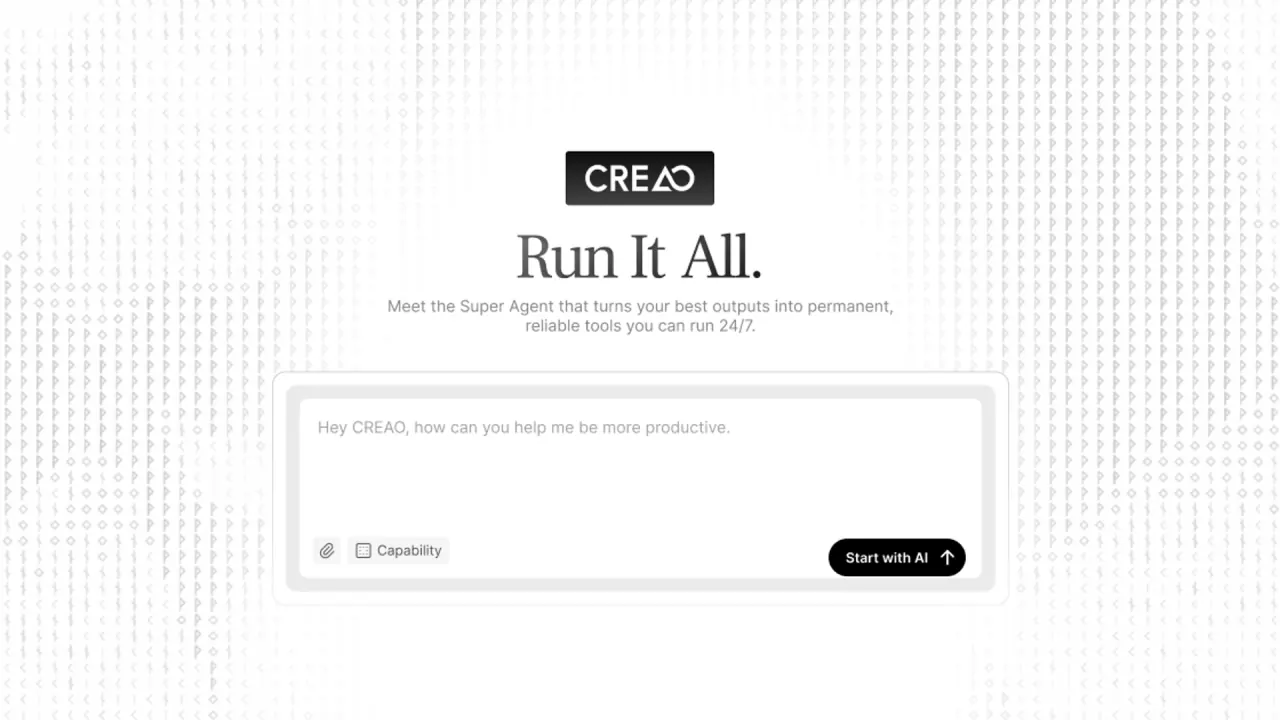

CREAO AI turns a successful chat session into a reusable agent, connects it to Gmail, Sheets, Slack and other tools, then runs it on a schedule with approval gates for sensitive actions.
Used this tool? Rate it
Used this tool? Rate it


One workspace for every AI model

Track AI budgets, cash returns and portfolio decisions


Chat Your Way to a Finished Video


Plan, build, and refine work with an AI agent


Build forms around real submission workflows


AI image editing from a reference photo


Multi-model image studio, free to start


Natural AI photo editing for portraits and projects
CREAO AI is a cloud agent platform built around a general-purpose super agent. It executes tasks rather than only answering them: it writes code, calls connected services and returns finished files. A working chat session becomes a reusable agent that runs again on demand or on a schedule.
The company defines a super agent as a general-purpose AI agent with a bias for action that works in a dedicated computing environment, keeps context across sessions and runs scheduled workflows. A session that produces the right result can be saved, and the saved agent repeats the workflow with different inputs, on demand or on a cadence.
That places CREAO between a chat assistant and AI workflow automation: the chat is the authoring surface, the agent is the durable asset, and the schedule makes it run without a person present. There is no canvas to wire; the workflow is extracted from a conversation.
CREAO is a no-code AI agent builder, and the feature set is organised around one loop: do the work in chat, save the repeatable part, then let it run with the access and guardrails it needs.
A CREAO agent keeps the workflow that worked, so the same task runs again with structured inputs instead of a fresh prompt. The agent is created by completing a task in chat and then choosing an output format; the dialog offers Dashboard, Markdown or HTML, plus optional standing instructions. CREAO generates an input form from the original prompt, so a weekly report agent can expose fields such as team name, report type and time period.
Each agent carries version history, reference files and its own session history, and can be shared with a direct install link.
Connectors are the access layer and skills are the instruction layer. CREAO ships 30+ skills and 28+ connectors, and customers can add their own; the documentation index lists 20+ connectors. A connector is authorised once with OAuth or an API key, and every agent built afterwards inherits that connection, so Gmail, Sheets, Slack, GitHub or a CRM needs no separate integration project per agent.
Custom skills can be added three ways: a GitHub repository, a ZIP upload or a request typed into chat. The published library covers communication, project management, marketing, ecommerce, finance and developer tools, including Slack, Notion, Google Sheets, Shopify, Salesforce and GitHub.
Scheduled AI agents run without a person present: an existing agent executes automatically on the cadence you set. The cadence can be daily, weekly, monthly or a custom cron expression, with a time and timezone. An optional email summary after each run reports the outcome, a result summary and a session link, and every execution lands in the agent's Sessions tab, so a skipped or failed run is visible rather than silent.
Write and destructive actions can pause for a human decision. A quote reply or a budget change waits in an approval tray until someone approves, rejects or edits it; the agent can be switched to full auto once the output is trusted.
Memory is cross-thread: a fact saved in one conversation is available in every future conversation, and recent memories load at the start of each new chat. Memories can be saved on request or captured proactively, each tagged Preference, Fact, Decision, Entity or Other, with a view, search, filter and delete path. Playbooks capture recurring task patterns and apply them automatically.
Workspaces are optional project containers. Each workspace has its own persistent file system, available to any agent assigned to it. An agent can belong to multiple workspaces, so one automation serves several clients.
Agents are not limited to text. The runtime generates cinematic video, produces photorealistic images, narrates in 20+ voices with MP3 output, and operates a real browser inside the same chat runtime. The slide command turns a topic or shared material into a PDF for preview and an editable PPTX for PowerPoint or Google Slides.
Browser use is aimed at work behind a login: checking messages, reading dashboards, filling forms and extracting data from pages a plain fetch cannot reach. The agent runs in a stealth browser with anti-detection and residential proxies, and sign-ins persist in a browser profile rather than in one conversation.
A model picker covers OpenAI, Anthropic, Google, DeepSeek, Meta, Moonshot, Z.ai, MiniMax and Sakana AI. CREAO Lite, the in-house model, is positioned for routine work; the company says it runs agents at a fraction of a cent per session.
The documented flow starts from real work rather than a blank builder screen.
A first agent that reads inbound quote requests tests the whole loop: it pulls the request from a mailbox, checks pricing and inventory, drafts the reply and stops at an approval gate before sending. The same pattern applies to a weekly competitor scan, where the value comes from the cadence.
The example agents on the homepage cover quote replies, paid-social ad refreshes, inventory snapshots and SEO briefs. A quote responder reads incoming quote requests, looks up pricing and inventory, drafts the quote and waits for sign-off before sending. An inventory agent pulls stock levels, flags SKUs at risk and surfaces reorder arithmetic every four hours. An ad generator produces fresh hooks, keywords, descriptions and images for paid social every morning. A brief writer drafts intent, outline, links and internal references for a target keyword.
The common thread is a task that repeats with different inputs and has a clear delivery point: an inbox, a spreadsheet, a Slack channel or a file. Tasks that need human judgement still fit, with the approval gate at the centre.
CREAO is aimed at operators and small teams who already know which recurring task they want to remove, not at teams shopping for a general-purpose chatbot. A team shares the owner's plan, and only the owner pays.
The best fit is a team with a repeatable workflow that crosses two or three SaaS tools and no engineer free to wire it. Marketing, ecommerce, sales operations and agencies fit because their work is already organised as recurring deliverables with a delivery destination. The no-code path means the agent can be built by the person who does the task, which removes the translation step between knowing the process and automating it.
Less good a fit: teams that need to run the automation on their own infrastructure or maintain a workflow as code. CREAO is a managed platform, and its own comparison pages point self-hosting requirements to n8n. Buyers who want a visual canvas with explicit nodes and branches will find the conversation-first model unfamiliar.
CREAO runs as a hosted web app with a separate developer API and no self-hosted edition.
The published plan ladder runs from a free tier with 30 one-time credits to a $1,000-per-month Ultra plan with 20,000 credits. Prices below are the regular monthly rates shown on the homepage as captured on November 27, 2026.
| Plan | Monthly price | People | Credits per month | Scheduled runs |
|---|---|---|---|---|
| Free | $0 | 1 | 30 one-time + 5 daily | 1 concurrent |
| Pro | $20 | Up to 3 | 200 | 2 concurrent |
| Pro Plus | $50 | Up to 5 | 600 | 2 concurrent |
| Max | $150 | Up to 10 | 2,000 | 4 concurrent |
| Ultra | $1,000 | Up to 50 | 20,000 | 4 concurrent |
The free tier is a working tier rather than a trial at $0: it includes 30 one-time credits plus 5 daily credits per team, the super agent and standard models. Its limits are one video generation, PDFs up to 10 pages, uploads up to 10 MB, one personal connector per agent app and one concurrent scheduled run. Paid tiers add premium models for every member, uploads of 100 MB files and PDFs plus 500 MB video, combined personal connectors and rooms for teams of two or more.
The app subscription policy also lists annual pricing, with Pro at $16 per month billed annually against $20 monthly. Extra credits cost $0.15 each, with 30% off when buying 4,000 or more. A Black Friday promotion also appeared as captured on November 27, 2026: 50% off Pro, Pro Plus and Max for the first three months plus double credits for new customers. The offer was listed as ending 30 Nov 2026 at 11:59 PM ET.
CREAO's own comparison pages draw the line at ownership: n8n is for teams that want to run the infrastructure themselves, while CREAO is a managed platform for teams that would rather describe an outcome than wire a graph.
Self-hosting and workflow-as-code point to n8n, a large library of app-to-app triggers points to Zapier, and a customer-facing interface points to an app builder. An internal recurring operation with a deliverable and a cadence fits CREAO's session-to-agent model.
Scheduled runs consume credits, and a run that cannot get credits is skipped rather than failed. Two consecutive skipped runs pause the schedule automatically and send an email explaining why; the threshold is lower than the five consecutive failures that pause a schedule for general errors, so an underfunded schedule does not drain the daily allowance.
The free tier caps connectors per agent app, concurrent schedules, video generations, PDF pages and upload size. Teams that need more move to a paid tier.
Credits are allotted per billing period. The app subscription policy states that credits cannot roll over to the following billing period unless expressly stated. It also states that cancellation stops renewal but leaves the current subscription active until the end of the billing cycle.
Browser use concentrates risk in one profile: sign-ins live in a single browser profile shared by every run, so cookies and site sessions accumulate there, and a site that expires its own session returns the agent to the sign-in page. The browser is described as stealth with anti-detection and residential proxies, and the homepage lists automatic CAPTCHA solving; teams whose site terms forbid automated access have to weigh that.
Generated content may be created for personal or commercial use, subject to the agreement and to the sharing permissions set by the person who generated it. Users retain ownership of their input content. Individuals must be at least 18. An account cannot be resold or transferred without written permission. The privacy policy states that user content and integration data are not used to train, fine-tune or improve generalized AI models. It also states that integration data is not sold or used for advertising.
Independent verification is thin. Review-platform searches returned no dedicated product page with a sample of 20 or more product-specific reviews, so the limitations above rest on the vendor's published pages and terms.
Yes. It costs $0, requires no credit card and includes 30 one-time credits plus 5 daily credits per team, the super agent, standard models, one video generation and one concurrent scheduled run.
No. An agent is created by completing a task in chat and saving the session; the platform writes the code and wires the APIs. A developer surface exists for backend calls but is not required.
The run is skipped rather than failed, the skip appears in the Sessions tab, and two consecutive skips pause the schedule with an email. Re-enabling resets the counter.
Only when the agent is set to full auto. Until then, write and destructive actions wait for approval, and the reviewer can approve, reject or edit the pending action.
Yes. Generated content may be created for personal or commercial use, subject to the agreement and the sharing permissions attached to the content.
The privacy policy states that user content and integration data are not used to train, fine-tune or improve generalized AI models, and that integration data is not sold.