
Toolso.AI
Toolso.AI
All ToolsCategoriesTrendingLatest ToolsPricingBlog
Toolso.AI
Toolso.AI
Toolso.AI
Toolso.AI

Discover the best AI tools to boost your productivity

GitHubGitHubTwitterX (Twitter)YouTubeYouTubeTikTokEmail

Popular Categories

  • AI Writing
  • AI Image
  • AI Video
  • AI Coding
  • More Categories

Explore

  • Latest Tools
  • Popular Tools
  • More Tools
  • Submit Tool
  • Pricing

About

  • About Us
  • Contact
  • Blog
  • Changelog

Legal

  • Cookie Policy
  • Privacy Policy
  • Terms of Service
  • Refund Policy
© 2026 Toolso.AI All Rights Reserved
Limited timeLimited-time offerFeatured Listing24h priority review · No backlink · 30 days featured$29.90then $59.90Price rises to $59.90 after Oct 31Ends in--:--:--Submit now
  1. Home
  2. All Tools
  3. AI Agent
  4. MindStudio
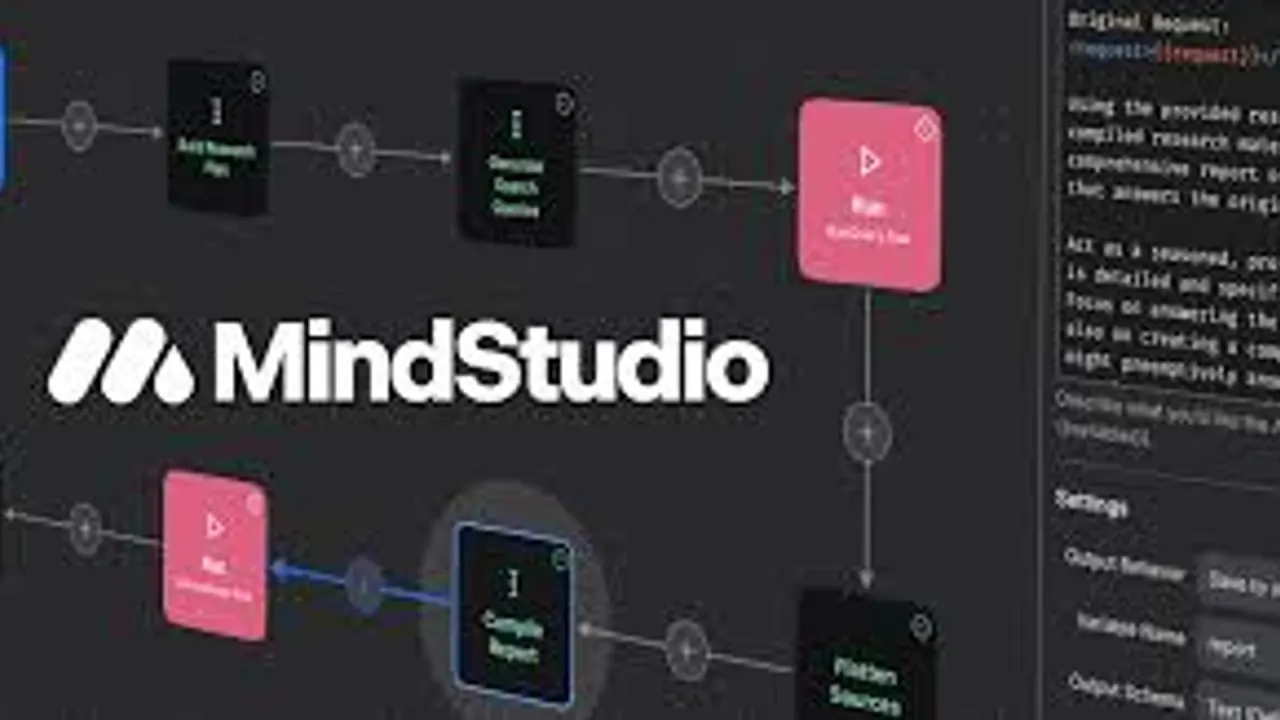
MindStudio interface preview
MindStudio logo

MindStudio

MindStudio is a visual platform for building, testing and deploying AI agents that call 200+ AI models at cost, published as web apps, API endpoints, email or webhook automations, Chrome extension agents or MCP tools.

AI AgentAutomation ToolsAI Development#No Code#Workflow Automation#Agent Workflow
View Pricing
Saves
Visits
Views
Pricing
Paid
Published
Sep 28, 2026
Domain
mindstudio.ai
Community rating

Used this tool? Rate it

Rate this tool

MindStudio Product Information

View Pricing
Tool Information
Saves
Visits
Views
Pricing
Paid
Published
Sep 28, 2026
Domain
mindstudio.ai
Community rating

Used this tool? Rate it

Rate this tool

Featured Tools

Related Tools

View Pricing

What is MindStudio?

MindStudio is a no-code AI agent builder: a web platform for building, testing, deploying and operating AI-powered applications and automations, which the company calls AI agents. Agents are assembled in a visual editor, call AI models through a built-in router instead of separate provider accounts, and can be published to several channels, from web apps and API endpoints to email triggers, a Chrome extension and MCP clients.

The service is run by GoMeta, Inc., the company named as the contracting party in the MindStudio terms of use. As captured on September 28, 2026, the homepage reported 400K+ AI agents deployed, 200+ AI models available and 1,000+ pre-built integrations; these are company-reported figures rather than independently audited numbers.

Cost has two layers. A plan fee covers the platform, while model usage is metered separately and, according to the company, passed through at cost. Every plan price is quoted as a monthly fee plus usage, so even the $0 Free plan pays for the model calls its agent makes. The Individual plan is $20/month plus usage, or $16/month when billed yearly.

Core features

MindStudio combines a visual workflow editor, a large block catalog, a model router and testing tools in one workspace for AI workflow automation. The company describes the builder as a visual builder with no coding required, but extensible with code if you need it.

Visual builder and Agent Architect

  • Block catalog: The capabilities catalog lists 198+ building blocks, grouped into categories such as workflow logic, AI generation, video editing, Google Suite, CRM and enrichment, databases and messaging.
  • Agent Architect: You describe the agent you want in plain language, and Agent Architect builds a scaffold that you then refine by describing further changes.
  • Templates: MindStudio offers over 100 templates for business and personal use cases and says the average build takes 15 minutes to an hour.
  • Custom code: A Run Function block executes a custom JavaScript or Python function when a no-code block is not enough.

Models and the Service Router

The Service Router connects agents to OpenAI, Anthropic Claude, Google Gemini and hundreds of other text, image and video generation models without separate provider accounts. As captured on September 28, 2026, the public model catalog listed 431+ models across text, vision, image, video, 3D, transcription, text-to-speech, music, lip sync, embedding, reranking and document extraction types.

Two options extend the router. Teams that prefer their own provider accounts can switch a provider between Managed routing and a Custom Key at any time. A separate local model tunnel lets MindStudio send inference requests to Ollama, LM Studio, Stable Diffusion or ComfyUI running on your own machine.

Human review, testing and debugging

  • Checkpoints: A checkpoint block lets the user review, and optionally revise, the state of a workflow before it continues.
  • Clarifying questions: A Build User Context block asks the user a series of questions around a prompt to disambiguate it or learn more.
  • Testing and QA: The plan comparison lists automated diagnostics, the MindStudio Debugger, side-by-side model comparison and evaluations with test suites, plus version history for tracking changes.

Media tools and newer products

  • AI Media Workbench: A separate workspace runs image and video models such as Wan, Kling, Flux, Runway, Sora and Veo without API keys or local installs.
  • Video blocks: The video editing category includes a Video Face Swap block that replaces a face in a video file with a face from a provided image.
  • Agent Skills Plugin: A typed SDK gives external agents such as Claude Code and OpenClaw the ability to generate images, scrape the web, send emails, process media and call 140+ integrations.
  • Remy: Remy is a product agent for building software: after you approve a plan, it writes a complete spec for the application. It then writes code, sets up databases and runs automated testing, bringing in design, architecture and QA agents as needed.

Guide

A MindStudio agent goes from a draft to a published version, which is then attached to one or more deployment channels such as the API or an MCP server.

Publishing an agent

  1. Open the AI Agent Settings and check the name, description, API function name, icon, usage limits and sharing settings.
  2. Click Publish in the top-right corner. Publishing creates a versioned release of the agent and locks in its current configuration.
  3. Attach the published agent to a channel: a web app, a schedule, the Chrome extension, an email address, an API call, a website embed, a webhook or an MCP server.

Exposing an agent over MCP

  1. In the agent editor, select the Start block and change the trigger type to Packaged Workflow.
  2. Fill in the workflow name, description, inputs and outputs, then save and publish.
  3. Copy the Agent ID from the general settings, select MCP Server from the workspace settings dropdown, paste the ID and add the agent.
  4. Paste the generated connection snippet into the external client; the documentation shows Claude, OpenAI and Cursor as targets.

Embedding an agent in your own product

Your backend requests a signed access URL from the MindStudio API and serves it to the signed-in user through a redirect or an iframe, so end users do not need a MindStudio account. Link expiration can be set anywhere from 1 hour to infinite. When your backend passes its own user ID, that user's run history stays consistent across sessions; without one, a new temporary user is created each time.

MindStudio use cases and examples

The examples below come from MindStudio's own site, documentation and store listing. They show where the product is aimed, but they are vendor-reported rather than independent case studies.

  • Newsroom operations: An Advance Local executive quoted on the site says its AI agents complete over 800 tasks every week, so reporters save time and stay in the flow of their work.
  • Sales support: The company says ServiceNow uses MindStudio agents to help close multi-million dollar deals.
  • AI functions inside other software: The API documentation lists spam detection before publishing, support ticket triage and lead scoring as jobs for agents called from a product or backend.
  • Browser research: The Chrome extension listing promotes instant summaries of long articles, videos, PDFs and other documents from inside the browser.
  • Personal automations: Sample prompts on the homepage include an agent that watches competitors' websites daily and a Chrome extension agent that extracts the people named on a page, finds their contact details and adds them to HubSpot.

Who is it for

MindStudio markets itself to individuals, teams and enterprises, and the company says its agents have been deployed by individuals, SMBs, enterprises and government agencies.

  • Solo builders: Individual adds unlimited agents and runs on top of the Free plan, but its collaboration column reads "Just me", so it is a one-person plan.
  • Teams: Workspace roles separate Owners, Admins, Members and Guests. A Member can view every agent in the workspace but edit only their own, and a Guest sees only the agents they are invited to.
  • Enterprises and regulated buyers: The enterprise feature list includes SAML single sign-on, SCIM user provisioning, role-based access control, audit logging and SLAs.
  • Educators: The company says Stanford, Harvard and Brigham Young use MindStudio to teach the next generation how to use AI.

It is a weaker fit for buyers who need one fixed, all-inclusive monthly bill: every self-serve plan adds metered model usage on top of the subscription.

Platforms

Agents are built in the MindStudio web workspace and can then run in several places. The documentation lists AI-powered web apps, scheduled agents, Chrome extension agents, email-triggered agents, API calls, embedded agents, webhook triggers, packaged workflow modules and MCP servers as deployment options.

  • API: Once published, an agent can be triggered over HTTPS with a POST request; inputs are passed as JSON launch variables and results come back as structured JSON. Agents can also be scheduled to run periodically, such as daily at 8 AM, or triggered from Node.js applications.
  • Agent frameworks: The Agent Skills Plugin works with Claude Code, OpenClaw, LangChain, CrewAI, AutoGen, Cursor and any MCP client, and counts 140+ built-in actions and 850+ connector actions.
  • Automation platforms: Agents can connect to Zapier and Make and integrate with n8n workflows.
  • Chrome extension: The extension is free and works with all plans. As captured on September 28, 2026, its store listing showed a 4.4 rating from 36 ratings and 10,000 users.
  • Self-hosting: As a Business-tier option, MindStudio can run in your own infrastructure, on-premise or in a private cloud.

Pricing

MindStudio pricing has two parts: a plan fee and metered AI model usage. Free costs $0/month plus usage and is limited to one agent and 1,000 runs a month. Paying yearly saves 20% compared with paying monthly.

PlanMonthly billingYearly billingAgentsRuns per monthCollaboration
Free$0/month + usage$0/month + usageOne1,000Not listed
Individual$20/month + usage$16/month + usage, billed yearlyUnlimitedUnlimitedJust me
BusinessCustom (contact us)CustomUnlimitedUnlimitedCustom

The plan cards add differences the table cannot show. Individual lists premium AI image and video models, live weekly workshops and the Slack community. Business, priced on request, adds a team workspace, unlimited collaborators, a private Slack support channel, self-hosting and custom domains.

A run is a single execution of an agent: every time an agent is triggered, manually or automatically, it counts as one run. MindStudio notifies you as you approach the monthly run limit, and you can then upgrade or buy additional runs.

Model usage is billed by tokens: you pay for the tokens you send (input) and the tokens the model generates (output), with prices usually quoted per million tokens. MindStudio says it does not mark up these costs, so you pay the same price as with your own API keys from the model provider. As an example, the catalog listed Claude 4.5 Haiku at $1.00 per million input tokens and $5.00 per million output tokens on September 28, 2026.

Usage draws on a workspace balance. You can add funds manually or set an auto-recharge threshold that tops the balance back up from a saved payment method. Spending can be tracked through usage analytics, API logs, billing notifications and budget alerts.

MindStudio alternatives

Alternatives fall into two groups: general workflow automation tools and agent builders tied to a larger software suite.

  • n8n: MindStudio's own pricing page compares itself with n8n. n8n offers a standard self-hosted Community Edition on GitHub, whereas MindStudio lists self-hosting only on its custom-priced Business tier. Hosted n8n plans charge per complete workflow execution rather than per step.
  • Microsoft Copilot Studio: Copilot Studio deploys agents directly into Microsoft 365 apps such as Microsoft Teams, SharePoint and Microsoft Copilot. Microsoft 365 Copilot, listed at $30.00 per user/month paid yearly, includes access to a standard harness in Copilot Studio, and buying it requires a qualifying Microsoft 365 business or enterprise plan.

MindStudio's own case rests on model choice and deployment range: at-cost access to hundreds of models, BYO keys and a wide set of channels, from email triggers to MCP.

Limitations

The main constraints concern spending controls, refunds, early-stage products and the terms that govern AI output.

  • Budget caps stop agents: Once a workspace exceeds its monthly budget, further usage is suspended until the next billing period; a user who exceeds a personal budget is suspended until the next month.
  • No prorated refunds: Cancelling stops renewal, but you are not eligible for a prorated refund of the fee already paid for the current period.
  • Custom keys fail loudly: If a provider key you supplied is invalid or revoked, requests fail and surface an upstream provider error.
  • Remy is early: Access to Remy is through an alpha, and the company describes it as live and in active development.
  • Third-party output: The terms state that generative output comes from third-party AI services that MindStudio does not own or control.
  • Inconsistent model counts: The Chrome extension listing says agents can access over 90 AI models, while the website advertises 200+ and the catalog lists 431+.
  • Age and disputes: Children under 16 are asked not to register for or use the service. Except for certain types of disputes, the terms require binding individual arbitration and a class action waiver.

Privacy and data use

  • Training: The Free and Individual plan cards state "Your data is never used for training". The terms add that MindStudio does not use your personal information or inputs to train its generative AI or machine learning models, and that its applications do not rely on third-party AI services that train on those inputs.
  • Model providers: The privacy policy lists third-party AI providers among the service providers that help deliver the service. It describes self-hosted DeepSeek models as offline instances inside MindStudio's own infrastructure and says MindStudio user data is never shared with model providers for training purposes.
  • Retention: Profile data, account activity, transcripts and other information you provide are kept for as long as you have an account.
  • Output rights: The terms grant each user a worldwide, non-exclusive license to use and share the output for any purpose.
  • Compliance: MindStudio lists SOC 2 Type II compliance and GDPR compliance among its enterprise features. Its data processing addendum refers to the standard contractual clauses in European Commission Decision 2021/914 for international transfers.

FAQ

Q1. Do I need my own OpenAI or Anthropic API keys?

No. The Service Router connects agents to 200+ models without provider accounts, and usage is charged to your MindStudio balance. You can still add your own key for a provider if you want billing and quotas to stay with that provider.

Q2. What counts toward the run limit?

Each execution of an agent counts as one run, whether it was started manually or by a trigger. The Free plan includes 1,000 runs a month; Individual and Business list unlimited runs.

Q3. Does MindStudio add a markup to model costs?

The company says no: model usage is passed through at the provider's price, billed per input and output token.

Q4. Can MindStudio be self-hosted?

Self-hosting is listed only for the custom-priced Business tier, alongside custom domains and the option to use your own AI models.

Q5. Is the Chrome extension an extra cost?

No. The Chrome extension is free and works with every plan.

Know a Similar Tool?
If you know other great AI tools, feel free to submit them to us