
Create images from text or references, turn stills into short clips, and refine visual assets in a browser. A separate free image demo and the token-based workspace have different access rules.
Used this tool? Rate it
Used this tool? Rate it


AI image editing from a reference photo


Multi-model image studio, free to start


Build random generators, share them free


Anime art, powered by a million community models


Real-time answers, images, and code in one chat


Community-Trained Models for Art, Video and Characters


Browser-Based AI Photo Editing and Image Generation


Product photo editing for online stores
Aitubo is a browser-based AI image generator and AI video generator. It has separate tools for turning written prompts and reference images into visual assets. The starting material determines the path. With text to image, the prompt supplies the composition. With an image as the starting point, the job can be to create another still or to give the scene motion.
Aitubo also presents a canvas that brings its image and video generators, editing tools, mockups and effects into one workspace. That combination is most relevant when a project needs different formats from the same visual idea. A cover image can establish the palette and composition, for example, while a short animated version gives a post motion.
Two parts of the service are easy to confuse when comparing costs. Aitubo advertises a standalone free text-to-image page with no login and no generation limit. The main workspace has its own plan and token system. Someone drafting a still from a written idea and someone animating a reference shot can therefore encounter different access conditions even though both start on the Aitubo website.
The workspace offers both text-to-image and image-to-image entry points. Use a description when the subject, setting and composition still need to be developed. An existing image is a practical input when the direction is already clear and the task is to explore variations without starting with a blank scene.
The image generator includes a model selector and a Remix action on its sample artwork. The model choice and the starting prompt control different parts of the brief. The starter prompts show how an example sets the subject and composition. A creator can reuse that description as the starting point for a different subject.
The image catalog includes Flux v1.0, Seedream 4.5 and Z Image. Their presence makes it possible to compare candidate treatments of the same brief within Aitubo. Catalog membership describes what is offered. The free plan's restrictions determine which models are available without upgrading.
The video workspace separates its inputs into text, image and reference modes. Starting from a description leaves the opening picture to the generator. Starting with a still gives it a concrete composition. The reference entry is another option when visual material matters to the shot, with the exact controls governed by the selected model.
The video interface includes controls for duration, aspect ratio and resolution. These settings have different consequences for a deliverable. Aspect ratio sets the framing for a vertical or horizontal placement. Resolution sets the pixel dimensions available for finishing. Duration affects how much motion fits into one generated shot.
The model picker lists different technical options for individual engines. It gives Seedance 2.5 durations of 5, 10 or 15 seconds at 480p or 720p. The picker also lists native audio generation for Kling v3.0. Model choice therefore matters for a shot with a specific duration or sound requirement, even when the visual input and prompt stay the same.
The image upscaler shows factors from 1× to 4×. Scaling is a separate operation that makes sense once a composition is already useful. On a still intended for a larger layout, an illustrated outline or a product edge gives a useful point of comparison with the original.
Aitubo's background remover accepts PNG, JPG or WebP files up to 5 MB. That gives a shop owner with an existing product photo a way to work on the background while keeping the original material for reference. For a draft banner, the isolated object can be positioned against a new colour or layout. The upload limit is especially relevant if the starting point is a large original from a photographer.
The decision is whether the job needs the actual object photographed by the team or an invented concept image. A rendered item can show a packaging idea. For visual work that represents an existing item, an edit to the approved photo leaves the team with a more direct reference for checking labels and outlines.
The photo and video effects are separate template collections. A still for an event announcement can become a quick motion test. A template is appropriate when its movement already suits the intended result. For a more specific camera move or action, the image-to-video generator gives the creator a place to describe it. Both paths start with an image, but the first starts from a preset effect and the second from the shot instructions.
The same distinction applies to a draft cover and an animated teaser. The still establishes the object and its placement. A short clip can demonstrate one movement around that composition. A teaser needing several shots can use generated clips as individual pieces in the edit.
Aitubo lists an Image Variation feature for exploring different looks from a supplied image. An illustrator can work from an existing sketch when the outline already suits the brief. A designer can compare variations against a selected image when the useful change is a single detail. In each case the supplied image gives the reviewer a reference for judging what changed.
This workflow suits early exploration where the useful result is a small set of directions for review. A product team with a fixed visual specification has a different need. The actual assets show whether logos and packaging text survived generation.
The image-to-video guide describes using several views of one subject as references. A team that already has product or illustration assets can build a motion test from selected views. The references establish what the object looks like from more than one angle. The result still needs inspection if it will represent a real product, particularly as the object turns and previously unseen details come into view.
There is also a practical distinction between a team that needs a few draft clips and one making several clips at once. For the latter, the separate video queue limits matter more than a starter discount. A paid plan's image allowance alone tells the team little about how many video jobs can be pending at a time.
The online workspace provides a browser route for generating and reviewing video clips. The website also links to downloads for Windows and for both Intel and Apple Silicon Macs. The availability of a download is separate from whether its feature set and plan behavior match the browser interface. For the workflow described here, the generation settings and web prices refer to the browser route.
The image generator in the main browser workspace has a sign-in entry. This is an account entry point for Aitubo, distinct from the dedicated text-to-image demo that the company advertises separately.
Apple's US App Store lists Aitubo: AI Video Generator with in-app purchases. It gives the listing an 18+ age rating and describes mature or suggestive themes as infrequent. The age label applies to that listing. The iPhone app has its own in-app purchase entries.
The Free workspace plan lists 50 tokens per month and supports only models outside the PRO group. The web plans below compare the monthly token allocation with the advertised yearly-billing rate per month in US dollars. The monthly equivalent makes the annual plans directly comparable.
| Web plan | Rate per month with yearly billing | Monthly tokens |
|---|---|---|
| Basic | US$13 | 8,000 |
| Standard | US$24 | 18,000 |
| Pro | US$45 | 42,000 |
The paid plans list Private Mode as a feature. That matters when the account is used for unreleased visuals. The mode is a workspace visibility control, while uploaded inputs, account information and published work are addressed separately in the service's privacy terms.
The pricing comparison shows video queue limits of 2, 4 and 8 pending jobs on Basic, Standard and Pro respectively. Those counts describe how many jobs can be pending at once during a batch of motion variants. The token allocation is a separate budget for jobs that spend tokens.
Aitubo distinguishes monthly subscription tokens from fixed tokens such as Supply purchases. This makes the source of the balance relevant when interpreting a refill. The subscription pool is on a monthly cycle, while the fixed pool is described as staying in place. For token-funded work, the amount of generation depends on the job and its settings.
Web subscriptions renew automatically, and Aitubo lists Manage Subscriptions as the way to cancel. That billing decision is separate from requesting a refund. For example, someone discontinuing a plan after a project ends and someone asking to reverse a recent charge are taking two different actions.
Under the detailed subscription refund policy, users can request a full refund within seven days of purchase if they have neither logged in nor used any membership benefits. It separately describes a partial refund calculated from unused days or points when points have been partly used. The standard subscription refund rules rule out refunds after seven days. The policy separately allows requests in verified cases such as duplicate charges or undelivered points caused by a bug. The shorter pricing FAQ mentions unused benefits and omits the sign-in condition. The policy says refund requests for one-off point packages must be within 48 hours of purchase and the points must be unused.
Leonardo.Ai has a Flow State mode that generates several visual directions from a description, then lets users request more results similar to a candidate. A designer comparing styles for a campaign might prefer that kind of continuous exploration when the time-consuming part is deciding how the image should look. Aitubo makes more sense for a brief that combines a defined still-image direction with a separate short video or effect.
Runway's Gen-4.5 supports both text-to-video and image-to-video in Runway itself. Its image-to-video workflow describes the input still as fixing the visual starting point and the prompt as describing camera or subject movement. Projects centred on testing a specific motion can compare that workflow with Aitubo's video workspace.
The Free workspace plan lists 90 days of cloud storage for creations. The remaining balance affects generations that use tokens. The storage window affects how long a saved image or clip is listed as available in the cloud for a later campaign.
The published terms introduce themselves as terms for the mobile application and use broader platform wording in the user-content section. Aitubo’s terms prohibit explicit pornography in content users upload, create or share on the platform.
Aitubo says generated images, videos and music may be used commercially. Its terms also put responsibility for uploaded, created and shared content on the user and prohibit infringement of third-party intellectual property. In practice the commercial use statement relates to the platform-made result. The rights for a supplied product photograph, brand asset or recognizable subject depend on the material used.
Aitubo’s published privacy policy describes access through its mobile applications. In its mobile-app privacy policy, Aitubo says uploads and user-trained models are removed within 24 hours for facial manipulation features. It states that rendered results in that same section are kept for 30 days. The same policy section distinguishes uploaded material from rendered results.
The mobile-app policy’s machine-learning section says user pictures or videos are never used to improve functions and cites other apps as server-side examples. How these statements apply to individual browser workflows remains unclear in the published policy.
The published terms say work shared publicly to the community feed can remain visible for a month after an account data deletion request. The terms start from the mobile application and leave the browser scope of this clause unclear.
An independent study of 2023 image generators found Aitubo produced more repetitive results on its small set of prompts about a painter's self-portrait than the two other tools in that experiment. The prompts, evaluation criteria and versions were specific to that study. Its findings apply to the image experiments conducted for that study.
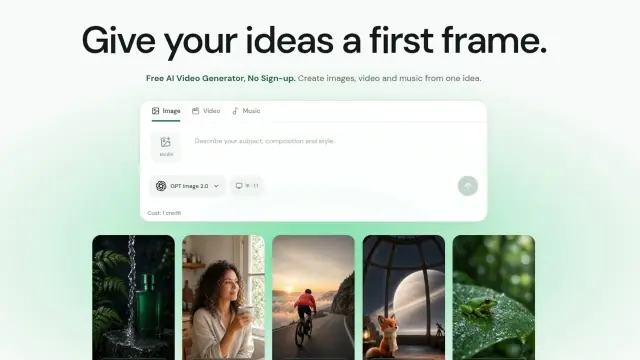
Aitubo advertises the separate text-to-image demo as usable without login. The main workspace shows a sign-in flow and has its own free and paid tiers. The access claim for the demo applies to its image prompt workflow.
Yes. Image to Video takes a still and a description of the intended movement or effect. The resulting clip can be downloaded as an MP4 through that workflow.
The subscription comparison above is for the web service. The US App Store lists separate in-app purchase options for the iPhone app, so the web figures apply to a different checkout.