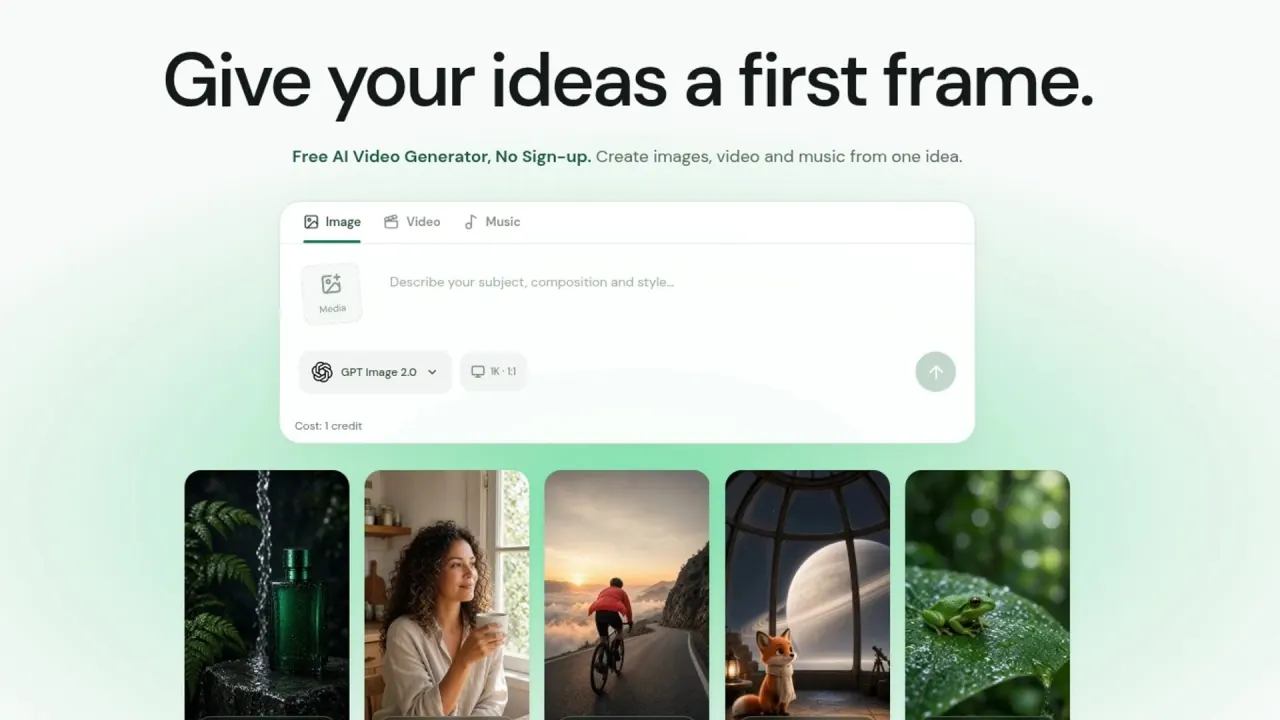

Create images, short videos and music with model-specific controls, editable prompts and reference media. Eligible visitors can start with welcome credits; daily grants require an account.
Used this tool? Rate it
Used this tool? Rate it
Everygen AI is a browser studio for creating images, short videos and music from prompts and compatible references. It combines text-to-video, image-to-video, AI image generation and music in one workspace, with model controls, a credit wallet and creation history.
Everygen AI Studio is independent and says it is not affiliated with the separate Everygen product or Viewmax LLC. Similarly named services have separate accounts, subscriptions and generation allowances; their offers do not transfer to this studio.
The media tab changes the model menu. Some models accept image references, others work from text, and an end frame is available only where supported. Being listed under Video does not establish image-to-video support; compatible roles follow the chosen model and input mode.
As captured on October 12, 2026, the exposed controls distinguish these video entries. Listed options do not establish output quality, processing speed or successful generation with every combination.
| Studio entry | Listed resolution controls | Listed duration controls | Reference-panel limit |
|---|---|---|---|
| Kling 3.0 Turbo | 720p, 1080p | 3–15 seconds | Up to 1 file |
| Seedance 2.0 Mini | 480p | 4–15 seconds | Up to 15 files |
| Grok Imagine Video 1.5 | 480p, 720p | 6–30 seconds | Up to 7 files |
Seedance 2.0 Mini also exposes Generate audio, Return last frame and Seed controls, plus Reference images and First and last frames input modes. Its multi-file limit remains subject to compatible media and reference roles.
The current free-release guide limits available Seedance models to 480p and says Seedance 2.5 is hidden. Membership HD/4K benefits apply only to supported models. The studio validates submitted settings on the server; prompt wording does not unlock unsupported controls.
Homepage samples are not a benchmark or a promise of repeatable output, and model availability can change.
The public video prompt guide centers a short brief on a subject, action and setting that fit one shot. It pairs one visible action with one camera instruction, such as a slow push or gentle orbit, and warns against conflicting directions.
The guide describes narrowing a busy action, revising framing or adding a permitted reference, while recording which change helped. Creative instructions and output controls serve different roles. Generated results still vary and require review before publication.
Confirmed failures return reserved credits. An uncertain submission retains its reservation while checked; refreshing the studio resumes the existing job. Rejection before acceptance releases still-valid original credits. These states are separate from a subscription-payment refund.
Everygen AI supplies reusable cinematic prompts and editable templates for vertical nature moments, original characters and cinematic openings.
Users must be at least 18 to use Everygen AI. Its examples center on short creative assets and original visual directions.
This release works in a browser and does not provide an MCP server. An integration belonging to the separate Everygen service does not add MCP access here.
The browser may save an unfinished prompt and creation settings. These local preferences differ from stored service records and downloaded or shared media copies.
Membership is optional; free access never becomes paid automatically. Prices are in USD, with taxes shown at checkout. These yearly offers were captured on October 12, 2026. Monthly equivalents are comparison figures; checkout charges the full annual amount.
| Plan | Price on yearly offer | Upfront bundle | Return-based daily grant | Simultaneous generations |
|---|---|---|---|---|
| Free | $0; no subscription | 30 welcome credits for eligible visitors; 20 additional first-sign-in credits for eligible accounts | 10 credits after the 24-hour countdown for eligible signed-in accounts | 1 |
| Lite | $19.90/month equivalent; $238.80 billed yearly | 9,050 credits at the start of each paid year | 30 credits | Up to 2 |
| Pro | $22.90/month equivalent; $274.80 billed yearly | 17,750 credits at the start of each paid year | 50 credits | Up to 3 |
| Ultra | $29.90/month equivalent; $358.80 billed yearly | 23,500 credits at the start of each paid year | 100 credits | Up to 5 |
Lite is yearly only. Pro and Ultra yearly cards also print monthly-billing amounts of $29.90/month and $49.90/month. The listed upfront bundles apply to paid years, not a stated monthly bundle. Yearly subscriptions renew yearly unless canceled; the Terms describe renewal according to the purchased monthly or yearly period.
Guests do not receive daily credits. The first account reward and daily grant do not stack; missed days yield one grant without catch-up credits. Eligibility is checked when the countdown has ended. Multiple accounts cannot be used to claim rewards repeatedly.
New free grants expire 24 hours after successful claim and do not roll over; earlier credits keep their original expiry. Welcome credits are limited to eligible new visitors, rather than a renewable guest allowance.
The free-access guide and Terms describe one wallet for images, videos and music. The model guide instead describes “separate daily video and shared image/music allowances.” The public descriptions divide access differently; the split wording provides no extra numeric quotas for the published credit plans.
Purchased upfront credits arrive after confirmed payment and each successful renewal, without expiry. Daily and promotional rewards expire after 24 hours; earliest-expiring credits are spent first. Paid daily amounts replace the free allowance. Plan changes preserve the countdown, and missed grants do not accumulate.
Membership cards advertise priority, queueing, selected early releases when available, supported HD/4K and no extra studio watermark. Priority affects waiting time while processing time varies. Formats and resolutions remain model dependent; provider-required watermarks and restrictions still apply. Credits do not mean unlimited generation.
The Terms tie storage to status when work starts: 3 days after completion for free creations and 30 days for those started during active membership. Plan changes or cancellation do not shorten existing storage. Pricing likewise says storage starts at completion, and privacy describes membership work as “started” under an active plan. These rules do not promise that a later upgrade extends earlier creations.
A different plan starts a new paid term at checkout price, without an automatic prorated refund of the earlier term. Purchased credits remain. Once the new payment is confirmed, the service says it turns off the previous plan’s renewal.
Renewal can be turned off in Billing. Benefits last through the paid period and purchased credits remain; cancellation does not automatically refund a previous payment. Support reviews payment and usage records for billing errors, duplicates, non-delivery and refund requests. Mandatory consumer cancellation and refund rights remain unaffected.
Job-credit returns are separate from payment refunds. Returned purchased credits retain no-expiry status; returned daily/promotional rewards have 24-hour validity. Returns do not alter the next free-claim time. Credits cannot be transferred or redeemed for cash.
Compatible controls define a request, while delivery remains subject to content review and the provider’s applicable terms. Model access does not remove the studio’s prohibited-content rules.
The Acceptable Use Policy prohibits pornographic or sexually explicit content and says there is no adult-content mode. Infringing material and fraudulent impersonation are also prohibited. These are declared rules, rather than independent proof that every unsafe request is detected.
Unreviewed outputs must remain private and cannot be delivered before required checks approve them. A prohibited image withholds the whole generated batch. Review failures pause generation or delivery; flagged or ambiguous content and appeals require human review. Content remains unavailable while a decision is pending. Passing a check does not establish output rights or excuse violations.
Users retain input rights and permit processing, transmission and storage for generation, history, policy enforcement and support. That permission does not authorize sale or public advertising use without separate permission.
The studio does not claim output ownership. Any rights depend on applicable law, third-party rights and model terms, without guaranteed copyright protection or exclusivity. Eligible commercial use is subject to those conditions; permissions for people, trademarks and source material remain the user’s responsibility. Membership does not clear every likeness, logo or soundtrack.
The service stores prompts, settings, progress, references and results for generation and history. Prompts and references may go to generation and content-review providers. The reviewed privacy disclosure and Terms do not specify a model-training commitment; processing permissions do not establish exclusion from training.
Device, browser and network data include IP address, language, time zone and screen information, plus usage, verification and service records. Purposes include operation, free credits, abuse prevention and errors. Payment uses account and order records; full card details are entered on secure checkout and are not stored by the studio.
Delivered media and reference uploads may be accessible to anyone with their file link; signing in to history does not make them private. Removing a file cannot recall others’ downloaded or shared copies. Privacy before review approval differs from access to a delivered file.
The privacy disclosure says this release has no advertising trackers. Cookie-free website statistics exclude prompts, account identifiers, support messages and generated media; separately disclosed operational and account records still exist.
Expired results leave the library and are scheduled for deletion. Task processing or legal obligations may require temporary retention; account, payment and safety records may be retained separately. Removing a creation from history may not remove related service or backup records.
The contact form handles access, correction and deletion requests. The 3-day and 30-day library periods do not establish simultaneous deletion of every uploaded reference, transaction record or backup.
Eligible new visitors receive welcome credits without signing in. Daily grants require an eligible signed-in account and the next 24-hour wait; guests do not receive them.
No. Resolution, formats, references and other controls remain model specific. Supported HD or 4K benefits do not remove provider restrictions or the documented free-release Seedance limit.
Sign-in controls access to history, but delivered media and reference uploads may be accessible to anyone holding their file link. Saved history and private media storage are different access conditions.
