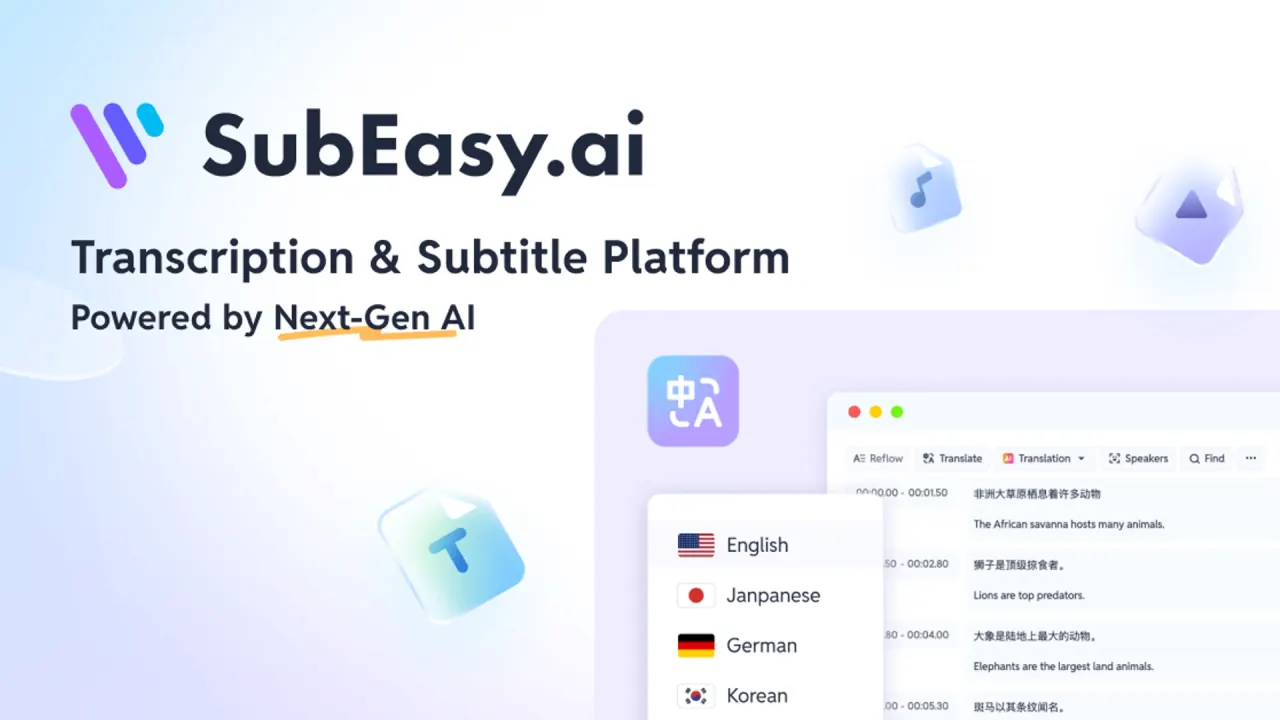

SubEasy is an AI transcription and subtitle platform: upload audio or video, or paste a YouTube or TikTok link, and get a timed transcript with subtitle reflow, context-aware translation, dubbing and an AI companion, on a free daily allowance and two paid tiers priced in yuan.
Used this tool? Rate it
Used this tool? Rate it


Natural AI photo editing for portraits and projects


Chat Your Way to a Finished Video


Edit, caption, and generate video in one place


AI translation for multilingual workflows


Generate new shots and rework existing footage


AI image editing from a reference photo


Multi-model image studio, free to start


AI assistant for writing, analysis and tasks
SubEasy is an AI subtitles and transcription platform that sells itself on a simple allowance: 3 Transcripts FREE every day, no credit card needed. You upload audio or video, or paste a YouTube or TikTok link, and get a timed transcript you can turn into subtitles.
The headline claim is accuracy: Up to 99% Accuracy in Transcription, with the argument that the hours normally lost to proofreading disappear. That is a vendor figure with no test set published, and the rest of the product is built as though it holds — reflow, speaker labels and an editor all exist because raw automatic transcription is never clean.
Coverage is the second claim: See All 100 Languages on the homepage, with a sample list running from English and Spanish through Japanese, Korean and Chinese. Translation and dubbing are marketed inside that same language count, which is worth separating later, because a hundred languages of transcription and a hundred languages of dubbing are different promises.
What makes the product more than a transcript tool is the chain after transcription: reflow, translation, dubbing and an AI companion that turns a transcript into notes. Each of those is a separate switch on the plan table, and the plan table is where the real product boundary sits.
The site also leans on social proof, and the social proof disagrees with itself — a Trustpilot badge at 4.8/5 and a widget further down claiming 5.0/5 from nine ratings. This page treats the product first and the numbers second, and flags the disagreements where they matter.
Most of the feature list exists because real recordings are imperfect. An AI audio noise reducer strips background before transcription, and the correction pass looks for misheard words rather than asking you to proofread from the first line.
Speaker handling is the other half. The speaker identification step labels every line, so an interview reads as a conversation instead of a wall of text, and a meeting transcript can be skimmed by who said what rather than by timestamp order.
The product also takes text-to-speech in the other direction, turning a finished transcript back into audio. It is a small feature next to dubbing, but it explains the shape of the tool: SubEasy wants the whole loop from sound to text and back, not a one-way converter.
Subtitle reflow is the feature that separates SubEasy from a plain transcriber. It is listed on every plan, including the free one, which is unusual for a formatting feature — most competitors put line-breaking behind a paywall because it is the difference between a usable caption file and an unusable one.
The editor keeps two representations of the same project. You can edit in subtitle view and then copy the changes into transcript view, so the caption file and the readable document start from one edit instead of two. For anyone delivering both a video and a text record, that is the real time saver.
Translation is pitched as the first deep context-aware subtitle translation service, and the homepage demo is chosen to make the point: the Spanish banco is rendered as a bank rather than a bench, because the following line is about keeping money. Machine translation normally resolves that word wrong, and the three-way comparison on the page — Google, ChatGPT, SubEasy — is designed to show the difference in one glance.
Whether the demo generalises is another question, and the site offers no benchmark. What it does offer is a glossary setting for names and terminology on the paid tiers' translation, which is the practical answer for a series with recurring proper nouns.
Dubbing is the feature with the clearest job description: swap the original dialogue for lifelike, studio-grade AI voices, auto-generate a voice-over from the subtitles, or deliver a translated version with natural-sounding voices. It turns a subtitle tool into a localisation tool, and it is the reason the paid tiers exist.
It is also the clearest boundary on the plan table: dubbing and voice-over are marked as not included on the free plan and included from Pro upward. If dubbing is the reason you are looking at SubEasy, the free plan cannot tell you whether the feature works for your footage.
The AI companion is what makes the tool interesting to researchers and meeting owners. It can generate summaries and detailed notes, repurpose a transcript into blog posts or minutes, and answer questions about the content through a ChatGPT integration that sits inside the editor rather than in another tab.
The correction pass belongs here too: it detects errors, tightens grammar and refines sentence structure, which is the step that turns a rough automatic transcript into something you would send to a client.
The first session is designed to be short: the free plan gives 3 transcripts a day, each up to 30 minutes, and asks for no card. Upload a file or paste a link, wait for the transcript, then look at the subtitle view before touching the transcript.
If the deliverable is a dubbed or translated video rather than a caption file, plan the upgrade before the first upload: dubbing and daily translation minutes are the two allowances the free plan does not carry.
The social-video case is the one the homepage leads with: paste a YouTube or TikTok link and get subtitles in seconds. That is the shortest path in the product, and it is why the free allowance is expressed in transcripts per day rather than minutes per month.
Hardcoded subtitles are the second case. The video OCR step extracts burned-in captions into editable text with one click, which is the only practical way to recover a transcript from a file whose captions were rendered into the picture years ago.
Styling is the third. Animated captions come with a set of styles — fades, bounces and beat-synced highlights — applied in one click, which matters for short-form video where the caption is part of the edit rather than an accessibility layer.
The fourth case is the audio one: splitting vocals from background music into separate tracks. It is a small utility next to transcription, but it is what makes a noisy interview salvageable without a separate audio tool.
The product fits people who produce video and need the text as a by-product: course creators, interview podcasters, social teams repurposing long recordings into clips, and anyone localising a channel into a second language.
Speaker identification is the feature that decides the fit for interview work. It labels every line automatically, which is enough for a two-person conversation and enough to skim a panel, but it is not a substitute for editorial judgement about who was actually speaking.
Price geography matters here. The page we checked quotes plans in yuan, while the vendor's own regional blog describes the entry plan at HK$78 a month for Hong Kong readers, so the same tier is presented with different numbers depending on where you are reading from.
It fits less well if you need frame-accurate manual timing on every caption, if your workflow requires API access on a normal plan — that sits on the custom Business tier — or if you need a formal data-processing agreement before uploading client footage, which the public pages do not provide.
SubEasy runs in the browser, and the deliverable is a file. Projects can be exported to Notion, Google Drive and Dropbox from Pro upward, and YouTube and TikTok videos can be downloaded for processing at up to 4K on the paid tiers.
The input side is deliberately broad: local audio and video files, platform links, and even a picture with burned-in subtitles. The output side is narrower and conventional — subtitle files, transcripts and rendered video — which is the right shape for a tool that sits before an editor rather than replacing one.
Storage is sold with the plan rather than separately: the Pro tier includes cloud storage for past projects, and the unlimited tier expands it. For a team that revisits old subtitles, that history is part of the product rather than a bonus.
The 4K download and 4K export options are worth reading carefully. Downloading source video and exporting finished video in 4K are separate rows on the plan table, and only the top tier carries both.
Prices are quoted in yuan on the page we checked, and the first thing to understand is that the numbers are regional: the vendor's own Hong Kong-facing article describes the entry plan as HK$78 a month, which is a different presentation of the same tier rather than a different product.
The Pro plan is ¥1083.33/month, ¥13000/year, with the annual option advertised as 2.7 months free. The arithmetic does not quite work — twelve monthly payments at the displayed rate equal the annual total — so the discount is better read as a marketing label than as a calculated rate.
What Pro buys beyond minutes is speed and storage: 200 minutes of transcription a month and 30GB of storage, plus fast-track processing so a queue does not sit behind free users.
Unlimited is ¥4166.67/month, ¥50000/year, sold as 3.2 months free, and the step up buys Unlimited Transcribe, 200GB of storage and batch transcribe for teams that process several files in one pass.
It also adds two voice clones and doubles the daily translation allowance, which is the tier where dubbing becomes a production tool rather than a test.
Business is custom-priced and is the only tier with API access, which is the honest signal that the API is an enterprise conversation rather than a developer plan.
Occasional users have a third path: pay-as-you-go time from ¥2700 for 90 days, which suits a one-off project better than a subscription that renews before the second project exists.
Two billing details matter more than the headline. On annual plans, 12 months of credits are added to your account at once, and allowances update with your billing cycle and credit tier — so an annual purchase front-loads the whole year, and a mid-cycle upgrade is governed by the credit tier rather than by the calendar.
The most useful independent comparison I found places SubEasy against CapCut, PowerDirector and cSubtitle, and its verdict is narrow: SubEasy is the option for high accuracy and multilingual support, especially with strong accents, background noise or a lot of proper nouns. That is a specific claim about a specific use, not a general ranking.
The same comparison notes the trade-off honestly. CapCut is easier for one-minute vertical clips, PowerDirector bundles a full editing suite, and cSubtitle is more direct if all you want is a transcript file — so SubEasy's position is quality per minute rather than workflow breadth.
A second review site describes the same product quite differently on price: it still quotes ¥1,400 a month for Pro. Its storage and clone allowances differ from the official table as well, and only one of the two sources can be current, so treat the plan figures as something to confirm at checkout.
The practical read is that the alternatives question depends on which job you have. If the job is a caption file for a clean short video, an editor with built-in captions is cheaper; if the job is a two-language channel with recurring terminology, the context-aware translation and glossary are the reason to pay.
The product is real, the free allowance is real, and the numbers around it need checking. Four things are worth knowing before you upload client footage.
The header shows a Trustpilot score of 4.8/5.0, and a testimonial block further down claims 5.0/5 based on 9 user ratings. Neither sample is large, and they are not measuring the same population, so treat both as weak signals rather than as a quality measure.
Three transcripts a day sounds generous until you read the rest of the table. The free plan does not include the daily free AI translation minutes that Pro and Unlimited carry, and watermark-free video export is also a paid line. For a one-off personal clip the free tier is genuinely usable; for anything you publish, it is a test drive.
The 100-language figure belongs to transcription and translation. Independent reviews put AI dubbing at more than 40 languages, which is still broad but not the same claim, and the difference matters if the target language is the reason you chose the tool.
The FAQ on the pricing page asks the questions a buyer would ask: whether SubEasy is secure, and whether cloud storage encryption is offered at all. It also asks what happens to uploaded files if a cloud storage subscription expires. We could not read the answers — they sit behind collapsible panels that stayed closed in a rendered fetch — so the honest position is that data handling is undisclosed on the public pages, and anyone uploading client footage should ask support directly.
The official table says 30GB for Pro, 200GB for Unlimited and two voice clones on Unlimited. A 2026 review site lists 10GB, 50GB and one clone. One of the two is out of date, and the site does not date its plan table, so confirm the allowance in the checkout summary before paying for a year.
Yes, on a daily allowance: three transcripts a day of up to 30 minutes each, with no card. Subtitle reflow, speaker identification and video export are included; translation minutes, dubbing and watermark-free export are not.
Pro is ¥1083.33 a month or ¥13000 a year; Unlimited is ¥4166.67 a month or ¥50000 a year; Business is custom and carries API access. Prices are shown in yuan, and the vendor's regional pages quote local currencies instead.
It translates subtitles with context awareness and can generate a dubbed voice track, but both are paid features and dubbing covers fewer languages than transcription. The free plan does not include either.
Yes. Paste a link and the transcript comes back in seconds, and paid tiers can download the source video at up to 4K for processing and export.