
Toolso.AI
Toolso.AI
All ToolsCategoriesTrendingLatest ToolsPricingBlog
Toolso.AI
Toolso.AI
Toolso.AI
Toolso.AI

Discover the best AI tools to boost your productivity

GitHubGitHubTwitterX (Twitter)YouTubeYouTubeTikTokEmail

Popular Categories

  • AI Writing
  • AI Image
  • AI Video
  • AI Coding
  • More Categories

Explore

  • Latest Tools
  • Popular Tools
  • More Tools
  • Submit Tool
  • Pricing

About

  • About Us
  • Contact
  • Blog
  • Changelog

Legal

  • Cookie Policy
  • Privacy Policy
  • Terms of Service
  • Refund Policy
© 2026 Toolso.AI All Rights Reserved
Limited timeLimited-time offerFeatured Listing24h priority review · No backlink · 30 days featured$29.90then $59.90Price rises to $59.90 after Oct 31Ends in--:--:--Submit now
  1. Home
  2. All Tools
  3. Video Editing
  4. Captions
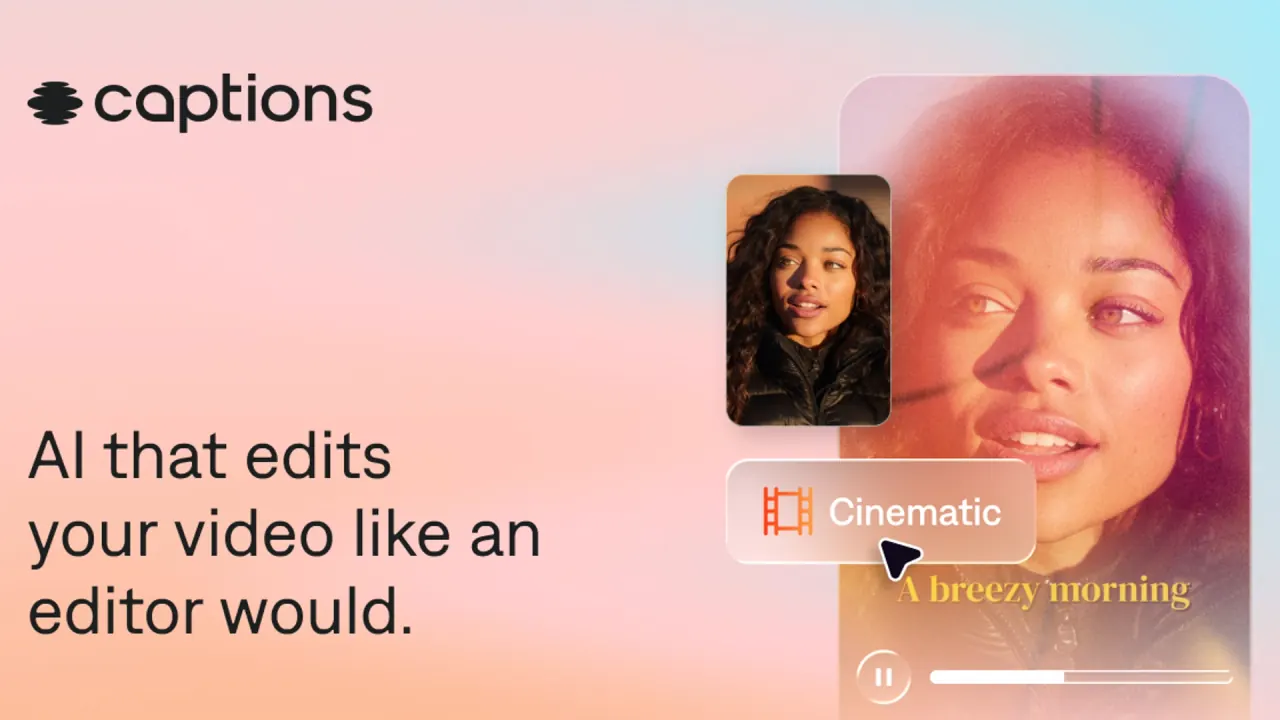
Captions interface preview
Captions logo

Captions

Captions edits talking videos with AI on iPhone, Android and the web, adding styled captions, translated subtitles, Lipdub dubbing and eye-contact fixes, and can generate AI twin or avatar videos from a prompt.

Video EditingVideo GenerationAI Subtitles#Voice Cloning#Captions#Lip Sync
View Pricing
Saves
Visits
Views
Pricing
Paid
Published
Oct 3, 2026
Domain
captions.ai
Community rating

Used this tool? Rate it

Rate this tool

Captions Product Information

View Pricing
Tool Information
Saves
Visits
Views
Pricing
Paid
Published
Oct 3, 2026
Domain
captions.ai
Community rating

Used this tool? Rate it

Rate this tool

Featured Tools

Related Tools

View Pricing

What is Captions?

Captions is an AI video editor: you upload existing footage and it produces a fully edited cut, or you generate new footage with AI actors and avatars without recording yourself.

Captions is made by Mirage, the name its parent company adopted when it rebranded and brought the creator app Captions and the ad-focused Mirage Studio under one umbrella. Mirage Studio has since been folded into Captions, so former Mirage Studio subscribers now sign in through Captions online and find their earlier projects and actors there.

Third-party app analytics data cited in tech press put Captions at more than 3.2 million downloads and $28.4 million in in-app revenue over a 365-day period.

The practical summary: signing up is free and basic manual editing is included, but the features Captions is known for (AI Edit, AI actors, generated B-roll and music) draw on monthly credits that come with paid plans.

Core features

Every AI feature in Captions, from generated images, video, sound, music and voiceovers to prompt-to-video and AI Edit, deducts from the same plan credit balance, so the feature list below doubles as a list of what consumes credits.

AI editing

  • AI Edit: pick a style and Captions automatically cuts scenes, overlays B-roll and applies the look across the whole video.
  • Chat-based editing: on the web, chat can handle nearly anything done manually in the editor, including motion graphics for vector elements, kinetic captions, product callouts, camera moves and tracked effects.
  • Trim pauses: removes unwanted pauses, filler words and other interruptions from talking footage.
  • Denoise: removes unwanted background noise in seconds.

Captions, translation and dubbing

  • Auto captions: the auto captions come with stylized fonts, and translated subtitles cover 100+ languages.
  • Dubbing and Lipdub: videos can be dubbed into 30+ languages with translated voiceovers, and Lipdub can also sync the speaker's lips to the new language.
  • Eye contact correction: automatically fixes inconsistent eye contact or awkward glances in recorded footage.

AI twins, avatars and generated footage

  • AI twin: the Mirage Avatar X model is said to need only 10 seconds of footage to build a digital version of you.
  • Voice from your sample: the twin uses the voice tone and patterns from the sample recording and applies them to new videos.
  • Avatar library: 200+ ready-made avatars, plus custom avatars generated from a text description of the person you want.
  • Prompt to Video: a Mirage-generated actor addresses the camera while generated B-roll and edits are layered in. Prompt to Video projects can be generated in 39 languages.
  • Generated media: the manual editor can generate images, B-roll, sound effects, music and voiceovers, each powered by different AI models whose availability depends on the plan.

Because AI Edit can layer generated B-roll and music into a clip and an avatar can replace the recording entirely, actual credit costs vary with video duration, model selection and algorithm choices.

Export

Exports offer resolution, frame rate, bitrate and Smart HDR settings, and the generated captions can also be downloaded as a separate SRT file.

Guide

Editing a talking video with AI Edit on the web

  1. On the Home page, open the menu, choose Edit, upload your video and write a prompt describing how Captions should edit it.
  2. Pick an AI Edit style, then optionally add your own images or B-roll, or paste a link to a product page so Captions can pull context from it while editing.
  3. Review the plan before rendering: recommended cuts, style, edit intensity and color can all be changed, and letting Captions generate its own B-roll and images uses more credits.
  4. Click Create project; generation may take a few minutes.

Creating an AI twin

  1. In the avatar section, choose to create an AI twin; on iOS you can record yourself reading the on-screen script or upload a video that is already on your device.
  2. After confirming the video, you can optionally upload reference images of yourself in different settings so Captions can generate more varied looks.
  3. Save the look you want to your avatar library; each additional look you generate draws on credits.

Localizing a video with Lipdub

  1. Open All Tools, choose Lipdub and import the video you want to dub.
  2. Confirm the original language and pick the target language; Captions then generates the Lipdub version, which can take a few minutes.
  3. Add more languages later if needed, then export selected versions or use Export All.

Captions use cases and examples

  • Social talking-head videos: Captions handles vertical and horizontal formats and is pitched at social content, video ads, podcast clips, tutorials and product assets.
  • Turning long recordings into short clips: Clips accepts an upload or a YouTube or public video link, with files up to 3 hours long and 10GB.
  • Clip batches for posting: one long video can return up to 30+ clips, ranked by a virality score, with a default clip length of around 30 seconds.
  • Faceless and voiceover-led videos: AI dubbing replaces the spoken audio without touching the lips, which suits faceless videos or simple voiceover versions.
  • Ads without filming: Prompt to Video turns a text idea into an edited talking video that features actors who do not exist, a route for product ads when no one wants to be on camera.

Who is it for

Tech press describes Captions as a largely mobile-first editing suite that its maker aims to merge with its web marketing suite to better reach small businesses making marketing videos.

Good fit

  • Solo creators who record talking videos on a phone and want cuts, captions and B-roll handled for them.
  • People with no editing experience: the chat-based editor is meant to let them make advanced edits with simple prompts.
  • Companies that need custom seats, a dedicated account management team and onboarding, which are sold through custom-priced Enterprise packages.

Less suited

  • Households or teams hoping to share one paid login: subscriptions are intended for single users and cannot be shared.
  • Editors working on long, multi-speaker footage, since AI Edit expects short single-speaker clips (see Limitations).
  • Android-first users looking for the AI-heavy features: the Android-only Lite plan is described as essential tools for manual editing.

Platforms

  • iPhone and iPad: the Captions app is on the App Store. Its listing requires iOS 16.0 or later and also lists Mac and Apple Vision compatibility. The help center instead says the iPhone app needs iOS 17 or 18, so the two pages disagree. The app runs on iPad but is not currently optimized for it.
  • Android: Captions says it is available for iOS and Android. On Google Play the app is listed as Captions Lite, an AI video editor built by Mirage for talking videos. A Lite subscription can only be restored and used on Android.
  • Web: you can use Captions on a phone or computer, and starting online only requires signing up in a browser.
  • macOS: Captions became available again on macOS in July 2026, bringing the web experience to the desktop.
  • Tesseract for AI agents: an agent plugin for macOS or 64-bit Windows lets a compatible AI agent edit and render videos on your own computer.
  • Mirage API: developers can reach video captioning, generation and related functions through the Mirage API.

Project syncing is described inconsistently. The iOS help page says projects are only available on the device where they were created. The release notes, by contrast, list native video uploads that keep projects in sync across devices. Captions Cloud separately backs up imported and recorded clips on iPhone and Web.

Store signals as captured on October 2, 2026: the Captions app on iOS shows 4.7 out of 5 from 38K ratings with an 18+ age rating. On the same capture date, Captions Lite on Google Play showed 4.2 stars from 18.5K reviews, an Everyone rating and 1M+ downloads. The two store age ratings differ.

Pricing

Monthly prices in USD, as listed on October 2, 2026:

PlanListed priceCreditsNotes
Free$0See note belowOne caption template, manual tools
Lite$4.99/monthNot statedAndroid only
Basic$9.99/month200 per monthNot on the main pricing page
Max$24.99/month500 per monthAI Edit, Chat to Edit, AI actors
Frontier$69.99/month1,400 per monthHigher AI usage
Frontier 2x / 4x$139.99 / $279.99 per month2,800 / 5,600 per monthSame features, more credits
EnterpriseCustomBulk credit discountsSales-led

Free credits are listed inconsistently. The help center says free accounts get 60-200 lifetime credits that do not refresh. The pricing page's comparison table instead lists Free AI usage credits as None.

The pricing page states that its features and prices reflect iOS plans only. At checkout, prices may appear in local currency and be above or below the USD figures. The App Store also lists a weekly Basic option at $5.99 and a yearly Basic option at $64.99. Yearly prices for Max and Frontier are not displayed on the pricing page; the help center only says yearly subscriptions carry an automatic discount compared with 12 months of monthly billing.

Plan level decides what you can export: a Basic subscriber must upgrade to export projects that used Max or Frontier features. Max itself includes up to 30 AI Twins and up to two videos generating at once.

Credit rules that change the real cost:

  • Unused credits roll over, and the balance can hold up to 3× the monthly allowance.
  • Individual credits cannot be bought; the route to more credits is upgrading the plan.
  • Downgrading immediately cuts the balance to the new plan's cap and forfeits the excess.
  • Upgrading makes new features and limits available immediately, with the price prorated for the rest of the billing period.
  • When a subscription expires, any remaining credits are forfeited.

Billing goes through whichever channel you subscribed in. Monthly plans bought on the website are non-refundable, though you can cancel anytime to stop future charges. For App Store purchases, refunds go through Apple because Captions cannot request a refund on your behalf. Subscriptions renew automatically unless cancelled at least 24 hours before the renewal date.

Captions alternatives

Captions moved to a freemium model in January 2025 to compete with ByteDance's CapCut and Meta's Edits, so free mobile editors are the closest comparison for captioning and quick cuts. CapCut, for example, offers automatic speech-to-text captions free of charge with translation into various languages.

For AI avatars, the company has positioned itself against D-ID, Synthesia and Hour One. On its own AI twin page, Captions claims its model needs 10 seconds of footage while HeyGen needs 15 seconds and Synthesia needs 1-5 minutes; this is a vendor comparison, not an independent test. The broader marketing-video field also includes Canva, D-ID, HeyGen, Webflow and Avataar, which have been releasing tools and models for AI video production.

The trade-off: Captions bundles phone recording, captions, dubbing and AI actors in one credit-metered app, while avatar-first platforms and free mobile editors each cover one of those pieces.

Limitations

Usage limits

  • AI Edit length: for best results the video should be 3 minutes or less, and videos over 2 minutes can be trimmed.
  • AI Edit footage: it should show a single person talking and should not already be edited with trims, transitions, music or sound effects.
  • Credits are spent at generation time: AI usage consumes credits whether or not the project is ever exported or saved.
  • Watermarks: using Max-only features such as Co-Editor, AI Edit or AI-generated media on a Basic plan adds a watermark to the export.
  • Free plan scope: using any feature outside the free set prompts an upgrade to a paid plan.

Reported issues

A third-party review platform's company profile showed 4.4 from 478 reviews as captured on October 2, 2026. Its AI-generated summary, based on 330 reviews, says most reviewers were positive about ease of use and support, but some reported unexpected charges, difficulty cancelling, and generations that failed to start or used credits without the expected result.

Tech press coverage notes that the company has acknowledged deepfake and misinformation risks and says it uses moderation measures such as preventing impersonation and requiring consent for likeness use.

Likeness, voice and output rights

  • Other people's likeness or voice: the terms require written consent from every identifiable person in your uploads to use their name, likeness or voice. They also prohibit impersonating another person or misrepresenting an affiliation.
  • Twins are positioned as self-made: Captions describes an AI twin as built from your own recording, with your explicit permission, for your own use.
  • Ownership and licence: you own your inputs and outputs, but grant Mirage a licence to use them to provide and improve the services and develop new products, and Mirage says it will not commercialize your voice on a standalone basis without written permission.
  • Disclosure duties on web: for web-generated output, you must disclose that AI was used and that the content is advertising where appropriate.
  • Age: registering an account requires being at least 18 years old.

Data use and privacy

  • The privacy policy lists training Mirage's artificial intelligence and machine learning models among the uses of collected information.
  • It also says information may be disclosed to third parties for their own business purposes, including training their algorithms.
  • Biometric information may be generated from your face or voice to enable certain features.
  • Mirage deletes biometric data once its initial purpose is satisfied or three years after your last interaction, unless it must keep it for legal obligations.
  • A training data exclusion appears only in the Enterprise plan list among the pricing pages checked; no opt-out for other plans was found there.
  • Mirage states that it is SOC 2 compliant, with security controls that have been independently audited.
  • Mirage says it is hosted in isolated, US-based Google Cloud data centers.

FAQ

Q1. Can I use videos made with Captions commercially?

You retain full rights to the videos you create, and the AI-generated actors are described as completely virtual and free from licensing restrictions.

Q2. Does deleting the app or my account cancel the subscription?

No. Deleting your Captions account does not cancel your subscription, and neither does deleting the app; cancellation goes through the channel you paid with.

Q3. Can I pause a Captions subscription?

No. Subscriptions can be canceled, but they cannot be paused, and after cancelling you keep access until the end of the current billing period.

Q4. Can I make an AI twin of someone else?

Only with their written consent: the terms require consent from every identifiable person whose likeness or voice appears in your uploads, and impersonation is prohibited.

Know a Similar Tool?
If you know other great AI tools, feel free to submit them to us