
RunComfy runs an unmodified ComfyUI in the cloud on GPUs from 16GB to 141GB, keeps each workflow as a reproducible snapshot, and turns saved workflows into an autoscaling ComfyUI API.
Used this tool? Rate it
Used this tool? Rate it


AI image editing from a reference photo


Multi-model image studio, free to start


Build random generators, share them free


Anime art, powered by a million community models


DeepSeek AI models for chat and API


Real-time answers, images, and code in one chat


Community-Trained Models for Art, Video and Characters


One Gateway, Every Model, Compensated Failures
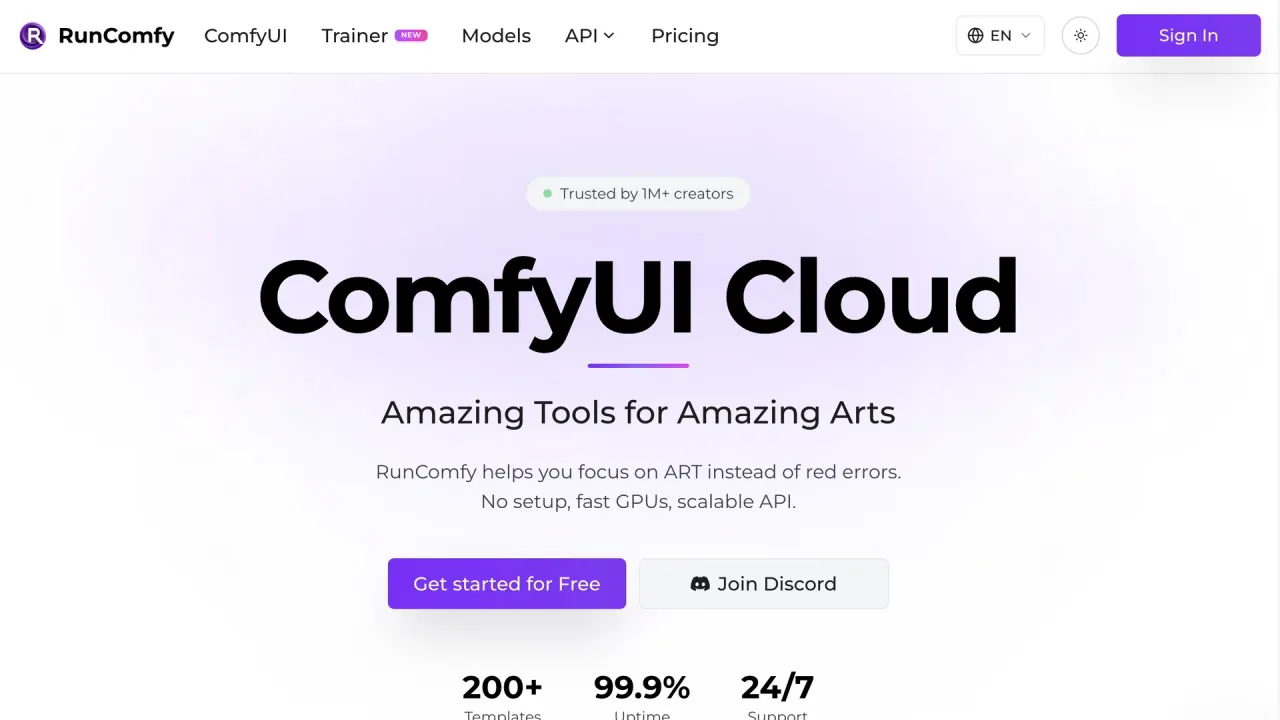
RunComfy is a cloud platform for ComfyUI: you launch ComfyUI in a browser without installing anything, run workflows on rented GPUs, and can publish a saved workflow as a ComfyUI API that scales with demand. It sits between a bare GPU rental and a prompt-only generator.
The editor is an unmodified ComfyUI build, so node graphs and habits from a local install carry over rather than being rebuilt in a vendor-specific interface. Models, custom nodes and the Python stack arrive with the machine.
RunComfy does not publish its own image or video models. Generation comes from ComfyUI, community nodes and the checkpoints a workflow references, while the platform supplies machines, saved environments, a template library, a hosted model catalogue and the deployment layer. The usage policy describes the service as renting server templates and related products, and names Inceptions AI INC as the company behind it.
A saved workflow is not just a graph: it bundles the workflow JSON, the operating system, the Python environment, ComfyUI itself, the custom nodes and the model files. Reopening the link restores that exact snapshot, which is what prevents the familiar failure where a project works in March and breaks in May after a dependency update.
More than 200 ready-to-run workflow templates are published on the site, each described as runnable with no setup. They are grouped by model family, and a template page offers the graph for running or downloading as JSON.
A template is a known-good starting point; a workflow copied from a tutorial often assumes a node version and a checkpoint the reader lacks.
Models can be pulled from Civitai, Hugging Face and Google Drive inside the environment, a route the vendor says is 25 times faster than uploading from a local machine, and they persist between sessions. Local uploads still work when a file is not hosted publicly.
A pre-installed ComfyUI Manager handles custom node installation and updates. Since every saved environment keeps its own node set, two projects can pin conflicting node versions without breaking each other.
Auto Setup takes a dropped workflow.json, fills in the missing dependencies, nodes and models, and returns a link that runs. Files are parsed in the browser before anything leaves the machine.
The API product turns ComfyUI workflows into a production endpoint with zero operations work, flexible autoscaling and GPUs from 16 to 141GB. There is no Dockerfile or Kubernetes manifest in the path; the container is the saved workflow, so responses match what the same graph produced interactively.
A deployed API adds capacity when requests arrive and drops back to zero when the queue is empty. Workflow versions can be rolled forward or back with rolling updates that do not interrupt jobs already running. The monitoring dashboard reports request counts, queue times, cold starts, execution speed and usage patterns.
Very large models may still need a GPU with more VRAM to avoid memory-related failures, so the machine size has to match the checkpoint.
A catalogue of hosted models can be called without deploying anything. Hosted models and their Model APIs are billed per generation, by image or by second of generated video. That makes them a way to test a new release before committing to a workflow and a machine size.
The Trainer documentation walks through LoRA training with AI Toolkit, asset import, on-demand inference through the Model API and endpoint deployment through the Serverless API. A trained LoRA can be tested in a playground, called on demand or served from a dedicated endpoint.
A missing node surfaces at setup rather than mid-render.
How many jobs run at once depends on the scaling configuration, and queue limits can be raised to match the workload.
Training hardware is released the moment a job finishes, so there is no idle charge between runs. Checkpoints persist, so an interrupted run resumes instead of restarting. After training, the adapter is validated in a playground or a ComfyUI graph before it is served from an endpoint.
A compositor who needs one graph — a matting pass, a relight, a frame interpolation chain — cares about reproducibility more than about the model: a pinned snapshot means the same input yields a comparable output months later, which is what a shot review depends on.
The company says it has worked with educational institutions, government-led AI training programmes and a range of enterprises. In each case participants open one link and see an identical workspace, so a session does not stall on driver versions or a missing checkpoint on someone's laptop.
A saved workflow can be handed over as a link, and whoever opens it lands in the same workflow, models, custom nodes and ComfyUI setup. That covers the handover to a freelancer and the review by a colleague without a workstation GPU.
A hosted model catalogue and a per-generation price let a team try a new video or image model without solving its dependencies locally, and compare it in the environment that would serve it.
RunComfy fits people who already know what a node graph should do and are blocked by hardware, setup time or delivery rather than by ideas. Pay as You Go needs no subscription, and the standard rates apply to all GPU usage. The entry cost is a top-up rather than a plan.
It fits ComfyUI users whose local GPU cannot hold the checkpoint they want, small studios needing one reproducible environment across machines, developers with a graph that needs an HTTP endpoint, and trainers who want every participant on the same setup.
It tends to frustrate people who want a prompt box and a finished picture, buyers who need a fixed monthly figure, projects that require an offline install, and teams that need the vendor to clear commercial rights.
The ComfyUI cloud workspace and the API share one account and one balance, so a workflow tested in the browser deploys without a second billing relationship.
GPU time is billed by the second, and the published rates are hourly figures. The table lists the ComfyUI machine tiers.
| Machine | VRAM | Pay as You Go | Pro |
|---|---|---|---|
| Medium (T4, A4000) | 16GB | $0.99/hr | $0.79/hr |
| Large (A10G, A5000) | 24GB | $1.75/hr | $1.39/hr |
| X-Large (A6000) | 48GB | $2.50/hr | $1.99/hr |
| X-Large Plus (L40S, API only) | 48GB | $2.99/hr | $2.15/hr |
| 2X-Large (A100) | 80GB | $4.99/hr | $3.99/hr |
| 2X-Large Plus (H100) | 80GB | $7.49/hr | $5.99/hr |
| 3X-Large (H200) | 141GB | $9.59/hr | $7.66/hr |
The 16GB machine lists at $0.99 per hour ($0.79 on Pro), the 24GB at $1.75 ($1.39), and the 48GB at $2.50 ($1.99). Above that, the 48GB L40S tier for API deployments lists at $2.99 per hour ($2.15 on Pro), A100 80GB at $4.99 ($3.99), H100 80GB at $7.49 ($5.99) and H200 141GB at $9.59 ($7.66). A small CPU machine for uploads and workflow preparation is priced at $0.5 per hour.
Pro costs $19.99 per month, or $239.92 billed yearly with four months included free. The subscription discounts every GPU rate by 20% or more, adds 20 CPU hours a month for uploads and setup, and puts $10 of monthly credit on the account. Pro can be started or cancelled from the profile page at any time; cancelling stops the next renewal and leaves the current period running to its end.
Storage and credit follow different rules on each tier. Pay as You Go includes 10GB of storage, and inactive assets are removed after 90 days. Pro raises storage to 200GB with permanent retention. It also allows unlimited saved environments instead of ten. Money added to the account lands in one shared balance that covers Models, ComfyUI, Trainer and their APIs without transfers. Credit bought for the balance expires 365 days after purchase.
Training runs are priced separately, at $4.49 per hour on H100 ($3.59 on Pro) and $6.89 on H200 ($5.49 on Pro). The pricing page shows an 8×H100 training tier without a rate, so that configuration is not priced here. The starting prices shown for a model refer to its lowest resolution, and the full price sits on the individual model page.
ComfyUI hosting splits into three buying models, and the choice follows from how much of a session is spent generating rather than from the hourly rate alone. A 2026 third-party comparison of ComfyUI hosting puts RunComfy in the middle group: managed ComfyUI in a browser, charged by the hour.
| Option | Billing basis | Custom nodes | What it suits |
|---|---|---|---|
| RunComfy | Machine time, by the second | Yes, via ComfyUI Manager | Custom graphs, heavy video models, API delivery |
| Comfy Cloud | Active run time only | No, supported nodes only | Short, careful runs without infrastructure |
| RunPod | Whole pod uptime | Yes, full control | Long batches and self-managed setups |
| ThinkDiffusion | Whole session | Yes, through Manager | Managed ComfyUI on a similar hourly model |
That comparison also notes the hourly rate is not the whole bill, since machines are charged while idle and while models sit in storage, whereas per-generation hosts charge only active run time. A workflow that spends most of a session being edited is the expensive case for metered machines; a long render queue is the cheap one.
The same comparison describes Comfy Cloud as the easiest option that bills only active run time, with the trade-off that you cannot install your own custom nodes. The trade accepted here is session billing for an unmodified ComfyUI with a node manager.
The meter starts when the machine becomes ready, a couple of seconds before the ComfyUI interface appears, and stops only when the stop button is confirmed or the timer expires. Loading a checkpoint, reading a graph and deciding on the next prompt all happen inside the billed window.
Commercial clearance is not something the company provides, because individual models carry their own commercial policies and licences. A workflow that combines a permissive checkpoint with a restricted LoRA inherits the stricter of the two, and the platform does not audit that combination for the user.
The company disclaims liability for any content users generate. The same policy states that the hourly fee pays for the leased components and nothing else.
The vendor states that ComfyUI sessions and API deployments run in isolated instances dedicated to one account, with data, models and outputs kept private. Images produced on a rented server belong to the customer, and the company gives up all rights to them: it does not use, sell or claim ownership. Retention still differs by tier: inactive assets on Pay as You Go are removed after 90 days, and unused credit expires after a year, so a long-lived archive needs the storage tier that keeps files.
Very large models may need a GPU with more VRAM than the smallest tier offers, and concurrency is a function of the scaling configuration rather than a fixed quota. One third-party comparison of ComfyUI hosting notes the breadth of the machine list. It records that RunComfy lists machines up to H100 and H200 and clears inactive files from the Pay as You Go tier after 90 days.
No. ComfyUI is the open-source node editor; RunComfy hosts it in the cloud and adds saved environments, templates, a model catalogue and deployment tooling.
No. Pay as You Go needs no subscription. Pro is optional and only changes the rate, the included CPU hours, storage and credit.
Yes. A pre-installed ComfyUI Manager installs custom nodes, local files can be uploaded, and models can also be pulled from Civitai, Hugging Face or Google Drive.
By the second, from machine-ready until the stop button or the timer. Training is billed the same way on separate H100 and H200 rates.
The policy assigns generated images to the customer and releases the company's rights, but it states that commercial clearance is not provided, because model licences differ.
Yes, through an MCP server. The same account can generate images and video, run ComfyUI workflows and train LoRAs from those clients.
A Cloud Save snapshot keeps the workflow, nodes, models and environment and reopens unchanged. Unmanaged storage does not: inactive assets on Pay as You Go are cleared after 90 days.