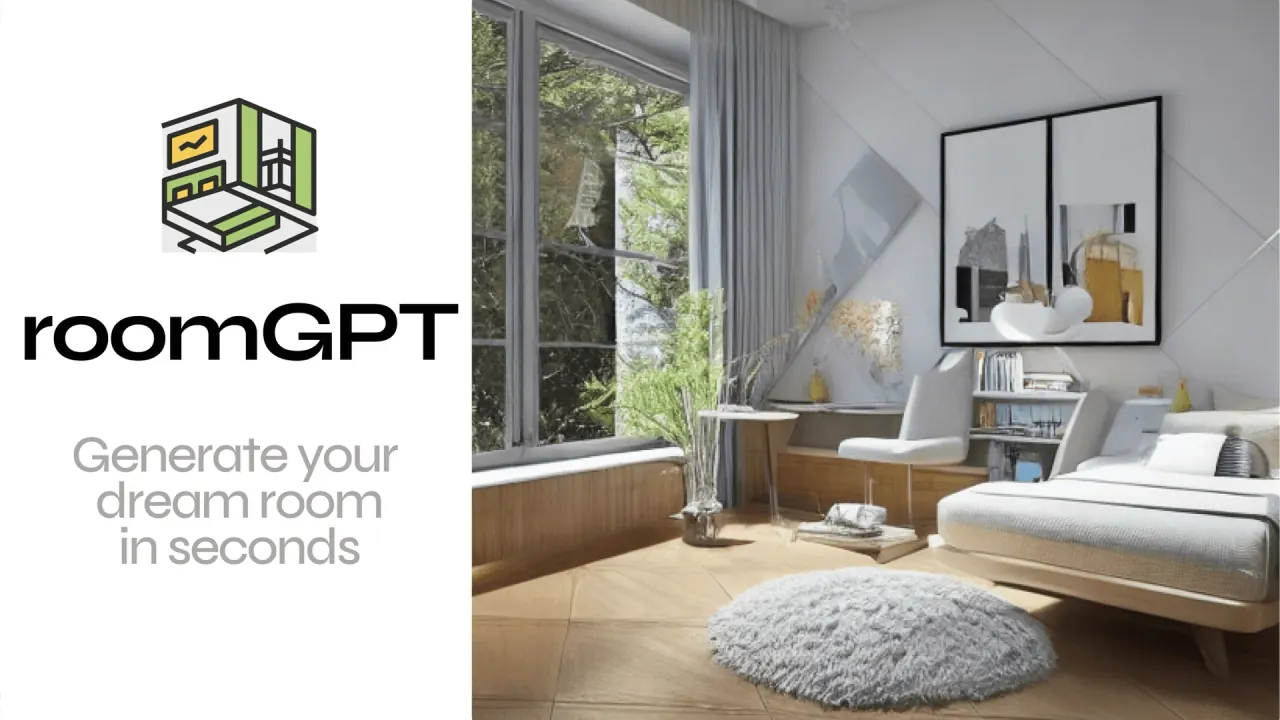

RoomGPT turns a single photo of a room into restyled design concepts in seconds, then sells further images as credit packs, which suits quick style tests rather than renovation plans.
Used this tool? Rate it
Used this tool? Rate it


AI image editing from a reference photo


Multi-model image studio, free to start


Natural AI photo editing for portraits and projects


Build random generators, share them free


Anime art, powered by a million community models


Real-time answers, images, and code in one chat


Community-Trained Models for Art, Video and Characters


Browser-Based AI Photo Editing and Image Generation
RoomGPT is an AI interior designer that takes a single photo of a room and returns a restyled image of the same space.
The vendor describes it as a personal AI interior designer.
Its homepage puts lifetime use at over 4 million people.
That is a marketing figure rather than an audited one, but the shape of the claim is right: the product is built for single rooms and quick experiments, not for whole-building projects.
The tool went viral on TikTok in 2023 after a user posted how it restyled her patio.
It started as a weekend project that grew into a paid product almost overnight.
What the service does not do is as defining as what it does. There is no floor plan to draw, no catalogue to shop from, no measurement to take and no 3D scene to move around. For AI room design, that narrowness is the product: one photo, one theme, one image, and no specification that would let a contractor price the job.
The flow is upload a room photo, choose a room type, pick a theme and generate.
An editorial hands-on test in 2023 counted nine styles to choose from.
In 2026 it remains the simplest product in the category: one photo, one of about 10 styles, one reimagined room.
Up to four styles can be applied to the same photo in one run, and every style beyond the first consumes its own credit.
Rendering typically takes 10 to 30 seconds, and the product's own messaging allows up to 45 seconds under load.
Each credit buys one shot at one style, so a room the model misreads has to be generated again rather than corrected.
There is no batch processing and no editing after generation, so a revised idea means another render.
Reviewers describe limited control over individual furniture placement, which is what separates the product from a design editor.
That is the trade the product makes. Speed of a first concept comes from removing decisions, and the decisions removed are exactly the ones a careful design needs: which sofa, at what size, against which wall, in what material.
A redesign shows a look, not measurements, materials, or a shopping list, so the output inspires rather than specifies.
Its generated images are visual concepts rather than accurate construction plans.
In one hands-on test the redesign omitted the stairs while most furniture changes stayed achievable by buying the pieces shown.
The same test produced a chandelier that would require redoing the lighting and electrical work, and replaced a kitchen island with a wooden table.
A tropical render converted half the floor into a swimming pool.
A first room takes one photo and about a minute. The care goes into choosing the photo and reading the result, not into operating the tool.
The order matters less than the photo. A clear, level, daylit image of the whole room produces a usable concept on the first credit, while a dark corner shot produces something that has to be regenerated, which is where a free allowance of one generation disappears.
Shooting in daylight, holding the camera level, framing the whole room and clearing clutter all reduce misreads.
Check structure first. If the walls, windows and doors stayed where they are, the concept can survive a real estimate; if they moved, it is a mood board.
Then check what the concept assumes. A new light fixture, a moved island or a tiled fireplace are renovation decisions disguised as decoration, and they are the usual reason a convincing render is unusable in the room it was made for.
A cheap test is to run the free credit on the room that actually matters and only buy credits once one direction looks plausible. Paying for a pack before testing the free generation makes the same mistake more expensive.
The product is used for three recurring jobs, and they differ in how much accuracy the output has to carry.
A homeowner who cannot choose between modern, warm minimal and something bolder can put four themes on one photo and compare them in under a minute.
The tool helps indecisive decorators compare options before committing to paint, furniture, or a renovation.
The value here is speed of rejection. Seeing four versions of the same room makes it obvious which direction is wrong, and that is often worth more than a polished image of the direction that turns out to be right.
In a rented flat the constraint is what can be changed without permission, and the render does not distinguish paint from a new chandelier.
The vintage render added a light fixture and a wall mural, both of which a tenant would need permission to install.
Read as a shopping list for a rental, the image is misleading. Read as a filter, it is useful: the pieces that can be bought and placed are exactly the ones a tenant can act on.
The developer argues that fast first mockups let a designer accept more clients, because the slow part of the job is the first draft.
In that workflow the render is a starting point that the designer corrects, not a deliverable sent to a client unchanged.
It works well for people who want inspiration before purchasing furniture or starting renovations.
A room redesign is a picture, not a plan, and the two are not interchangeable.
It fits less well when the deliverable has to be accurate.
The dividing line is whether the image is the deliverable or the input to something else. It is the interior design AI that most people try first, which is exactly why its limits matter more than its feature list.
RoomGPT is listed as a web app with limited free access.
Several App Store apps use the RoomGPT name but come from other sellers and renew automatically.
That split matters more than platform coverage. A buyer who found the product through an app store may be paying a subscription to a different company, while roomgpt.io sells credits for the web product described here.
The homepage shows no pricing, and the public pricing URL returned a 404 when checked.
The purchase screen shows its packs only after login.
The most consistent third-party account describes one-time credit packs rather than a monthly plan:
| Pack | Price | Credits | Billing |
|---|---|---|---|
| Starter | $9 | 30 | One-time |
| Popular | $19 | 100 | One-time |
| Pro | $29 | 200 | One-time |
The smallest pack is a one-time purchase rather than a subscription, and the same comparison finds no unlimited plan.
A second comparison reports different packs: 25 credits for $9, 100 credits for $19 and 300 credits for $49.
Historical listings have also put monthly subscriptions anywhere from $10 to $30, which is why the checkout screen matters more than any published table.
A Basic design uses 1 credit, which puts the price near $0.15 to $0.30 per image, and higher quality settings reportedly use 2 or 4 credits.
A limited-time code, FLASH60, is advertised at 60 percent off all plans.
Refunds are requested by email and decided case by case, and approved refunds take 5 to 10 business days.
Per-credit pricing scales badly at volume: 60 renders a month costs $19-49 here.
New users get one free credit after signing in with Google, and one credit equals one room generation.
The exact free-tier terms sit behind the login screen and have changed more than once, including a cut from several free generations per day to a single credit.
RoomGPT is the cheapest entry point in its category and the shallowest tool in it, so the alternatives split by what the reader needs next.
| Alternative | Entry price | What it adds | Best for |
|---|---|---|---|
| Interior AI | $49 a month, or $29 a month billed yearly | More than 60 styles and up to 1,000 stages a month | Photographic restyles and staging at volume |
| REimagineHome | From $14 a month | Conversational edits, 10-image batches and real furniture | Iterating on one room |
| Planner 5D | Free tier | Floor plans, more than 8,000 items and 4K renders | Measurable plans and layouts |
| Homestyler | Free tier | Unlimited 1K renders and tens of thousands of items | Free visualisation at no credit cost |
In a four-tool comparison the product scored 6.0, with packs from $9.
Ease of use scored 9.5 out of 10, the highest of the four tools compared.
Editing and control scored 3.0 out of 10.
Interior AI is the choice when the image has to look photographic. Reviews put it ahead on realism and on style count, at a flat monthly price rather than a credit meter, which suits an agent producing many listing images.
Coohom is the only true 3D editor of the four: bring a floor plan and get an editable room with real products.
REimagineHome is the workflow answer. After the first render the user describes changes and the model revises the same room instead of rolling a new one, which is the difference between iterating and gambling.
Planner 5D is not a photo tool at all. It starts from a floor plan, which is what a renovation needs, and it is the reason a RoomGPT image should be treated as a first sketch rather than a plan.
Self-hosting is a fifth option for developers. The original project was released under the MIT licence and stayed public, without accounts, payments or the newer features, so it is a demonstration to fork rather than a product to run.
Before it became a paid product, RoomGPT existed as an open-source project released under the MIT license.
The free tier is one credit, which is enough to test one image and not enough to compare themes on a real project.
The free allowance has been tightened before, from several generations a day to a single credit, so any daily figure quoted elsewhere is probably out of date.
The model restyles structure as well as decor, so fixtures, flooring and even a swimming pool can appear where nobody asked for one.
The industrial render proposed brick walls and wood panelling that the reviewer had no way to achieve.
The coastal render left a single small couch, which the reviewer read as too little seating for the room.
The professional style produced more renovation project ideas than decor additions, which is useful for a homeowner and awkward for a renter.
Add the commercial risks on top. Credits are tied to one account and one platform, an app store subscription is a different product from the web credits, and a refund is a decision rather than a right.
For one image. A Google sign-in releases one credit, which covers one room generation; every later image needs credits. The allowance has been cut before, so check the current offer on the site.
The public descriptions disagree. Two pages describe one-time packs, one of them as 30, 100 and 200 credits for $9, $19 and $29, another as 25, 100 and 300 credits for $9, $19 and $49. Older listings mention monthly plans, so confirm the model at checkout.
Probably because the charge is not from roomgpt.io. Several App Store apps carry the RoomGPT name and are sold by other companies on weekly or monthly subscriptions, so the seller name on the statement is the first thing to check.
Not really. Each credit buys one generation of the whole room, and there is no editing after generation, so a liked sofa is not preserved between runs.
No. A redesign is a picture without product links, prices or measurements, so matching the visible pieces to real products is separate work and a bill of materials needs a different kind of tool.
One generation covers one room and one style. A whole home is a series of separate jobs, and credit pricing makes that expensive compared with tools that sell staging by the batch.