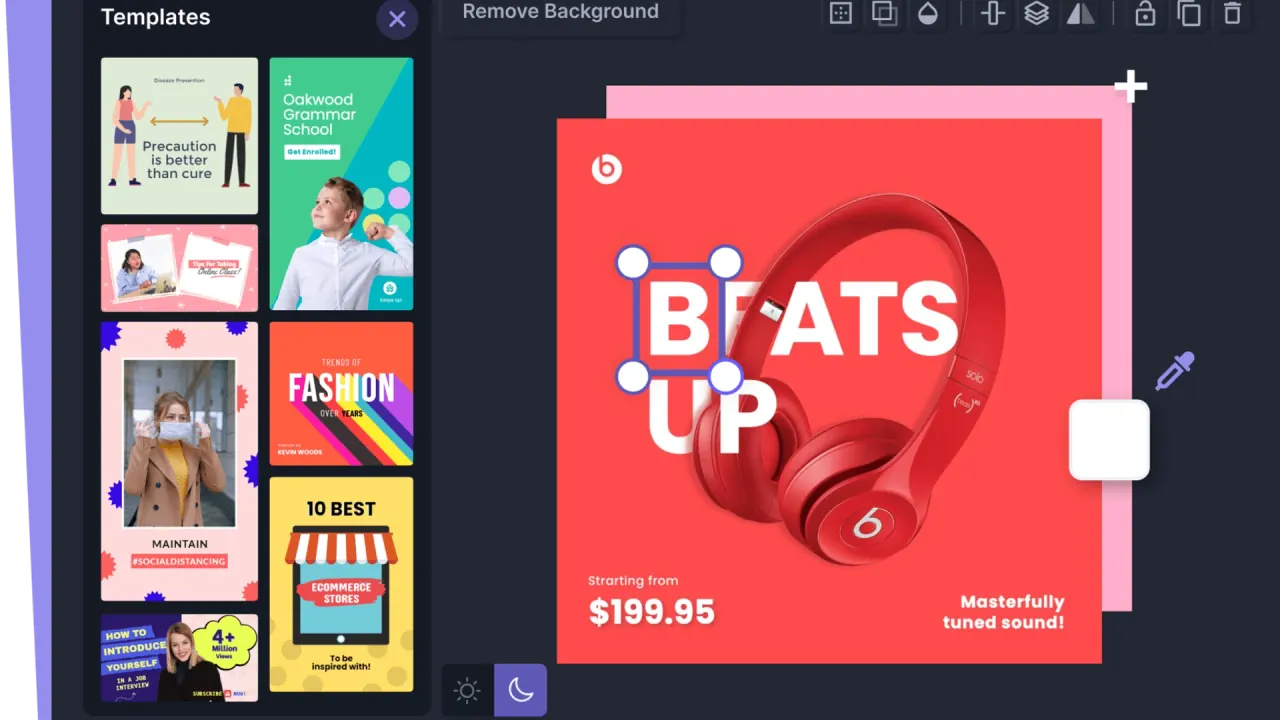

Create social graphics, ecommerce images and mockups with templates, photo editing, AI generation and SVG tools. Organize designs and brand assets in separate workspaces.
Used this tool? Rate it
Used this tool? Rate it
Pixelied is an online photo editor and graphic design suite for creating branded social graphics, blog images and other visual content in a browser. It brings template layouts, stock assets, photo adjustments, background removal and vector editing into the same design environment. Its AI image generator adds text-to-image creation alongside the tools for arranging and editing existing material.
A free plan covers basic editing and a limited template collection. Annual Pro and Pro+ offers add different asset libraries, AI credits and editing features. Commercial permission varies between the published statements for design resources, AI assets and general website material.
The AI image generator presents style, lighting and lens choices as single selections, while colors allow multiple selections. Its visible style choices include photography, oil painting, anime, 3D, pencil drawing, monochrome and several other visual treatments. Lighting choices include cinematic, studio light, glowing, purple neon, nostalgic and soft; lens choices include telephoto, fisheye, wide angle, macro and isometric.
The interface separates generation categories into images, icons, illustrations, logos, patterns and gradients. Generation credits and background-removal credits have separate published allocations.
Pixelied documents autosave a few seconds after a design is adjusted, with a cloud indicator showing the save state. Clicking the cloud also triggers a manual save, and a green cloud with a check mark indicates that the design has been saved.
The documented download options are JPG, PNG, transparent PNG, PDF, SVG, WEBP and transparent WEBP, with compression also available for JPG. Transparent PNG and WEBP provide specific transparency options alongside document and vector exports.
Pixelied's background remover has a defined path from an uploaded photo to a composition with a transparent image:
The SVG editor supports working with an existing vector file and changing individual components:
The ecommerce hero-image template collection uses recommended dimensions of 2000 × 2000 pixels and a 1:1 aspect ratio. The associated template workflow combines a prepared layout with stock photos, icons, background removal or mockups. It fits the task of composing a square product-led visual with surrounding design elements, rather than only adjusting a photograph's exposure or color.
Pixelied's YouTube thumbnail templates use recommended dimensions of 1280 × 720 pixels and a 16:9 aspect ratio. A template opens with those dimensions and can then be customized with the editor's photo and graphic tools. The product also exposes separate layouts for channel artwork and end screens, so a thumbnail is one specific format within its broader video-channel graphics offering.
The mockup collection includes device, phone, packaging, print, advertising, branding, stationery and apparel categories. Its published workflow is to browse a mockup template, customize it in the editor and export the result in multiple file formats. A device presentation and a packaging presentation can therefore begin from different scene categories within the same service.
Invited members can use Pro or Pro+ features only within the workspaces they have been added to. Membership in one paid workspace does not grant those features across their other workspaces.
The captured public pricing lists a $0 free plan and annual Pro and Pro+ offers. The figures below preserve the displayed billing period and the credit units shown by Pixelied.
| Plan | Displayed price | Listed AI image credits | Listed BG remover credits | Selected included resources |
|---|---|---|---|---|
| Free | $0; no credit card required | Not listed in the captured free-plan comparison | Not listed in the captured free-plan comparison | Basic editing, 200+ free templates, thousands of stock photos and graphics, 2 GB cloud storage |
| Pro | $47/year; $47 paid annually | 100 | 50 | All Pro templates, 500,000+ premium icons and illustrations, resizing to 30+ formats, 100+ text styles, custom-font upload, unlimited folders and brand presets, priority support |
| Pro+ | $79/year; $79 paid annually | 300 | Unlimited | Everything in Pro, 2000+ realistic product mockups, AI photo sharpener, enhancer, face cutout, colorizer, background blur and cartoon selfie, priority support |
The captured comparison does not specify whether the listed AI or BG credits refresh monthly, annually or on another schedule. Annual billing identifies the payment period; it does not establish a credit-renewal period. The absence of an AI-credit figure in the captured free-plan list likewise is not evidence of a zero-credit allowance.
Pro+ lists unlimited BG remover credits and 300 AI image generation credits. The named AI photo tools are additional Pro+ inclusions.
To cancel, select the workspace with the active subscription and open Workspace Settings, Billing and Cancel Subscription. The instructions preserve access for the remaining subscription period.
Pixelied's refund policy says it does not refund subscription fees already billed, permits cancellation at any time and keeps service access until the end of the current billing period. Cancellation takes effect immediately for stopping further billing; it does not remove the remaining period of access. The billing FAQ and the public refund policy give the same basic treatment.
Billing errors and charge concerns can be raised as disputes through support, which says it will investigate and respond within a reasonable timeframe. That dispute route is separate from a general promise to refund a subscription. The refund policy also preserves rights under applicable consumer law and states that applicable law prevails where the policy conflicts with it.
Pixlr and GIMP are alternatives for overlapping image-editing work, with different capability and platform scopes.
| Alternative | Verified product emphasis | Relevant difference in the task |
|---|---|---|
| Pixlr | A browser AI photo editor with image generation, video creation, face-swap and collage tools | Includes video creation alongside still-image tools |
| GIMP | A free, open-source cross-platform image editor for GNU/Linux, macOS, Windows and other operating systems, with customization and third-party plugins | Offers a local desktop application with an extensibility model |
The website terms reserve rights in Pixelied material to Pixelied or its licensors and describe personal-use access subject to restrictions. The product licensing guide separately permits modified resources in personal and commercial projects, including client designs. These public formulations describe different scopes of permission.
The stock-asset FAQ permits commercial use of photos, icons, illustrations and elements without attribution, while retaining restrictions and directing users to the detailed licensing guide. The guide's prohibition list includes:
Pixelied separately permits commercial use of its AI-generated assets and selling them through marketplaces or to clients. This is the vendor's permission statement; it does not establish exclusive rights in a generated logo, likeness or image.
Neither the reviewed stock-commercial FAQ nor the resource licensing guide specifies a separate model-release policy for recognizable people. The asset permission therefore does not establish a model-release promise.
Pixelied says uploaded assets and files are held on its AWS servers, encrypted, inaccessible to other third-party users and backed up daily. These vendor statements do not specify a storage country or fixed retention duration.
Account registration may collect a name and email address; contacting the company may also provide a phone number, message content, attachments and other information supplied by the user. The privacy policy lists site operation, improvement, personalization, usage analysis, feature development, communications including marketing, email and fraud prevention among its purposes for using collected information.
The privacy policy permits deletion requests and account-level management of personal information, while allowing retention where a legal obligation or lawful basis exists. The reviewed text gives no fixed uploaded-file retention or deletion schedule, including for backups.
The reviewed privacy, terms and upload-asset documents did not state a specific uploaded-image training policy or opt-out. Background-remover marketing describes the tool as learning with use, without identifying the data involved. Neither an exclusion from training nor training on every upload is established by that statement.
A product-level third-party review snapshot captured on October 25, 2026 showed Pixelied rated 4.4/5 from 80 reviews. The same snapshot's automated tags showed four mentions of limited features and two of limited design options. Those small tagged subsets are not 80 separate reports of either problem, and they do not establish a representative defect rate.
Paid access applies within the workspace where the teammate was invited. Switching into that workspace enables its features; other workspaces do not inherit them.
The cancellation policy stops future billing while retaining access until the current billing period ends. It states that fees already billed are not refunded, subject to the applicable consumer-rights conditions preserved in the policy.
Yes. Uploaded SVG files can have their size, color, orientation and opacity changed, with grouping and ungrouping for individual-element changes.
