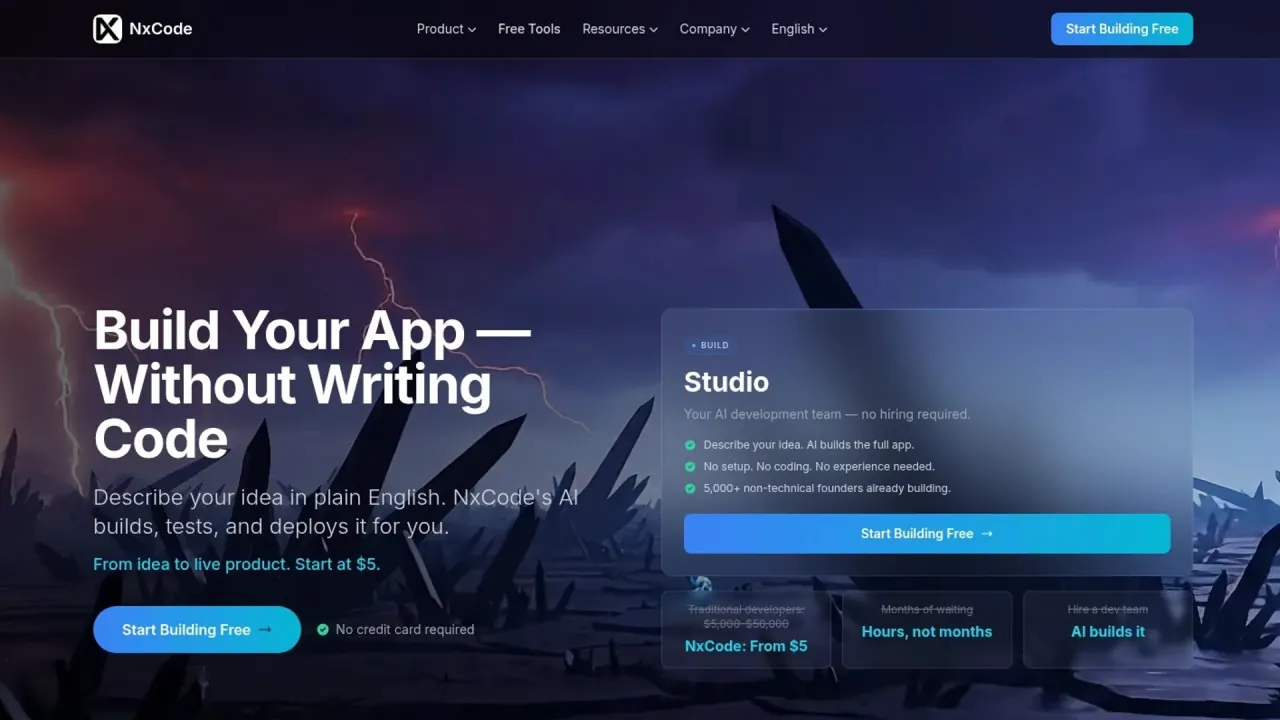

NxCode is an AI app builder that turns a plain-language description into a full-stack web app, plans it with a product-manager agent, builds it with an engineer agent inside Docker containers, and deploys it to Cloudflare's edge.
Used this tool? Rate it
Used this tool? Rate it


Plan, build, and refine work with an AI agent


From prompt to production with Gemini


AI image editing from a reference photo


Multi-model image studio, free to start


Natural AI photo editing for portraits and projects


AI assistant for writing, analysis and tasks


From a prompt to a deck, site or doc


Build random generators, share them free
NxCode is a no-code app builder that turns a plain-English description into a full-stack web application and publishes it to a public URL. The name is easy to misread: it is not Apple's Xcode and has no connection to iOS development. NxCode is a browser-based service from NXCODE, INC., which says it was founded in 2024 and lists a registered address in Dover, Delaware.
The product is built around two agents rather than one chat window. Conductor acts as an AI product manager: it reads the description, asks clarifying questions, splits the work into tasks, and writes acceptance criteria for each task. Virtuoso acts as the engineer: it writes the frontend, backend and database code, then runs it inside an isolated Docker container — installing packages, compiling, and running tests — and fixes what fails before marking a task done.
That execution loop is the main claim to a difference. Browser-based builders generate code as text and leave the last mile to the user; NxCode's documentation argues that running real commands inside a container catches broken dependencies and compile errors a text-only tool never sees. The company puts its own completion rate above 95% and browser-sandbox tools at 60–70%, both without a published method.
The commercial shape is freemium with a hard gate. An account with no credit card can plan an app with the AI for up to 15 conversation rounds a day, enough to see the build plan, the page list, the data model and the payment flow before paying. Building and publishing start at Lite, $5 a month, and the company says more than 35,000 people have signed up. Apps can also be sold on the NxCode marketplace, where the creator keeps 70% of each sale.
Conductor is the first half of the dual-agent system. It parses the description into features and user stories, asks targeted questions when a requirement is ambiguous, and produces tasks with acceptance criteria that are specific and testable. In the documented example — a task manager with login, projects, priorities and comments — Conductor turns the request into a numbered plan and asks about subtasks, attachments, notifications and roles before any code is written. The criteria matter later: they are what Virtuoso checks a task against before it counts as complete.
Virtuoso receives that plan and works task by task. It creates a fresh container, writes code, runs npm install, builds the project, runs the tests, and reads the real output. When something fails it analyses the error, applies a fix, and re-runs, up to three iterations per task; the documentation says most issues are resolved within two or three attempts. The container is also why files persist server-side instead of sitting in browser storage.
Every task carries explicit conditions — a login form renders, validation errors show, a successful login redirects, a token is stored, protected routes redirect. A task is marked complete only when all of them pass, and a failing criterion sends the build back through the fix loop. That is a stricter gate than a preview that merely renders, and it is the mechanism the company credits for its completion-rate claim.
Approved builds deploy to Cloudflare's global edge network with a public URL and automatic SSL, and a custom domain can be attached. Deployment is metered separately from building: Lite includes 3 deployments, Pro includes 10, and enterprise plans add more containers and deployments.
Work is paid for in credits, which the pricing page calls C$ and describes as the currency consumed when the agents work on a project. Lite includes 200 credits a month, Pro 1,500, and extra credits can be bought at any time or obtained by upgrading. Conductor conversations have a separate allowance — 300 messages a month on Lite with a 0.5 C$ overage per message, and 2,000 on Pro — so a planning conversation is billed differently from a build.
Apps can be listed on the NxCode marketplace and sold as a subscription, pay-per-use or one-time purchase. The creator keeps 70% of every sale, payouts run monthly on the 1st for the previous month, and the minimum payout is $50, with balances rolling over below that threshold. Listings are reviewed by the team, usually within one to two days.
The documented path from idea to live app has seven steps.
The free tier covers steps 1 to 3 and stops before the build. That split is deliberate: the plan is cheap to produce and persuasive to read, while the build is what the subscription pays for.
A founder with a workflow problem can describe the app, read the plan and the acceptance criteria, and decide whether the product is worth building before spending on a team. The company frames the comparison as $5,000–$50,000 and months of waiting against hours of generation, and the free planning tier exists to make that comparison cheap.
Small teams often run on a shared spreadsheet that has outgrown its permissions. An internal tool with logins, a generated database schema and a dashboard is within range of what the agents build, and it does not need a marketplace listing or a payment flow to be useful.
The marketplace path covers the commercial plumbing: the app is listed, priced and sold through NxCode, and the creator receives 70% of revenue with monthly payouts. That removes the need to integrate a payment provider before knowing whether anyone will pay.
An agency can produce a working prototype for a client review instead of a clickable mockup, then export the project on Pro and take the code into its own process.
The fit is weaker for anyone who needs a native iOS or Android app: the output is a web app that can be installed to a phone home screen as a PWA, not a store submission. The company's own comparison adds two further caveats — building and publishing need a Lite or Pro plan, and the result depends on how clearly the request is written. Regulated workloads should treat the compliance pages as marketing copy until a security review confirms otherwise.
NxCode runs in the browser. There is no desktop client and no plugin: the studio is a web application, the preview runs in the page, and a finished app is served from Cloudflare's edge with SSL. On a phone the result can be added to the home screen as a PWA, which is the documented mobile story.
The documented stacks span React, Next.js and Vue.js on the frontend; Node.js, Python and FastAPI on the backend; PostgreSQL, MongoDB and Supabase for data; and Vercel, AWS, Docker, Kubernetes and Cloudflare for deployment.
Code ownership and export are stated plainly. Every generated project belongs to the user, the code can be exported at any time, and project export is included on Pro. Accounts can be deleted, and the security page says deletion permanently removes project data from the servers.
NxCode prices per seat with a credit meter on top. The pricing page captured on November 26, 2026 lists four tiers.
| Plan | Price | Credits and capacity | Limits |
|---|---|---|---|
| Free | $0 | 15 AI conversation rounds a day; a build plan covering pages, data, accounts and payments | Planning only; no build or deployment |
| Lite | $5/month | 200 credits/month; 1 dev container; 3 deployments; Conductor 300 messages/month | 0.5 C$ per extra Conductor message |
| Pro | $20/month | 1,500 credits/month; 3 dev containers; 10 deployments; Conductor 2,000 messages/month | Project export and no watermark included |
| Enterprise | Quoted | Custom credit volume, more containers and deployments, priority support | Custom integrations on request |
New accounts get a bonus on the first recharge, but the two pages that describe it disagree. The pricing FAQ says Lite receives 1.2x (240 credits instead of 200) and Pro 1.5x (2,250 instead of 1,500); the getting-started guide says first purchase bonuses are 1.5x for Lite and 2x for Pro. Both are official pages, so the bonus is best confirmed at checkout rather than planned from either figure.
Payment terms lean toward the vendor. All payments are non-refundable unless the law requires otherwise, prices can change with at least 14 days' notice, and plans can be switched with the change taking effect on the next billing cycle. Credits are consumed by agent work rather than by seats, so the effective cost of a project depends on how many tasks the build takes and how often it is reworked.
Alternatives. The obvious alternatives are the browser builders that generate code from a prompt. Lovable, Bolt.new and v0 all produce full-stack projects, and a comparison published by NxCode puts their paid entry plans at $25, $25 and $30 per user per month against NxCode's $5; that article discloses that NxCode published it, so the prices are useful while the ranking is not independent. The practical difference is where the work stops: those tools hand back a project to run and deploy, while NxCode runs the build itself and charges for credits and deployments. A directory listing of NxCode alternatives points at a different set — Glide for spreadsheet-shaped internal tools, Dify for LLM applications, Opal for small AI mini-apps — a reminder that "AI app builder" covers several categories.
The free plan does not build anything. A free account can plan an app in 15 conversation rounds a day, but the build and the deployment are what the paid tiers sell: Lite at $5 a month, Pro at $20. Anyone evaluating NxCode without paying is evaluating the planning agent and the sales copy, not the output quality.
Credits make project cost hard to forecast. A build consumes credits per agent task, and rework consumes more, so the same app can cost different amounts on different attempts. The Conductor message cap adds a second meter with an overage rate, which is unusual among app builders and easy to exceed during a long requirements conversation.
Deployment claims are inconsistent across pages. The features page advertises automatic configuration for Vercel and AWS and lists Kubernetes, while the pricing page and documentation describe Cloudflare deployment only. A buyer who needs a specific cloud should treat Cloudflare as the supported path.
The quality numbers are company claims. The 95%+ completion rate, the 60–70% attributed to browser-sandbox tools and the "one of the highest in the industry" revenue share all come from NxCode's own pages, with no published sample, method or third-party replication.
Payment terms are non-refundable and changeable. The terms state that all payments are non-refundable unless required by law, that prices can change with 14 days' notice, that the service is provided "as is" without warranties, and that accounts can be terminated immediately for any reason. A subscription is therefore a commitment rather than a trial, and the free tier is the only risk-free way to inspect the product.
Data handling has a gap between pages. The privacy policy lists "Train and improve our AI models (with anonymous, aggregated data)" among the purposes for which information is used, while the security page says project data is not shared with third parties and that code and ideas stay private. The two statements can coexist, but the training clause is the one that affects a proprietary codebase, and it is not qualified by an opt-out. The same privacy policy shows a literal "Last updated: {date}" placeholder, which is a poor signal for a document that governs data use.
Independent evidence is thin. The Product Hunt launch drew 6 upvotes and 1 comment and placed 75th on the daily leaderboard. Searches for G2, Trustpilot or Capterra entries returned no product page, and the one technology-media article found states that it was written in cooperation with NxCode. The 35,000 sign-ups quoted on the site cannot be checked against an outside source.
No. NxCode is a browser-based AI app builder at nxcode.io and has no relationship to Apple's Xcode IDE or to iOS development.
No. The workflow is a written description followed by clarifying questions; Conductor writes the plan and acceptance criteria and Virtuoso writes and tests the code. Reading the generated code still helps when reviewing a build.
Full-stack web applications with authentication, roles, a database, dashboards and payments, deployed to a public URL. Internal tools, small SaaS products and marketplace apps are the documented cases; native mobile apps are not.
Planning is free with an account and no credit card, up to 15 conversation rounds a day. Building and publishing start at Lite, $5 a month for 200 credits and 3 deployments, or Pro at $20 a month for 1,500 credits, 10 deployments and project export.
Yes. The project belongs to the user, and export is included on Pro. The security page says all generated code can be exported at any time.
Yes, through the NxCode marketplace. The creator keeps 70% of each sale, payouts run monthly on the 1st with a $50 minimum, and listings are reviewed before going live.
The terms state that all payments are non-refundable unless required by law. Prices can also change with at least 14 days' notice, so the plan you buy is the plan you are billed for until the next cycle.