
Toolso.AI
Toolso.AI
All ToolsCategoriesTrendingLatest ToolsPricingBlog
Toolso.AI
Toolso.AI
Toolso.AI
Toolso.AI

Discover the best AI tools to boost your productivity

GitHubGitHubTwitterX (Twitter)YouTubeYouTubeTikTokEmail

Popular Categories

  • AI Writing
  • AI Image
  • AI Video
  • AI Coding
  • More Categories

Explore

  • Latest Tools
  • Popular Tools
  • More Tools
  • Submit Tool
  • Pricing

About

  • About Us
  • Contact
  • Blog
  • Changelog

Legal

  • Cookie Policy
  • Privacy Policy
  • Terms of Service
  • Refund Policy
© 2026 Toolso.AI All Rights Reserved
Limited timeLimited-time offerFeatured Listing24h priority review · No backlink · 30 days featured$29.90then $59.90Price rises to $59.90 after Oct 31Ends in--:--:--Submit now
  1. Home
  2. All Tools
  3. Website Generator
  4. Blink
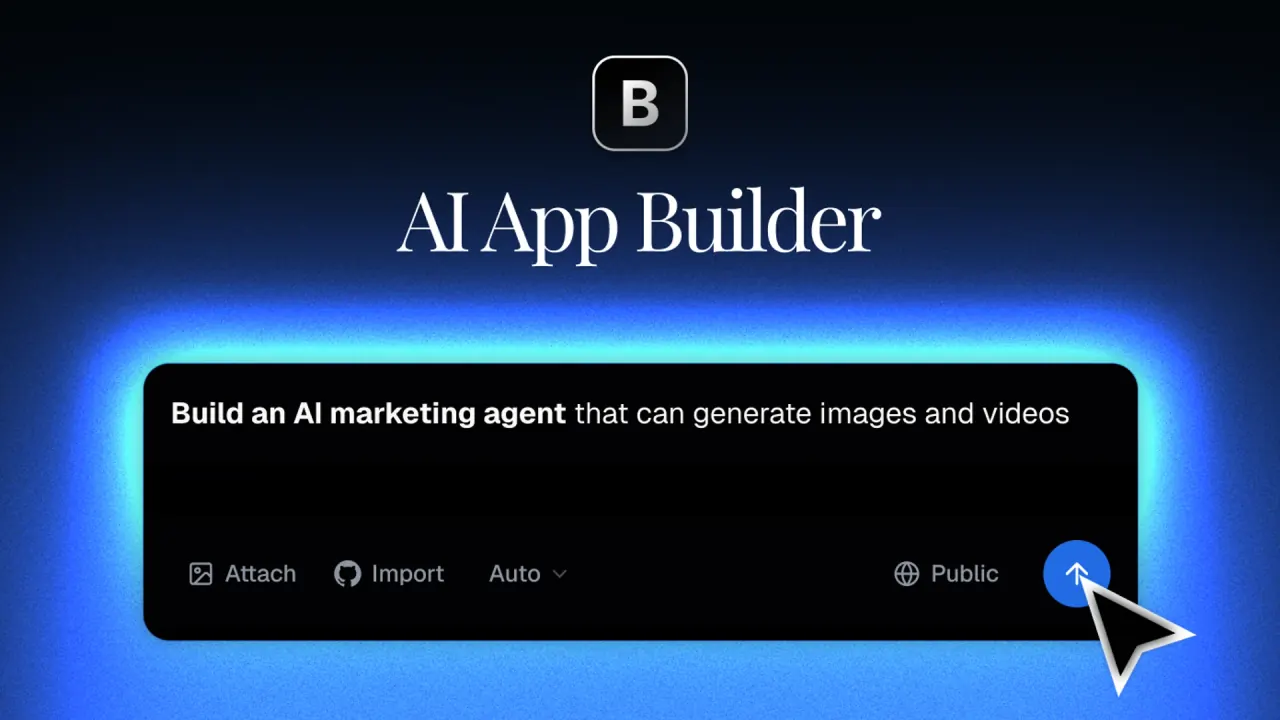
Blink interface preview
Blink logo

Blink

Blink turns a plain-English description into a hosted website, full-stack web app, React Native mobile app or Chrome extension, with database, sign-in, Stripe payments and AI models built in and paid for with credits.

Website GeneratorApplication BuildingAI Development#No Code#Code Generation#Mobile App
Try for Free
Saves
Visits
Views
Pricing
Free
Published
Oct 6, 2026
Domain
blink.new
Community rating

Used this tool? Rate it

Rate this tool

Blink Product Information

Try for Free
Tool Information
Saves
Visits
Views
Pricing
Free
Published
Oct 6, 2026
Domain
blink.new
Community rating

Used this tool? Rate it

Rate this tool

Featured Tools

Related Tools

Try for Free

What is Blink?

Blink is an AI app builder that turns a written description into working, hosted software. You describe the software your business needs, and Blink builds it with the database, logins and hosting included, then puts it live on your domain. The same prompt box covers marketing websites, full-stack web apps, native iOS and Android apps, and Chrome extensions.

Blink is operated by 1Flow, Inc., which its Terms of Service describe as a California-based company. Pricing covers the Blink app builder alongside two related products: Blink Cloud, a vibe coding cloud for code written by outside coding agents, and Blink Claw, managed hosting for OpenClaw AI agents.

Two points shape most decisions: nearly everything, from prompting to hosting, is paid for with workspace credits rather than seats, and the features that turn a prototype into a business, such as private projects, live Stripe payments and app store publishing, unlock on progressively higher plans.

Core features

Built-in backend services

  • Database: Every project gets its own SQL database, including on Free; you can turn on row-level security so each user sees only their own rows, import rows from CSV and export the rows you are viewing.
  • Sign-in and roles: Every Blink app gets email and password, magic links, and Google, Apple, Microsoft and GitHub sign-in, with roles and row-level security, on every plan including Free.
  • Payments: Blink creates your products and prices in your own Stripe account and builds the checkout, the access-unlocking webhook and a customer portal, and Blink adds no fee on top of Stripe's own charges.
  • Server code: Blink Backend is a TypeScript server on Cloudflare's global network for secret keys, webhooks, scheduled jobs and queues; the first 100,000 backend requests each month are included, then 1 credit per 10,000 requests (0.5 credits per 10,000 above a million).
  • AI inside your app: Every Blink app can call 75 text models from 11 providers plus image, video, speech and transcription models with no API keys, and that usage comes out of your credits on every plan, including Free.

Because these services are provisioned by Blink instead of separate vendors, the credit balance becomes the single meter for building and running an app. AI requests made by your users, backend traffic above the included allowance and production hosting all draw on the same pool you spend while prompting, so a popular app consumes credits even when nobody is editing it.

Websites and search visibility

Blink also works as an AI website builder with search built into publishing: sites go out as HTML that search engines and AI assistants can read, on your own domain with SSL, and a built-in audit checks the live site and fixes gaps from titles to structured data and llms.txt. The preview link is hidden from search engines, so only published sites can be found.

Mobile apps and generated code

  • One codebase for two platforms: Mobile projects use one React Native codebase for both iOS and Android, with native navigation and gestures, and Blink presents itself as an AI mobile app builder that ships native apps rather than a web wrapper.
  • Generated stack: Web apps are generated as React + Vite + TypeScript + Tailwind CSS + shadcn/ui, and mobile apps as React Native + Expo + TypeScript.
  • Imports: Existing code can be brought in from GitHub or a ZIP file, but imports are limited to Vite + React web projects and Expo mobile projects.

Guide

From prompt to live site

  1. Create a free account and describe what you want; Blink's AI generates the first version in 30-60 seconds while the preview updates live.
  2. Refine it by sending more messages, with each change taking roughly 10-30 seconds.
  3. Keep working against the free preview link, which Blink updates while you build and keeps out of search engines.
  4. Click Publish, pick a web address and a hosting plan, and the app goes live; publish again whenever visitors should see new changes, because edits stay in the temporary preview until then.
  5. Connect a domain you already own or buy one inside Blink, which issues the SSL certificate for you.

Other ways to start

Instead of a written prompt, you can paste a screenshot of a Figma design, a hand-drawn wireframe or an existing web page, and Blink converts it to code. You can also open a public project and click Remix to use it as a starting point.

Testing and publishing a mobile app

  1. Install Expo Go on your phone and scan the code shown in Blink; the app opens in seconds, with no cable and no App Store install.
  2. Open Publish and follow the guided steps; Blink builds and signs the app in the cloud, so no Mac or Xcode is required.
  3. Install the iOS build from TestFlight and submit it for review in App Store Connect; download the Android build as an AAB or APK and upload it to Google Play Console.

Blink use cases and examples

  • Business software: Blink lists SaaS platforms, e-commerce stores, booking systems, CRM tools, admin dashboards, internal tools, AI-powered applications, landing pages, marketing sites and mobile apps among the projects it can build with a full backend.
  • Local service businesses: For a dental practice, the suggested build is online booking and new-patient intake on the practice site, writing into records the practice controls instead of separate scheduling and form subscriptions.
  • Agency client work: An agency can build each client's project in a workspace, let the client review it as a viewer at no credit cost, launch it on the client's domain without the Blink badge, and then transfer it into the client's own workspace.
  • Browser extensions: The documentation walks through Recall, an AI "second brain" Chrome extension that saves highlighted text or whole pages, summarizes and tags them with AI, and makes them searchable later.

Who is it for

Good fit:

  • People who want a product without wiring infrastructure: Blink names non-technical founders, product managers, agencies, indie hackers and professional developers who want the last mile handled for them.
  • Non-programmers: As a no-code app builder, Blink says it needs zero coding experience and builds complete applications from natural-language descriptions.
  • Teams with many reviewers: Members are unlimited on every plan, and viewers can open projects and deployments without changing anything or spending credits, so clients and managers can follow along for free.

Weaker fit:

  • Developers who need a framework other than Blink's generated React stack, since imports and generation follow a fixed set of technologies.
  • Makers who want store distribution on a small budget, since App Store and Google Play publishing requires the Max plan plus Apple's and Google's own developer fees.
  • Buyers whose procurement requires a completed SOC 2 report, since certification is still in progress.

Platforms

  • Web builder: You start by creating a free account at blink.new with no credit card, and every app gets a Blink address with SSL; mobile builds are signed in the cloud, so publishing does not require a Mac.
  • Inside ChatGPT and Claude: You can describe an app in ChatGPT or Claude and Blink builds it with a database, sign-in, backend and AI features, then publishes it to a live URL inside the conversation; connecting is free and builds use your Blink credits.
  • Connector status: One MCP address serves both assistants and works in Claude on the web, desktop and mobile and in Claude Code, while listings in the ChatGPT plugin directory and the Claude connector directory are still in review.
  • Output targets: Web apps and websites on a Blink address or your own domain, native iOS and Android apps, and Manifest V3 Chrome extensions.

Pricing

PlanMonthly billingAnnual billingCreditsWhat the plan adds
Free$0–5 a day, capped at 30 a monthDatabase, sign-in and a preview link; projects are public
Starter$25/mo$13/mo100 a month + 5 a dayProduction hosting, custom domain, private projects
Pro$50/mo$25/mo200 a month + 5 a dayBlink Backend, in-app code editing, advanced AI models
Maxfrom $200/mofrom $100/mo800+ a month + 5 a dayApp Store and Google Play publishing, credit rollover, free code downloads
Businessfrom $40/mofrom $20/moShared pool, 12 credit tiersRestricted project access, unlimited custom email domains, VIP support

Annual billing saves 50% on every paid plan, which Blink describes as paying for 6 months and getting 12. Daily credits reset at midnight Pacific time; on paid plans the 5 daily credits have no monthly cap, and credits are spent in a fixed order: bonus credits first, then daily credits, then plan credits. Only Max carries unused plan credits into the next period; Starter and Pro plan credits reset each cycle. Top-up credits never expire, work on every plan including Free, and can be bought from $40 to $10,000.

Production hosting is billed separately in credits each month:

Hosting tierCredits per monthVisits beyond the tier
10,000 visits502 credits per 1,000
50,000 visits1201.5 credits per 1,000
200,000 visits2401 credit per 1,000
1,000,000 visits5000.5 credits per 1,000

On Starter and Pro, connecting a custom domain costs 5 credits and each code download costs 5 credits; Max includes both. App Store and Google Play publishing requires Max, and Apple also charges $99 a year for its developer program while Google charges $25 once. Blink Claw agents need Starter or higher and are billed per agent by machine size, at 180 credits a month (about $45), 360 (about $90) or 720 (about $180), with AI model usage taken from the same credits.

All subscription fees are non-refundable, and cancellation takes effect at the end of the paid period. After that, apps on production hosting pause and the URL is held for about five weeks; resubscribing and resuming hosting brings them back, while projects and code are not deleted and stay exportable to GitHub.

Blink alternatives

Third-party launch and review listings place Blink next to other prompt-to-app builders such as Bolt and Base44. The realistic options are:

  • Assembling your own stack: Blink argues that shipping AI-written code otherwise means hosting on Vercel, a database on Supabase, auth on Clerk, storage on S3 and separate email and queue services, each with its own signup and API keys; this path gives you full control at the cost of wiring it yourself.
  • Blink Cloud with your own coding agent: If you already write code with Cursor, Claude Code or Codex, Blink Cloud exposes the same managed database, auth, storage, deploy, queue and AI gateway through MCP and a CLI instead of the chat builder.
  • Bolt: Bolt describes itself as a way to create apps and websites by chatting with AI, and it routes each task to a model chosen to balance quality and cost.
  • Base44: Base44 pitches shipping apps with vibe coding without touching a server, wiring up a payment provider or configuring a database, which overlaps closely with Blink's built-in backend.

Limitations

Credits and plan gates

  • Free usage stops at the cap: Free users are blocked once bonus and daily credits are used up, and the daily allowance is capped at 30 credits a month.
  • Running out pauses editing: When credits run out, existing projects stay accessible and deployed, but you cannot make new changes until credits refresh or you upgrade.
  • Variable cost per request: Credits are consumed according to the complexity of each request, so the number of changes a plan buys is not fixed.
  • Live payments need Pro: You can build a pricing page and connect Stripe on any plan, but taking real payments needs Pro because checkout and webhooks run on Blink Backend.

Technical boundaries

  • One supported stack: The documentation says Blink deliberately uses a single stack for higher quality output and fewer bugs. The general FAQ instead says Blink primarily generates JavaScript/TypeScript with React, Next.js and Node.js and supports Python and Go for specific backend needs, so the two pages do not match.
  • Phone-only features: Camera, push notifications and health data only work fully on a real phone, so they have to be checked on a device rather than in the browser preview.
  • Chrome extensions: The Chrome Extension project type must be chosen when the project is created and cannot be changed later, and publishing to the Chrome Web Store is manual, with Blink generating the build files for you to submit.

Ownership, privacy and data

  • Code ownership: The Terms state that you keep full ownership of the code and apps you create, provided you have the rights to the material you put in.
  • Export routes: A GitHub repo can be connected on any plan, Free included, for two-way sync, while ZIP downloads are limited to paid plans.
  • Project visibility: Free projects are public by default and may be shared on Blink's GitHub repository to showcase community creations. The privacy policy ties private projects to the Pro Plan, while the pricing page lists private projects from Starter, so the pages are inconsistent.
  • Model training: The privacy policy says that by default Blink does not use your conversations, prompts, code or other user-generated content to train AI models, its own or those of providers such as OpenAI and Anthropic. It lists its AI providers as running on API tiers that do not train on your inputs.
  • Data location: Core platform data is stored in the United States, with the main Postgres database on AWS, app databases on Turso, static hosting on AWS and Cloudflare, and authentication on Firebase.
  • Deletion: Deleting your account removes your profile and the workspaces you own, with their projects, chat history, files and published sites, right away, but saved code versions are only erased when you ask support.
  • Compliance status: A standard Data Processing Agreement applies automatically to all customers, but Blink is not yet SOC 2 certified and says certification is in progress.

FAQ

Q1. Is Blink free to use?

Yes, within limits: 5 credits a day up to 30 a month, with a database, sign-in and a preview link and no credit card. Projects stay public until you move to Starter at $25 a month, or $13 a month billed annually.

Q2. Do I own the code Blink generates?

Blink's Terms say you keep full ownership of what you create. You can keep a copy through two-way GitHub sync on any plan or download a ZIP on paid plans.

Q3. Can Blink publish my app to the App Store and Google Play?

Yes, on the Max plan. Blink builds and signs the app in the cloud; you submit the iOS build in App Store Connect and upload the Android AAB or APK to Google Play Console, and Apple's and Google's developer fees are extra.

Q4. Does Blink train AI models on my prompts or code?

According to its privacy policy, not by default: Blink says it does not use your conversations, prompts, code or other content to train its own models or those of providers such as OpenAI and Anthropic.

Know a Similar Tool?
If you know other great AI tools, feel free to submit them to us