
Toolso.AI
Toolso.AI
All ToolsCategoriesTrendingLatest ToolsPricingBlog
Toolso.AI
Toolso.AI
Toolso.AI
Toolso.AI

Discover the best AI tools to boost your productivity

GitHubGitHubTwitterX (Twitter)YouTubeYouTubeTikTokEmail

Popular Categories

  • AI Writing
  • AI Image
  • AI Video
  • AI Coding
  • More Categories

Explore

  • Latest Tools
  • Popular Tools
  • More Tools
  • Submit Tool
  • Pricing

About

  • About Us
  • Contact
  • Blog
  • Changelog

Legal

  • Cookie Policy
  • Privacy Policy
  • Terms of Service
  • Refund Policy
© 2026 Toolso.AI All Rights Reserved
Limited timeLimited-time offerFeatured Listing24h priority review · No backlink · 30 days featured$29.90then $59.90Price rises to $59.90 after Oct 31Ends in--:--:--Submit now
  1. Home
  2. All Tools
  3. Productivity
  4. Moldable
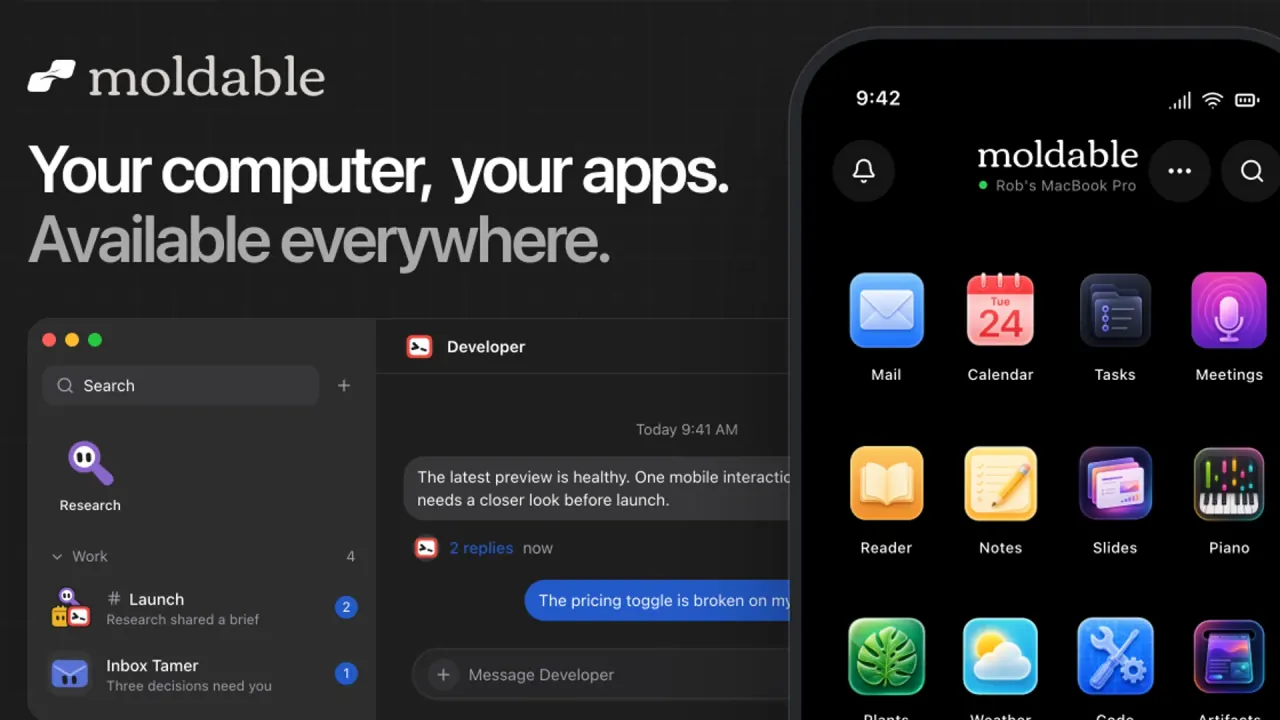
Moldable interface preview
Moldable logo

Moldable

Moldable is a Mac app where you install focused personal apps, change them by describing what you want, and build missing tools from a prompt. Apps and data stay on your Mac, with optional iPhone access, reusable AI bots and Drive backup.

ProductivityApplication BuildingAI Agent#No Code#AI Agent#Desktop Application
View Pricing
Saves
Visits
Views
Pricing
Paid
Published
Sep 22, 2026
Domain
moldable.sh
Community rating

Used this tool? Rate it

Rate this tool

Moldable Product Information

View Pricing
Tool Information
Saves
Visits
Views
Pricing
Paid
Published
Sep 22, 2026
Domain
moldable.sh
Community rating

Used this tool? Rate it

Rate this tool

Featured Tools

Related Tools

View Pricing

What is Moldable?

Moldable is a desktop app for macOS that lets you build personal apps on your Mac, reshape them in conversation and stream them live to iPhone. Instead of treating AI output as a chat reply or a hosted web project, it turns requests into small local applications — a mail client, a meeting recorder, a Postgres browser, a plant tracker — that you keep using and keep changing.

The service is operated by Desiderata LLC, a Pennsylvania limited liability company, and the terms describe it as a local-first desktop application with optional hosted services such as accounts, Moldable Drive sync and Moldable Artifacts. An unrelated developer-tools project uses the phrase "Moldable Development" for a programming environment; this page covers only the Mac personal-software app.

The short version of the trade-off: Moldable is free to use today and keeps apps, code and workspace data on your own machine, but it runs only on macOS, the iPhone experience depends on your Mac staying online, and several hosted parts are still beta or experimental.

Core features

As an AI app builder, Moldable stacks four layers: installable apps, a conversation that edits or creates apps, optional bots that use those apps for you, and optional hosted services for sharing and syncing. You can use only the local apps and never enable a bot, Relay or Drive.

Starter apps and the app catalog

  • One-click installs: free apps for mail, calendar, meetings, notes, tasks, creative work, learning and more, installed from inside the desktop app.
  • Productivity: Mail is a fast, keyboard-driven Gmail client for all your accounts; Meetings records, transcribes and summarizes every meeting locally.
  • Developer tools: Code is a VS Code-style editor with live preview, Git adds AI commits and review, and Database lets you browse, query and chart your Postgres databases locally.
  • Creative and learning: Images generates, edits and branches images with GPT Image 2; Slides, Remotion, Microscope, Piano, Guitar and Scribo Languages cover decks, video, science, music practice and language learning.
  • Source-available code: every official app's source is published, so you can read how it works or fork one as a starting point.

Reshaping and building apps by conversation

Installed apps are not frozen. You can reshape one by asking — change its interface or workflow — or describe something entirely new, from a personal tool to a quick one-off utility. No coding knowledge is required: you describe the app or change in plain language and Moldable builds it. If you do code, every generated app is real local source you can open and shape further, which makes Moldable closer to a personal software workshop than to a closed no-code canvas.

Apps also cooperate. Each app exposes a permissioned API, so chat, automations and bots can work across several apps at once, and you choose which AI model runs the work.

Bot mode

  • Reusable roles: a bot is a role with standing instructions — Research, Developer, Planner or one you define — instead of another blank chat.
  • Chosen app access: you decide which installed or custom-built apps each bot can use.
  • Scheduled routines: a bot can combine the apps its role needs and run a routine on a schedule, bringing you decisions instead of another dashboard.
  • Channels and Voice: bots work in focused channels, and Voice talks to the same bot with the same role and channel context rather than a separate assistant.

An app is personal software you use directly; a bot is an optional role that can use several apps together. If the app a bot needs does not exist, you build or reshape it first.

Browser, plugins and skills

Browser Use gives bots a workspace-scoped browser profile on your Mac, separate from your everyday browser — not a remote cloud desktop. Plugins add capabilities such as AgentMail, Granola or iMessage, and skills teach repeatable methods; skills handle complex jobs such as audio transcription, PDF processing and API integrations, and some come built in.

Artifacts: pages and decks you can publish

The Artifacts app turns a chat into either a page, a full scrolling web page built from HTML, CSS and JavaScript, or a deck, a 16:9 slide presentation with motion and an optional app-like runtime. Artifacts stay as local data until you publish; one click then produces a public, unlisted Moldable Artifacts link with republish, unpublish and version history.

Moldable Drive

Drive is optional backup and sync for app code and workspace data: installed and bot-built apps, app data, settings, conversation history and folders you choose. Secrets, logs, caches, dependencies and generated files are excluded, conflicting copies are both kept instead of discarding work, and you can restore your setup on a new Mac.

Guide

Setup follows the product's own order: local first, hosted features only when needed.

  1. Install the Mac app. You can use Moldable locally without an account; Relay and Drive are optional.
  2. Connect an AI provider. Sign in with ChatGPT or configure another provider; Moldable and its apps are free with a ChatGPT subscription.
  3. Install a starter app. Open the Store and install an app such as Artifacts or Meetings in one click; installed apps update themselves over time.
  4. Describe your changes. Ask in plain language for a feature, layout or workflow. The meeting-notes guide starts from a prompt asking for microphone recording, real-time transcription through Deepgram, speaker detection, a notes pane and Markdown export.
  5. Iterate rather than specify everything upfront. Start with the core function; calendar integration, AI summaries or saved audio can be follow-up requests in the same conversation.
  6. Add a bot only when a routine repeats. Create a role, choose which apps it may use and, if useful, give it a schedule.
  7. Pair your iPhone for remote access. Open Remote on your Mac to get a pairing code and scan it with the iOS app; the connection reconnects automatically and can be revoked at any time.

Use cases and examples

Moldable's official guides are recreatable examples with the prompts used. The most concrete patterns:

  • Private meeting notes: a recorder with real-time transcription, speaker detection and a notes pane, with transcripts and notes stored locally in your Moldable workspace.
  • Presentations that become links: turn rough notes into a deck, tighten or resequence it through chat, then present fullscreen from your Mac or publish an unlisted Artifacts link that reflows on mobile. Nothing is uploaded until you choose to publish.
  • A morning command center: a Planner bot runs on weekdays at 8:00am and combines today's events, important unread mail, due tasks and the forecast into one brief that appears only when something needs attention.
  • Release watch for developers: a Developer bot checks repository state, saved read-only database checks and release tasks every two hours, surfacing only blockers that need a person.
  • Utilities without keys: the personal weather dashboard shows today's conditions and the week ahead with no account or API key.

What these share is that the output is a tool you keep using, not a single answer — the main reason to pick Moldable over a chat assistant for recurring personal workflows.

Who is it for

Moldable suits people who want to own and keep adjusting small tools, and fits poorly where hardware, age or hosting needs rule it out.

Good fit:

  • Mac users with a ChatGPT subscription who want private, adjustable versions of everyday tools — mail, notes, tasks, meetings — using the free starter apps.
  • Non-programmers who can describe what they want in plain language.
  • Developers and tinkerers who want generated apps as real local source, plus built-in Code, Git and Database apps.
  • People who prefer local-first apps, since Moldable does not receive locally stored apps, data or configurations by default.

Poor fit:

  • Windows or Linux users, since those platforms are only planned.
  • Anyone under 18, because the terms require users to be at least 18.
  • Teams wanting a hosted app platform for public web apps: the service is provided primarily for personal use, and public sharing is limited to static Artifacts.
  • Phone-first users, since the iPhone app is a remote for a Mac that must stay online.

Platforms

  • macOS: runs on Apple Silicon and Intel Macs. The update manifest published on September 16, 2026 lists version 0.3.36 with builds for both architectures.
  • iPhone: Moldable for iPhone streams mobile-ready apps from your Mac and carries over chats, bots, approvals and Voice. The site's App Store button currently opens a TestFlight invitation to the Moldable beta, which describes the app as a remote control for the desktop app.
  • Windows and Linux: planned, not available.
  • Web: the only public web output is published Artifacts, which open on any device.

The iPhone link runs through Relay. The Mac keeps running the apps, data and agent work, and both devices connect outward, so no open port, router setup or VPN is needed. Pairing uses a QR code that works once.

As captured on September 21, 2026, the public GitHub organization lists three repositories — apps, skills and aivault — so the desktop app's own source is not among them. The apps repository was still receiving releases on September 16, 2026.

Pricing

Moldable currently has no paid plan: the terms state that no paid services are offered, and the site describes Moldable and its apps as free with a ChatGPT subscription.

ComponentCurrent costWhat to know
Desktop appFreeUsable locally without a Moldable account
Official appsFree to installSource-available; updated over time
AI usageThrough your AI providerFree with a ChatGPT subscription; other providers follow their own terms
Moldable DriveStarts with 1 GB freeOptional; in beta
Relay (iPhone)No price listedOptional; Mac must stay online

"Free" covers Moldable itself, not the AI underneath: the ChatGPT connection is subject to OpenAI's plan eligibility and service limits.

For any future paid plan, the terms require the purchase screen to disclose price, billing period, limits, renewal terms, cancellation method and refund policy, and free Sync will not be converted into a paid plan without your express agreement. No storage overage is charged unless you agree to it first.

Moldable alternatives and how it compares

An independent AI tool directory compares Moldable with cloud-native builders such as Lovable, Bolt.new and v0, with AI code editors such as Cursor and Windsurf, and with local LLM chat interfaces such as OpenWebUI and LM Studio.

  • Lovable, Replit and v0: by Moldable's own description, it starts on your machine — personal apps and data can stay private as ordinary files, apps can work with each other, and you publish only the sites, pages and presentations you choose. The directory notes that cloud builders are faster to start and easier to deploy to the web.
  • Codex, Claude and Grok: Moldable calls these capable agent products and positions itself as turning agent capability into personal software you use directly — local apps reshaped in real time, streamed to iPhone and optionally coordinated by bots — while you still choose the model.
  • Cursor and Windsurf: the directory describes these as editors for engineers on large codebases, while Moldable targets small single-purpose tools.

These comparisons come from the vendor and one directory listing, not independent testing; they describe positioning rather than measured differences.

Limitations

Platform and availability limits

  • Your Mac must be online for the iPhone app, because the Mac powers the live apps, chats, agents, Voice context and approvals.
  • Early-stage service: the service may be offered in alpha, beta or other early-stage form and may experience interruptions, errors or data loss.
  • Age requirement: users must be at least 18.

Drive is not a complete backup

Sync is optional, in beta, and explicitly not a substitute for an independent backup. Synced content is encrypted in transit and at rest with server-managed encryption, but Sync is not end-to-end encrypted, and the terms say it should not be used for secrets or regulated data. At a storage limit, some new files may stay only on the device where they were created.

Bots, plugins and automated actions

  • Workspace-wide plugins: plugin access is workspace-wide for now; you limit which apps a bot uses, not which plugins it sees.
  • Approvals are not undo: risky actions require approval, but an approval is a safeguard, not a guarantee that an action can be undone.
  • AI-generated code may contain errors, security vulnerabilities or unintended behavior, and reviewing it is your responsibility.
  • Official apps are provided "AS IS" without warranty.

Privacy and rights

  • Local by default: apps, code, configurations and conversation history live in the ~/.moldable/ directory and are not sent to Moldable unless you enable Sync, publish, contact support or connect a third-party service.
  • AI providers see task data: prompts, relevant context, tool results and files you provide may go to the provider you select, such as Anthropic, OpenAI or OpenRouter.
  • Voice: microphone audio goes directly to your selected AI provider; Relay carries only encrypted signaling and session control.
  • Model training: neither the privacy policy nor the terms address whether data sent through Moldable is used for model training.
  • Google Calendar data is cached locally in ~/.moldable/, and Desiderata does not store your calendar data on its servers.
  • Deletion and sale: you can request deletion of your account or hosted data by email or through an in-product control where available, and the policy states that personal information is not sold.
  • Artifacts are public: an unlisted URL is not access control; anyone with the link can view, copy or share it.
  • Ownership: you own the apps you create, and Desiderata does not claim your generated software or data.
  • Licensing: official apps are source-available under FSL-1.1-ALv2, each version becoming Apache License 2.0 on the second anniversary of its release; Chess is an exception under AGPL-3.0-or-later.

FAQ

Q1. Is Moldable really free?

Yes, for now. The app and its official apps are free with a ChatGPT subscription, Drive starts with 1 GB free, and no paid services are currently offered.

Q2. Do I need to know how to code?

No. You describe the app or change in plain language; if you do code, the generated app is local source you can edit.

Q3. Does the iPhone app work when my Mac is off?

No. The Mac runs the apps and agent work, and the iPhone reaches it through an end-to-end encrypted Relay connection.

Q4. Can I use Moldable without an account?

Yes. Local features work without a Moldable account, and connecting ChatGPT is only needed for the OpenAI-powered features you choose.

Q5. Is Moldable open source?

Partly. The official apps are source-available under FSL-1.1-ALv2 and convert to Apache 2.0 two years after each release, but the desktop app's source is not in the public organization.

Know a Similar Tool?
If you know other great AI tools, feel free to submit them to us